VPS migration costs extend far beyond the price of a new virtual private server. Moving websites, databases, applications, and email services between hosting providers can introduce data transfer expenses, IP address changes, technical labor, and unexpected downtime.
A cheaper VPS may reduce monthly hosting bills, but migration expenses can eliminate those savings if the process is poorly planned.
This guide explains how to estimate migration costs, minimize service interruptions, and compare VPS providers before moving production workloads.
What Determines VPS Migration Costs?
The total expense depends on the complexity of the existing environment and the services required to move it safely.
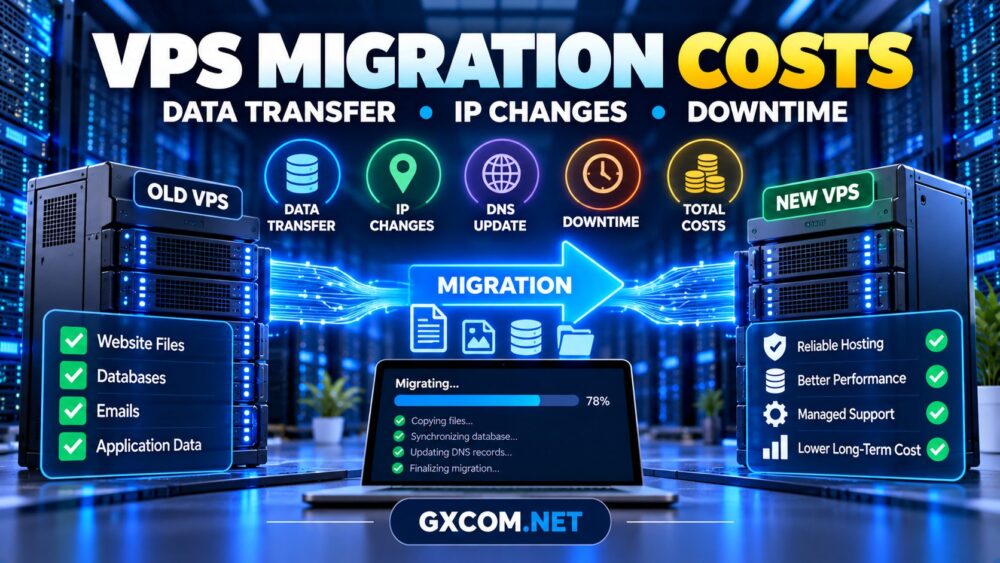
Common cost components include:
- Data transfer: Moving website files, databases, backups, and application assets.
- Technical labor: Server preparation, configuration, testing, and troubleshooting.
- IP changes: Updating DNS, firewalls, integrations, and access rules.
- Downtime: Lost transactions or productivity during the transition.
- Temporary overlap: Running old and new servers simultaneously.
- Licensing: Reconfiguring commercial software or control panels.
For context on ongoing infrastructure expenses, review our cheap VPS provider comparison.
How Much Does VPS Data Migration Cost?
Data transfer charges depend on the source provider, destination provider, transfer method, and applicable bandwidth policies.
Some hosting plans include outbound traffic allowances. Others may charge for excess transfer, specialized migration assistance, or additional backup storage.
Before migrating, measure:
- Total website and application file size.
- Database size and expected growth.
- Backup archives requiring transfer.
- Available network bandwidth.
- Any outbound traffic or transfer restrictions.
Large datasets may take longer to transfer than expected, particularly when network throughput is inconsistent.
Using rsync for Linux VPS Transfers
For Linux environments, rsync can transfer files incrementally and reduce repeated copying.
rsync -avz --progress /var/www/example/ \
user@new-server:/var/www/example/
This is an illustrative command. Adjust permissions, ownership, SSH authentication, and destination paths before use. A successful file transfer does not automatically migrate databases, services, or application configuration.
IP Address Changes and DNS Migration
Changing VPS providers usually means receiving a different public IP address. That change can affect more than the website’s DNS records.
Review dependencies such as:
- DNS A and AAAA records.
- Firewall allowlists and VPN rules.
- Third-party API integrations.
- Payment gateway callbacks.
- Email sending configuration and reputation.
- SSL certificate deployment and monitoring.
Reduce DNS TTL values before migration when practical, but remember that recursive resolvers may cache previous records until their existing TTL expires.
Keep the old server operational during the transition whenever possible. DNS changes alone do not guarantee a seamless cutover.

How Much Downtime Should You Expect?
Migration downtime depends on the application’s architecture, database activity, DNS behavior, and deployment method.
A mostly static website may require little interruption. A busy ecommerce store or transactional application needs a more careful synchronization strategy.
| Workload | Main Migration Risk | Recommended Preparation |
|---|---|---|
| Static website | DNS and configuration errors | Pretest destination |
| WordPress | Database and uploaded files | Final synchronization |
| Ecommerce | Orders during cutover | Controlled write freeze |
| SaaS application | Active sessions and transactions | Application-specific migration plan |
| Mail server | Delivery and reputation issues | Mail routing validation |
For stateful applications, use maintenance mode, replication, or a carefully controlled final synchronization to prevent data divergence.
Calculating the True VPS Migration Budget
A practical estimate combines one-time expenses with the additional cost of operating both environments during the transition.
Total migration cost = technical labor + transfer fees + temporary hosting + software changes + estimated downtime impact.
Consider this hypothetical example:
| Migration Component | Illustrative Cost |
|---|---|
| Administrator labor | $120 |
| Temporary server overlap | $25 |
| Backup storage | $15 |
| Software adjustments | $20 |
| Estimated downtime impact | $80 |
| Total | $260 |
These amounts are hypothetical planning figures, not provider quotations.
If migration saves $20 monthly, recovering a $260 one-time expense would take approximately 13 months, assuming other costs remain unchanged.
This calculation helps determine whether switching providers offers meaningful long-term value.
Four VPS Providers to Consider When Migrating
The right destination depends on your operating system, application requirements, technical expertise, and desired management level.
ScalaHosting: Managed Migration Considerations
ScalaHosting is worth evaluating when moving business websites to a managed VPS environment. Its managed hosting focus may appeal to teams seeking reduced routine administration.
Confirm migration eligibility, supported applications, assistance scope, and any associated charges before ordering.
KnownHost: Business Hosting and Support
KnownHost is relevant for organizations comparing managed VPS hosting and ongoing technical support.
Ask whether migration assistance covers websites, databases, email, control panels, and custom software. Support boundaries should be confirmed in writing.
Hostwinds: Managed and Unmanaged VPS Options
Hostwinds provides an option for buyers evaluating different VPS management arrangements.
Compare the destination configuration, supported operating systems, backup services, and migration responsibilities. Verify which tasks remain under customer control.
Evoxt: Budget-Oriented VPS Migration
Evoxt is another candidate for technically experienced users seeking a VPS destination for websites or applications.
Review the selected plan’s resources, network location, backup arrangements, and support scope. Do not assume managed migration assistance is included.
For additional options, explore our best VPS providers comparison.
Managed vs DIY VPS Migration
A do-it-yourself migration can reduce direct service charges when the administrator understands the existing infrastructure.
However, complex applications may require database specialists, system administrators, or external migration assistance.
Managed hosting can reduce some operational responsibilities, but support packages differ. Our managed VPS total cost guide explains how administration time and support fees influence the overall budget.
VPS Migration Checklist to Reduce Downtime
Use a structured process rather than moving production services without testing.
- Audit: Record applications, databases, DNS, IP dependencies, and scheduled tasks.
- Back up: Create an independent, restorable copy of essential data.
- Prepare: Configure the destination server and required security controls.
- Transfer: Copy files and migrate databases using suitable methods.
- Test: Validate the application through a temporary hostname or local hosts-file override.
- Cut over: Synchronize final changes and update routing or DNS.
- Monitor: Check errors, transactions, email delivery, and performance.
- Retire: Cancel the old VPS only after successful verification.
Define a rollback procedure before changing production traffic. Keep the original environment available until recovery is no longer necessary.

When Is VPS Migration Worth the Cost?
Migration makes sense when the new provider delivers measurable improvements in performance, support, reliability, location, or long-term operating costs.
Compare annual savings against migration expenses and business disruption. If the existing server performs adequately, a minor price difference may not justify the risk.
When evaluating a new destination, check relevant VPS hosting deals while verifying renewal terms and required resources.
Frequently Asked Questions
Can I migrate a VPS without downtime?
Some architectures support near-zero-downtime migration, but results depend on database synchronization, application design, and traffic routing.
Will my VPS IP address change?
Usually, yes, when switching providers. Update DNS records, firewall rules, integrations, and monitoring accordingly.
Does a new VPS provider migrate websites for free?
Policies vary by provider, product, and workload. Confirm eligibility and service scope before purchasing.
Should I cancel my old VPS immediately?
No. Maintain an overlap period until application functionality, data consistency, and traffic routing have been verified.
Final Verdict
VPS migration costs should be evaluated alongside future hosting savings, downtime exposure, and technical responsibilities.
A successful migration requires more than copying files. Plan IP changes, validate databases, test recovery, and compare provider support before moving production workloads.
The best migration decision is the one that improves long-term hosting value without introducing unacceptable business risk.