Unmanaged dedicated server rescue access can determine whether a configuration mistake becomes a brief maintenance task or a prolonged outage. When SSH stops responding, Windows Remote Desktop becomes unavailable, or the operating system fails to boot, administrators need a recovery path that does not depend on normal server connectivity.
Remote management capabilities vary across dedicated hosting plans. Some servers provide independent hardware consoles, while others rely on rescue environments or technician assistance.
This guide explains IPMI, KVM-over-IP, rescue mode, and recovery planning, then outlines what to verify when comparing Cherry Servers, ServerMania, InterServer, and Bacloud.
Why Rescue Access Matters for Unmanaged Servers
With unmanaged hosting, customers generally handle operating system configuration, software maintenance, and application recovery. The provider remains responsible for physical infrastructure according to the applicable service agreement.
A firewall mistake, damaged bootloader, failed kernel update, or incorrect network setting can prevent ordinary remote access.
Our unmanaged server security checklist covers preventive setup practices. Rescue access becomes especially important when those protections or changes interrupt connectivity.
1. Understand IPMI and Baseboard Management Controllers
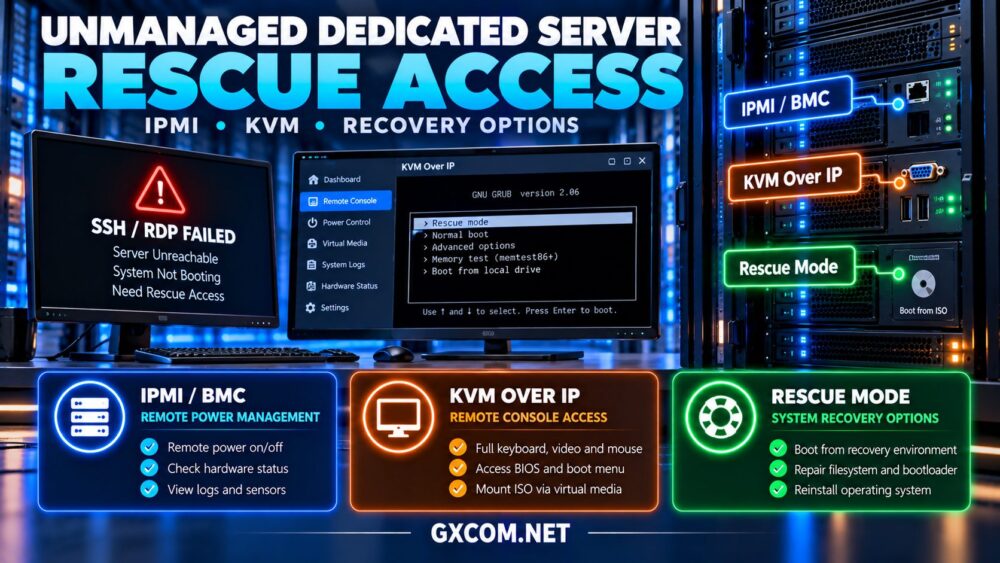
IPMI is a management interface specification commonly associated with a server’s baseboard management controller, or BMC.
A BMC may provide hardware health information, remote power control, event logs, and console functionality independently of the installed operating system.
However, IPMI support does not automatically mean a customer receives full remote console access. Capabilities depend on hardware, firmware, licensing, and provider policy.
Modern platforms may also expose management functions through Redfish or vendor-specific interfaces.
Ask whether management access is included, restricted to provider staff, or available as an optional service.
2. Compare KVM-over-IP with Standard Remote Login
KVM-over-IP provides remote keyboard, video, and mouse interaction with the physical server console.
Unlike SSH or RDP, a suitable hardware-level KVM session may remain useful when the operating system has not started or its network configuration is broken.
Administrators can inspect boot messages, enter firmware settings where permitted, and troubleshoot startup problems.
Some implementations also support virtual media, allowing an installation or recovery image to be mounted remotely.
Confirm whether KVM access is permanent, temporary, technician-assisted, or billed separately.
3. Use Rescue Mode for Filesystem and Boot Recovery
A rescue environment typically starts an alternative operating system or recovery image, allowing administrators to inspect disks without relying on the installed production system.
Common tasks include repairing filesystem configuration, recovering files, correcting bootloader settings, and reviewing damaged system components.
Rescue mode does not guarantee recovery from every failure. Storage hardware faults, encryption requirements, and inaccessible volumes may still require additional intervention.

Before making destructive changes, identify the correct disks and preserve recoverable data.
4. Know the Limits of Remote Recovery
Remote management cannot repair every physical problem. Failed motherboards, inaccessible BMC hardware, damaged power systems, and certain storage failures may require data center technicians.
Independent power control also does not mean the server has redundant power supplies or diverse network connections.
For business-critical applications, recovery planning should include hardware replacement procedures, backups, and alternative infrastructure.
Our dedicated server network redundancy guide explains why remote management and network resilience solve different problems.
5. Compare Dedicated Server Rescue Options
| Recovery Method | Typical Use | Main Limitation |
|---|---|---|
| SSH or RDP | Normal system administration | Requires working OS and network |
| IPMI or BMC | Power and hardware management | Access and features vary |
| KVM-over-IP | Boot and console troubleshooting | May require separate access |
| Rescue Mode | Offline filesystem repair | May require reboot |
| Technician Assistance | Physical hardware intervention | Depends on response arrangements |
No single recovery method covers every failure scenario. The strongest operational approach combines multiple independent recovery options.
6. Compare Unmanaged Dedicated Server Providers
When evaluating unmanaged hosting, verify the recovery tools available for the exact server model and location. The following providers are relevant candidates, but specific IPMI, KVM, and rescue features require confirmation.
Cherry Servers: Infrastructure Control
Cherry Servers is worth evaluating for technical teams requiring configurable bare metal infrastructure.
Ask about remote console availability, operating system reinstall options, rescue workflows, and whether management interfaces are accessible through a protected portal.
Best for: Administrators prioritizing hands-on infrastructure control.
ServerMania: Operational Support Planning
ServerMania is relevant for organizations comparing dedicated infrastructure and documented support procedures.
Confirm how hardware faults are escalated, whether remote KVM is available, and which recovery tasks require technician assistance.
Best for: Businesses seeking clear recovery responsibilities.
InterServer: Self-Managed Server Evaluation
InterServer deserves consideration for experienced administrators comparing dedicated hardware and operating costs.
Verify console access, reboot controls, reinstall procedures, and any charges associated with hands-on recovery services.
Best for: Cost-conscious teams comfortable managing operating systems.
Bacloud: Budget and Recovery Tradeoffs
Bacloud is another candidate for buyers evaluating self-managed dedicated infrastructure.
Check whether the selected configuration includes a rescue environment, remote console, hardware monitoring, or technician-assisted recovery.
Best for: Administrators comparing hardware value with recovery capabilities.
7. Secure IPMI and Remote Management Access
Out-of-band management interfaces are powerful and should be treated as sensitive administrative systems.
Avoid exposing BMC interfaces directly to the public internet. Prefer provider-controlled portals, VPN access, network restrictions, and strong authentication where supported.
Replace default credentials, limit authorized users, and apply supported firmware updates through an approved maintenance process.
Review access logs and remove unused accounts. Remote management security is especially important because compromise may provide control beyond the installed operating system.
8. Build a Practical Recovery Checklist
- Document provider support contacts and escalation procedures.
- Verify that authorized administrators can access the remote console.
- Confirm remote reboot and power-control procedures.
- Identify the supported rescue or reinstall environment.
- Record storage layouts, encryption recovery requirements, and network settings.
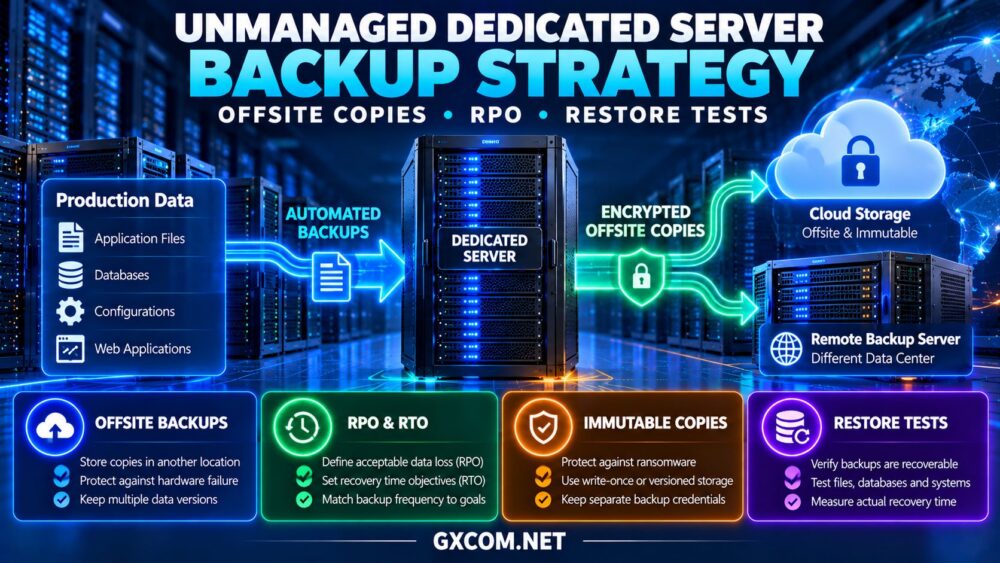
- Maintain independent backups and test restoration.
- Practice a controlled recovery scenario before an emergency.
For data recovery planning, review our unmanaged dedicated server backup strategy, including offsite copies and restore testing.

9. Estimate the Real Cost of Rescue Access
Some recovery features may be included in the server rental, while others require optional services or technician fees.
Consider a hypothetical server costing $85 monthly, with an additional $15 monthly for enhanced management access. The annual difference is $180 before taxes or incident-related charges.
Whether that expense is worthwhile depends on workload criticality, expected recovery time, and the availability of alternative access.
Compare infrastructure offers through our dedicated server deals guide, but do not evaluate price without checking recovery options.
10. Test Recovery Before Production Deployment
Recovery capabilities should be verified while the server is healthy, not discovered during an outage.
Schedule a maintenance window to confirm console access, review power controls, and understand the rescue boot procedure without risking production data.
Document the expected recovery sequence and who is authorized to perform each action.
If the server hosts critical services, consider a second application instance or replacement environment so hardware recovery does not become the only continuity strategy.
Final Verdict
Reliable unmanaged dedicated server rescue access combines secure remote management, console visibility, rescue environments, tested backups, and clearly defined hardware support.
Cherry Servers, ServerMania, InterServer, and Bacloud are relevant providers to investigate. Confirm the actual IPMI, KVM, rescue, and technician support options for each selected plan.
The best unmanaged dedicated server is not simply the least expensive machine. It is one that administrators can realistically recover when normal remote access fails.