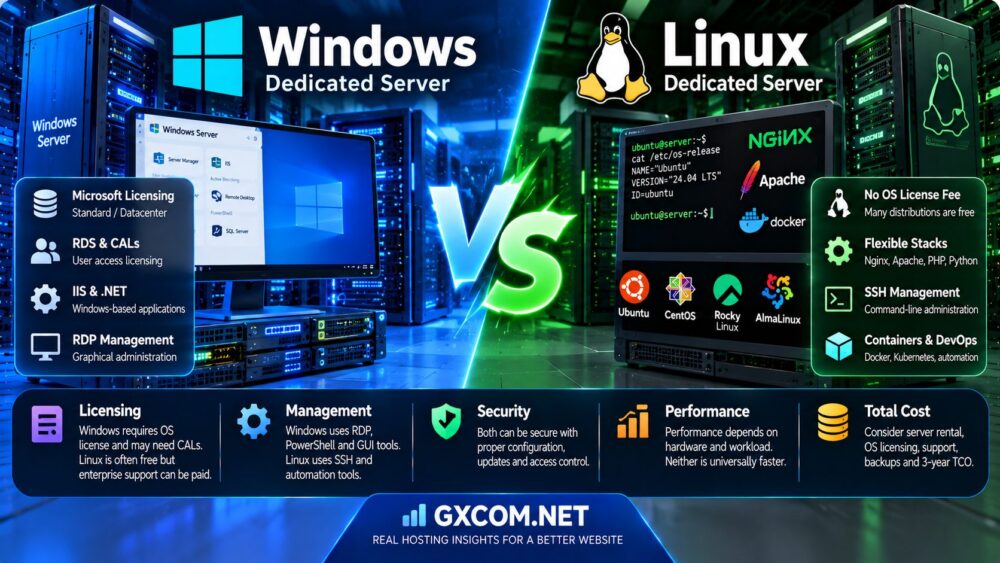
Choosing between a Windows and Linux dedicated server is not simply a matter of personal preference. The operating system affects application compatibility, licensing obligations, server administration, security workflows, and the total cost of running a business workload.
Windows Server is often selected for Microsoft-dependent applications, IIS hosting, Active Directory, Remote Desktop Services, and software that requires the Windows environment. Linux is widely used for web servers, databases, container platforms, automation, and cloud-native infrastructure.
However, the familiar assumption that Windows is expensive and Linux is free can be misleading. Windows licensing depends on the deployment and access model, while commercial Linux subscriptions, managed support, security tooling, and administrative labor can also create substantial costs.
This Windows vs Linux Dedicated Server comparison examines licensing, performance, security, server management, workload compatibility, and three-year total cost of ownership.
It also explains how to evaluate dedicated server options from Cherry Servers, ServerMania, Hostwinds, AccuWeb Hosting, and Database Mart without assuming that every provider offers identical operating systems or support services.
Editorial methodology: This guide draws on official operating system licensing documentation and established server administration practices reviewed in October 2026. Pricing scenarios are hypothetical and are not quotations from hosting providers. Product availability and licensing terms should be verified before purchase.
Windows vs Linux Dedicated Server: Quick Verdict
Choose Windows Server when your application requires Microsoft-specific server technologies, Windows-only software, or a supported Windows-based management environment.
Choose Linux when your workload runs well on an open-source server stack, you want broad automation and container compatibility, or you want to avoid unnecessary Windows operating system licensing.
Choose based on the application first, then compare licensing, administration, security, and long-term costs.
| Category | Windows Dedicated Server | Linux Dedicated Server |
|---|---|---|
| Common operating systems | Windows Server Standard, Datacenter | Ubuntu, Debian, AlmaLinux, Rocky Linux, RHEL |
| OS licensing | Microsoft licensing applies | Many distributions have no OS license fee |
| Commercial support | Microsoft, hosting provider, or third party | Vendor subscription, provider, or third party |
| Administration | PowerShell, Server Manager, Windows Admin Center, RDP | SSH, shell, configuration management, optional GUI |
| Web hosting | IIS, ASP.NET, compatible web stacks | Nginx, Apache, PHP, Python, Node.js |
| Container ecosystem | Windows containers and supported orchestration | Broad Linux container ecosystem |
| Microsoft application compatibility | Strong for Windows-dependent applications | Depends on application support |
| Typical cost advantage | Can reduce migration or application compatibility costs | Can avoid Windows OS license fees |
| Best fit | Windows-specific enterprise workloads | Web, infrastructure, automation, cloud-native applications |
What Is a Windows Dedicated Server?
A Windows dedicated server is a physical server allocated to a customer and running a supported Windows Server operating system.
The customer receives dedicated hardware resources rather than sharing the physical machine with unrelated hosting tenants.
Windows Server Standard
Windows Server Standard is commonly considered for physical or lightly virtualized environments.
Its virtualization rights depend on the licensing model and the number of licenses assigned.
Windows Server Datacenter
Windows Server Datacenter is designed for highly virtualized and advanced infrastructure scenarios.
Under applicable physical-core licensing rules, it provides broader virtualization rights than Standard.
Windows Server Administration
Administrators can manage Windows Server through PowerShell, graphical tools, Windows Admin Center, and supported remote administration methods.
Typical Windows Workloads
- Windows-dependent enterprise applications
- IIS web hosting
- Legacy ASP.NET Framework applications
- Active Directory Domain Services
- Remote Desktop Services
- Microsoft SQL Server deployments
- Windows-based business automation
Not every Windows application requires a dedicated physical server. Buyers should first determine whether a VPS, virtual machine, or managed application service can meet the same requirement.
What Is a Linux Dedicated Server?
A Linux dedicated server is a physical server running a Linux distribution and allocated to a single customer or organization.
Linux provides a flexible environment for web applications, databases, containers, networking, automation, and development infrastructure.
Ubuntu Server
Ubuntu Server is widely used for web hosting, application deployment, containers, and cloud infrastructure.
Ubuntu Pro and enterprise support are optional commercial offerings.
Debian
Debian is a community-maintained distribution known for its stability-oriented release model and extensive package ecosystem.
AlmaLinux and Rocky Linux
These distributions are commonly evaluated for enterprise-style Linux hosting and environments seeking compatibility with the RHEL ecosystem.
Red Hat Enterprise Linux
RHEL provides an enterprise subscription model with defined lifecycle, support, and management offerings.
Typical Linux Workloads
- WordPress and PHP hosting
- Nginx and Apache web servers
- Python and Node.js applications
- MySQL, MariaDB, and PostgreSQL
- Docker and container-based deployments
- CI/CD infrastructure
- Reverse proxies and API gateways
- Linux-native development environments
Windows vs Linux Dedicated Server Licensing
Licensing is one of the most important differences between Windows and Linux dedicated servers.
Windows Server Core Licensing
Windows Server Standard and Datacenter use core-based licensing models.
Under Microsoft's physical-core licensing approach for Windows Server 2025, licenses must cover physical cores subject to minimums of eight cores per processor and sixteen cores per server.
Some qualifying subscription or Software Assurance arrangements also support licensing by virtual machine under separate requirements.
Windows Server CALs
Client Access Licenses may be required for users or devices accessing certain Windows Server services, depending on the licensing arrangement and applicable exceptions.
The need for CALs should not be assumed solely from the number of website visitors or network connections.
Remote Desktop Services CALs
Providing Remote Desktop Services sessions to users is different from using permitted remote administration connections.
RDS access may require additional licenses or service-provider-specific licensing arrangements.
Windows Server Licensing Through Hosting Providers
Dedicated server providers may supply Windows Server under an applicable service-provider licensing arrangement.
Customers should verify whether the advertised monthly server price includes the operating system license and whether any access licenses or additional Microsoft products are excluded.
Linux Licensing
Many Linux distributions can be installed without a per-core operating system license fee.
However, enterprise Linux subscriptions, security maintenance, management tools, and commercial support can create recurring costs.
Licensing Verdict
Linux often provides a lower operating system licensing baseline, but the final decision should account for application compatibility, enterprise support, and administration costs.
Windows Server Standard vs Datacenter
Windows Server editions should be selected based on workload and virtualization requirements.
Standard Edition
Standard may be suitable for a limited number of Windows Server operating system environments.
Under applicable physical-core licensing rules, a fully licensed Standard server provides rights for two operating system environments, subject to the relevant licensing conditions.
Datacenter Edition
Datacenter may be more appropriate for heavily virtualized infrastructure.
Its licensing can provide unlimited operating system environment rights on properly licensed hardware, subject to Microsoft's terms.
Dedicated Hosting Considerations
Ask the hosting provider whether the edition, virtualization rights, and license model support the intended configuration.
Do not assume that a low-cost Windows dedicated server includes Datacenter rights or unlimited virtual machines.
Windows vs Linux: Software Compatibility
Application compatibility should usually be the first technical decision.
Windows-Dependent Applications
Some enterprise software requires Windows Server, specific Microsoft components, or vendor-certified Windows environments.
Running such software on Linux may be unsupported or impractical.
Modern .NET Applications
Modern .NET is cross-platform for many workloads.
However, legacy ASP.NET Framework applications and software relying on Windows-specific APIs may require Windows Server.
Microsoft SQL Server
SQL Server has supported deployment options beyond Windows for certain versions and configurations.
Always check the supported operating systems and features for the exact SQL Server edition and version.
Linux Web Applications
Many PHP, Python, Java, and Node.js applications are commonly deployed on Linux.
Compatibility Verdict
Choose the operating system officially supported by the software vendor before optimizing hosting costs.
Windows vs Linux Dedicated Server Performance
Neither operating system is universally faster on identical hardware.
Performance depends on the application, drivers, filesystem, server configuration, background services, and resource utilization.
CPU Performance
CPU-intensive workloads should be benchmarked using the same processor generation, core allocation, and application configuration.
Memory Consumption
Minimal Linux installations can have a smaller background resource footprint than full graphical Windows environments.
However, Linux distributions with graphical environments and enterprise agents can also consume significant memory.
Storage Performance
NVMe performance depends on storage hardware, controller configuration, filesystem, and application I/O patterns.
Network Performance
Network throughput and latency depend on NICs, drivers, network topology, and provider infrastructure.
Virtualization Performance
Windows and Linux support different virtualization and container technologies.
Hypervisor configuration and guest workload requirements often matter more than broad operating system comparisons.
Performance Verdict
Benchmark the actual application rather than relying on generic claims that Linux or Windows is always faster.
Windows vs Linux for Web Hosting
Web hosting requirements differ considerably across applications.
Windows Web Hosting
Windows Server is commonly used for IIS and applications requiring Windows-specific technologies.

Linux Web Hosting
Linux is a common choice for Nginx, Apache, WordPress, PHP, and many modern web application stacks.
WordPress
WordPress can run in multiple supported environments, but Linux hosting is commonly selected for conventional PHP and database deployments.
Application Migration
Moving a website from Windows to Linux or vice versa may require changes to web server configuration, filesystem paths, permissions, dependencies, and deployment scripts.
Web Hosting Verdict
Linux is often a practical default for a standard WordPress or open-source web stack. Windows is appropriate when application compatibility requires it.
Windows vs Linux for Databases
Database selection should reflect the application stack, support requirements, and operational experience.
Microsoft SQL Server
SQL Server may be suitable for applications built around the Microsoft database ecosystem.
Its licensing and support requirements must be calculated separately from Windows Server licensing.
MySQL and MariaDB
These databases are widely deployed on Linux for websites and business applications.
PostgreSQL
PostgreSQL supports a broad range of applications and is commonly deployed on Linux.
Database Verdict
Do not choose Windows solely because a workload uses SQL Server, or Linux solely because it uses MySQL. Check the supported database version, operating system, and application dependencies.
Windows vs Linux Dedicated Server Security
Both Windows and Linux can be operated securely when properly configured and maintained.
Windows Security
Windows Server provides security controls, updates, auditing, access management, and integration with Microsoft identity technologies.
Linux Security
Linux distributions provide access controls, security updates, firewall tools, auditing, and security frameworks such as SELinux or AppArmor where supported.
Remote Access
Windows environments may use RDP and PowerShell remoting.
Linux environments commonly use SSH.
Exposed Services
Exposing administrative ports directly to the internet can increase attack risk on either platform.
Restrict management access using firewalls, VPNs, private networks, or appropriately configured access gateways.
Patch Management
Operating system patches, application updates, firmware maintenance, and security monitoring are required regardless of platform.
Security Verdict
Security outcomes depend more on configuration, update discipline, access control, monitoring, and incident response than on the operating system name alone.
Windows vs Linux Server Administration
Administration style affects staffing, troubleshooting, and long-term operating costs.
Windows Administration
Windows Server supports PowerShell automation, graphical administration, remote management, and integration with Microsoft enterprise tools.
Linux Administration
Linux supports shell automation, SSH, package management, systemd services, and infrastructure-as-code tooling.
Automation
Both platforms support automated provisioning and configuration management.
Learning Curve
Windows may be easier for administrators experienced with Microsoft enterprise environments.
Linux may be easier for teams already using Linux servers, containers, and Unix-style tools.
Administration Verdict
Choose the environment that matches your team's operational expertise and the application's technical requirements.
Managed vs Unmanaged Dedicated Servers
Management responsibility can have a larger financial impact than the operating system license.
Unmanaged Windows Dedicated Server
The customer may be responsible for operating system updates, firewall configuration, application installation, backups, and troubleshooting.
Managed Windows Dedicated Server
A managed plan may include selected operating system maintenance and support tasks, but the exact coverage varies by provider.
Unmanaged Linux Dedicated Server
The customer typically administers the Linux environment, packages, services, security configuration, and applications.
Managed Linux Dedicated Server
Managed Linux services may include updates, monitoring, security hardening, and supported control panel assistance.
Support Boundaries
Even a fully managed server may not include custom software development, application debugging, or unlimited third-party software support.
For a broader explanation of management responsibilities, see our Managed vs Unmanaged Hosting Comparison.
Remote Desktop: Windows RDP vs Linux SSH
Remote management is an important operational difference.
Windows Remote Desktop
RDP provides graphical remote access for supported Windows Server scenarios.
Administrative remote connections and multi-user Remote Desktop Services deployments have different licensing implications.
Linux SSH
SSH provides encrypted command-line access and supports automation, file transfer, and tunneling.
Linux Graphical Remote Access
Linux can also provide graphical remote desktop environments through separately configured software.
Security Considerations
Use strong authentication, restricted access, and appropriate network protections for both RDP and SSH.
Remote Management Verdict
Choose RDP for applications requiring a Windows graphical environment and SSH for efficient Linux administration. Neither method should be exposed without appropriate security controls.
Windows vs Linux Dedicated Server Costs
The monthly server rental is only one part of total cost.
Hardware Rental
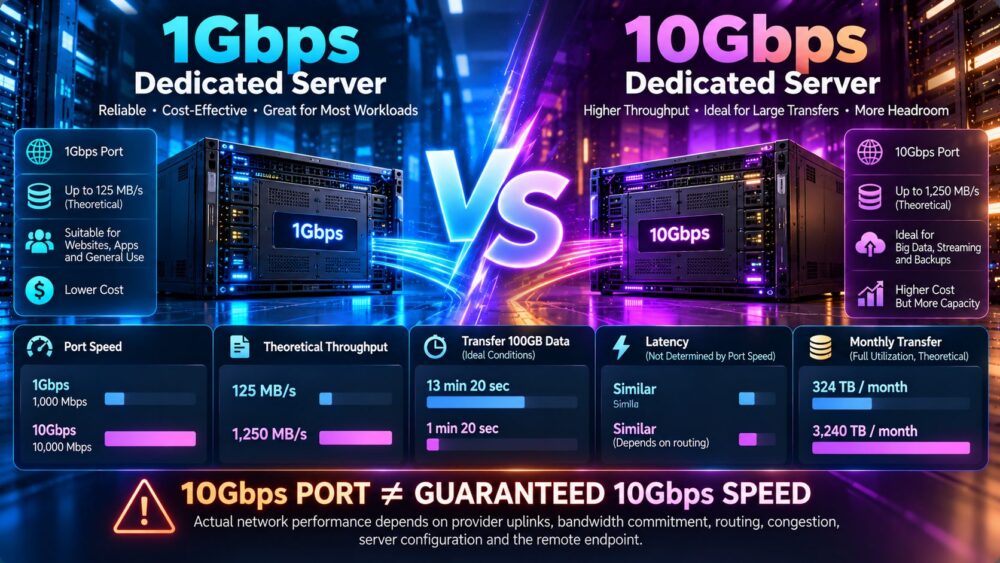
CPU generation, RAM, storage, network port speed, bandwidth allowance, and location affect pricing.
Operating System License
Windows Server may introduce a separate licensing charge.
Linux distributions may have no base OS license fee, but enterprise subscriptions can add cost.
Access Licenses
Windows CALs, RDS CALs, or other access licenses may apply depending on the deployment and licensing model.
Control Panels
Commercial control panels may have their own licensing fees on either operating system.
Managed Support
Managed administration and premium support can increase recurring charges.
Backup Storage
Off-server backups and disaster recovery services should be budgeted separately.
Security Services
Monitoring, vulnerability management, endpoint protection, and compliance tools may add cost.
Staff Time
System administration, incident response, updates, and migrations contribute to the total cost of ownership.
Windows vs Linux: Three-Year Total Cost of Ownership
Consider two hypothetical dedicated server configurations with equivalent hardware and network resources.
These figures are illustrative assumptions, not actual offers from any hosting provider.
| Monthly Cost Component | Windows Server | Linux Server |
|---|---|---|
| Dedicated hardware | $90 | $90 |
| OS license or subscription | $35 | $0 |
| Managed administration | $40 | $40 |
| Backups | $10 | $10 |
| Security and monitoring | $10 | $10 |
| Monthly total | $185 | $150 |
| Year 1 total | $2,220 | $1,800 |
| 36-month total | $6,660 | $5,400 |
Illustrative only. This example assumes a Linux distribution without a paid subscription, equal administration costs, and no additional Microsoft CAL, RDS, SQL Server, or other application license fees. It excludes taxes, migration, downtime, and setup fees.
Under these assumptions, Linux costs $1,260 less over three years.
However, the difference can narrow or reverse when a Windows-native application avoids expensive migration or compatibility work.
Why Linux Is Not Always Cheaper
Linux can reduce operating system licensing costs, but it is not automatically the least expensive business solution.
Enterprise Linux Subscriptions
RHEL and Ubuntu Pro offer commercial support and security-related services under paid plans.
Specialized Administration
Organizations without Linux expertise may need outside administrators or managed support.
Application Migration
Rewriting a Windows-dependent application for Linux can be more expensive than continuing to use Windows Server.
Commercial Software
Some Linux applications, security tools, and control panels also require licenses.
Downtime Risk
An unfamiliar operating environment can increase troubleshooting time if the team lacks experience.
Cost Verdict
Evaluate the entire application lifecycle, not just the operating system fee.
Windows Dedicated Server Licensing: Questions to Ask
Before ordering a Windows dedicated server, ask the provider:
- Which Windows Server version and edition are included?
- Is the operating system license included in the quoted price?
- Which licensing program applies to this hosted deployment?
- Are additional physical CPU cores reflected in the licensing cost?
- Are Windows Server CALs required for the intended access pattern?
- Will Remote Desktop Services require additional licensing?
- Are SQL Server licenses included or separate?
- Can existing licenses legally be used in this hosting environment?
- What happens to licensing charges when the hardware is upgraded?
- Who provides license compliance documentation?
Do not assume that an existing retail or volume license can automatically be transferred to any hosting provider.
Best Windows Dedicated Server Use Cases
Legacy ASP.NET Framework Applications
Applications dependent on Windows-specific components may require Windows Server.
Microsoft Enterprise Software
Some enterprise applications depend on Microsoft services, Windows APIs, or vendor-certified configurations.
Active Directory Infrastructure
Windows Server is a natural choice for Active Directory Domain Services deployments.
Remote Desktop Services
Organizations providing Windows desktop sessions should evaluate RDS infrastructure and licensing requirements carefully.
Windows-Based Automation
Some business processes depend on Windows-only software or graphical automation tools.
For a detailed licensing and budgeting discussion, read our Windows Dedicated Server Cost and Licensing Guide.
Best Linux Dedicated Server Use Cases
High-Traffic Web Hosting
Linux is commonly used for Nginx, Apache, PHP, and database-backed websites.
Containers and Microservices
Linux provides a mature ecosystem for containerized application deployment.
Development Infrastructure
CI/CD systems, repositories, automation services, and build environments frequently run on Linux.
Databases
Linux is widely used for PostgreSQL, MySQL, MariaDB, and other database systems.
Network Services
Linux supports reverse proxies, gateways, VPNs, and other network-oriented workloads.
Linux Recommendation
Linux is a strong default for workloads that do not require Windows-specific technologies.
Windows vs Linux for Virtualization
Dedicated servers are often used as virtualization hosts.
Windows Hyper-V
Hyper-V provides virtualization capabilities within supported Windows Server environments.
Windows Server edition and licensing rights affect how Windows guest environments may be deployed.
Linux KVM
KVM is widely used for Linux-based virtualization infrastructure.
Virtual Machine Licensing
Running Windows Server virtual machines on a Linux hypervisor does not remove applicable Windows Server licensing requirements.
Virtualization Verdict
Choose the virtualization platform based on guest operating systems, licensing, management expertise, and workload requirements.
Windows vs Linux: Migration Considerations
Changing operating systems is not always a simple reinstall.
Application Dependencies
Verify the target operating system supports every required application and library.
Database Compatibility
Confirm supported database versions, drivers, authentication methods, and backup procedures.
Filesystem Differences
Windows and Linux use different filesystem conventions, permissions, and path formats.
Automation Scripts
PowerShell, shell scripts, scheduled tasks, and service configurations may need adjustment.
Backup and Rollback
Create verified backups and a tested rollback plan before migration.
Migration Verdict
Include migration labor, testing, downtime risk, and software compatibility in the financial comparison.
Dedicated Server Providers to Compare
After selecting an operating system, compare dedicated hosting providers based on supported images, licensing arrangements, hardware, network quality, and management services.
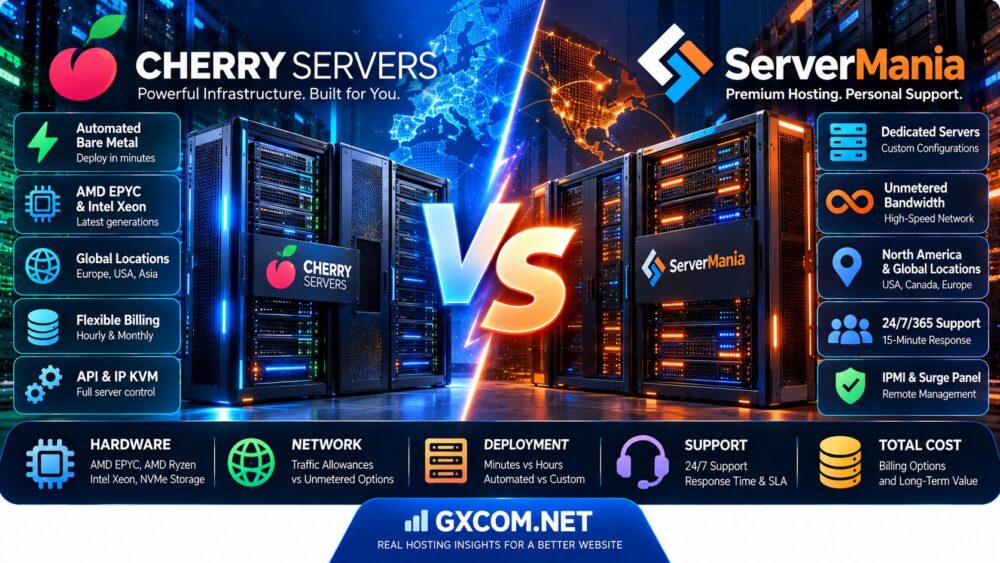
Cherry Servers
Cherry Servers offers bare-metal and dedicated infrastructure products.
It may appeal to developers and infrastructure teams seeking flexible hardware deployment and control over server environments.
Verify the supported operating systems, licensing options, and management responsibilities for the exact configuration.
ServerMania
ServerMania provides dedicated server infrastructure and related hosting services.
It may be relevant for businesses evaluating dedicated hardware, data center location, networking, and server administration arrangements.
Confirm Windows licensing availability and support scope for the selected product.
Hostwinds
Hostwinds offers dedicated server and other hosting services with configuration and support options.
It may be worth comparing for buyers who want to evaluate operating system choices and management requirements.
AccuWeb Hosting
AccuWeb Hosting provides Windows-oriented hosting products alongside other server offerings.
It may be relevant for organizations evaluating Windows applications, IIS, and remote administration requirements.
Confirm whether the desired Windows edition and licensing arrangement are available on the selected dedicated server.
Database Mart
Database Mart offers Windows-focused hosting and server products.
It may be relevant for businesses requiring Windows environments, remote access, or Microsoft-oriented application hosting.
Check whether the quoted configuration is a physical dedicated server or a virtual server, and verify applicable Windows and RDS licensing.
Windows vs Linux Dedicated Server Provider Checklist
| Question | Why It Matters |
|---|---|
| Is the server physically dedicated? | Distinguishes bare metal from virtual hosting |
| Which OS versions are supported? | Determines application compatibility |
| Is Windows licensing included? | Prevents unexpected monthly fees |
| Are CALs or RDS licenses needed? | Supports license compliance |
| Which CPU generation is offered? | Affects real workload performance |
| Is storage NVMe or SATA? | Affects storage-sensitive applications |
| Are backups included? | Changes recovery capabilities and cost |
| Is management included? | Defines administration responsibility |
| What is the network policy? | Determines throughput and traffic limits |
| What are renewal terms? | Affects long-term budgeting |
For a broader infrastructure comparison, see our Bare Metal Server Comparison.
Windows vs Linux Dedicated Server: Pros and Cons
Windows Dedicated Server Advantages
- Compatibility with Windows-dependent applications
- Integration with Microsoft enterprise technologies
- Graphical administration options
- PowerShell automation
- Support for IIS and Windows-specific application stacks
Windows Dedicated Server Limitations
- Operating system licensing obligations
- Potential CAL and RDS licensing complexity
- Additional costs for certain Microsoft applications
- Windows-specific update and administration requirements
- Possible application migration limitations
Linux Dedicated Server Advantages
- Many distributions available without base OS license fees
- Broad open-source software ecosystem
- Strong automation and container support
- Flexible server configurations
- Popular platform for modern web and infrastructure workloads
Linux Dedicated Server Limitations
- Windows-only applications may be incompatible
- Some enterprise distributions require paid subscriptions
- Administration expertise is still required
- Commercial support varies by distribution and provider
- Migration from Windows applications may be costly
15 Questions Before Buying a Dedicated Server
- Does the application officially support Windows, Linux, or both?
- Which operating system version is required?
- Is a physical dedicated server necessary?
- What CPU generation and core count are needed?
- How much RAM does the application require?
- What storage performance is necessary?
- Is the operating system license included?
- Are additional user or remote desktop licenses required?
- Will enterprise Linux support be purchased?
- Who handles security updates?
- Who manages backups and recovery?
- What support tasks are excluded?
- How much downtime can the business tolerate?
- What is the 36-month total cost?
- What is the migration and exit strategy?
Frequently Asked Questions
Is Windows or Linux better for a dedicated server?
Windows is often better for Windows-dependent software. Linux is commonly preferred for open-source web stacks, containers, and infrastructure workloads. The best choice depends on application requirements.

Is Linux dedicated hosting cheaper than Windows?
Linux may avoid Windows Server operating system licensing fees, but enterprise subscriptions, support, and administration costs must also be considered.
Does Windows Server require a license?
Yes. Windows Server is licensed under applicable Microsoft terms, with the exact model depending on the edition and deployment.
Is Windows Server licensed per core?
Windows Server Standard and Datacenter use core-based licensing models, subject to Microsoft's applicable minimums and licensing rules.
What is the minimum Windows Server core license requirement?
For Windows Server 2025 licensed by physical cores, Microsoft specifies a minimum of eight cores per processor and sixteen cores per server.
What is the difference between Windows Server Standard and Datacenter?
Datacenter provides broader virtualization rights than Standard under applicable licensing conditions.
Do I need Windows Server CALs?
It depends on the access pattern and licensing arrangement. Ask the provider or licensing specialist to confirm applicable requirements.
Do I need RDS CALs for remote desktop?
Multi-user Remote Desktop Services deployments may require additional licensing. Administrative remote access is a distinct scenario.
Can I bring my own Windows Server license?
Possibly, but eligibility depends on the license type, hosting arrangement, and Microsoft licensing rules. Verify before deployment.
Is Ubuntu Server free?
Ubuntu Server can be used without a base operating system license fee. Ubuntu Pro and commercial support are optional paid services.
Is Red Hat Enterprise Linux free?
RHEL generally uses a commercial subscription model, although specific developer and other programs may have different eligibility conditions.
Is Linux more secure than Windows?
Neither is automatically more secure. Security depends on configuration, patching, access controls, monitoring, and operational practices.
Is Linux faster than Windows Server?
Performance depends on the workload and configuration. A minimal Linux installation may have lower background overhead, but application benchmarks are needed.
Can WordPress run on Windows Server?
Yes, with a compatible web server, PHP, and database configuration. Linux is a common choice for WordPress hosting.
Can SQL Server run on Linux?
Supported SQL Server versions and configurations can run on Linux. Check Microsoft's compatibility documentation for the exact version and features.
Can I run Windows virtual machines on a Linux dedicated server?
Yes, using a compatible virtualization platform, but Windows guest operating systems still require appropriate licensing.
Is RDP available on Linux?
Linux can provide graphical remote access through separately configured software, although SSH is commonly used for administration.
What is the difference between managed and unmanaged dedicated hosting?
Managed hosting includes defined administration services, while unmanaged hosting leaves more operating system and application responsibilities with the customer.
What costs should be included in dedicated server TCO?
Include hardware rental, operating system licensing, enterprise subscriptions, access licenses, management, backups, security, monitoring, and migration costs.
Which providers offer dedicated servers?
Cherry Servers, ServerMania, Hostwinds, AccuWeb Hosting, and Database Mart are among the providers worth evaluating. Confirm physical server availability, operating system options, and licensing for each selected product.
Final Verdict: Windows vs Linux Dedicated Server
The best Windows vs Linux Dedicated Server decision starts with application compatibility, not the monthly server price.
Windows Server is a practical choice when the workload depends on Microsoft-specific technologies or requires a supported Windows environment.
Linux is often a cost-effective and flexible choice for web applications, databases, containers, and automation workloads that do not depend on Windows.
However, the final financial comparison must include licensing, managed support, security, backups, application migration, and long-term administration.
Before purchasing, compare equivalent dedicated hardware, verify the exact operating system and licensing arrangements, and calculate the full three-year cost.
For another infrastructure perspective, read our Dedicated Server vs VPS Comparison to determine whether physical hardware is necessary for your workload.
APPLICATION COMPATIBILITY → LICENSING → MANAGEMENT → SECURITY → PERFORMANCE → 36-MONTH TCO → BEST SERVER CHOICE
Licensing information is provided for general educational purposes and is not legal or licensing advice. Confirm applicable Microsoft, Linux vendor, and hosting provider terms before deployment.