Choosing a cloud server provider is not simply about finding the lowest advertised monthly price. Two virtual machines with similar CPU and RAM specifications can differ in processor allocation, storage architecture, network connectivity, regional availability, management responsibilities, and billing behavior.
That is why a meaningful Vultr vs Kamatera comparison should focus on how each platform fits a real workload rather than treating every cloud VPS as an interchangeable product.
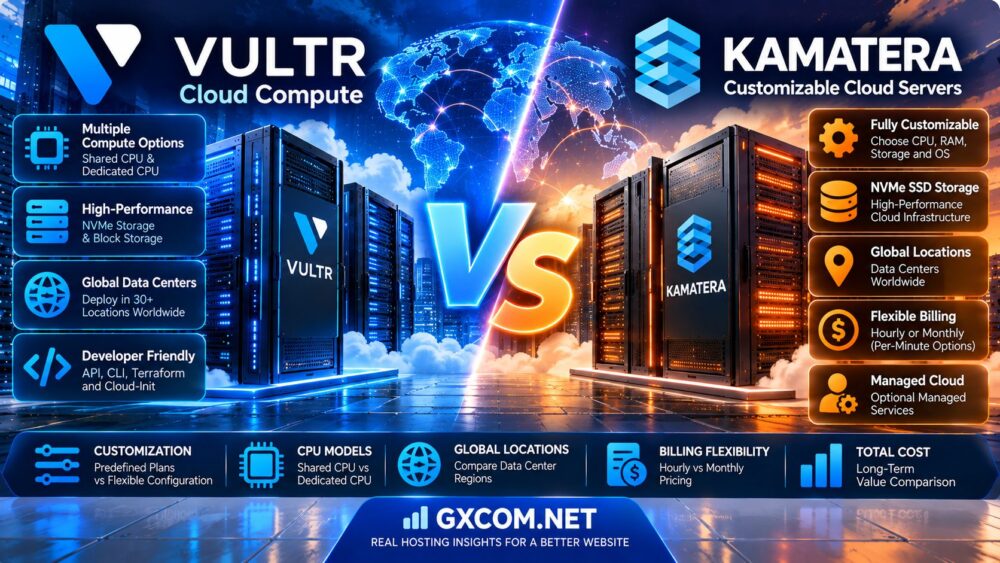
Vultr offers several compute families, including shared-CPU Cloud Compute and dedicated-CPU products designed for more demanding applications. Kamatera emphasizes configurable cloud servers, allowing customers to select compute resources, storage, operating systems, and optional management services.
Both platforms can host websites, APIs, databases, development environments, and business applications. However, their product structures and cost calculations are not identical.
This guide compares server customization, CPU allocation, storage, global locations, networking, billing flexibility, managed services, and long-term total cost. It also explains when Cherry Servers, Contabo, or Hostwinds may be relevant alternatives.
Editorial methodology: This comparison uses publicly documented provider information reviewed in October 2026. GXCOM.NET has not performed matched-instance benchmarks or independently tested support response times. Prices, instance availability, service limits, and regional coverage can change. Verify current quotations and service terms before ordering.
Vultr vs Kamatera: Quick Verdict
Choose Vultr if you prefer selecting from clearly differentiated cloud compute product families, need established API-based deployment workflows, or want to compare shared and dedicated CPU instances within one platform.
Choose Kamatera if you prioritize granular server configuration, flexible resource combinations, selectable billing models, or optional managed cloud administration.
Neither provider should automatically be considered faster or cheaper. The result depends on the selected server, location, resource guarantees, storage, traffic, and operational requirements.
| Comparison Factor | Vultr | Kamatera |
|---|---|---|
| Primary offering | Cloud Compute and specialized compute families | Configurable cloud servers and infrastructure services |
| Configuration model | Product families and selectable instance sizes | Granular CPU, RAM, disk, and service selections |
| CPU options | Shared CPU and dedicated CPU product categories | Multiple configurable CPU types and allocations |
| Storage | Plan-dependent local storage and block storage options | Configurable NVMe SSD-backed cloud storage |
| Billing | Hourly accumulation with applicable monthly caps | Hourly or monthly options, subject to product terms |
| Stopped server | Compute billing continues until the instance is destroyed | Powered-off pricing must be checked in the configuration calculator |
| Management | Customer-managed cloud instances; additional services vary | Optional managed cloud services |
| Global deployment | Broad international cloud footprint | International cloud data center network |
| Automation | API, CLI, Terraform, and cloud-init workflows | Cloud management platform and API capabilities |
| Best initial fit | Developers selecting specific compute products | Businesses building tailored server configurations |
What Is Vultr Cloud Compute?
Vultr is a cloud infrastructure provider offering virtual machines, specialized compute instances, storage, networking, and related services.
Its compute portfolio is divided into product families with different resource characteristics.
Shared-CPU Cloud Compute
Vultr's standard Cloud Compute instances use shared CPU resources and are suitable for workloads such as development environments, smaller websites, and applications with variable CPU demand.
Shared CPU does not necessarily mean poor performance. It means that the underlying physical processor capacity is shared according to the virtualization platform's resource allocation policies.
Optimized Cloud Compute
Vultr offers dedicated-CPU optimized compute instances for workloads requiring more predictable CPU allocation.
Available categories include general-purpose and workload-oriented resource combinations.
VX1 Cloud Compute
Vultr also markets VX1 dedicated-CPU instances with configurable storage options, including supported local NVMe and block storage arrangements.
VX1 availability is location-dependent.
Deployment Tools
Vultr supports deployment through its console, API, CLI, and Terraform workflows.
These tools can help development teams standardize cloud infrastructure deployment.
Who Should Consider Vultr?
Vultr may be attractive to developers, infrastructure teams, and businesses that want to choose between distinct compute performance classes.
What Is Kamatera Cloud Hosting?
Kamatera offers configurable cloud infrastructure for websites, applications, databases, and enterprise workloads.
Its cloud server configuration interface allows customers to choose compute resources and additional services.
Granular Server Configuration
Kamatera customers can select CPU allocations, memory, storage, operating systems, and data center locations.
This configuration approach may reduce the need to purchase an oversized predefined server simply to obtain one additional resource.
CPU Configuration Types
Kamatera provides multiple CPU configuration categories. The exact processing characteristics and guarantees depend on the selected server type.
Buyers should not assume that every Kamatera vCPU is equivalent to a dedicated physical CPU core.
Configurable Storage
Kamatera provides cloud storage configuration options with NVMe SSD-backed infrastructure.
Storage capacity and additional disks can be selected according to workload requirements.
Optional Managed Services
Kamatera offers managed cloud services as an optional layer.
This matters for companies that need infrastructure resources but do not want to perform all server administration internally.
Who Should Consider Kamatera?
Kamatera may suit businesses with unusual CPU-to-memory ratios, custom operating system requirements, or a preference for selectable management services.
Vultr vs Kamatera: Server Customization
Server customization is one of the clearest differences between the two platforms.
Vultr's Product-Family Approach
Vultr organizes compute resources into defined product families and instance sizes.
Customers first choose the workload category and then select an available configuration.
This can simplify deployment because the product category communicates the intended resource model.
Kamatera's Resource-Configuration Approach
Kamatera emphasizes choosing individual resource allocations and service options.
This can be useful when an application requires relatively high RAM but only moderate CPU capacity, or when storage requirements do not match a standard bundled plan.
When Predefined Plans Work Better
Predefined plans can simplify budgeting, automation, and standardization across a development team.
When Custom Configurations Work Better
Granular configuration can be valuable for unusual databases, legacy business software, and workloads with specific memory or storage requirements.
Customization Verdict
Kamatera offers a compelling approach for granular resource selection. Vultr offers clear differentiation between compute product families.
The better approach depends on whether your priority is custom resource sizing or standardized deployment.
Shared CPU vs Dedicated CPU: Why It Matters
CPU allocation is a major consideration when comparing cloud servers.
Shared vCPU Resources
Shared-CPU virtual machines use physical processor resources shared with other virtual machines.
They can be economical for applications with moderate or intermittent CPU demand.
Dedicated vCPU Resources
Dedicated-CPU cloud products provide a different resource allocation model intended to improve predictability for sustained workloads.
However, the exact meaning of a dedicated vCPU depends on the provider's architecture and product documentation.
Vultr CPU Categories
Vultr explicitly distinguishes shared Cloud Compute from dedicated-CPU products such as Optimized Cloud Compute.
Kamatera CPU Selection
Kamatera offers different CPU configuration types, but buyers should verify scheduling guarantees and sustained performance expectations for the exact configuration.
When Dedicated CPU Is Worth Considering
Dedicated CPU resources may be relevant for production databases, heavily utilized APIs, real-time services, and sustained compute workloads.
For a deeper explanation, read our Shared vCPU vs Dedicated vCPU VPS Comparison.
Cloud Server Storage: NVMe, Local Disks and Block Storage
Storage performance affects databases, application response times, file operations, and backup procedures.
Vultr Storage
Vultr offers local instance storage and block storage products, depending on the compute family and region.
Some specialized compute products support additional storage architecture choices.
Kamatera Storage
Kamatera provides configurable cloud storage using NVMe SSD-backed infrastructure.
Customers can select storage capacity and add disks where supported.
Local Storage vs Network-Attached Storage
Local storage may offer different latency and performance characteristics from network-attached block storage.
However, actual performance depends on the hardware, storage platform, and workload.
Storage Durability
Storage performance and data durability are separate requirements.
Do not assume that NVMe automatically provides better backup protection or higher durability.
Storage Verdict
Compare actual IOPS requirements, latency, capacity, snapshots, backup arrangements, and restore procedures.
Vultr vs Kamatera: Global Data Center Locations
Cloud server location influences latency, routing, data residency, and service availability.
Vultr Global Infrastructure
Vultr operates cloud infrastructure across multiple regions in North America, Europe, Asia-Pacific, and other markets.

However, not every compute product is available in every location.
Kamatera Global Infrastructure
Kamatera also offers an international data center network with regional server deployment options.
Specific configurations and service availability should be checked in its cloud server interface.
North America
For US-facing applications, compare the available locations closest to your users and business operations.
Measure latency from actual customer networks instead of relying only on geographic distance.
Europe
European deployments may need to account for data residency, regional connectivity, and contractual requirements.
Asia-Pacific
For Asia-Pacific users, regional routing can affect application performance significantly.
Verify that the required compute family and resources are available in the preferred location.
Location Verdict
Choose the data center based on real latency measurements, available resources, regulatory needs, and total regional cost.
How to Test Cloud Network Performance
Network performance should be measured from locations that represent your users.
- Choose comparable server configurations.
- Select the closest practical data centers.
- Measure latency from several client networks.
- Measure packet loss and jitter.
- Test application response times.
- Measure sustained transfer performance.
- Check bandwidth allowances and transfer limits.
- Repeat measurements during different periods.
A higher advertised port speed does not guarantee faster application response times.
Vultr vs Kamatera: Hourly and Monthly Billing
Billing flexibility is one of the most commercially important differences in this comparison.
How Vultr Billing Works
Vultr documents hourly billing for its server products.
For standard non-GPU server categories, its published billing documentation describes an applicable monthly cap based on 672 hours.
Actual charges depend on the product, selected configuration, and additional resources.
How Kamatera Billing Works
Kamatera provides hourly and monthly billing selections through its cloud server configuration interface.
Its current calculator also describes minute-based calculation for eligible hourly server usage.
Buyers should verify the exact billing basis, minimum charges, and resource reservation terms before deploying short-lived workloads.
Hourly Billing Does Not Mean Pay Only When Busy
A running cloud server can generate charges even when CPU utilization is near zero.
Resource reservation and billing duration are different from actual application activity.
Monthly Billing
Monthly billing can make budgeting easier for always-on production servers.
However, it may not be optimal for short-lived testing environments.
Billing Verdict
Vultr offers a documented hourly model with product-specific monthly caps. Kamatera offers selectable billing arrangements and granular configuration.
Calculate the expected lifecycle of each server before choosing a provider.
Does Stopping a Cloud Server Stop Billing?
This is one of the most common cloud hosting cost misunderstandings.
Vultr Stopped Instances
Vultr explicitly states that stopping an instance does not stop compute billing.
The instance continues reserving resources until it is destroyed.
Destroying the instance releases its compute resources but also removes the instance and its associated data according to the applicable deletion process.
Kamatera Powered-Off Servers
Kamatera's configuration interface distinguishes powered-on and powered-off pricing.
However, this does not establish that all charges disappear when a server is powered off.
Persistent storage, IP allocations, licenses, and other resources may remain billable according to the selected configuration and current terms.
How to Avoid Unnecessary Charges
- Use automated lifecycle management for temporary servers.
- Identify which resources continue billing after shutdown.
- Preserve required data before deleting instances.
- Review snapshots, storage volumes, and IP allocations.
- Set billing alerts and review invoices regularly.
Vultr vs Kamatera: Cloud Server Pricing
The cheapest advertised plan is not necessarily the cheapest configuration for a real application.
Vultr Pricing Structure
Vultr pricing depends on compute family, instance size, storage, bandwidth, and region.
Shared-CPU and dedicated-CPU products should not be compared as equivalent resources.
Kamatera Pricing Structure
Kamatera's configuration-based pricing depends on CPU, RAM, storage, operating system, management services, and billing model.
Optional services can materially change the total monthly cost.
Regional Pricing
Vultr notes that some regional prices may vary due to infrastructure and operational differences.
Buyers should also verify the exact Kamatera regional quote.
Operating System Licensing
Windows Server licensing may add recurring charges.
Confirm whether the license is included in the quoted price.
Backup Charges
Automatic backups and snapshots may involve separate charges.
Network Transfer Charges
Outgoing traffic allowances and overage rates can affect long-term cost.
Pricing Verdict
Neither provider can be declared universally cheaper without matching the complete configuration and service requirements.
Three-Year Cloud Server Cost Comparison
Consider two hypothetical production cloud servers.
| Cost Component | Cloud Plan A | Cloud Plan B |
|---|---|---|
| Monthly compute | $40 | $46 |
| Monthly storage add-on | $8 | $4 |
| Monthly backup service | $5 | $6 |
| Monthly management service | $0 | $20 |
| Monthly network overage | $7 | $0 |
| Total monthly cost | $60 | $76 |
| Year 1 total | $720 | $912 |
| Three-year total | $2,160 | $2,736 |
These are hypothetical examples, not actual Vultr or Kamatera quotations. They assume unchanged costs for 36 months and exclude taxes, migration expenses, and exceptional incidents.
Three-Year TCO Formula
TCO = Compute + Storage + Backups + Network Transfer + Software Licenses + Managed Services + Operational Expenses.
Management Cost Matters
A self-managed cloud server may appear less expensive but require internal administration time.
A managed configuration may cost more while reducing the need for in-house server maintenance.
Idle Infrastructure Matters
Temporary servers that remain allocated can generate unnecessary costs.
Review deployment automation and resource deletion policies when calculating the real cost.
Managed vs Unmanaged Cloud Servers
Cloud infrastructure and server administration are separate purchasing decisions.
Vultr Management Responsibilities
Standard Vultr Cloud Compute customers generally manage their operating system, application stack, security updates, and software configuration.
Additional platform services may assist with specific infrastructure tasks, but they should not be confused with comprehensive managed hosting.
Kamatera Managed Cloud
Kamatera offers optional managed cloud services.
Its management products include different service levels and monitoring capabilities.
What Managed Services May Cover
Depending on the agreement, managed services may include operating system administration, monitoring, maintenance, and incident assistance.
What Managed Services May Not Cover
Custom application development, third-party code debugging, and business-specific software changes may fall outside the included scope.
Management Verdict
Kamatera may appeal to businesses that want optional server management within the same infrastructure purchase.
Vultr may appeal to teams comfortable managing their own cloud instances.
For another perspective on managed infrastructure, read our Cloudways vs Kamatera Comparison.
API, Terraform and Infrastructure Automation
Automation can reduce deployment errors and improve consistency across cloud environments.
Vultr Automation
Vultr supports API-driven provisioning, CLI tools, Terraform, and cloud-init workflows.
These tools are useful for repeatable application deployments.
Kamatera Automation
Kamatera provides cloud management and API capabilities for supported infrastructure operations.
Check whether the exact provisioning, configuration, and lifecycle actions your workflow requires are supported.
Infrastructure as Code
Infrastructure as Code allows teams to define cloud resources in version-controlled configurations.
This can simplify environment replication, auditing, and recovery.
Automation Verdict
Vultr provides a clearly documented ecosystem for common developer automation workflows.
Kamatera should be evaluated against the specific API operations and resource configuration requirements of the project.
Security, Firewalls and Private Networking
Both cloud platforms require appropriate security configuration.
Vultr Security
Vultr offers cloud firewall and networking features for supported instances.
Customers remain responsible for operating system and application security on self-managed servers.
Kamatera Security
Kamatera provides firewall, networking, and optional management services.
Security coverage depends on the deployed services and configuration.
Private Networking
Private networks can help isolate communication between application components.
Verify regional support, routing behavior, and network isolation requirements.
Backups and Snapshots
Snapshots are useful for recovery and migration, but they should not be the only backup strategy for critical applications.
Security Verdict
Evaluate the complete security architecture rather than assuming that either provider's basic virtual machine is fully managed or automatically hardened.
Vultr vs Kamatera for WordPress
Both providers can host WordPress when configured with compatible web servers, PHP, databases, and security tools.
Small WordPress Websites
A modest cloud instance may be sufficient for a well-optimized website with predictable traffic.
High-Traffic WordPress
Higher traffic may require additional CPU, RAM, caching, and database optimization.
WooCommerce
Online stores should be evaluated using uncached requests, checkout operations, and database performance.
Management Requirements
Businesses without Linux administration expertise should include managed services or external administration costs in their comparison.
WordPress Verdict
Choose the platform that offers suitable resources, support arrangements, and long-term cost for the actual WordPress workload.
Vultr vs Kamatera for SaaS Applications
SaaS platforms require predictable compute resources, appropriate networking, and reliable operational processes.
Development and Testing
Short-lived environments can benefit from flexible provisioning and billing.
Production APIs
Production APIs may require dedicated CPU resources, monitoring, and consistent response times.
Database Services
Database performance depends on memory, storage latency, query behavior, and backup architecture.
Scaling
Vertical scaling increases resources on an existing server. Horizontal scaling distributes workloads across multiple instances.
Neither approach automatically creates a complete high-availability architecture.
SaaS Verdict
Vultr may be appealing for teams standardizing on documented compute families and automation tools.
Kamatera may be appealing when custom resource sizing and optional management are important.
Vultr vs Kamatera for Windows Cloud Servers
Windows Server introduces licensing and administration considerations that may change the total cost.
Windows Licensing
Verify the supported Windows Server version and whether licensing is included.
Remote Desktop
Windows cloud servers can be administered through Remote Desktop when properly configured.
Application Compatibility
Some business applications require specific Windows versions, .NET components, or SQL Server licensing.
Management
Windows updates, security hardening, and application maintenance remain important operational tasks.
For a Windows-focused provider comparison, see our Kamatera Windows VPS Review.
When Should You Consider Other Cloud Providers?
Vultr and Kamatera are not the only options for cloud infrastructure.
Cherry Servers
Cherry Servers offers cloud and bare-metal infrastructure products that may be relevant for teams evaluating virtualized and physical server deployment options.
It can be worth comparing when dedicated hardware or a different infrastructure model is under consideration.
Contabo
Contabo offers VPS and cloud-oriented server products with resource-focused configurations.
Buyers should compare actual performance, resource policies, network quality, and support expectations rather than assuming that larger advertised allocations guarantee better results.
Hostwinds
Hostwinds offers VPS and hosting products that may be relevant to businesses comparing different levels of management and server configuration.
Confirm the management scope and operating system options for the selected plan.
When Alternatives Make Sense
Consider other providers when a required region, server type, support model, or total cost is unavailable from the two primary vendors.
Vultr vs Kamatera vs Alternatives
| Provider | Primary Comparison Angle | Potential Fit |
|---|---|---|
| Vultr | Distinct cloud compute product families | Developers and infrastructure automation teams |
| Kamatera | Granular server customization | Businesses requiring tailored resources |
| Cherry Servers | Cloud and bare-metal infrastructure | Teams considering virtual and physical servers |
| Contabo | Resource-oriented VPS offerings | Cost-conscious buyers willing to evaluate trade-offs |
| Hostwinds | VPS and hosting management choices | Businesses comparing support and administration models |
Vultr vs Kamatera: Pros and Cons
Vultr Advantages
- Clear separation between shared and dedicated CPU products
- Multiple compute families for different workloads
- Established API, CLI, Terraform, and cloud-init workflows
- Broad international deployment footprint
- Hourly billing with documented product-specific caps
- Storage and networking services for supported configurations
Vultr Limitations
- Stopped instances continue generating compute charges
- Not every compute family is available in every region
- Standard cloud instances require customer administration
- Additional services can increase the total bill
- Regional prices may vary
Kamatera Advantages
- Granular CPU, RAM, and storage configuration
- Hourly and monthly billing choices
- Optional managed cloud services
- Configurable operating system and service options
- International infrastructure locations
- Suitable for workloads with unusual resource ratios
Kamatera Limitations
- Custom configuration requires careful cost calculation
- Managed services add recurring expense
- CPU allocation terms require product-specific verification
- Powered-off resource charges must be checked
- Regional resource availability can vary
Cloud Server Buying Checklist
- Identify the application and expected workload.
- Determine whether shared or dedicated CPU resources are required.
- Estimate CPU and RAM needs separately.
- Choose appropriate storage capacity and performance.
- Select the target data center.
- Measure latency to important user regions.
- Confirm bandwidth allowances and overage charges.
- Check the exact hourly and monthly billing terms.
- Understand stopped-server billing behavior.
- Verify operating system licensing.
- Confirm backup and snapshot costs.
- Review firewall and private networking options.
- Determine who will manage the operating system.
- Check scaling and migration procedures.
- Calculate the complete 36-month cost.
Frequently Asked Questions
Is Vultr better than Kamatera?
Vultr may be better suited to teams choosing among defined compute families and using established deployment automation. Kamatera may be better suited to buyers who need granular resource configuration and optional managed services.

Is Kamatera cheaper than Vultr?
Neither provider is universally cheaper. Pricing depends on CPU allocation, RAM, storage, region, operating system, network transfer, management, and billing duration.
Does Vultr offer dedicated CPU cloud servers?
Yes. Vultr offers dedicated-CPU compute products, including Optimized Cloud Compute and supported VX1 configurations.
Does Vultr offer shared CPU instances?
Yes. Standard Vultr Cloud Compute includes shared-CPU virtual machine products.
Can Kamatera customize CPU and RAM?
Yes. Kamatera provides configurable cloud server resources, subject to available server types and supported configurations.
Does Vultr charge hourly?
Yes. Vultr documents hourly server billing with product-specific monthly caps.
Does Kamatera offer hourly billing?
Yes. Kamatera offers hourly and monthly billing options for eligible cloud server configurations.
Does Vultr charge for stopped servers?
Yes. Vultr states that stopped instances continue to incur charges until their compute resources are released through deletion.
Does Kamatera charge for powered-off servers?
Kamatera distinguishes powered-on and powered-off pricing. Customers must check the exact ongoing charges for reserved resources and additional services.
Which provider has more data centers?
Both operate international cloud infrastructure. Compare the currently published region lists and confirm availability of the specific server type rather than relying only on a global location count.
Does Vultr support Terraform?
Yes. Vultr documents Terraform-based infrastructure workflows.
Does Kamatera offer managed cloud services?
Yes. Kamatera offers optional managed cloud services with different service levels.
Can I run WordPress on Vultr?
Yes. Vultr cloud instances can host WordPress with a compatible software stack.
Can I run WordPress on Kamatera?
Yes. Kamatera cloud servers can run WordPress and other supported web applications.
Can I host Windows Server on Vultr?
Windows Server is supported on eligible Vultr compute configurations, subject to licensing and product availability.
Can I host Windows Server on Kamatera?
Kamatera provides Windows Server options on supported cloud server configurations, with applicable licensing charges.
Which provider is better for databases?
Choose based on sustained CPU requirements, memory capacity, storage latency, backup architecture, and tested database performance.
Which provider is better for developers?
Vultr offers a documented automation ecosystem and differentiated compute families. Kamatera may appeal to developers requiring highly customized resource allocations.
What are alternatives to Vultr and Kamatera?
Cherry Servers, Contabo, and Hostwinds offer infrastructure products worth evaluating for different hosting requirements.
Should I choose cloud VPS or traditional VPS hosting?
The answer depends on infrastructure architecture, resource guarantees, operational flexibility, management requirements, and cost. For more context, see our Cloud Hosting vs VPS Comparison.
Final Verdict: Vultr vs Kamatera
The most important conclusion from this Vultr vs Kamatera comparison is that cloud server value depends on configuration flexibility, CPU allocation, location, billing behavior, and management responsibilities.
Vultr offers a clear selection of compute families, including shared and dedicated CPU options, supported by established deployment automation tools.
Kamatera emphasizes configurable cloud resources, selectable billing arrangements, and optional managed services.
Neither provider should be selected solely because of its lowest advertised price or a general claim about server speed.
Instead, compare equivalent configurations, test latency from your users' locations, verify the CPU resource model, and calculate all recurring infrastructure costs.
For businesses that are still evaluating the broader hosting market, our Best Cloud Hosting Solutions Guide provides additional context.
WORKLOAD → CPU MODEL → RESOURCE CONFIGURATION → LOCATION → MANAGEMENT → BILLING → TOTAL COST → PROVIDER DECISION
Verify current product availability, pricing, licensing, traffic policies, management coverage, and service terms directly with each provider before purchasing.