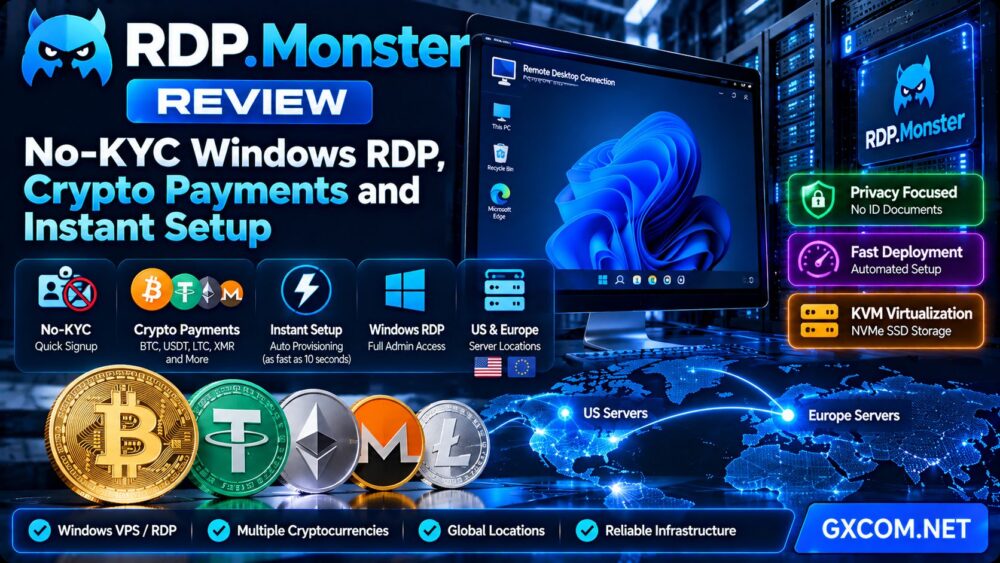
Finding a Windows remote desktop server is relatively easy. Finding one that supports cryptocurrency payments, does not require routine identity-document verification, and can be deployed automatically is a more specific challenge.
In this RDP.Monster review, we examine the provider's no-KYC registration approach, cryptocurrency payment options, Windows RDP hosting, instant provisioning claims, server specifications, privacy considerations, and long-term operating costs.
We also compare RDP.Monster with alternative Windows VPS providers, including Kamatera, AccuWeb Hosting, Hostwinds, and Contabo, to help buyers choose the right infrastructure for their needs.
Review methodology: This assessment is based on publicly available RDP.Monster product pages and its published service terms, including the terms updated on October 6, 2026. We have not independently benchmarked its servers, tested checkout or provisioning, or audited its privacy practices. Product features, stock, and policies may change.
RDP.Monster Review: Quick Verdict
RDP.Monster is worth considering if your priorities are Windows RDP access, cryptocurrency checkout, no routine KYC document submission, and automated server deployment.
Its published offering combines Windows and Linux VPS hosting with KVM virtualization, NVMe storage, administrator access, and server locations in the United States and Europe.
Its most distinctive feature is the checkout experience. The provider advertises support for Bitcoin, USDT, Monero, Litecoin, and additional cryptocurrencies without requiring customers to upload government identification during ordinary signup.
RDP.Monster also advertises provisioning in approximately 10 seconds after payment confirmation. That distinction matters: cryptocurrency blockchain confirmation may take longer than the actual server setup.
However, prospective customers should carefully review refund conditions, backup responsibilities, security configuration, and the exact resources allocated to their chosen plan.
| Feature | RDP.Monster Assessment |
|---|---|
| Primary services | Windows RDP, Windows VPS, Linux VPS |
| Virtualization | KVM, according to the provider |
| Cryptocurrency payments | BTC, USDT, LTC, XMR and additional options |
| Routine KYC documents | Not required under the advertised signup process |
| Provisioning | Approximately 10 seconds after payment confirmation, as advertised |
| Windows access | Remote Desktop and administrator access |
| Storage | NVMe SSD on advertised VPS plans |
| Server regions | United States and Europe |
| Support | 24/7 support advertised |
| Backups | Customer responsibility under published terms |
| Refunds | Approved refunds issued as account credit under current terms |
| Best suited for | Buyers seeking flexible payments and quick Windows VPS deployment |
What Is RDP.Monster?
RDP.Monster is a hosting provider focused on Windows remote desktop servers, virtual private servers, and related infrastructure services.
Its products are designed for customers who need access to a remotely hosted Windows or Linux environment without purchasing or maintaining a physical server.
The provider emphasizes several features:
- Windows VPS and RDP hosting
- Linux VPS options
- Cryptocurrency payment support
- No routine KYC document uploads
- Automated server provisioning
- KVM virtualization
- NVMe storage
- Full administrator access
- United States and European server locations
These features appeal to developers, remote workers, website administrators, and businesses that need a configurable remote server.
However, a Windows RDP server is not automatically a GPU-enabled cloud desktop, a managed business workstation, or a replacement for every local Windows application.
Buyers should check the specific software and hardware requirements before ordering.
No-KYC Windows RDP: What Does It Actually Mean?
One of the most prominent features in RDP.Monster's marketing is its no-KYC signup process.
KYC stands for Know Your Customer. In hosting, identity verification requirements can include submitting a passport, government-issued ID, selfie, address document, or other personal information.
RDP.Monster states that its standard signup and cryptocurrency checkout process does not require those identity documents.
Why No-KYC Hosting Appeals to Customers
Some legitimate customers prefer to minimize the amount of personal information shared with online service providers.
Common reasons include:
- Reducing the number of companies holding identity documents
- Avoiding unnecessary document-upload procedures
- Using cryptocurrency instead of entering payment card details
- Completing checkout without waiting for manual verification
- Separating infrastructure purchases from personal payment methods
For these customers, fewer signup requirements can make the purchasing process simpler.
No-KYC Does Not Mean Complete Anonymity
This is an important distinction.
A provider may not request identity documents while still processing email addresses, IP addresses, payment metadata, server logs, support communications, and other information needed to operate its services.
Cryptocurrency transactions may also create traceable records, depending on the asset, network, wallet, exchange, and payment process.
In addition, providers may need to respond to valid legal requests and enforce their service policies.
No-KYC should therefore be understood as reduced routine identity verification, not a guarantee that a customer cannot be identified.
Is No-KYC Hosting Legal?
No-KYC hosting is not inherently unlawful.
However, customers remain responsible for complying with applicable laws, service terms, intellectual property rules, and acceptable-use restrictions.
Privacy-focused checkout should never be interpreted as permission to conduct fraud, distribute malware, send spam, or operate unauthorized services.
RDP.Monster Cryptocurrency Payments: Bitcoin, USDT, Monero and More
Cryptocurrency payment support is another major reason customers may consider RDP.Monster.
According to its published product pages, the provider accepts multiple digital assets, including Bitcoin, Tether, Litecoin, and Monero.
Bitcoin Payments
Bitcoin is widely supported by cryptocurrency wallets and exchanges.
RDP.Monster describes a checkout process in which customers receive a payment address and complete the transaction using their own wallet.
However, Bitcoin payments require blockchain confirmations.
The provider indicates that confirmation may take approximately 10–30 minutes, depending on network conditions and confirmation requirements.
USDT Payments
USDT can be useful for customers who prefer paying with a stablecoin rather than holding a more volatile cryptocurrency.
Transaction costs and confirmation times depend on the selected blockchain network.
Customers must use the exact network specified at checkout. Sending tokens through an unsupported network can result in lost funds.
Monero Payments
Monero is a cryptocurrency designed with transaction privacy features.
RDP.Monster advertises XMR support, making it relevant to customers who prefer that payment option.
However, using a privacy-oriented cryptocurrency does not automatically make the entire hosting account anonymous.
Litecoin and Other Supported Assets
Litecoin and additional cryptocurrencies provide more flexibility for customers who already hold digital assets.
Supported coins, networks, exchange rates, and payment processor requirements should be confirmed during checkout.
Benefits of Crypto Payments
- Alternative to traditional card payments
- Useful for customers who already hold cryptocurrency
- Potentially fewer card-related payment restrictions
- Choice of different blockchain networks
- Ability to complete checkout without providing card details directly to the host
Risks of Crypto Payments
- Transactions may be irreversible
- Incorrect wallet addresses or networks can cause losses
- Blockchain fees vary
- Confirmation times are not always predictable
- Exchange rates may change before payment completion
- Refunds may not be returned through the original payment method
Before paying, verify the invoice amount, cryptocurrency, blockchain network, destination address, and payment expiration time.
Instant Windows RDP Setup: How Fast Is Delivery?
RDP.Monster advertises automated server deployment in approximately 10 seconds after payment confirmation.
For customers who need a remote Windows environment quickly, automated provisioning can be a meaningful advantage over services that require manual account review or sales approval.

However, the advertised deployment time must be interpreted correctly.
Step 1: Choose a Server Plan
Select the required CPU, memory, storage, operating system, and server region.
Step 2: Complete Checkout
Choose a supported payment method and submit the order.
Step 3: Wait for Payment Confirmation
Card and PayPal transactions may be confirmed quickly, subject to payment processing.
Cryptocurrency payments depend on the blockchain network and the provider's required confirmations.
Step 4: Automated Provisioning
Once the payment is accepted, RDP.Monster states that its system automatically creates the virtual server.
Step 5: Receive Login Credentials
The provider says that customers receive connection information through email or their client portal.
Step 6: Connect Through Remote Desktop
Windows customers can use a compatible Remote Desktop client to access their server.
Important: A 10-second provisioning claim does not mean every cryptocurrency order will be fully accessible 10 seconds after the customer sends a payment.
For example, a Bitcoin transaction requiring multiple confirmations can take substantially longer than the virtual machine creation itself.
Windows RDP vs Windows VPS: What Are You Buying?
The terms Windows RDP and Windows VPS are frequently used together, but they describe different aspects of a service.
Windows VPS refers to a virtual server running Windows.
RDP stands for Remote Desktop Protocol, which is a method for accessing a remote Windows desktop.
A Windows VPS can support RDP access when properly configured.
However, some products marketed as RDP accounts provide only a shared user session on a larger machine rather than a private virtual server.
RDP.Monster advertises KVM-based virtual machines with administrator access, making it important to verify the exact isolation and resource allocation of the selected plan.
For a broader explanation of virtualization and resource isolation, read our VPS vs Shared Hosting comparison.
Windows Server Versions and Licensing
RDP.Monster advertises Windows Server options, including Windows Server 2022 on its product pages.
Before ordering, verify the available operating system images and whether the selected Windows license is included in the advertised price.
Windows licensing can materially change the cost of a VPS.
Questions worth asking include:
- Is Windows Server activation included?
- Which Windows Server edition is supplied?
- Is the installation licensed for the intended workload?
- Are additional Remote Desktop Services licenses required?
- Can the operating system be reinstalled?
- Are updates and security patches the customer's responsibility?
Windows Server administrative remote access rights should not be confused with unlimited licensing for multi-user desktop hosting.
For additional licensing considerations, see our Windows Dedicated Server Cost and Licensing Guide.
CPU, RAM and NVMe Storage: What Performance Can You Expect?
RDP.Monster advertises multiple Windows and Linux VPS configurations using KVM virtualization and NVMe storage.
These specifications provide a starting point, but advertised resources alone do not establish real-world performance.
CPU Allocation
CPU performance depends on processor generation, clock behavior, virtualization overhead, and resource allocation policies.
Even when a provider describes CPU resources as dedicated, buyers should confirm what that means for their exact plan.
RAM
Memory capacity is important for Windows Server, especially when running browsers, development tools, databases, or multiple background applications.
Customers should leave enough RAM for the operating system and security software.
NVMe Storage
NVMe storage can provide low-latency access and high throughput compared with older storage interfaces.
However, actual performance depends on the storage array, contention, filesystem, and workload.
Network Connectivity
Network port speed should not be confused with guaranteed sustained throughput.
Routing, congestion, traffic allowances, and server location can affect transfer speeds.
Performance Testing
After provisioning, customers should test:
- Windows desktop responsiveness
- CPU utilization under normal workload
- Available RAM during peak activity
- Storage latency and throughput
- Network speed and packet loss
- Remote Desktop connection stability
- Application startup time
- Behavior during sustained usage
GXCOM.NET has not independently measured RDP.Monster performance, so this review does not assign fabricated benchmark scores.
Full Administrator Access: Benefits and Responsibilities
RDP.Monster advertises full administrator access to its Windows VPS environments.
Administrator access allows customers to install supported software, configure Windows services, manage users, and change system settings.
That flexibility is valuable for development, testing, remote administration, and compatible business applications.
However, full access also creates security responsibilities.
Secure Remote Desktop Access
Exposing RDP directly to the public internet can attract automated login attempts.
Where possible, restrict access using a VPN, trusted IP addresses, or another secure remote-access gateway.
Use Strong Authentication
Replace default credentials immediately and use strong, unique passwords.
Apply account lockout policies and multifactor authentication where supported by the chosen access architecture.
Keep Windows Updated
Install security updates and remove unnecessary services.
Configure the Firewall
Open only the ports needed for legitimate applications.
Back Up Important Data
Do not assume that a VPS provider automatically maintains restorable backups.
RDP.Monster's published terms place responsibility for customer data backups on the customer.
For help deciding how much server administration you want to handle, read our Managed vs Unmanaged Hosting Guide.
United States vs Europe RDP Server Locations
RDP.Monster advertises server availability in the United States and Europe.
Server location can affect network latency, routing, regional access, and legal considerations.
United States Locations
A US-based VPS may be suitable for users who need a US-hosted server or low-latency connectivity to applications located in North America.
European Locations
European hosting can be useful for applications and users concentrated in Europe.
However, data protection requirements and server jurisdiction should be reviewed separately from geographic proximity.
How to Choose
Select the region closest to the applications, databases, users, or services with which the VPS communicates most frequently.
Before purchasing, verify the exact available city, IP allocation, and plan inventory.
RDP.Monster Pricing: What Should Buyers Check?
RDP.Monster publicly advertises entry-level Windows and Linux VPS plans with different CPU, memory, and storage allocations.
Rather than relying on a fixed promotional price that may change, compare the total recurring cost of the configuration you actually need.
Windows License
Confirm whether the Windows operating system license is included.
Billing Period
Monthly, quarterly, and annual billing may have different effective rates.
IPv4 Address
Check whether a dedicated IPv4 address is included and whether additional addresses cost extra.
Traffic and Bandwidth
Review traffic limits, fair-use policies, and network port specifications.
Backup Costs
Budget for independent backups if the provider does not include managed backup services.
Payment Fees
Cryptocurrency network fees can increase the total amount spent.
Renewal Terms
Confirm the recurring price and cancellation requirements before purchasing a longer billing period.
Refund Policy: Read the Current Terms Carefully
Refund conditions deserve particular attention.
Some RDP.Monster promotional pages describe a seven-day money-back offer.
However, the provider's Terms of Service updated on October 6, 2026 state that payments are not refunded in cash and that approved refunds are issued as account credit.
Customers should therefore avoid assuming that a cancellation will automatically result in a refund to the original cryptocurrency wallet, credit card, or PayPal account.
Before ordering, ask the provider to confirm the applicable refund eligibility, refund method, and any exclusions.
RDP.Monster vs Kamatera vs AccuWeb Hosting vs Hostwinds vs Contabo
RDP.Monster is not the only provider worth considering for Windows VPS hosting.
The best alternative depends on whether payment flexibility, Windows licensing, infrastructure customization, support, or cost matters most.
| Provider | Primary Consideration | What to Verify |
|---|---|---|
| RDP.Monster | No-KYC signup, crypto checkout, automated Windows RDP provisioning | Payment confirmation time, refund credit terms, backup responsibility |
| Kamatera | Configurable cloud servers and infrastructure flexibility | Windows licensing, management, backup and network charges |
| AccuWeb Hosting | Windows hosting and VPS product selection | Included support, Windows editions and resource allocation |
| Hostwinds | Cloud and VPS hosting with different management options | Current Windows availability, support scope and total cost |
| Contabo | Resource-focused VPS configurations | Windows availability, CPU allocation, storage and location-specific terms |
RDP.Monster vs Kamatera
RDP.Monster places particular emphasis on simplified crypto checkout and rapid Windows RDP deployment.
Kamatera is more relevant when buyers want configurable cloud infrastructure and granular server resources.
The better option depends on whether purchasing convenience or infrastructure customization is the priority.
Read our Kamatera Windows VPS Review for a closer look at configuration and licensing considerations.
RDP.Monster vs AccuWeb Hosting
AccuWeb Hosting is worth evaluating when Windows hosting products and support options are central to the decision.
RDP.Monster may appeal more strongly to customers prioritizing cryptocurrency payments and a no-document signup workflow.
Compare the exact Windows version, management responsibilities, and recurring costs rather than relying on brand-level claims.
RDP.Monster vs Hostwinds
Hostwinds offers hosting infrastructure across several product categories.
Customers who want broader hosting choices or specific support arrangements may find it worth comparing.
RDP.Monster has a more explicit positioning around no-KYC cryptocurrency checkout.
For a broader provider assessment, see our Hostwinds Hosting Review.
RDP.Monster vs Contabo
Contabo is often evaluated by buyers comparing VPS resource allocations.
RDP.Monster may be more relevant when Windows remote access and alternative payment methods are decisive.
Check actual Windows availability and performance requirements before selecting either service.
Who Should Consider RDP.Monster?
Privacy-Conscious Buyers
Customers who prefer not to upload government identification during routine hosting signup may find the advertised no-KYC process attractive.
Cryptocurrency Users
Customers who already hold Bitcoin, USDT, Litecoin, or Monero may appreciate additional payment choices.
Windows Remote Desktop Users
People who need a remote Windows Server environment with administrator access may find the service relevant.
Developers and Testers
A VPS can provide an isolated environment for compatible development tools, software testing, and administrative tasks.
Small Businesses
Businesses with straightforward remote server requirements may benefit from rapid deployment, provided the selected plan meets their security, licensing, and support requirements.
Who Should Look Elsewhere?
RDP.Monster may not be the best choice for every customer.

- Organizations requiring audited enterprise compliance certifications
- Customers expecting fully managed Windows administration
- Businesses needing guaranteed cash refunds
- Users who require included managed backups
- GPU-dependent desktop or AI applications without confirmed GPU hardware
- Large enterprises needing formal service-level agreements and procurement controls
- Customers who require independent performance benchmarks before purchasing
For these requirements, a more specialized managed or enterprise infrastructure provider may be preferable.
RDP.Monster Pros and Cons
Pros
- Accepts multiple cryptocurrencies
- Advertises no routine KYC identity-document uploads
- Automated provisioning after payment confirmation
- Windows RDP and Linux VPS options
- KVM virtualization advertised
- NVMe storage on published VPS plans
- Full administrator access
- United States and European hosting options
- Useful alternative for buyers who prefer crypto checkout
Cons
- Cryptocurrency confirmation can delay total delivery
- No-KYC does not guarantee complete anonymity
- Approved refunds are account credit under current terms
- Customer is responsible for data backups
- Windows licensing details require plan-level verification
- No independent performance measurements in this review
- Actual stock and server locations can vary
- Unmanaged server security requires technical attention
RDP.Monster Review: Frequently Asked Questions
Is RDP.Monster a Windows VPS provider?
Yes. RDP.Monster advertises Windows RDP and Windows VPS services alongside Linux VPS options.
Does RDP.Monster require KYC?
Its published signup information states that routine identity-document verification is not required. Customers should still review current account and service policies.
Can I buy RDP.Monster hosting with Bitcoin?
Yes. Bitcoin is among the supported cryptocurrency payment methods advertised by the provider.
Does RDP.Monster accept USDT?
Yes. USDT is listed among the supported payment options. Customers must confirm the supported blockchain network at checkout.
Does RDP.Monster accept Monero?
Yes. RDP.Monster advertises support for Monero payments.
Is RDP.Monster completely anonymous?
No provider should be assumed to guarantee complete anonymity. No-KYC signup reduces routine identity-document requirements but does not eliminate all account, payment, network, or legal records.
How fast is RDP.Monster delivery?
The provider advertises approximately 10-second provisioning after payment confirmation. Cryptocurrency confirmation may take additional time.
Can Bitcoin payments delay server setup?
Yes. Bitcoin transactions may require approximately 10–30 minutes for the required blockchain confirmations, according to the provider.
Does RDP.Monster offer administrator access?
Yes. Its Windows VPS product pages advertise full administrator access.
Does RDP.Monster use KVM virtualization?
RDP.Monster advertises KVM virtualization for its VPS products.
Where are RDP.Monster servers located?
The provider advertises United States and European hosting locations. Confirm the available region when ordering.
Is RDP.Monster suitable for TikTok LIVE Studio or GPU software?
Not without checking the required graphics acceleration. A standard Windows VPS should not be assumed to provide a dedicated GPU or supported graphics drivers.
Does RDP.Monster include backups?
Customers should not assume managed backups are included. The published Terms of Service assign responsibility for stored data and backups to the customer.
Can I get a cash refund?
The Terms of Service updated October 6, 2026 state that approved refunds are issued as account credit rather than cash. Confirm current conditions before paying.
Is RDP.Monster better than Kamatera or AccuWeb Hosting?
It depends on your priorities. RDP.Monster emphasizes crypto payments, no-KYC signup, and automated provisioning. Kamatera and AccuWeb Hosting may be more relevant for other configuration, Windows hosting, or support requirements.
Final Verdict: Is RDP.Monster Worth It?
Our RDP.Monster review finds a clearly differentiated Windows VPS offering built around three purchasing advantages: cryptocurrency payments, reduced routine identity-verification requirements, and automated provisioning.
These features may be especially useful for customers who want a remote Windows environment without a traditional document-heavy signup process.
However, buyers should evaluate the full service rather than focusing only on checkout convenience.
Windows licensing, server resources, remote-access security, backup responsibility, cryptocurrency confirmation time, and refund conditions all affect the overall experience.
RDP.Monster is a reasonable candidate for users who prioritize flexible payments and quick Windows VPS deployment, while Kamatera, AccuWeb Hosting, Hostwinds, and Contabo remain relevant alternatives for different infrastructure requirements.
PAYMENT METHOD → KYC REQUIREMENTS → WINDOWS LICENSING → SERVER RESOURCES → PROVISIONING TIME → SECURITY → TOTAL COST → PURCHASE DECISION
Before purchasing, review the provider's current product pages and Terms of Service. This article is an editorial assessment, not a guarantee of availability, performance, anonymity, or refund eligibility.