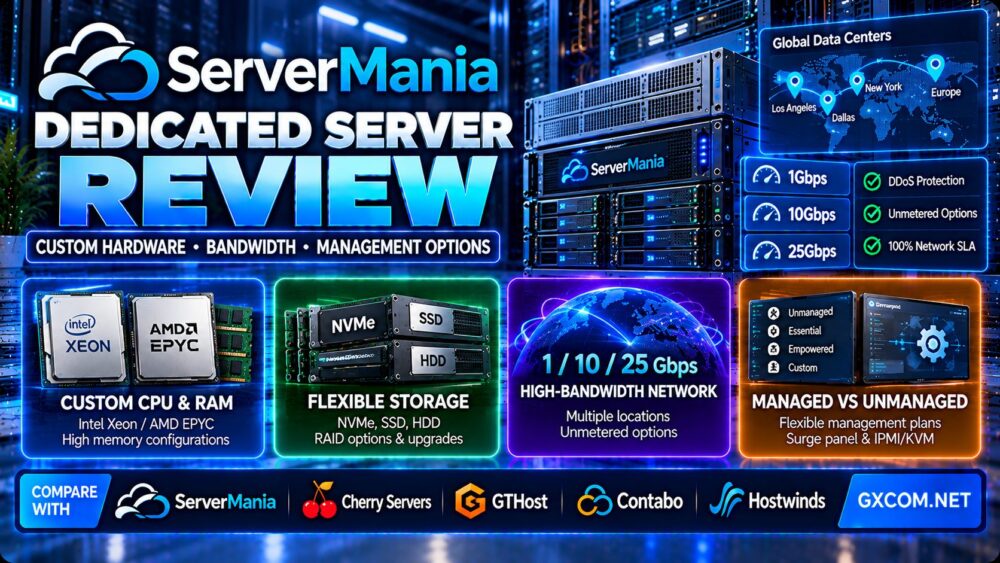
This ServerMania dedicated server review examines custom hardware configurations, bandwidth options, deployment flexibility, network management, operating systems, and the responsibilities involved in running physical server infrastructure.
Dedicated servers remain relevant for businesses that need predictable hardware allocation, substantial memory, sustained network throughput, or control over their operating environment. Unlike shared hosting or conventional VPS services, a dedicated server allocates an entire physical machine to one customer.
ServerMania offers custom dedicated servers, instant-deployment hardware, high-bandwidth configurations, and optional server management services. However, the best choice depends on your workload, required hardware, network traffic, technical expertise, and total operating cost.
In this review, we also compare ServerMania with Cherry Servers, GTHost, Contabo, and Hostwinds to help buyers evaluate alternative dedicated server solutions.
Editorial methodology: This article evaluates publicly documented ServerMania products and standard dedicated hosting selection criteria. GXCOM.NET has not independently benchmarked ServerMania hardware, measured network performance, or tested support response times. Hardware inventory, pricing, deployment times, and service terms should be confirmed before ordering.
ServerMania Dedicated Server Review: Quick Verdict
ServerMania is worth evaluating for businesses that need configurable physical servers, high-bandwidth networking, and optional infrastructure management.
Its product range is particularly relevant for workloads that require more control than a typical VPS can provide, including hosting platforms, application servers, high-traffic websites, databases, and sustained data-transfer services.
One important distinction is that ServerMania offers different dedicated server purchasing models. Some configurations are designed for relatively rapid deployment, while custom hardware orders may require additional provisioning time.
Similarly, unmanaged hardware access and managed server administration are not the same service. Buyers should establish exactly which responsibilities remain with their own team.
| Evaluation Area | ServerMania Assessment |
|---|---|
| Infrastructure type | Single-tenant physical dedicated servers |
| Hardware selection | Intel and AMD configurations, subject to inventory |
| Memory and storage | Configurable RAM, SSD, HDD, NVMe and selected U.2 options |
| Deployment options | Instant and custom dedicated server categories |
| Network | Metered or unmetered options depending on plan |
| Port options | High-capacity networking on eligible configurations |
| Operating systems | Linux and Windows Server options |
| Remote management | Surge panel and IPMI/KVM-related capabilities |
| Server administration | Optional management packages |
| Primary limitation | Hardware commitment, management complexity and plan-specific terms |
What Is ServerMania?
ServerMania is an infrastructure hosting provider offering dedicated servers, cloud servers, colocation, networking services, and related enterprise infrastructure products.
Its dedicated server portfolio includes configurable physical machines for customers requiring hardware isolation and greater control over computing resources.
Unlike shared hosting, where many unrelated customers operate within a managed hosting environment, dedicated server customers receive an entire physical server for their own workloads.
However, a dedicated server does not automatically include application administration, backups, security hardening, or software maintenance.
Those responsibilities depend on the selected service agreement and management package.
ServerMania Dedicated Server Hardware Options
Hardware flexibility is one of the main reasons businesses choose dedicated servers instead of standard virtual machines.
ServerMania lists Intel and AMD processor options, multiple memory configurations, and different storage technologies across its dedicated server catalog.
Intel Xeon and AMD Processors
ServerMania offers processor configurations based on Intel and AMD platforms.
The best CPU depends on the application rather than the number of cores alone.
High-frequency processors may be attractive for applications sensitive to single-thread performance, while high-core-count server processors may be more appropriate for heavily parallel workloads.
Database engines, virtualization hosts, and large application stacks may benefit from different processor characteristics.
CPU Generation Matters
Two dedicated servers with the same number of cores can deliver very different performance.
CPU architecture, clock behavior, cache capacity, memory bandwidth, and instruction support influence actual throughput.
Before ordering, request the exact CPU model rather than relying on broad descriptions such as “Intel Xeon” or “AMD EPYC.”
Memory Capacity
Dedicated server memory requirements depend on application behavior.
Web applications may need memory for caching and database operations, while virtualization platforms can require substantial RAM to support multiple guest systems.
Verify the maximum supported memory, available slots, and whether future upgrades require downtime.
ECC Memory
Enterprise server platforms commonly support error-correcting memory.
For critical applications, confirm the memory type and platform configuration rather than assuming every listed system uses identical components.
NVMe, SSD and HDD Storage
ServerMania lists different storage technologies, including NVMe, SSD, HDD, and selected U.2 options.
NVMe can provide high throughput and low latency, but the benefit depends on the workload and drive characteristics.
Large storage servers may prioritize capacity, while database servers may prioritize latency, endurance, and write performance.
RAID Configurations
RAID can improve availability or performance depending on the selected layout.
However, RAID is not a substitute for independent backups.
Confirm whether RAID is hardware-based or software-based, which levels are available, and how drive failures are handled.
Hardware Customization
Custom configurations can be useful when standard server plans do not match application requirements.
However, specialized hardware may involve longer delivery times, additional setup charges, or different upgrade procedures.
For a broader explanation of physical server architecture, see our Dedicated Server Hosting Explained guide.
Instant Dedicated Servers vs Custom Dedicated Servers
ServerMania offers both rapid-deployment and custom dedicated server options.
These products address different priorities.
Instant Dedicated Servers
Instant dedicated servers are designed around preconfigured physical hardware that can be provisioned relatively quickly.
ServerMania announced an Instant Dedicated product category in February 2026 and stated that most eligible orders can be provisioned within approximately one to three hours.
This is a provider-reported typical timeframe, not a universal delivery guarantee.
Actual availability depends on order verification, location, hardware inventory, and provisioning conditions.
Custom Dedicated Servers
Custom servers allow buyers to request hardware and software configurations suited to specific workloads.
Customization may involve CPU selection, RAM, storage, network requirements, and additional services.
Provisioning time can be longer when the requested components are not already available.
Which Deployment Model Is Better?
| Requirement | Instant Dedicated | Custom Dedicated |
|---|---|---|
| Deployment priority | Faster provisioning when inventory is available | Configuration flexibility |
| Hardware choice | Predefined configurations | Broader customization potential |
| Ideal workload | Urgent migrations and standard applications | Specialized or demanding infrastructure |
| Availability | Dependent on stock | Dependent on component sourcing and location |
| Planning focus | Ready-to-use capacity | Hardware suitability and lifecycle |
Choose instant deployment when speed matters and the available hardware meets your requirements.
Choose custom infrastructure when hardware characteristics are more important than the shortest possible provisioning time.
ServerMania Bandwidth and Network Performance
Network capacity is a major consideration for dedicated server buyers.
ServerMania advertises high-bandwidth dedicated server products, including eligible configurations with 1Gbps, 10Gbps, and 25Gbps port options.
However, port speed, bandwidth allowance, and actual network throughput are different measurements.
Port Speed vs Real Throughput
A 10Gbps network port describes the nominal interface capacity.
It does not guarantee that every transfer to every destination will sustain 10Gbps.
Real throughput depends on routing, congestion, remote endpoints, protocol overhead, packet processing, and other factors.
Metered Bandwidth
Metered plans include a defined transfer allowance or billing structure.
Customers should verify whether inbound and outbound traffic are counted separately and how additional transfer is charged.

Unmetered Bandwidth
ServerMania markets unmetered dedicated server plans with fixed monthly pricing and no standard traffic overage billing for eligible products.
However, unmetered does not mean unlimited physical throughput.
Traffic remains constrained by the purchased port capacity, acceptable use rules, and network conditions.
Bandwidth Bursts
Applications may generate short periods of high traffic even when average usage is moderate.
Ask whether the plan supports bursting, whether throughput is shaped, and whether sustained high utilization is permitted.
Network Routes and Peering
Network performance depends heavily on routing between the data center and users.
Customers serving international audiences should test latency and throughput to their actual target regions.
DDoS Protection
Before deploying public-facing applications, verify whether DDoS mitigation is included, optional, or subject to specific traffic thresholds.
Also ask how the provider handles attacks that exceed available mitigation capacity.
IP Addresses
Dedicated server buyers should confirm the included IP allocation, additional address eligibility, justification requirements, and recurring costs.
Network Uptime SLA
ServerMania advertises a 100% network uptime service-level agreement on eligible infrastructure.
An SLA is a contractual commitment with defined conditions and remedies; it does not establish that every server will experience zero downtime.
Review exclusions, maintenance provisions, reporting requirements, and service credit policies.
ServerMania Data Center Locations
ServerMania operates infrastructure across multiple data center markets.
Its current website identifies locations in North America and other regions, with availability varying by product.
Customers should not assume every hardware configuration is available in every facility.
Los Angeles
Los Angeles may be relevant for businesses serving the western United States or audiences across the Pacific.
However, international network quality should be verified through route testing rather than geography alone.
New York and Eastern North America
Eastern North American locations can be relevant for applications serving the eastern United States, Canada, and some transatlantic routes.
Dallas and Central US
Central US infrastructure may offer a practical compromise for applications with users distributed across multiple American regions.
Choosing a Location
Evaluate latency, network routing, data residency, hardware inventory, and operational support.
For latency-sensitive applications, test from real user regions and consider the complete application architecture.
ServerMania Server Management Options
One of the most important dedicated server decisions is how much system administration the provider will perform.
ServerMania offers optional server management services, but management responsibilities depend on the selected package.
Unmanaged Dedicated Servers
With an unmanaged server, the customer typically handles operating system administration, application installation, security configuration, updates, monitoring, and backups.
The provider remains responsible for the contracted physical infrastructure and related services.
Unmanaged infrastructure can be suitable for teams with experienced system administrators.
Essential Management
ServerMania's Essential management package emphasizes continuous monitoring and intervention during qualifying outages.
It should not be interpreted as complete application administration.
Empowered Management
ServerMania's Empowered management package adds broader support features, including security scanning and proactive patching as described in its current service materials.
Customers should review the exact operating system, application, and support coverage.
Custom Management
ServerMania also offers customized management arrangements for more specialized environments.
These may be relevant when standard packages do not cover the required software or operational workflow.
Management Responsibility Matrix
| Task | Unmanaged | Managed Service |
|---|---|---|
| Physical hardware replacement | Provider under applicable terms | Provider under applicable terms |
| Operating system patching | Customer | Depends on package |
| Security monitoring | Customer | Selected services may be included |
| Application troubleshooting | Customer | Depends on scope |
| Database administration | Customer | Verify separately |
| Backup configuration | Customer unless contracted | Verify separately |
| Disaster recovery planning | Customer | Shared or separately contracted responsibility |
Before purchasing, request written confirmation of support boundaries and escalation procedures.
For a detailed comparison, read our Managed vs Unmanaged Dedicated Servers guide.
Operating Systems, Control Panels and Remote Access
Linux Distributions
ServerMania supports Linux operating system options across eligible server products.
Verify the currently supported versions, lifecycle, and compatibility with your applications.
Windows Server
Windows Server may be available for selected configurations.
Customers should confirm license fees, edition availability, remote access requirements, and support responsibilities.
cPanel and WHM
ServerMania offers cPanel-oriented dedicated server solutions.
Its documentation indicates that cPanel licenses may need to be obtained separately.
Confirm software licensing before estimating the total cost of a hosting business.
Surge Control Panel
ServerMania provides its Surge platform for infrastructure administration.
Depending on the server and configuration, it can support actions such as power management and access to server control functions.
IPMI and KVM
Out-of-band management can be valuable when the operating system is unavailable or remote access fails.
Verify IPMI/KVM availability, security controls, and whether access is included for the selected product.
ServerMania Performance: What Should Buyers Test?
Hardware specifications alone do not establish actual application performance.
GXCOM.NET has not conducted independent ServerMania benchmarks, so the following tests are recommended for evaluating a newly provisioned server.
CPU Benchmarks
Use application-relevant CPU tests rather than relying only on generic benchmark scores.
For databases, measure query execution and transaction throughput.
For web applications, measure uncached response performance under realistic concurrency.
Memory Performance
Check available memory, memory channel configuration, and application working set.
Large memory capacity does not automatically compensate for insufficient CPU or storage performance.
Storage I/O
Measure sequential throughput, random I/O, latency, and sustained write performance.
Ensure tests do not unintentionally damage production data or exhaust drive endurance.
Network Testing
Test multiple destinations and times of day.
Measure latency, packet loss, and achievable throughput.
Long-Duration Load Testing
Short benchmarks may not reveal thermal, resource, or network behavior under sustained load.
Use controlled tests that comply with the provider's acceptable use policy.
Application-Level Monitoring
Track CPU utilization, memory pressure, disk latency, network errors, and application response times.
Performance tuning should address the actual bottleneck rather than assuming a larger server will solve every problem.
ServerMania Pricing and Total Cost of Ownership
Dedicated server costs should be evaluated over the expected contract period.
ServerMania offers different hardware and network configurations, so the effective price depends on the exact server and selected services.
Base Hardware Cost
Compare the processor model, RAM, storage, and network allocation included in the quoted price.
Setup and Customization
Specialized configurations may involve setup charges or hardware provisioning requirements.
Confirm these terms in writing.
Bandwidth Costs
Review whether traffic is metered or unmetered and whether any usage restrictions apply.
Operating System Licenses
Windows Server and commercial control panels may increase recurring costs.
Management Services
Optional server management adds operational support but may involve separate recurring charges.
Backup and Recovery
Backup storage, retention, restoration, and off-site replication should be included in the total budget.
Hardware Upgrade Costs
Ask whether upgrades require downtime, contract changes, or server migration.
Three-Year Cost Formula
Three-year dedicated server cost = Hardware rental + Setup charges + Network and traffic costs + Software licenses + Management services + Backup services + Migration and operational costs.
For business workloads, also consider staff time and the financial impact of downtime.
ServerMania vs Cherry Servers vs GTHost vs Contabo vs Hostwinds
Several providers offer dedicated server infrastructure, but their product catalogs and operational models differ.
The following comparison focuses on what buyers should investigate rather than declaring an unsupported performance winner.
| Provider | Relevant Strength | Key Buying Question |
|---|---|---|
| ServerMania | Custom dedicated hardware and high-bandwidth options | Which network and management services are included? |
| Cherry Servers | Bare metal configurations and infrastructure flexibility | How do deployment, automation and network options compare? |
| GTHost | Instant dedicated server positioning | Which locations and hardware are actually in stock? |
| Contabo | Dedicated and virtual server offerings | How do hardware resources and network terms compare? |
| Hostwinds | Dedicated hosting and related managed services | What administration and support scope is available? |
ServerMania vs Cherry Servers
Cherry Servers is a relevant alternative for businesses comparing bare metal hardware, network configurations, and deployment flexibility.
ServerMania emphasizes configurable dedicated infrastructure and high-bandwidth solutions.
Compare CPU generations, provisioning times, storage options, bandwidth policies, automation features, and support responsibilities.
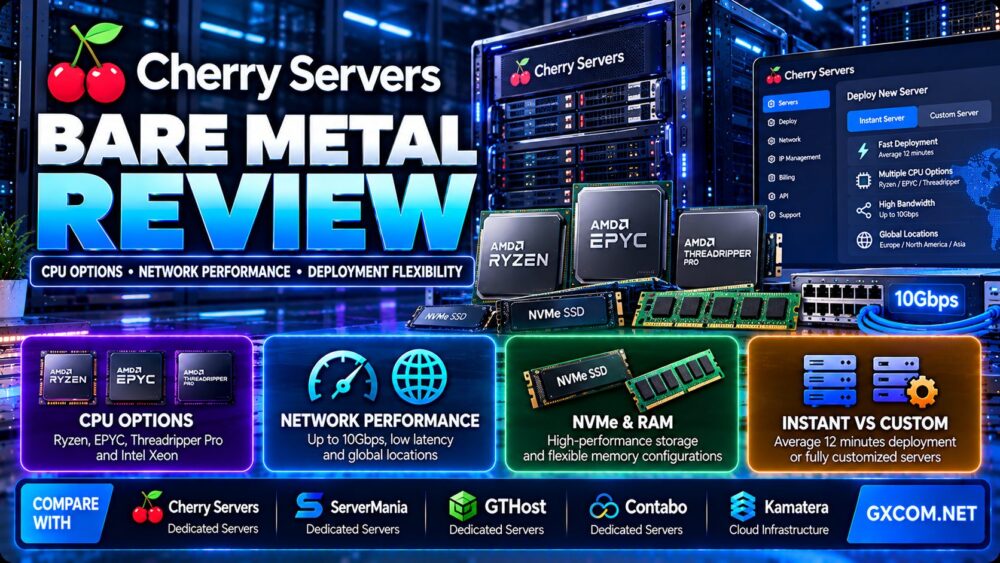
Read our Cherry Servers Bare Metal Review for more detailed buying considerations.
ServerMania vs GTHost
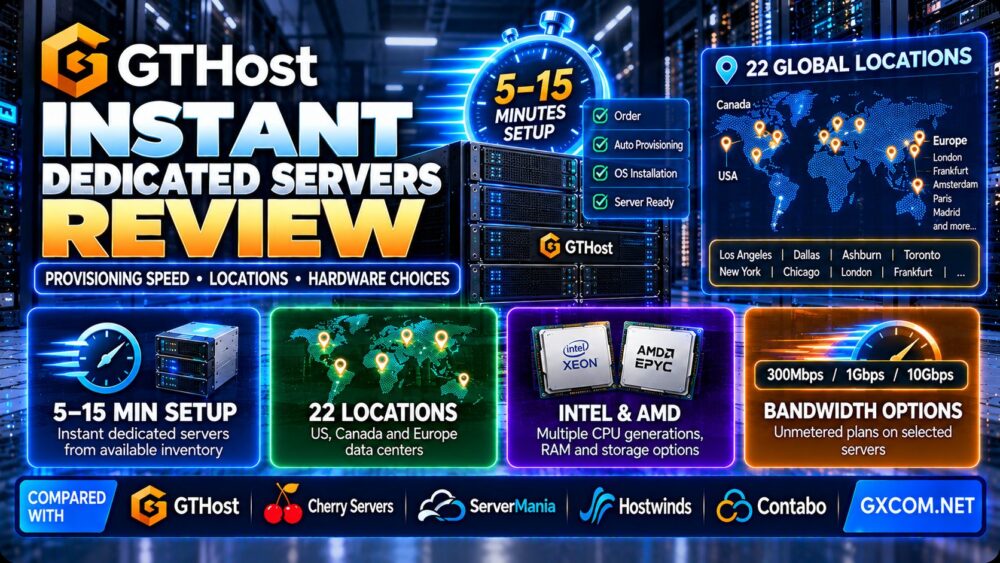
GTHost is relevant for buyers interested in instant dedicated server provisioning.
Compare available stock, hardware age, network location, bandwidth limits, and server management tools.
Fast provisioning should not outweigh hardware suitability or long-term operating requirements.
ServerMania vs Contabo
Contabo offers dedicated and virtual infrastructure options.
Buyers should compare hardware allocation, included network resources, storage, support, and contract terms.
A lower headline price does not necessarily mean a lower cost for the same workload.
ServerMania vs Hostwinds
Hostwinds offers dedicated hosting and other infrastructure products.
Compare management options, operating system support, hardware customization, and network terms.
The better choice depends on how much control and provider assistance your team needs.
Who Should Choose ServerMania Dedicated Servers?
High-Traffic Websites
Businesses with sustained traffic may benefit from dedicated CPU, memory, and storage resources.
Hosting Providers and Agencies
Dedicated hardware can support multiple customer hosting accounts when appropriately configured and secured.
Database-Intensive Applications
Databases may benefit from predictable memory allocation and carefully selected storage hardware.
High-Bandwidth Services
Applications with substantial data transfer requirements may benefit from eligible unmetered or high-capacity network configurations.
Custom Enterprise Applications
Organizations requiring particular operating systems, storage arrangements, or hardware configurations may find custom dedicated servers useful.
Businesses With Experienced Administrators
Unmanaged dedicated servers can provide extensive control for teams capable of maintaining their own operating environments.
When ServerMania May Not Be the Best Choice
Small Websites With Limited Traffic
A dedicated server may be unnecessary for simple websites that fit comfortably on shared hosting or a small VPS.
Applications Requiring Instant Elastic Scaling
Cloud platforms can be more convenient when capacity must scale rapidly without waiting for physical hardware changes.
Teams Without System Administration Resources
Unmanaged dedicated infrastructure may introduce operational risk when no qualified administrator is available.

Workloads With Highly Variable Demand
Paying for a dedicated server around the clock may be inefficient when usage is extremely intermittent.
Projects Requiring Specific Hardware in Every Region
Physical server availability varies by data center, so specialized hardware may not be available in every location.
ServerMania Dedicated Server Pros and Cons
Advantages
- Single-tenant physical server resources.
- Custom hardware configuration options.
- Intel and AMD processor selections.
- Multiple storage technologies.
- Instant dedicated server product category.
- High-bandwidth and unmetered server options.
- Surge management platform.
- Remote management capabilities on eligible products.
- Linux and Windows Server options.
- Optional server management packages.
- Multiple data center markets.
Limitations
- Custom hardware can require additional provisioning time.
- Network capacity and bandwidth terms vary by plan.
- Management services may cost extra.
- Software licensing can increase total cost.
- Hardware upgrades may require downtime or migration.
- Physical server capacity does not scale as instantly as virtual resources.
- Dedicated infrastructure can be inefficient for very low utilization.
- Advertised SLA commitments are subject to contractual terms.
Dedicated Server Buying Checklist
- Define the workload and expected utilization.
- Identify the required CPU model and generation.
- Estimate memory capacity and future growth.
- Select suitable storage technology and RAID configuration.
- Confirm hardware availability in the target data center.
- Review provisioning time and order verification requirements.
- Check network port speed and actual bandwidth allowance.
- Verify unmetered traffic policies where applicable.
- Test latency and routing to target users.
- Confirm DDoS mitigation and IP address policies.
- Review operating system and control panel licenses.
- Determine unmanaged or managed support requirements.
- Verify backup and disaster recovery procedures.
- Check remote management and recovery access.
- Calculate total cost over the expected contract period.
- Review SLA terms and support escalation procedures.
- Plan for hardware replacement, migration, and future upgrades.
Frequently Asked Questions
Is ServerMania a dedicated server provider?
Yes. ServerMania offers physical dedicated servers, including custom configurations, instant dedicated products, and high-bandwidth options.
Does ServerMania offer AMD and Intel servers?
Yes. Its dedicated server catalog includes Intel and AMD processor options, subject to current inventory and location.
Does ServerMania offer instant dedicated servers?
Yes. ServerMania markets Instant Dedicated Servers and has described typical provisioning times of approximately one to three hours for many eligible orders. Actual delivery is not guaranteed for every order.
Does ServerMania offer 10Gbps dedicated servers?
Yes. Eligible high-bandwidth products include 10Gbps port configurations. Buyers should verify the selected plan's network and traffic terms.
Does ServerMania offer unmetered bandwidth?
Yes. ServerMania offers unmetered dedicated server products. Unmetered traffic remains subject to port capacity and applicable service policies.
Are ServerMania dedicated servers managed?
ServerMania offers optional management services. The included responsibilities depend on the selected package and service agreement.
Does ServerMania support Windows Server?
Windows Server options are available for eligible products. Licensing costs and version availability should be confirmed before ordering.
Does ServerMania include cPanel?
ServerMania offers cPanel-oriented dedicated hosting solutions, but cPanel licensing may need to be purchased separately.
What is ServerMania Surge?
Surge is ServerMania's infrastructure management platform, offering server administration functions such as power management and related controls.
Does ServerMania provide IPMI or KVM access?
ServerMania advertises remote management capabilities on eligible dedicated server products. Confirm availability for the selected configuration.
Is ServerMania better than Cherry Servers?
Neither provider is universally better. Compare hardware availability, deployment speed, network configuration, management services, and total cost for the same workload.
Are dedicated servers better than VPS hosting?
Dedicated servers provide exclusive physical hardware, while VPS products allocate virtualized resources. The best choice depends on performance requirements, management needs, scalability, and budget.
Final Verdict: Is ServerMania Dedicated Hosting Worth It?
Our ServerMania dedicated server review finds that the provider is worth considering for businesses seeking configurable physical hardware, high-bandwidth connectivity, and optional infrastructure management.
Its combination of custom dedicated servers, instant-deployment options, and unmetered network products gives buyers several ways to match infrastructure to workload requirements.
However, customers should carefully verify exact CPU models, storage configurations, network terms, provisioning timelines, management responsibilities, and long-term costs.
For specialized workloads, compare ServerMania with Cherry Servers, GTHost, Contabo, and Hostwinds before making a final decision.
For a broader comparison of physical infrastructure, explore our Bare Metal Server Comparison.
WORKLOAD → CPU & RAM → STORAGE → BANDWIDTH → LOCATION → MANAGEMENT → TOTAL COST → DEDICATED SERVER DECISION