Choosing the best dedicated servers for game hosting is about much more than renting a machine with a powerful processor. Multiplayer game servers must process player actions quickly, maintain stable simulation performance, deliver consistent network connectivity, and withstand unexpected traffic spikes or malicious attacks.
A dedicated server can provide predictable hardware resources and greater control over game server software. However, low ping, high CPU clock speeds, and DDoS protection must be evaluated separately. No single specification guarantees a smooth multiplayer experience.
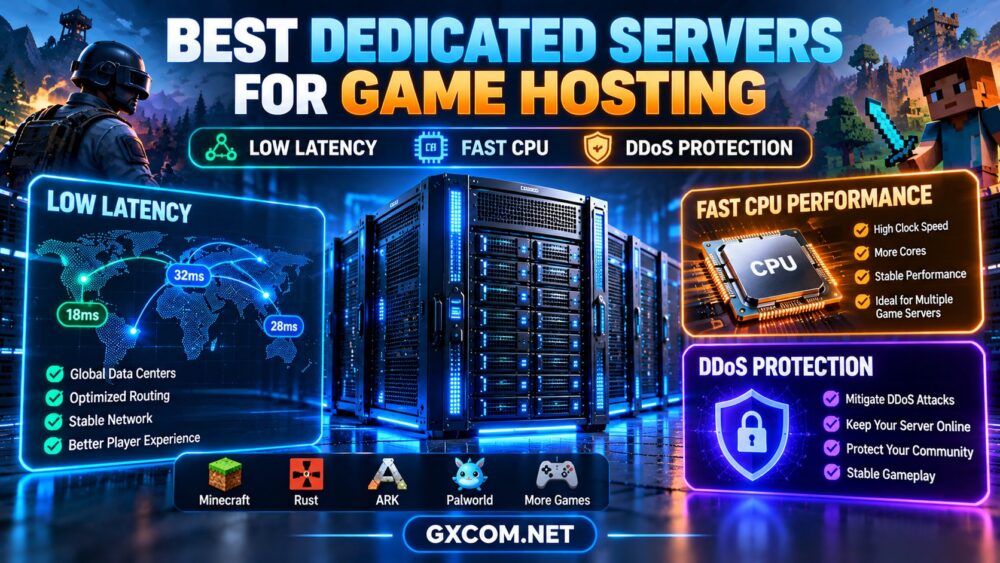
This guide explains how to choose dedicated game hosting infrastructure for titles such as Minecraft, Rust, ARK, and Palworld, including CPU performance, RAM, storage, server location, network quality, and security.
Why Choose a Dedicated Server for Game Hosting?
Dedicated hosting allocates a physical server to one customer rather than sharing the machine with unrelated hosting tenants. This can be useful for gaming communities running multiple instances, heavily modified worlds, or resource-intensive multiplayer environments.
Potential benefits include:
- Dedicated physical CPU and memory resources.
- Greater control over game server software and operating system settings.
- Flexibility to run multiple game instances on one machine.
- Custom firewall, monitoring, and backup configurations.
- Predictable hardware capacity for persistent workloads.
However, smaller communities may find a managed game server or VPS more economical. Dedicated hardware becomes more compelling when resource demand, administrative requirements, or the number of hosted instances justifies the additional responsibility.
For a general infrastructure overview, read our dedicated server hosting guide.
1. Low Latency: Why Server Location Matters
Latency is one of the most important considerations for multiplayer gaming. It measures how long network traffic takes to travel between a player and the server, commonly expressed as ping in milliseconds.
Higher latency can delay the delivery of player actions and game-state updates. The impact depends on the game engine, networking model, and type of gameplay.
Choose a Location Near Your Players
Start by identifying where most players are located. A server close to the majority of users may offer a better experience than a more powerful machine hosted on another continent.
For geographically distributed communities, a single location may not serve everyone equally well. Regional servers or multiple instances can sometimes provide a better solution.
Look Beyond Geographic Distance
Physical distance matters, but internet routing, peering relationships, packet loss, and congestion also influence real-world latency.
Before ordering, request a test IP or use the provider's network testing tools when available. Test from locations representative of your actual player base.
Buying rule: Choose a data center based on measured player-to-server connectivity, not only the country listed on the product page.
2. CPU Speed: Single-Core Performance vs Core Count
Game server performance depends heavily on how the individual game engine distributes work across processor threads.
Some games rely substantially on a main simulation thread, while others can distribute additional tasks across multiple cores.
When Faster CPU Cores Matter
Simulation updates, world calculations, entity behavior, and certain plugins may be sensitive to single-thread performance.
For these workloads, a modern processor with strong per-core performance may outperform an older CPU with a much larger core count.
When More Cores Matter
Additional physical cores become useful when running multiple game instances, supporting workloads that parallelize effectively, or hosting supplementary services such as databases, monitoring, and voice communication.
However, doubling the core count does not necessarily double the number of players a single game world can support.
What to Check Before Buying
- Exact processor model and generation.
- Single-thread performance relevant to the game.
- Physical cores and available threads.
- Sustained performance under prolonged load.
- CPU utilization during actual gameplay.
- Headroom for plugins, mods, and background tasks.
Our dedicated server hardware guide explains how to compare CPU, RAM, and storage specifications without relying on marketing numbers alone.
3. RAM Requirements for Multiplayer Game Servers
Memory requirements vary significantly between games, maps, player counts, and mod configurations.
A lightly modified Minecraft server may have a very different memory profile from a large survival world with extensive modifications and persistent entities.
RAM planning should account for:
- Base game server processes.
- World size and active entities.
- Plugins and modifications.
- Concurrent players and simulation activity.
- Operating system and supporting services.
- Multiple game instances running simultaneously.
Insufficient RAM can lead to swapping, unstable performance, or process termination. Excessive memory allocation, however, does not automatically improve tick rates or network responsiveness.
Use the game's official server requirements as a starting point, then monitor memory consumption under representative peak activity.

4. NVMe Storage: Fast World Loading and Reliable Saves
Modern NVMe SSDs can reduce storage latency and improve operations involving frequent reads and writes.
For game hosting, storage performance may affect world loading, map generation, save operations, and startup times.
Nevertheless, NVMe storage does not directly reduce internet ping. It addresses a different part of the performance chain.
Compare storage capacity, endurance, redundancy, and backup options rather than choosing solely by the advertised NVMe label.
For persistent worlds, automated off-server backups are especially important. RAID can help with certain hardware failures, but it does not protect against accidental deletion, corrupted saves, or ransomware.
5. DDoS Protection: A Critical Buying Requirement
Public multiplayer servers can attract denial-of-service attacks designed to overwhelm their network connections or application resources.
A hosting provider may advertise DDoS protection, but the actual coverage can differ significantly between products.
Network-Layer Protection
Network-layer mitigation may filter or absorb certain volumetric attacks before they overwhelm the protected service.
Important questions include whether protection is included, which IP addresses are covered, and whether traffic is routed through a dedicated mitigation network.
Game Protocol and Application Protection
Some attacks target game-specific protocols or application behavior rather than simply saturating bandwidth.
General network filtering may not detect every such attack. Ask whether the provider offers mitigation relevant to your particular game and protocol.
Questions to Ask a Provider
- Is DDoS mitigation included or sold separately?
- Which IP addresses and ports are protected?
- Are UDP-based game protocols supported?
- What attack categories are covered?
- Can legitimate player traffic be interrupted during mitigation?
- What are the escalation and incident-response procedures?
- Does the provider apply null routing or other restrictions during attacks?
Important: No provider can guarantee protection against every possible attack. Evaluate documented mitigation capabilities and operational procedures rather than relying on an unqualified “DDoS protected” label.
6. Network Bandwidth, Port Speed and Player Capacity
Low latency and sufficient bandwidth are related but different requirements.
Latency concerns the time required for data to travel. Bandwidth describes the capacity available to transfer data over time.
A faster network port will not automatically lower ping, although sufficient capacity can help avoid congestion during traffic peaks.
Check the following:
- Advertised network port speed.
- Included monthly data transfer.
- Metered or unmetered traffic terms.
- Packet loss and route stability.
- Network usage during peak player activity.
- Whether attack mitigation affects normal traffic.
Player capacity cannot be estimated reliably from port speed alone. Game protocol behavior, tick rate, plugins, map complexity, CPU performance, and player activity all influence practical limits.
Best Dedicated Server Providers for Game Hosting
The following four providers are worth evaluating as infrastructure candidates for self-managed game servers. They are not presented as a benchmark-based ranking, and game-specific software management or DDoS mitigation should not be assumed to be included.
Cherry Servers: Hardware Control for Demanding Game Workloads
Cherry Servers is a candidate for experienced administrators seeking dedicated physical resources and flexibility over their server environment.
For game hosting, compare available CPU models, per-core performance, memory configurations, network locations, and storage options.
Best fit: Technically experienced operators running persistent or multiple game server instances.
Verify: Exact hardware, geographic location, game protocol compatibility, DDoS mitigation availability, and support responsibilities.
Hostwinds: Dedicated Hosting for Established Communities
Hostwinds is worth evaluating for communities seeking traditional dedicated server hosting with a persistent allocation of computing resources.
Buyers should compare operating system choices, administrative access, processor performance, storage, and available support services.
Best fit: Communities that need a continuously running physical server and are comfortable configuring their game software.
Verify: Current hardware offerings, management scope, network quality, backup arrangements, and any applicable DDoS protection.
ServerMania: Dedicated Infrastructure and Network Requirements
ServerMania is relevant when server hardware and network capacity are major purchasing considerations.
Operators planning several multiplayer instances should compare CPU capacity, memory, traffic allowances, data center locations, and remote administration options.
Best fit: Businesses and larger communities with defined infrastructure and networking requirements.
Verify: Network routing, bandwidth policies, exact hardware configuration, contract terms, and attack mitigation coverage.
GTHost: Geographic Location and Dedicated Server Options
GTHost can be considered by buyers comparing dedicated server locations and infrastructure configurations.
For multiplayer hosting, location selection should be based on real player latency tests rather than the number of available regions alone.
Best fit: Operators evaluating regional dedicated server deployment options.
Verify: Current location availability, CPU models, network test information, DDoS protection, and operating system support.
Dedicated Server vs VPS for Game Hosting
A VPS can be suitable for smaller multiplayer communities, development environments, and game servers with modest resource requirements.
Dedicated hardware may become more attractive when workloads are continuously demanding, several game instances run together, or greater hardware control is required.
However, a high-quality VPS with strong CPU performance may be preferable to an older, poorly configured dedicated server.
The correct comparison should include measured game performance, network quality, resource limits, administration, and total cost.
Read our dedicated server vs VPS hosting comparison for a broader explanation of both models.
Game Hosting Requirements by Workload
| Game or Workload | Primary Considerations | What to Test |
|---|---|---|
| Minecraft | Per-core CPU speed, RAM, plugins and world activity | Tick performance, memory use and world generation |
| Rust | CPU performance, RAM, world size and active entities | Simulation stability during peak activity |
| ARK | Memory, CPU capacity and persistent world data | Resource consumption with realistic player activity |
| Palworld | CPU, memory and server software requirements | Peak load, stability and memory pressure |
| Multiple game instances | Total physical cores, RAM and storage | Combined utilization and interference between instances |
Requirements can change with game updates, server software versions, plugins, and configuration. Always consult the current official documentation for the game you intend to host.
How Much Does Dedicated Game Hosting Cost?
The monthly server rental is only part of the operating cost.
Depending on the deployment, additional expenses may include:
- Operating system or commercial control panel licensing.
- Backup storage and restoration services.
- DDoS mitigation or protected networking.
- Additional IP addresses.
- Management and technical support.
- Monitoring and security services.
- Extra storage or network traffic.
Long-term game communities should also budget for migration, maintenance, and replacement capacity.

For a deeper explanation of physical server expenses, see our bare metal server pricing guide.
How to Choose the Right Dedicated Game Server
- Identify your games: Document game engines, versions, plugins, and expected player activity.
- Choose a region: Test latency from your community's main geographic locations.
- Prioritize CPU performance: Compare per-core speed and total core requirements.
- Estimate memory needs: Allow headroom for world growth, modifications, and peak activity.
- Evaluate storage: Select sufficient SSD capacity and establish a backup plan.
- Confirm DDoS coverage: Verify game-relevant protocols and mitigation conditions.
- Review network terms: Check routing, bandwidth, and port capacity.
- Test before migration: Validate performance using representative gameplay.
Frequently Asked Questions
Are dedicated servers better for multiplayer games?
Dedicated servers can provide predictable physical resources and administrative flexibility, especially for large or continuously active communities. Smaller game servers may run efficiently on VPS or managed game hosting.
Is CPU clock speed more important than core count?
For games with a performance-sensitive main simulation thread, strong per-core performance is particularly valuable. Multiple instances and well-parallelized workloads can also benefit from additional cores.
Does NVMe storage reduce game ping?
No. NVMe primarily improves storage-related operations. Ping is determined mainly by network latency, routing, and geographic distance.
Do all dedicated servers include DDoS protection?
No. Protection availability, coverage, and limits vary by provider and plan. Verify the service details before purchasing a public multiplayer server.
How much RAM do I need for a game server?
RAM requirements depend on the game, player count, world complexity, mods, and supporting services. Use official requirements and measured peak utilization rather than a universal estimate.
Can one dedicated server host multiple games?
Yes, provided the server has sufficient CPU, RAM, storage, and network resources. Separate instances should be monitored to prevent one workload from degrading the others.
Final Verdict: Prioritize Player Experience Over Advertised Specifications
The best dedicated server for game hosting is the one that delivers consistent simulation performance, reliable player connectivity, and an appropriate security and recovery strategy.
Fast CPU cores matter, but they cannot compensate for poor network routing. A large bandwidth allowance is useful, but it does not guarantee low latency. DDoS protection is important, but its real coverage must be confirmed.
Cherry Servers, Hostwinds, ServerMania, and GTHost are infrastructure candidates worth comparing based on your location, hardware requirements, operational skills, and provider-specific service terms.
GAME REQUIREMENTS → PLAYER LOCATION → CPU PERFORMANCE → RAM & NVMe → NETWORK → DDoS PROTECTION → TOTAL COST
Test the complete hosting environment against your actual multiplayer workload before committing to a long-term deployment.