Choosing the best managed cloud hosting provider is not simply about finding the fastest server or the lowest advertised monthly fee. The real value lies in how effectively a hosting platform handles server maintenance, security, backups, performance optimization, and technical support while allowing your website or application to grow.
For businesses running WordPress, WooCommerce, content-heavy websites, or demanding PHP applications, managed cloud hosting can reduce operational complexity without sacrificing the flexibility of cloud infrastructure. However, not every provider offers the same level of management, and some products marketed as cloud hosting are closer to managed VPS services than fully automated cloud platforms.
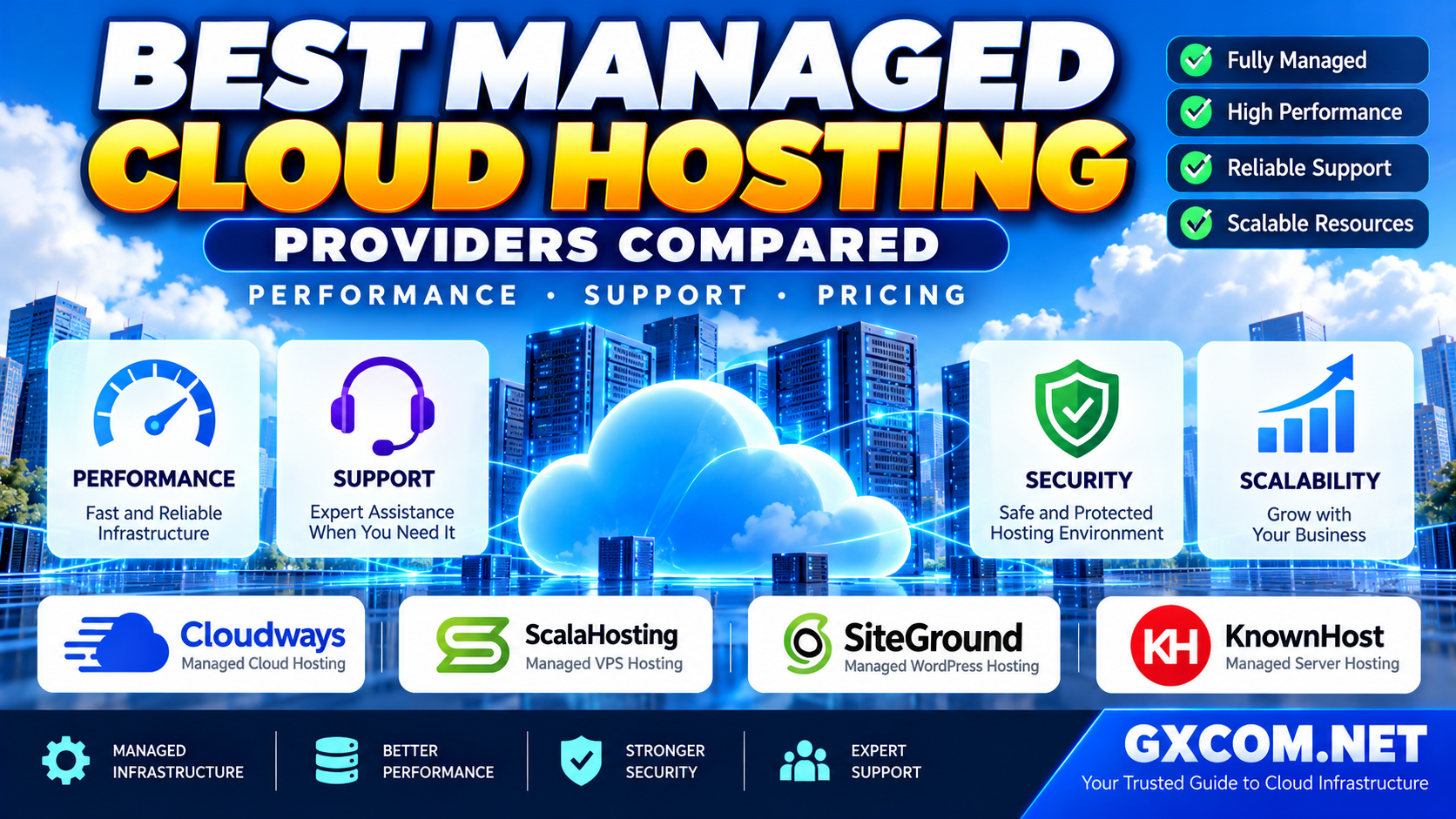
In this guide, we compare Cloudways, ScalaHosting, SiteGround, and KnownHost based on their hosting approach, performance features, support responsibilities, scalability, and pricing structure. We also explain how to choose the right service for your workload without paying for management features you do not need.
Quick Comparison: Best Managed Cloud Hosting Providers
| Provider | Best For | Hosting Approach | Key Consideration |
|---|---|---|---|
| Cloudways | Managed WordPress, WooCommerce, and PHP applications | Managed cloud application platform | Compare Flexible and Autonomous products carefully |
| ScalaHosting | Businesses seeking managed VPS resources | Managed VPS and cloud-based server hosting | Review control panel and management scope |
| SiteGround | Managed WordPress and growing business websites | Managed cloud hosting with website-focused tools | Check plan resources and scaling arrangements |
| KnownHost | Businesses preferring traditional managed server support | Managed VPS and related hosting services | Verify the exact service and support coverage |
Our editorial perspective: Cloudways is a strong starting point for businesses seeking managed cloud application hosting, while ScalaHosting and KnownHost appeal to customers who prefer a managed server environment. SiteGround is particularly relevant for WordPress-centered businesses that value an integrated hosting experience.
These are use-case recommendations, not results from a controlled head-to-head benchmark. Actual performance depends on the selected plan, hardware, region, application, and configuration.
What Is Managed Cloud Hosting?
Managed cloud hosting combines cloud-based computing resources with a provider-managed operational layer. Instead of handling every server task yourself, you receive some combination of operating system maintenance, security configuration, monitoring, backups, application tools, and technical assistance.
The important word is some. Management responsibilities differ significantly between providers and products.
A managed hosting plan may include:
- Server provisioning and initial configuration.
- Operating system updates and security patching.
- Web server and PHP stack optimization.
- Monitoring and infrastructure-related troubleshooting.
- Backup scheduling and restoration tools.
- SSL certificate installation and security controls.
- Staging environments and migration assistance.
- Resource upgrades and scaling guidance.
However, managed hosting does not automatically mean that the provider will fix custom application code, resolve every WordPress plugin conflict, maintain your database schema, or guarantee unlimited traffic.
For a deeper explanation of the division of responsibilities, read our managed hosting vs unmanaged hosting comparison.
How We Evaluate Managed Cloud Hosting Providers
A useful comparison must go beyond marketing terms. We recommend evaluating providers across five practical categories.
1. Application Performance
Performance depends on CPU availability, memory allocation, storage latency, caching, database responsiveness, and network conditions. A modern server with fewer resources can outperform a poorly configured larger server for certain workloads.
Look for details about NVMe or SSD storage, supported caching technologies, PHP workers, database optimization, and data center location. Avoid assuming that advertised CPU core counts represent identical processing power across providers.
2. Support Quality and Responsibility
Twenty-four-hour support availability does not tell you what engineers will actually fix. Before buying, ask whether assistance covers operating system problems, web server configuration, malware investigation, WordPress issues, and application-level troubleshooting.
3. Security and Backup Management
Evaluate firewalls, account isolation, access controls, malware protection, backup frequency, backup retention, and restoration procedures. Backups should be recoverable, not merely scheduled.
4. Scalability
Vertical scaling increases resources assigned to an existing server. Horizontal scaling distributes demand across multiple instances. The second approach often requires additional application architecture, shared storage, and load balancing.
Do not confuse a one-click server upgrade with automatic horizontal scaling.
5. Total Hosting Cost
Compare the complete monthly operating cost, including backups, premium support, bandwidth, email, CDN services, security add-ons, and resource upgrades. A higher base price may be justified if it replaces expensive administrative work, but that calculation depends on your business.
1. Cloudways: Best for Managed Cloud Applications
Cloudways is an attractive option for website owners who want the flexibility of cloud infrastructure without managing a conventional Linux server from scratch. Its platform focuses on simplifying deployment and ongoing operations for WordPress, WooCommerce, and supported PHP applications.
An important distinction is that Cloudways offers different hosting experiences. Cloudways Flexible provides managed cloud server control and vertical scaling, while Cloudways Autonomous targets WordPress workloads requiring a more automated scaling architecture.
Performance and Features
- Managed application deployment and server configuration.
- Built-in caching and performance optimization options.
- Staging and cloning tools for testing changes.
- Backup and restoration functionality.
- Monitoring tools and integrations.
- Scaling options that depend on the selected product.
Cloudways Flexible can be useful when you want predictable server-level resource control. Cloudways Autonomous may be more suitable when traffic patterns justify automated capacity adjustments, especially for demanding WordPress or WooCommerce workloads.
Support and Security
Cloudways provides managed infrastructure assistance and support channels, with additional support services available for some requirements. Website owners should still confirm which application issues are included in standard support and which require an upgraded service.
Pricing Considerations
Cloudways uses product-specific pricing models. Depending on the service, charges may reflect allocated server resources, usage, optional services, and scaling activity. Compare the projected cost of a normal month with a high-traffic month rather than relying only on an entry-level advertised plan.
Best fit: Businesses seeking a managed cloud platform for WordPress, WooCommerce, or supported PHP applications, particularly when ease of deployment and reduced infrastructure administration matter.
Potential limitation: It is not a universal replacement for unrestricted root-level server administration or every custom application stack.

2. ScalaHosting: Best for Managed VPS Flexibility
ScalaHosting is worth considering for organizations that want dedicated virtual server resources with a managed hosting experience. Its managed VPS offerings appeal to users who need more flexibility than shared hosting but prefer not to handle routine server administration alone.
Performance and Features
ScalaHosting emphasizes managed virtual servers, configurable resources, and its hosting management ecosystem. For growing WordPress websites, agencies, and business applications, this can offer a practical middle ground between shared hosting and a fully self-managed VPS.
When evaluating a plan, compare CPU allocation, memory, storage technology, backup arrangements, and the ability to increase resources. Also confirm whether the advertised management services apply to the specific server configuration you intend to purchase.
Support and Security
A managed VPS is especially valuable when the provider handles infrastructure tasks that would otherwise require an experienced administrator. However, the exact support boundary matters: operating system maintenance, hosting stack support, website migration, and custom application troubleshooting are not necessarily interchangeable services.
Pricing Considerations
Managed VPS plans are commonly sold around defined resource allocations. This can make budgeting easier for businesses with relatively stable traffic, although upgrades, backup services, licensing, and optional features can affect total cost.
Best fit: Agencies, growing websites, and businesses seeking managed VPS resources with greater server-level flexibility.
Potential limitation: Managed VPS capacity does not automatically provide a distributed, fault-tolerant cloud architecture.
3. SiteGround: Best for Managed WordPress and Business Websites
SiteGround is a strong candidate for organizations prioritizing website management, WordPress-focused tooling, and a streamlined hosting experience. Its cloud hosting products are relevant to businesses that have outgrown entry-level website hosting and want more resources without taking on full server administration.
Performance and Features
SiteGround focuses on managed website hosting, optimization tools, security features, and scalable resource options. This approach can suit established WordPress publications, business websites, and WooCommerce stores where reliable operations are more important than low-level infrastructure customization.
Before choosing a cloud plan, verify the included CPU, memory, storage, and traffic-related policies. Also review how scaling works, including whether additional resources are allocated automatically, manually, or through plan-specific settings.
Support and Security
SiteGround's managed hosting approach is designed to reduce routine operational tasks for website owners. Still, it is important to distinguish platform maintenance from custom development support or application debugging.
Pricing Considerations
SiteGround's managed cloud offering should be evaluated as a premium website-hosting service rather than compared only with the cheapest unmanaged virtual machines. Its value depends on the operational tools, support coverage, and time savings your business actually uses.
Best fit: Established WordPress websites, business publications, agencies, and online stores seeking an integrated managed environment.
Potential limitation: Organizations needing unusual software stacks or extensive operating system customization should confirm compatibility before purchasing.
4. KnownHost: Best for Traditional Managed Server Support
KnownHost is another relevant option for businesses looking for managed hosting and virtual server services. It may appeal to customers who prefer a conventional managed hosting relationship rather than a cloud application platform centered on automated deployment workflows.
Performance and Features
KnownHost offers hosting products designed for different resource and management needs. Its managed VPS options can be suitable for websites requiring more control and capacity than basic shared hosting.
Evaluate the underlying server resources, storage, control panel availability, backup provisions, and upgrade path. Product names and service levels should be checked carefully because managed VPS hosting is not necessarily equivalent to a multi-node cloud platform.
Support and Security
For businesses without an in-house administrator, access to infrastructure support can be an important advantage. Ask exactly which maintenance, security, migration, and troubleshooting activities are included with the chosen plan.
Pricing Considerations
Compare the full package rather than only the initial promotional rate. Management coverage, licensing, storage capacity, and renewal terms may be more important than a small difference in the advertised starting price.
Best fit: Businesses seeking a managed VPS or traditional managed hosting environment with clear server resource allocations.
Potential limitation: Buyers seeking automatic horizontal scaling or cloud-native orchestration should verify whether those capabilities are available in the specific product.
Managed Cloud Hosting Performance: What Actually Matters?
A provider comparison is incomplete without understanding the workload. An informational WordPress blog, a WooCommerce checkout, and a dynamic SaaS application create different demands on the hosting environment.
CPU Performance and PHP Workers
Dynamic requests require processing time. When concurrent uncached requests increase, CPU saturation or insufficient PHP workers can become a bottleneck. More CPU cores are useful only when the workload can take advantage of them.
RAM and Database Performance
Memory supports operating system processes, application workers, database buffers, and caching. Insufficient RAM can lead to swapping, slow queries, or unstable performance during traffic spikes.
Storage and Network Latency
Fast storage can improve database and file-intensive operations, but storage labels alone do not guarantee low latency. Server region, network routing, and the location of external services also affect user experience.
Caching and CDN Configuration
Page caching can dramatically reduce server work for anonymous visitors. However, logged-in sessions, shopping carts, checkout pages, and personalized content often require more dynamic processing.
A CDN can reduce geographic delivery latency for static assets, but it cannot solve every application or database bottleneck.
Managed Cloud Hosting vs VPS: Which Is Better?
Managed cloud hosting and VPS hosting overlap, but the terms describe different aspects of a service. A VPS describes a virtualized server environment, while managed hosting describes operational responsibilities. A managed VPS can therefore be a valid hosting solution without providing automatic multi-server scalability.
Choose a managed VPS when your application benefits from predictable resources, server-level flexibility, and provider assistance. Choose a managed cloud application platform when simplified deployment, integrated tools, or specialized scaling capabilities are more important.
Our detailed cloud hosting vs VPS comparison explains the differences in architecture, control, scalability, and operating costs.
How to Compare Managed Cloud Hosting Pricing
Managed hosting pricing can be difficult to compare because vendors bundle infrastructure and operational services differently. One plan may include backups and staging, while another charges separately for advanced support, email, or security services.
Fixed Resource Plans
Fixed-resource plans allocate a defined amount of CPU, memory, and storage. They can be easier to budget for when traffic is stable, although the cost of upgrades and optional services should still be considered.
Usage-Based Billing
Usage-based billing can align spending with resource consumption, but it introduces variability. Autoscaling, additional storage, traffic overages, and paid integrations may increase costs during busy periods.
Management Premium
The cheapest unmanaged server is not necessarily the cheapest solution. If your business must pay an administrator to configure updates, investigate incidents, and maintain backups, managed hosting may provide a better overall operating model.
On the other hand, experienced infrastructure teams may prefer direct control over lower-level cloud services when they already have the necessary operational expertise.
A Practical Total-Cost Checklist
- Base compute and memory allocation.
- Storage capacity and backup retention.
- Bandwidth and data transfer policies.
- Paid support tiers and incident coverage.
- Security, CDN, email, and monitoring add-ons.
- Migration and restoration assistance.
- Expected resource upgrades during growth.
- Renewal terms and any usage-based charges.
If your primary objective is the lowest possible infrastructure bill rather than managed operations, compare the options in our cloud hosting offers guide before committing to a premium managed plan.
Which Managed Cloud Hosting Provider Should You Choose?
| Your Priority | Provider to Evaluate First | Why |
|---|---|---|
| Managed WordPress and PHP applications | Cloudways | Application-focused deployment and managed cloud tooling |
| Managed VPS with resource flexibility | ScalaHosting | Server-focused management and configurable resources |
| Established WordPress business website | SiteGround | Integrated website management and cloud hosting options |
| Traditional managed VPS environment | KnownHost | Managed hosting model with defined server plans |
For a growing WordPress or WooCommerce business that wants to spend less time administering servers, Cloudways is an especially relevant starting point. Compare its Flexible and Autonomous products according to your traffic profile, technical requirements, and budget.
For a company that needs a more conventional managed VPS environment, ScalaHosting and KnownHost deserve closer evaluation. SiteGround is particularly relevant when the workload is primarily WordPress and the business values integrated hosting tools.
There is no universal winner. The best provider is the one whose management responsibilities, technical capabilities, and pricing model match your application.
When Should You Upgrade to Managed Cloud Hosting?
Moving to managed cloud hosting may be worthwhile when your current hosting environment becomes difficult to maintain or can no longer deliver consistent performance.
Common signs include:
- Frequent slowdowns during legitimate traffic increases.
- Repeated resource limits on shared hosting.
- Security updates and backups consuming too much staff time.
- Growing dependence on staging and deployment workflows.
- Business-critical websites requiring faster incident response.
- Increasing complexity from multiple websites or applications.
However, an upgrade should follow diagnosis. Slow queries, inefficient plugins, missing caching, and poorly optimized images can remain problems even on expensive infrastructure.

If you are still evaluating the broader market, our best cloud hosting solutions guide provides a wider overview of cloud hosting options beyond the managed providers discussed here.
Questions to Ask Before Buying Managed Cloud Hosting
- What exactly is managed? Request a written list of covered server and application tasks.
- What happens during a traffic spike? Confirm whether scaling is manual, vertical, automatic, or horizontal.
- Who is responsible for backups? Check retention, storage location, restoration procedures, and recovery testing.
- What does standard support include? Ask about operating system issues, application troubleshooting, and premium support tiers.
- Can the application be migrated elsewhere? Understand data export, backup portability, and platform-specific dependencies.
- What will a busy month cost? Model bandwidth, storage, add-ons, and scaling charges.
Frequently Asked Questions
What is the best managed cloud hosting provider?
The best provider depends on your workload. Cloudways is a strong option for managed WordPress and supported PHP applications, SiteGround is relevant for integrated WordPress hosting, and ScalaHosting or KnownHost may suit businesses seeking managed VPS environments.
Is managed cloud hosting better than shared hosting?
Managed cloud hosting can provide greater resource flexibility and operational control, but it usually requires a larger budget. A well-configured shared hosting plan may remain sufficient for a smaller website with modest traffic.
Does managed cloud hosting include automatic scaling?
Not always. Some plans offer manual resource upgrades, while others provide automatic scaling. Verify the exact architecture and scaling policy rather than relying on the term cloud.
Is managed cloud hosting worth the extra cost?
It can be worthwhile when management services reduce administrative work, improve operational consistency, or support revenue-generating websites. The value depends on the tasks included and your team's technical capabilities.
Can managed cloud hosting handle WooCommerce?
Yes, suitable managed cloud plans can host WooCommerce. Pay particular attention to uncached checkout requests, database performance, PHP worker capacity, backups, and traffic spikes.
What is the difference between managed cloud hosting and managed VPS?
Managed VPS generally describes a virtual server with provider-assisted administration. Managed cloud hosting may offer additional platform services or scaling capabilities, but the actual differences depend on the product.
Does managed hosting mean the provider fixes every website problem?
No. Most providers define specific support boundaries. Custom development, third-party plugin conflicts, and application-level issues may be excluded or require additional services.
Should I choose fixed monthly pricing or usage-based pricing?
Fixed pricing can simplify budgeting for stable workloads. Usage-based pricing may offer flexibility but requires monitoring to avoid unexpected costs. Compare realistic monthly usage under both models.
Final Verdict
The best managed cloud hosting provider should make your website easier to operate while delivering appropriate performance, reliable support, and a sustainable cost structure.
Cloudways stands out as a compelling option for managed cloud applications, especially when deployment simplicity and WordPress-focused workflows are priorities. ScalaHosting is worth evaluating for managed VPS flexibility, SiteGround for integrated WordPress and business hosting, and KnownHost for traditional managed server requirements.
Before purchasing, confirm the management scope, backup policy, scaling architecture, support exclusions, and total expected bill. Choosing the right operational model is more valuable than selecting a provider solely because it advertises the highest specifications or the lowest introductory price.
Disclosure: GXCOM.NET may earn a commission when readers purchase services through qualifying affiliate links. Our recommendations are based on product positioning and use-case suitability; no controlled comparative performance testing is claimed in this article.