Choosing a Windows dedicated server for ASP.NET and SQL Server requires more than selecting a powerful processor and installing Windows Server. A reliable hosting environment must support the application framework, IIS configuration, database engine, storage workload, security requirements, and licensing model.
For businesses running customer portals, enterprise applications, e-commerce platforms, or database-driven websites, these decisions directly affect performance, availability, and long-term operating costs.
A dedicated server provides exclusive access to physical hardware, but that alone does not guarantee fast application response times or reliable database performance.
This guide explains how to evaluate CPU, RAM, NVMe storage, Windows Server versions, ASP.NET Core deployment, SQL Server editions, and hosting providers before purchasing infrastructure.
What Is Windows Dedicated Hosting for ASP.NET and SQL Server?
Windows dedicated hosting provides a physical server allocated to one customer, typically running a licensed Windows Server operating system.
ASP.NET applications may run through Internet Information Services (IIS), while Microsoft SQL Server provides relational database services for applications that require structured data storage and transactional processing.
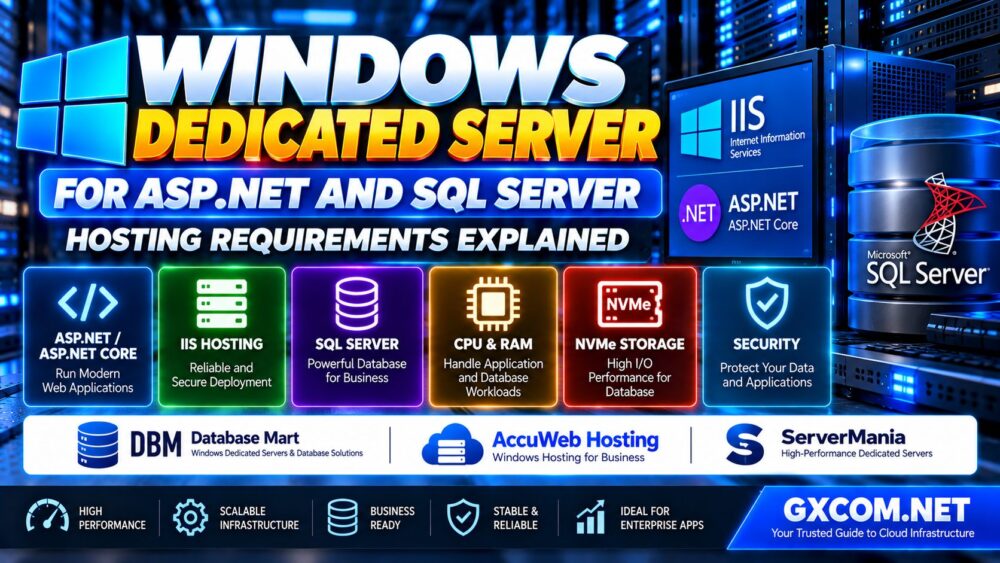
A common deployment architecture includes:
- Windows Server as the operating system
- IIS as the web server
- ASP.NET Core or a compatible ASP.NET application framework
- SQL Server as the database engine
- NVMe or SSD storage for application and database files
- Secure network connectivity and firewall rules
- Monitoring, backups, and recovery procedures
These components can operate on one physical server or be separated across multiple systems.
The right architecture depends on workload size, security requirements, availability targets, and operational budget.
Windows Dedicated Server Requirements at a Glance
| Component | What to Evaluate | Why It Matters |
|---|---|---|
| CPU | Processor generation, per-core performance, core count | Application execution and database query processing |
| RAM | Application memory, SQL Server memory, growth headroom | Database caching and concurrent workload stability |
| Storage | NVMe performance, latency, capacity, redundancy | Database reads, writes, and transaction logs |
| Operating System | Supported Windows Server version | Compatibility and security maintenance |
| Web Server | IIS and required .NET runtime | ASP.NET application hosting |
| Database | SQL Server edition and licensing | Feature availability and permitted production use |
| Network | Latency, throughput, firewall configuration | Application connectivity and user experience |
| Backups | Database-aware backups and restore testing | Recovery from failure or data loss |
There is no single hardware configuration that fits every ASP.NET and SQL Server application. Capacity planning should begin with actual workload measurements.
1. Choosing the Right Windows Server Version
Before purchasing a dedicated server, verify that the Windows Server release supports the intended versions of IIS, .NET, and SQL Server.
Windows Server 2022 and Windows Server 2025 are examples of server operating systems that may be relevant to current deployment planning.
However, support varies according to the exact SQL Server version and edition.
For example, Microsoft publishes separate hardware and operating system compatibility requirements for SQL Server 2022 and SQL Server 2025.
Administrators should consult the official compatibility matrix rather than assuming that a database version supports every Windows Server release.
Also verify whether the hosting provider includes the Windows Server license, how activation is handled, and who is responsible for operating system updates.
2. ASP.NET Core vs ASP.NET Framework Hosting
Not every ASP.NET application uses the same runtime.
Modern ASP.NET Core applications use the cross-platform .NET ecosystem and can be deployed using supported hosting models.
Older ASP.NET applications may depend on the .NET Framework and Windows-specific components.
This difference matters because the required runtime, application pool settings, dependencies, and deployment procedures can vary.
ASP.NET Core Hosting
ASP.NET Core applications can run behind IIS on Windows Server.
For framework-dependent deployments, the appropriate .NET Hosting Bundle installs the runtime and ASP.NET Core Module required for IIS integration.
Self-contained deployment models have different runtime packaging requirements, but IIS integration still requires the appropriate hosting components.
ASP.NET Framework Hosting
Traditional ASP.NET applications may require a specific .NET Framework version and corresponding IIS features.
Legacy applications should be tested carefully before migrating to a newer Windows Server release.
Buying tip: Confirm the exact application framework and supported runtime before choosing the operating system.
3. IIS Hosting Requirements for ASP.NET Applications
Internet Information Services is Microsoft's web server platform for Windows.
For ASP.NET Core deployments, administrators typically configure the IIS server role, install the required hosting components, publish the application, and configure the website bindings and permissions.
Important configuration areas include:
- IIS website bindings
- HTTPS certificates
- Application pool identity
- Filesystem permissions
- Runtime compatibility
- Application logging
- Request limits and timeouts
- Secure deployment procedures
For ASP.NET Core, the application pool's managed runtime setting is generally configured as No Managed Code because ASP.NET Core manages its own runtime hosting integration.
Administrators should follow the documentation for the exact .NET release and hosting model.
4. How Much CPU Does an ASP.NET and SQL Server Dedicated Server Need?
CPU requirements depend on the application architecture and database workload.
ASP.NET applications may use CPU resources for request processing, authentication, serialization, encryption, and business logic.
SQL Server uses processor resources for query execution, indexing operations, sorting, and other database tasks.
When both services share one server, their combined peak demand must be considered.
Per-Core Performance vs Core Count
Applications with latency-sensitive operations may benefit from strong per-core performance.
Workloads with many simultaneous independent requests or database operations may benefit from additional cores.
However, adding cores will not automatically solve poorly indexed queries, lock contention, or inefficient application code.
SQL Server licensing and edition limits may also influence processor selection.
For a broader hardware comparison, see our Dedicated Server Hardware Selection Guide.
5. RAM Requirements for SQL Server and ASP.NET
Memory is one of the most important resources for database-driven applications.
SQL Server uses memory for caching data pages, query execution, and internal operations.
ASP.NET applications also require memory for runtime processes, caches, background services, and active requests.

When both services run on the same physical server, administrators should avoid allowing SQL Server to consume memory needed by Windows and the application.
Configure SQL Server Memory Appropriately
SQL Server provides configuration options such as max server memory to help control memory usage.
The correct value depends on the installed edition, available RAM, other applications, and database workload.
Do not use a fixed percentage without measuring actual system requirements.
Allow for Growth
Capacity planning should include future database growth, application updates, and increased traffic.
For production systems, monitor memory pressure, paging, SQL Server memory counters, and application process consumption.
6. Why NVMe Storage Matters for SQL Server Hosting
Database performance depends heavily on storage latency and I/O behavior.
SQL Server workloads can generate random reads, transaction log writes, temporary database activity, and backup operations.
NVMe storage may provide advantages over slower storage configurations when the workload is limited by disk latency or throughput.
However, NVMe is not a substitute for correct indexing, query optimization, or sufficient memory.
Separate Database Workloads When Appropriate
Depending on the workload, administrators may benefit from separating:
- Operating system and application files
- SQL Server data files
- Transaction log files
- TempDB files
- Backup destinations
Logical separation alone does not guarantee better performance when all files share the same physical storage resources.
Evaluate the actual disks, controllers, redundancy, and I/O patterns before designing the storage layout.
7. SQL Server Editions: Express, Standard and Enterprise
Choosing the correct SQL Server edition is a major part of Windows dedicated server planning.
Different editions have different feature sets, scale limits, and licensing arrangements.
| Edition | Typical Evaluation Scenario | Key Consideration |
|---|---|---|
| Express | Small applications with limited database requirements | Version-specific size and resource restrictions |
| Standard | Many commercial business applications | Licensing costs, supported features, scale limits |
| Enterprise | Demanding workloads requiring advanced capabilities | Feature requirements and licensing expense |
| Developer | Development and testing | Not licensed for ordinary production use |
Do not assume that every SQL Server Express version has identical database size or resource limits.
For example, SQL Server 2022 Express has a 10 GB maximum relational database size per database. Other limits and newer version capabilities must be checked separately.
Similarly, SQL Server Standard and Enterprise differ in supported capabilities and resource limits.
The appropriate edition should be selected based on the exact database workload, feature requirements, and licensing agreement.
8. SQL Server Licensing on a Dedicated Server
Windows Server licensing and SQL Server licensing are separate considerations.
A hosting provider may include a licensed Windows Server operating system without including a commercial SQL Server edition.
SQL Server licensing may involve core-based or Server plus CAL arrangements where available and applicable.
Specific rights can differ for hosted environments and service-provider licensing programs.
Before purchasing, confirm:
- Which Windows Server license is included
- Whether SQL Server is included or customer-supplied
- Which SQL Server edition is permitted
- Whether the licensing model covers the intended users and workloads
- Whether virtualization or hosting-specific licensing conditions apply
- Who manages license renewals and compliance
For a detailed breakdown of operating system and infrastructure expenses, read our Windows Dedicated Server Cost and Licensing Guide.
9. Should ASP.NET and SQL Server Run on the Same Dedicated Server?
Running IIS and SQL Server on one dedicated server can simplify deployment and reduce infrastructure complexity.
For smaller workloads, this may be a practical architecture when resources are properly allocated.
However, shared hardware introduces resource competition and a common failure domain.
Single-Server Architecture
Advantages include simpler deployment, fewer systems to administer, and low-latency local communication between the application and database.
Potential drawbacks include shared CPU, memory, storage, and maintenance windows.
Separate Application and Database Servers
Separating IIS and SQL Server can improve workload isolation and allow independent resource scaling.
However, this approach introduces additional infrastructure costs, network dependencies, and operational complexity.
It does not automatically provide high availability unless redundancy and failover are designed explicitly.
Practical rule: Start with measured application requirements, then choose the simplest architecture that meets performance, security, and recovery objectives.
10. Network and Security Requirements
ASP.NET and SQL Server deployments should use carefully controlled network access.
Public websites may require inbound HTTPS traffic, but the database service should not be exposed to the internet unless there is a specific, securely engineered requirement.
Recommended security controls include:
- HTTPS with valid certificates
- Windows Firewall and provider network firewall rules
- Restricted SQL Server connectivity
- Least-privilege application identities
- Secure secret and connection-string management
- Regular Windows, IIS, .NET, and SQL Server updates
- Database auditing and monitoring
- Secure administrative access
- Independent backups and recovery testing
Use Windows Authentication or other appropriate authentication mechanisms when supported by the application architecture.
Never place database credentials directly into publicly accessible source files or client-side code.
11. Backups, Recovery and High Availability
Production SQL Server environments require database-aware backup and recovery procedures.
Copying application files or creating a server snapshot does not automatically guarantee a transactionally consistent database backup.
Depending on the database recovery model and business requirements, a backup strategy may include:
- Full database backups
- Differential backups
- Transaction log backups
- Off-server backup storage
- Backup integrity checks
- Scheduled restore testing
Define a Recovery Point Objective (RPO) and Recovery Time Objective (RTO) before selecting the backup architecture.
RAID can improve availability after certain disk failures, but RAID is not a replacement for independent backups.
High availability features may require additional SQL Server licensing, supported editions, and infrastructure components.
12. Best Windows Dedicated Server Providers for ASP.NET and SQL Server
When selecting hosting infrastructure, prioritize Windows compatibility, SQL Server licensing transparency, hardware performance, and operational support.
Database Mart, AccuWeb Hosting, and ServerMania are three providers worth evaluating for relevant Windows dedicated server requirements.
The following recommendations identify evaluation scenarios rather than guaranteeing that every provider offers a particular SQL Server license or managed database service.
Database Mart: Evaluate Windows and Database-Oriented Infrastructure
Database Mart is a relevant candidate for buyers researching Windows dedicated servers and database-driven hosting environments.
For ASP.NET and SQL Server workloads, compare available CPU models, RAM configurations, SSD or NVMe storage, and Windows Server options.
Ask whether the proposed service supports the required SQL Server edition and whether database administration or licensing assistance is available.
Best evaluation angle: Windows infrastructure and SQL Server deployment requirements.
AccuWeb Hosting: Compare Windows and IIS Hosting Options
AccuWeb Hosting is another candidate for businesses evaluating Windows hosting environments.
Before ordering, verify the selected product's Windows Server version, IIS compatibility, administrative access, storage specifications, and support scope.
For an ASP.NET Core application, confirm that the required .NET runtime and IIS hosting components can be installed.
Best evaluation angle: ASP.NET hosting compatibility, Windows administration, and deployment support.
ServerMania: Evaluate Dedicated Hardware for Database Workloads
ServerMania is a candidate when comparing dedicated hardware resources for demanding business applications.
Focus on processor performance, memory capacity, storage configuration, network quality, and the ability to deploy the required Windows environment.
Confirm Windows Server availability, SQL Server licensing responsibilities, and any managed support options for the specific configuration.
Best evaluation angle: Dedicated hardware capacity and infrastructure planning.
13. Windows Dedicated Hosting Provider Comparison Checklist
| Provider | Primary Evaluation Focus | Questions to Ask |
|---|---|---|
| Database Mart | Windows and database infrastructure | Which SQL Server editions and licensing arrangements are available? |
| AccuWeb Hosting | ASP.NET and IIS deployment | Which .NET runtimes and Windows Server versions are supported? |
| ServerMania | Dedicated hardware and performance | Which CPU, RAM, NVMe, and Windows configurations are available? |
Current product availability and licensing terms should be confirmed directly with the provider before purchase.
For a wider Windows hosting comparison, see our Best Windows Dedicated Server Hosting Guide.
14. Common ASP.NET and SQL Server Hosting Mistakes
Even powerful dedicated hardware can perform poorly when the deployment is incorrectly configured.
Avoid these common mistakes:
- Choosing a Windows Server version without checking SQL Server compatibility.
- Installing the wrong .NET runtime or IIS hosting components.
- Buying excessive CPU capacity without measuring query performance.
- Allowing SQL Server to consume memory needed by the operating system and application.
- Using slow storage for latency-sensitive database operations.
- Ignoring SQL Server edition limits and licensing obligations.
- Exposing the database service directly to the public internet.
- Relying on RAID without independent backups.
- Assuming a hosting provider manages SQL Server by default.
- Failing to test restores, updates, and application performance before production deployment.
15. When Should You Upgrade Your Windows Dedicated Server?
Upgrade decisions should be based on measured bottlenecks rather than traffic estimates alone.

Possible signs that additional resources are needed include:
- Sustained CPU pressure during normal business operations
- SQL Server memory pressure and excessive physical reads
- High storage latency during database transactions
- Application response delays during peak activity
- Backup windows exceeding operational requirements
- Insufficient capacity for database growth
Before upgrading hardware, investigate query execution plans, missing or inefficient indexes, application caching, connection pooling, and database maintenance.
A well-optimized application may achieve better results on existing hardware than a poorly optimized application on a more expensive server.
16. Windows Dedicated Server vs Cloud Hosting for ASP.NET and SQL Server
Dedicated servers and cloud infrastructure offer different operational tradeoffs.
Dedicated hardware may appeal to organizations seeking exclusive physical resources, predictable server configurations, or particular licensing and compliance arrangements.
Cloud infrastructure may offer flexible provisioning, managed services, and alternative availability architectures.
Neither approach is automatically cheaper or more reliable.
Compare total cost, licensing, performance consistency, backup requirements, recovery objectives, and administration responsibilities.
For a broader infrastructure comparison, read our Dedicated Server vs Cloud Server Guide.
Frequently Asked Questions
Can ASP.NET and SQL Server run on the same dedicated server?
Yes. IIS, ASP.NET, and SQL Server can share a properly configured Windows dedicated server when the operating system, database version, licensing, and hardware capacity support the workload.
Which Windows Server version is best for ASP.NET and SQL Server?
Choose a supported Windows Server version compatible with the required .NET runtime and SQL Server release. Review Microsoft's official compatibility documentation before deployment.
How much RAM does a SQL Server dedicated server need?
Memory requirements depend on database size, query patterns, application demand, and SQL Server edition. Production sizing should be based on workload measurements rather than a universal RAM recommendation.
Is NVMe better for SQL Server hosting?
NVMe can improve performance for storage-intensive workloads, particularly when latency or I/O throughput is a bottleneck. Actual gains depend on database design and workload behavior.
Can I use SQL Server Express for a production ASP.NET website?
SQL Server Express may be suitable for qualifying production applications within the edition's technical and licensing conditions. Check the limits of the exact version before deployment.
Is SQL Server included with Windows dedicated hosting?
Not necessarily. A Windows Server license does not automatically include a commercial SQL Server license. Confirm the database edition and licensing arrangement with the provider.
Do I need IIS to host ASP.NET Core?
No. ASP.NET Core supports multiple hosting approaches. IIS is a common choice for Windows Server deployments, especially when integration with Windows infrastructure is required.
Which hosting providers should I compare?
Database Mart, AccuWeb Hosting, and ServerMania are relevant candidates to investigate. Compare the exact Windows configuration, database requirements, licensing terms, and support scope before purchasing.
Final Verdict: Build Around Your Application and Database Requirements
A Windows dedicated server for ASP.NET and SQL Server can provide a strong foundation for database-driven business applications when the hardware, operating system, runtime, and licensing model are properly aligned.
Start by identifying your ASP.NET framework version and SQL Server edition. Then estimate CPU, memory, storage, and network requirements using representative application workloads.
Database Mart, AccuWeb Hosting, and ServerMania are useful providers to include in your research, but the final decision should depend on the exact product configuration and contractual terms.
APPLICATION → IIS & .NET → SQL SERVER → CPU & RAM → NVME → SECURITY → TOTAL COST.
The best Windows dedicated server is not necessarily the one with the highest specifications. It is the one that runs your application securely, meets database performance requirements, and provides predictable long-term operating costs.