Shockbyte makes modded Minecraft hosting accessible through a large modpack library and managed server tools. However, installing a modpack is only the beginning. Your server still needs enough RAM, CPU capacity, and compatible software to handle players and world activity.
This Shockbyte modded Minecraft hosting review examines memory requirements, Forge and Fabric support, installation options, resource limits, and long-term value. We also compare relevant alternatives from Godlike.Host, Sparked Host, and ScalaCube.
GXCOM.NET reviewed official documentation and hosting policies. We have not independently benchmarked Shockbyte servers or verified performance under identical modpack workloads.
Shockbyte Modded Minecraft Hosting: Quick Verdict
Shockbyte is worth considering for players who want managed modpack installation without configuring an entire VPS.
Its built-in modpack library and administration tools can simplify deployment. However, the cheapest suitable plan depends on your Minecraft version, modpack size, and expected player activity.
For modern, demanding modpacks, prioritize adequate memory and CPU resources over advertised player slots.
Explore Shockbyte Minecraft Hosting
Modpack Compatibility: Forge, Fabric and NeoForge
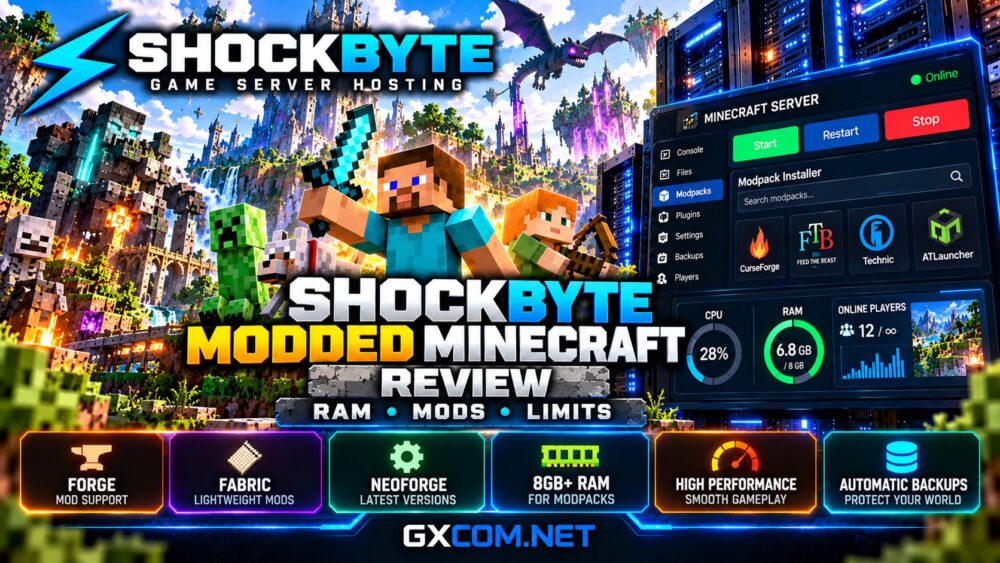
Shockbyte advertises a library containing thousands of installable Minecraft modpacks, including collections associated with CurseForge, FTB, Technic, and ATLauncher.
Its modpack directory includes Forge, Fabric, Quilt, and NeoForge options.
These modloaders are not interchangeable. A Forge modification generally requires a compatible Forge environment, while Fabric and NeoForge have their own dependencies.
Before ordering, confirm the exact Minecraft version, modloader, required Java version, and server-side files.
For broader compatibility advice, read our modded Minecraft server hosting guide.
How Much RAM Does Shockbyte Modded Minecraft Need?
Memory requirements increase with mod complexity, world generation, loaded entities, and concurrent players.
Shockbyte’s updated documentation recommends at least 8GB for Minecraft 1.17+ modpacks, with additional memory for particularly large packs and active communities.
| RAM | Practical Assessment |
|---|---|
| 4GB | Small vanilla servers or selected older lightweight packs |
| 6GB | Some older or carefully optimized modpacks |
| 8GB | Starting point for many modern modpacks |
| 10–12GB | Larger packs or growing multiplayer communities |
| 16GB+ | Demanding worlds requiring additional headroom |
These are planning estimates, not guaranteed player capacities. Always check the modpack developer’s requirements.

Allocating more RAM than necessary does not automatically improve server tick performance. CPU bottlenecks and inefficient modifications can still cause lag.
Installing Modpacks on Shockbyte
Shockbyte promotes one-click modpack installation through its hosting dashboard.
For supported packs, administrators can select the required software and install server files without manually assembling every dependency.
Custom modpacks may require file uploads, compatible server software, and additional configuration.
Before replacing an existing installation, download the world, configuration files, and player data.
Also confirm that players use compatible client-side modifications. Missing dependencies or mismatched versions can prevent connections.
CPU Performance, TPS and Server Lag
Minecraft’s simulation workload can depend heavily on single-thread CPU performance, particularly during intensive entity processing.
Large farms, chunk generation, complex machinery, and poorly optimized modifications can reduce ticks per second.
Shockbyte’s troubleshooting documentation identifies insufficient resources, overloaded chunks, and incompatible modifications as common performance problems.
When evaluating a plan, investigate available CPU resources alongside memory allocation.
A powerful processor advertised at the platform level does not guarantee dedicated access to an entire CPU.
Without controlled testing, no specific TPS result or maximum player count should be promised.
Unlimited Slots and Hosting Limits Explained
Unlimited player slots do not mean unlimited practical player capacity.
Actual capacity depends on RAM, CPU scheduling, world complexity, network conditions, and the number of loaded chunks.
Shockbyte’s terms describe fair-use restrictions for resources such as CPU, bandwidth, and disk space.
Prolonged excessive consumption may result in warnings or other action under applicable policies.
Some startup parameters are locked to protect allocated resources and shared hosting stability.
Therefore, buyers should examine resource policies rather than interpreting unlimited marketing language literally.
Control Panel and Server Administration
Managed hosting reduces the need to maintain an operating system, but administrators still need practical tools.
Important functions include console access, modpack installation, file management, configuration editing, scheduled restarts, and backup restoration.
Shockbyte’s knowledge base provides guidance for custom server files, troubleshooting, and performance optimization.
Compare administrative features in our Minecraft hosting control panels comparison.
Before purchasing, verify whether your preferred installation and automation tools are available on the selected package.
Backups, Updates and Modpack Stability
Modded worlds can become difficult to recover after incompatible updates or corrupted saves.
Before changing Minecraft versions or modloaders, preserve a complete backup of the world and configuration files.
Check Shockbyte’s current backup frequency, retention limits, restoration options, and download permissions.
Do not assume that an automated backup covers every external dependency or custom modification.
Test updates on a separate copy whenever possible, especially for established multiplayer communities.
Shockbyte Pricing and Upgrade Costs
Shockbyte’s advertised Minecraft prices should be evaluated against the memory and resources required by your specific modpack.
A low-cost plan may suit a small vanilla server but become inadequate for modern Forge or NeoForge collections.
Compare introductory charges, renewal prices, billing periods, backup features, and upgrade options.
For example, a hypothetical $10 monthly plan upgraded to $16 increases annual spending by $72, assuming unchanged monthly rates.
This example is illustrative, not a verified Shockbyte quotation.
Check Current Shockbyte Minecraft Plans
Shockbyte vs Other Modded Minecraft Hosts
Three approved alternatives are worth comparing before choosing a server.
Godlike.Host
Godlike.Host advertises modern AMD processors, modpack management, and configurable memory packages.
Our Godlike.Host Minecraft review examines its resources and costs.

Sparked Host
Sparked Host offers Minecraft hosting with selectable resource tiers. Evaluate its CPU options, memory allocations, and backup charges.
Read our Sparked Host review for additional purchasing considerations.
ScalaCube
ScalaCube provides managed Minecraft hosting and installation tools. Compare supported modpacks, available resources, and renewal terms.
Our Shockbyte vs ScalaCube comparison explores the broader provider choice.
Frequently Asked Questions
Is 4GB enough for Shockbyte modded Minecraft?
Four gigabytes may support selected older or lightweight packs, but modern modpacks often require substantially more memory.
Does Shockbyte support Forge and Fabric?
Yes. Its modpack directory includes Forge, Fabric, Quilt, and NeoForge options. Verify compatibility with your exact version.
Can unlimited slots support unlimited players?
No. Realistic capacity remains constrained by CPU, memory, network conditions, and world activity.
Should I upgrade RAM to fix lag?
Only when memory is the bottleneck. CPU overload, excessive entities, and incompatible modifications may require different solutions.
Final Verdict: Is Shockbyte Worth It for Modded Minecraft?
Shockbyte offers a convenient managed hosting environment with an extensive modpack library and installation tools.
Its main limitation is not necessarily mod compatibility but choosing sufficient resources for demanding worlds.
Start with your modpack’s requirements, evaluate fair-use policies, and compare complete recurring costs against Godlike.Host, Sparked Host, and ScalaCube.