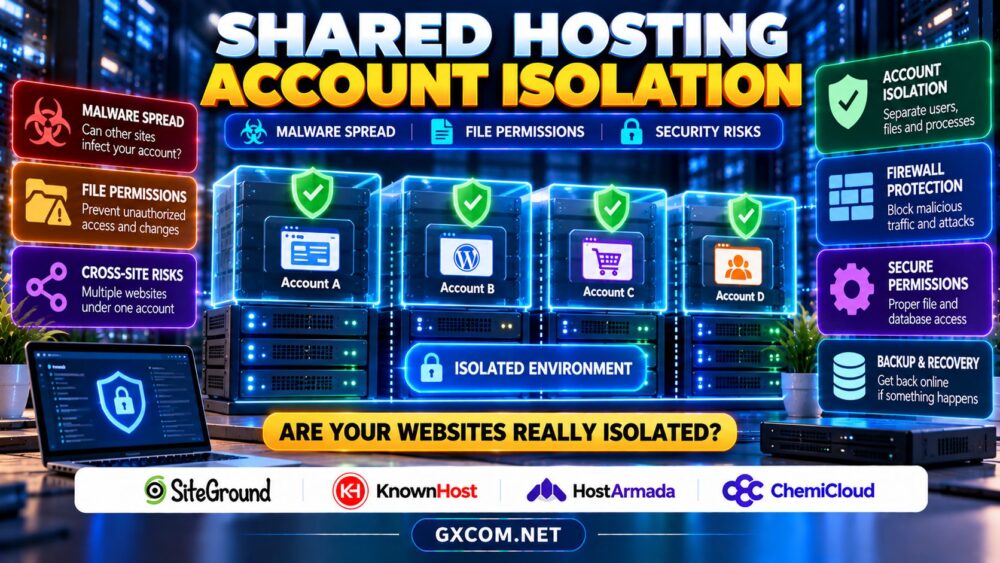
Shared hosting account isolation is one of the most important security questions to ask before placing a business website on a multi-tenant server. Many customers share underlying infrastructure, yet they should not automatically share access to one another’s files, processes, or databases.
The challenge is understanding what isolation actually protects. A secure hosting environment reduces exposure between unrelated customers, but compromised plugins, weak permissions, and multiple sites under one account can still create serious risks. Here is how to evaluate those boundaries before buying.
What Is Shared Hosting Account Isolation?
Account isolation separates the resources and privileges available to individual hosting customers. Ideally, a process running under one customer account cannot read another customer’s private files, modify their databases, or access protected credentials.
Providers can combine operating-system permissions, restricted execution environments, per-account PHP processes, resource controls, and network policies. The exact architecture differs by platform. A marketing claim about isolated resources does not necessarily describe file-system security, so ask which protections apply to your specific plan.
1. Can Malware Spread Between Shared Hosting Accounts?
Malware can spread when an attacker gains access beyond the original website’s intended permissions. Historically, poorly configured shared systems have exposed customers through vulnerable services, permissive file access, or privilege-escalation flaws. Properly implemented isolation makes those paths harder, although no architecture eliminates every vulnerability.
Distinguish two scenarios. Cross-account compromise involves movement from one customer’s environment into another. Cross-site compromise involves several websites owned by the same customer, potentially sharing credentials, directories, or a common execution identity.
The second scenario is particularly relevant to agencies. If several WordPress installations run under one hosting login, an attacker controlling one installation might reach files belonging to another, depending on permissions and configuration. Separate accounts can create stronger boundaries than separate domain folders alone.
2. Linux Permissions and Website Ownership
File permissions determine which users and processes can read, write, or execute files. On Linux hosting, ownership, group membership, and directory permissions matter alongside the familiar numeric permission settings.
Avoid making website directories or configuration files broadly writable merely to solve an installation error. WordPress configuration files may contain database credentials, while writable plugin directories can provide opportunities for persistence after a compromise.
Ask whether PHP processes run under separate customer identities and whether one site’s scripts can inspect neighboring account directories. Also verify how the host protects temporary files, backups, and database connection information.
For additional operational safeguards, see our server security checklist.

3. CloudLinux, CageFS and PHP Process Isolation
Some shared hosting platforms use technologies such as CloudLinux and CageFS to restrict what customer processes can see or consume. Others rely on different combinations of containers, namespaces, process managers, and operating-system controls.
These approaches address different problems. Resource isolation can prevent one account from exhausting CPU or memory allocations, while filesystem and process isolation aim to restrict unauthorized access. Neither should be confused with application-level malware scanning.
Ask providers whether their isolation boundaries apply to PHP execution, scheduled tasks, SSH access, and background processes. If a host advertises CloudLinux, confirm whether CageFS or equivalent protections are enabled for the relevant plan rather than assuming every feature is active.
4. WordPress Plugins, Credentials and Multiple Websites
A vulnerable WordPress plugin can expose an otherwise well-isolated account. Attackers may upload malicious files, create administrator users, or steal credentials available to the compromised application.
Keep themes and plugins updated, remove unused components, enable multifactor authentication where supported, and avoid reusing passwords across sites. For multiple business-critical websites, consider separate hosting accounts and distinct database users with only the permissions each application needs.
Backups should also be protected from the same compromised account. Our WordPress backup and recovery guide explains why retention and clean restore points matter.
5. Four Hosting Providers Worth Comparing
SiteGround
SiteGround is relevant for WordPress owners evaluating managed website tools and security practices. Review the exact hosting product’s account boundaries, application protection, backup options, and procedures for handling infected sites.
KnownHost
KnownHost offers another option for customers prioritizing hosting support and management. Ask how its selected shared hosting environment separates accounts, handles permissions, and responds when a website is compromised.
HostArmada
HostArmada is worth including when comparing shared hosting security and site-management features. Confirm whether multiple websites share a customer execution context and what security or recovery assistance the purchased plan provides.
ChemiCloud
ChemiCloud is a further candidate for WordPress and small-business hosting. Evaluate the provider’s documented isolation methods, backup access controls, malware response terms, and available technical support before choosing a package.
Security features can change across product tiers. Do not assume that an advertised firewall, malware scanner, or resource limit guarantees protection against lateral movement.
6. When Should You Upgrade to VPS Hosting?
A VPS generally provides a distinct virtualized operating-system environment, offering more control over software, user accounts, and security policies. However, virtualization alone does not fix vulnerable applications, poor passwords, or missing backups.
Consider upgrading when you need custom firewall rules, stricter client separation, specialized software, or predictable control over security maintenance. Managed VPS plans may reduce administrative work, but their security responsibilities still require careful review.
Our VPS versus shared hosting comparison examines the wider tradeoffs.
7. Security Checklist Before Purchasing
Request clear answers about customer filesystem separation, PHP execution identities, SSH restrictions, database permissions, malware monitoring, and the treatment of multiple domains under one account. Ask whether separate client accounts are available and what they cost.
Check incident-response procedures as well. Who investigates a suspected cross-account breach? Will the provider preserve logs, suspend affected accounts, assist with restoration, and explain which actions remain the customer’s responsibility?
Our managed hosting security guide explains malware cleanup and patch-management boundaries.
8. Compare Security Value, Not Just Introductory Prices
A low monthly price is less attractive if multiple sensitive websites share weak administrative boundaries or if essential backup and cleanup services cost extra. Evaluate renewal pricing, account separation, recovery support, and the work your team must perform.

Use our web hosting deals comparison to explore purchasing options while checking the underlying security terms.
Compare Shared Hosting Security Options
Ask about account boundaries, permissions, malware response, and recovery coverage before ordering.
Shared Hosting Isolation FAQ
Can another customer’s infected website compromise mine?
Strong account isolation reduces that risk, but implementation flaws or shared-service vulnerabilities can still matter. Ask how your host enforces boundaries.
Are separate WordPress folders enough for isolation?
Not necessarily. Websites sharing the same system identity may still access each other’s files, depending on permissions and server configuration.
Is a VPS always more secure than shared hosting?
No. A poorly maintained VPS can be less secure than professionally managed shared hosting. Configuration, patching, access control, and recovery practices remain essential.
Final Verdict
Shared hosting account isolation deserves attention alongside speed and price. Compare SiteGround, KnownHost, HostArmada, and ChemiCloud using documented account boundaries, permission controls, incident assistance, and backup policies. For sensitive multi-client workloads, prioritize separation that matches your actual risk.