Choosing a virtual private server for multiplayer gaming requires more than checking how many vCPUs and gigabytes of RAM appear on a hosting plan. A VPS with impressive specifications can still struggle with Minecraft world generation, busy Rust servers, or memory-intensive ARK workloads.
Understanding gaming VPS requirements helps you compare processor performance, memory capacity, NVMe storage, and network quality before committing to a hosting plan.
This guide explains which specifications matter, how different games affect resource usage, and when a managed game server or dedicated machine may be a better choice.
What Are the Minimum Gaming VPS Requirements?
There is no universal minimum specification for every multiplayer game. Requirements depend on the game engine, server software, concurrent players, map size, mods, and operating system.
The following table provides general starting points for planning a self-managed VPS. These are not official game minimums or guaranteed player capacities.
| VPS Configuration | Potential Workload | Main Limitation |
|---|---|---|
| 2 vCPU / 4 GB RAM | Small, lightweight private game servers | Limited CPU and memory headroom |
| 4 vCPU / 8 GB RAM | Moderate Minecraft or similar workloads | Performance depends on CPU allocation and mods |
| 6–8 vCPU / 16 GB RAM | More demanding single instances | Shared CPU contention may remain a bottleneck |
| 8+ vCPU / 32 GB+ RAM | Multiple instances or heavier communities | Dedicated hardware may offer better consistency |
These examples are not a recommendation to run every Rust or ARK server on a VPS. Larger survival worlds and ARK: Survival Ascended can require substantially more resources than smaller Minecraft installations.
1. CPU Performance: Why vCPU Count Is Not Enough
Many game servers rely heavily on a main simulation thread. As a result, strong per-core CPU performance can matter more than simply purchasing a larger number of virtual cores.
A VPS advertised with eight vCPUs does not necessarily perform like eight dedicated physical CPU cores. Virtual cores may share underlying processor time with other customers, depending on the provider's allocation model.
Look for modern CPU architecture, transparent resource policies, and consistent performance under sustained load. AMD Ryzen and modern Intel processors can both be suitable, but the exact generation and resource allocation matter.
For Minecraft, monitor tick time and server TPS. For Rust, review server FPS and processor utilization. A high total vCPU count cannot compensate for a heavily constrained main simulation thread.
Before choosing a provider, review our best gaming VPS hosting guide for a broader comparison of hosting options.
2. RAM Requirements for Minecraft, Rust, and ARK
Memory usage varies widely between games. Minecraft Java Edition may operate comfortably with modest resources for a small vanilla world, but large modpacks, additional players, and extensive world activity can increase memory consumption.
Rust servers can consume significant RAM as maps, entities, bases, and player activity grow. A configuration suitable for a private test environment may not support a busy public community.

ARK: Survival Evolved and ARK: Survival Ascended should also be evaluated separately. ASA generally requires more hardware headroom, and its server distribution and operating system requirements can complicate VPS deployment.
Leave sufficient memory for the operating system, control panel, monitoring tools, and background processes. Avoid allocating all available RAM to the game application.
On Linux, inspect memory usage with:
free -hOn Windows Server, Task Manager and Resource Monitor can help identify memory pressure. Watch for swapping, sustained high usage, and instability during peak player activity.
3. NVMe Storage: Capacity and Consistent I/O Matter
NVMe SSDs can improve file operations, world loading, game updates, and backup processing. However, the NVMe label alone does not guarantee identical performance across providers.
On virtualized infrastructure, storage performance can vary according to the underlying drives, shared I/O limits, and other workloads on the host.
Check usable capacity, available free space, storage policies, and whether snapshots or backups consume your allocation. Large modpacks and multiple saved worlds can grow over time.
NVMe is particularly useful when game servers perform frequent saves or process substantial world data, but it will not automatically fix CPU-bound simulation lag.
4. Network Performance: Latency, Packet Loss, and DDoS Protection
Stable networking is essential for multiplayer gaming. Players may experience rubber-banding, delayed actions, or disconnects when latency fluctuates or packets are lost.
Choose a VPS region close to the majority of your players. Evaluate routing quality and consistency rather than relying exclusively on an advertised port speed.
Important network considerations include:
- Round-trip latency to the intended player region.
- Packet loss and jitter during busy periods.
- Monthly traffic limits and fair-use policies.
- Game-specific UDP and TCP port requirements.
- DDoS protection coverage and mitigation behavior.
- Whether the provider restricts game hosting workloads.
A 1 Gbps port does not guarantee low latency, and an unlimited bandwidth claim does not automatically include unlimited data transfer or protection from every attack.
5. Linux vs Windows Gaming VPS Requirements
Linux is a common choice for supported game servers because it offers flexible administration and can operate with relatively modest system overhead.
Windows Server may be required or preferred for particular game distributions, management applications, and Windows-specific tools. However, Windows licensing, operating system overhead, and software compatibility can affect the total hosting cost.
Confirm that the game officially supports your intended operating system before ordering. Some titles require additional compatibility layers or specific server builds, which may introduce maintenance challenges.
For a practical deployment walkthrough, see our how to set up a game server on a VPS guide covering Linux and Windows administration.
6. Gaming VPS vs Managed Game Server Hosting
A self-managed gaming VPS gives administrators control over the operating system, installed applications, firewall rules, and server configuration.
However, that flexibility comes with responsibility for security updates, game installation, troubleshooting, backups, and resource monitoring.
AlphaVPS is relevant for administrators comparing self-managed virtual server infrastructure. Check its currently available CPU allocations, memory configurations, storage options, and locations before selecting a plan for game hosting.
Sparked Host is worth considering as a managed game hosting alternative, particularly for communities seeking game-specific administration tools instead of maintaining an entire operating system.
Host Havoc offers managed hosting for supported multiplayer games. It can be relevant when administrators value a control panel and game-focused support over direct VPS administration.
GameServerKings is another managed game hosting option to compare. Review the specific game's supported features, resource limits, backup tools, and server locations before ordering.
These services are not interchangeable. A managed game hosting package should not be described as a VPS unless the provider explicitly sells it as one.
Our managed vs self-hosted game servers comparison explains the trade-offs.
7. How to Test Gaming VPS Performance
After deployment, test performance with the intended game, map, mods, and realistic player activity. Synthetic benchmarks alone cannot establish how many players a server can support.
On Linux, useful starting commands include:
top
free -h
df -h
Use supported game profiling tools to measure tick processing, server FPS, and plugin overhead. Check whether CPU contention or memory pressure appears during peak activity.
Monitor network latency from relevant player regions and investigate packet loss carefully. Some network devices deprioritize diagnostic traffic, so isolated ping or traceroute results may not represent actual gameplay performance.

Keep records of server performance before and after configuration changes. This makes it easier to distinguish software bottlenecks from insufficient hosting resources.
8. When Should You Upgrade to a Dedicated Game Server?
A VPS can be cost-effective for small and moderate game communities, but dedicated hardware may become attractive when workloads consistently exceed virtualized resource limits.
Consider an upgrade when:
- Critical CPU threads remain overloaded during normal activity.
- Memory usage regularly approaches the available limit.
- Several demanding game instances must run simultaneously.
- Shared resource contention causes inconsistent performance.
- You need exclusive hardware or greater control over the environment.
Dedicated servers provide exclusive physical computing resources, but they do not automatically solve inefficient plugins, poor configuration, or distant network routing.
Our gaming VPS vs dedicated server comparison helps determine when the additional hardware is justified.
Gaming VPS Requirements Checklist
- Confirm game compatibility with Linux or Windows.
- Choose modern CPUs with strong per-core performance.
- Understand shared versus dedicated vCPU allocation.
- Estimate RAM using real game workloads.
- Allow storage capacity for mods, worlds, and backups.
- Evaluate network location, latency, and packet loss.
- Check DDoS protection and traffic restrictions.
- Verify backup, upgrade, and cancellation policies.
- Test performance before expanding player capacity.
Final Verdict: Match VPS Resources to the Game
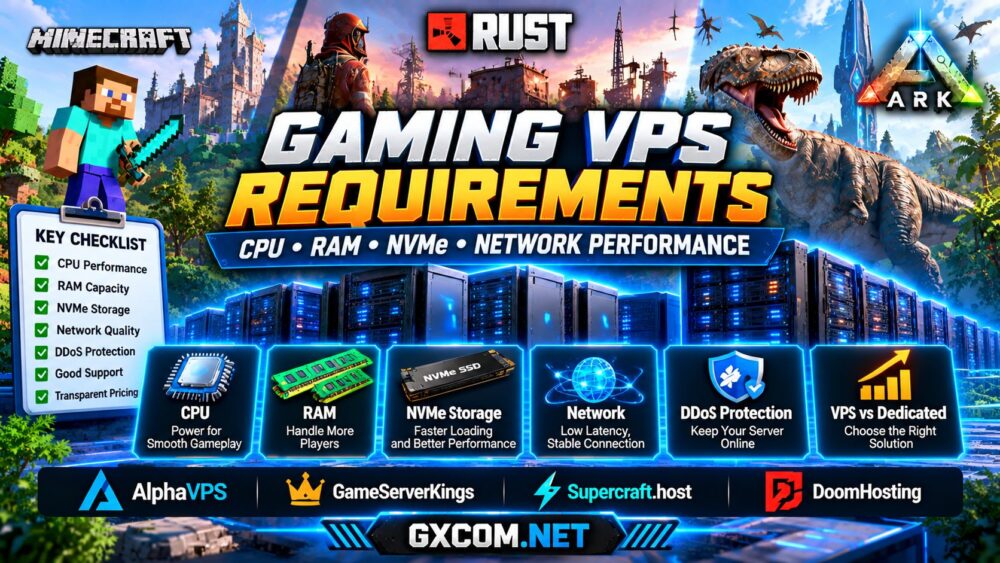
The most important gaming VPS requirements are consistent CPU performance, sufficient RAM, dependable NVMe storage, and stable low-latency networking.
For smaller communities, a carefully configured VPS can provide excellent flexibility. For demanding Rust worlds, large modded Minecraft networks, or multi-instance ARK environments, managed hosting or dedicated hardware may be more practical.
Choose a server based on measured workloads and realistic player activity rather than advertised specifications alone. That approach can improve both performance and long-term hosting value.