Choosing between dedicated server RAID 1 vs RAID 10 is an important decision when storage performance, application uptime, and infrastructure costs matter. Both configurations protect against certain drive failures, but they differ in minimum disk requirements, usable capacity, performance scaling, and failure scenarios.
Modern NVMe drives make the decision more interesting. A two-drive mirror may already deliver sufficient performance for many production applications, while four-drive RAID 10 can provide additional aggregate I/O capacity for demanding databases and virtualization workloads.
This guide explains the tradeoffs and shows how to evaluate dedicated hosting providers before ordering.
RAID 1 vs RAID 10: Key Differences
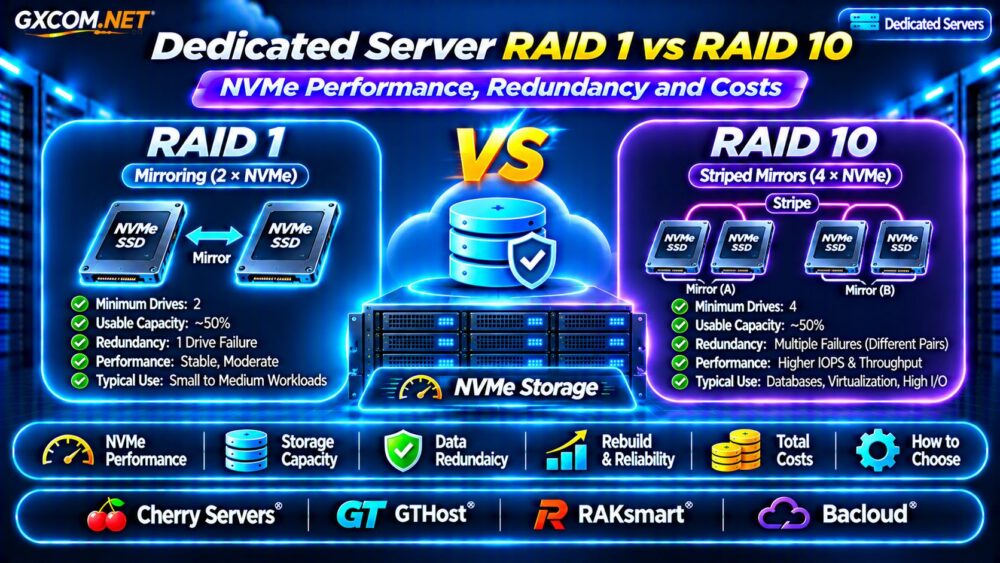
RAID 1 mirrors data across drives. In a conventional two-drive setup, both disks contain the same information. If one disk fails, the remaining disk can continue serving data, assuming the array and surviving drive remain healthy.
RAID 10 combines mirrored pairs with striping. A typical configuration uses four drives, distributing data across two mirrored groups. This creates opportunities for higher aggregate throughput and additional redundancy, depending on which drives fail.
| Feature | RAID 1 | RAID 10 |
|---|---|---|
| Typical minimum drives | 2 | 4 |
| Usable capacity | About 50% | About 50% |
| Write distribution | Mirrored writes | Striped mirrored pairs |
| Failure tolerance | Usually one drive | Depends on failed pairs |
| Hardware requirement | Lower | Higher |
Actual behavior depends on the RAID implementation, filesystem, controller, and workload.
NVMe RAID Performance: IOPS and Latency
NVMe SSDs offer low storage latency and substantial parallel I/O capability. However, combining drives does not automatically make every application faster.
RAID 1 Performance
Mirroring writes requires data to reach both drives. Write performance is therefore constrained by the implementation and participating devices rather than doubling simply because two SSDs are installed.
Read operations may benefit from scheduling across mirrored devices. Gains depend on queue depth, access patterns, and software behavior.
RAID 10 Performance
RAID 10 distributes operations across multiple mirrored pairs. It can improve aggregate random IOPS and throughput when the application generates enough concurrent requests to utilize several drives.
However, a single synchronous database write may remain limited by storage latency and durability requirements. RAID 10 cannot eliminate inefficient queries, CPU bottlenecks, or excessive filesystem synchronization.
For broader hardware planning, see our Dedicated Server Hardware Guide.

Usable NVMe Capacity and Storage Costs
Both common configurations sacrifice approximately half their raw capacity for mirroring.
Consider two hypothetical purchasing options:
- RAID 1: Two 1 TB NVMe drives provide approximately 1 TB of nominal usable capacity.
- RAID 10: Four 1 TB NVMe drives provide approximately 2 TB of nominal usable capacity.
Actual filesystem capacity is lower after formatting and unit conversion.
RAID 10 requires more physical drives in this example, increasing hardware, replacement, and potentially rental costs. But it also delivers twice the usable capacity, so the correct comparison includes price per usable terabyte and performance requirements.
Suppose a hypothetical server costs $90 monthly with two NVMe drives and $125 with four. The $35 difference equals $420 annually before backups or other charges. These figures illustrate budgeting only; they are not provider quotations.
Disk Failures, Rebuilds and Redundancy Risks
RAID redundancy improves resilience against selected disk failures, but it cannot guarantee uninterrupted service.
In a typical two-drive RAID 1 array, failure of either drive leaves the array dependent on the surviving disk until replacement and rebuilding are complete.
RAID 10 can survive multiple drive failures when they occur in different mirrored pairs. Losing both members of one pair can destroy the array.
Rebuild operations also consume storage bandwidth and may expose problems with remaining drives. Monitor SMART health, controller alerts, rebuild progress, and application latency.
Importantly, RAID is not a backup. Accidental deletion, ransomware, filesystem corruption, and catastrophic server failure can affect every disk.
Our Snapshot, Backup and Recovery Guide explains why independent recovery copies remain essential.
Which RAID Level Fits Your Dedicated Server?
Websites and Small SaaS Applications
RAID 1 often provides a practical balance when a two-drive NVMe configuration already meets performance and capacity requirements. Prioritize database optimization and tested backups before purchasing additional drives.
Busy MySQL and PostgreSQL Databases
RAID 10 deserves consideration for workloads with substantial concurrent random I/O, sustained writes, or larger storage requirements.
Benchmark representative queries and transaction patterns. Measure latency percentiles, not just advertised peak IOPS.
Virtualization and Multi-Tenant Hosting
Multiple virtual machines can create simultaneous storage requests. RAID 10 may provide useful aggregate capacity, but memory pressure, hypervisor configuration, and workload isolation also influence performance.
Review our Bare Metal Server Providers Comparison when evaluating physical infrastructure options.
Dedicated Server Providers to Compare
Four approved infrastructure providers are worth evaluating for dedicated storage requirements. Their inclusion does not mean every server model supports four NVMe drives or customer-configurable RAID.
Cherry Servers: Storage-Focused Infrastructure
Cherry Servers is a relevant starting point for dedicated compute buyers who need to examine processor, memory, and storage configurations together. Request exact NVMe specifications, available drive bays, RAID support, and replacement procedures.
GTHost: Dedicated Hardware Choices
GTHost is another option for comparing physical server configurations. Confirm whether a selected location and machine support additional disks, remote management, and the required RAID implementation.
RAKsmart: Regional Deployment Requirements
RAKsmart can be evaluated when data center geography and network connectivity matter alongside storage performance. Ask for configuration-specific disk options, provisioning costs, and hardware support terms.
Bacloud: Cost-Conscious Server Planning
Bacloud is worth considering when comparing dedicated hardware budgets. Check the exact CPU generation, NVMe availability, disk expansion options, and whether storage changes require migration or downtime.
Compare actual quotations rather than assuming that advertised entry-level plans include enterprise NVMe drives or RAID 10 capability.

RAID 1 vs RAID 10: Buying Checklist
- Confirm the exact NVMe drive model, endurance rating, and usable capacity.
- Verify whether hardware RAID, Linux software RAID, or another storage stack is supported.
- Ask whether failed drives are replaced without additional charges.
- Check rebuild monitoring, rescue access, and maintenance responsibilities.
- Benchmark realistic random I/O and database latency.
- Budget for independent backups and restoration testing.
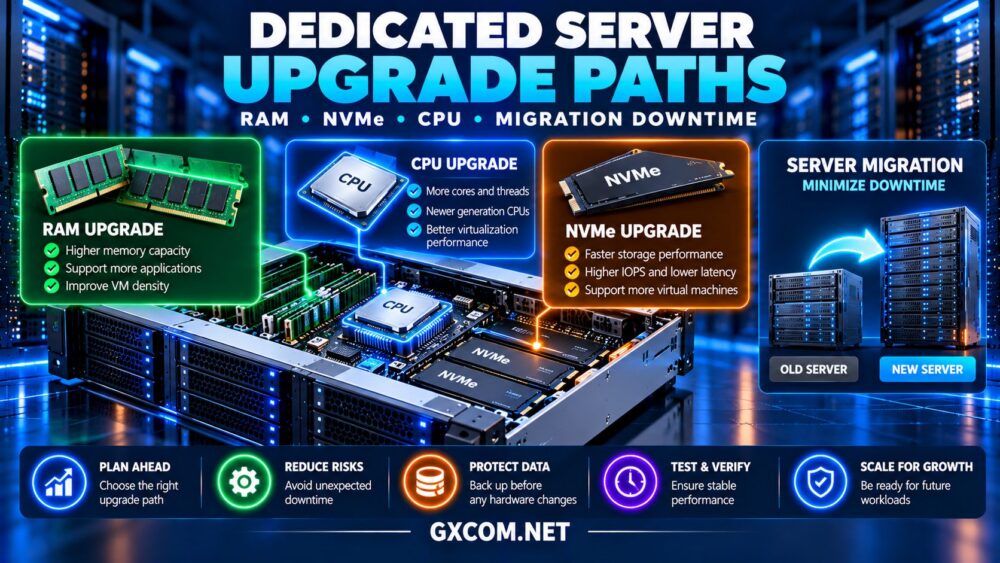
Also examine long-term expansion and replacement options through our Dedicated Server Upgrade Paths Guide.
Frequently Asked Questions
Is RAID 10 Always Faster Than RAID 1?
No. RAID 10 can improve aggregate performance, but lightly loaded applications may experience little practical benefit. Workload characteristics and drive quality matter.
Can RAID 10 Survive Two Drive Failures?
Sometimes. Two failures in different mirrored pairs may be tolerated; two failures within the same pair can cause array failure.
Does NVMe RAID Eliminate the Need for Backups?
No. RAID addresses selected hardware failures, while independent backups protect against broader data-loss events.
Final Verdict: Choose RAID Based on Workload
For many smaller dedicated servers, RAID 1 offers straightforward redundancy and reasonable storage economics. RAID 10 becomes more attractive when concurrent I/O, capacity, and workload demands justify additional drives.
Compare Cherry Servers, GTHost, RAKsmart, and Bacloud using actual configurations, verified RAID support, replacement policies, and total operating costs. Choose the storage architecture your application needs—not simply the array with more disks.