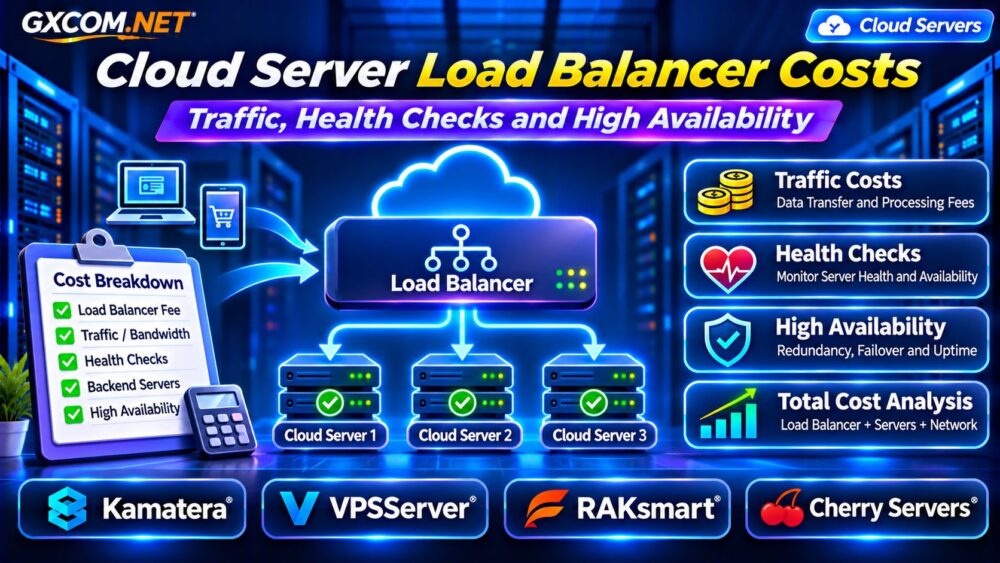
Cloud server load balancer costs can become surprisingly complicated when an application expands beyond a single server. Adding a load balancer may improve traffic distribution and availability, but the final bill can include processing charges, network transfer, backend instances, and monitoring.
Some cloud platforms charge separately for the load balancer and traffic it processes. Others require customers to deploy and maintain their own load-balancing software.
This guide explains the major cost components, how health checks and high availability affect budgets, and how to compare cloud infrastructure providers.
What Does a Cloud Load Balancer Actually Cost?
A load balancer distributes incoming connections or requests across multiple backend servers. Depending on its architecture, it may also terminate TLS connections, inspect HTTP requests, and remove unhealthy servers from rotation.
Common cost categories include:
- Hourly or monthly load balancer charges.
- Traffic processing and network transfer fees.
- Backend cloud server instances.
- Public IP addresses and related services.
- Monitoring, logging, and operational management.
Not every provider charges for every category. Pricing depends on whether load balancing is managed, software-based, or included within another service.
Managed Load Balancer vs Self-Hosted Software
A managed load balancer reduces some operational responsibilities because the cloud provider maintains the service infrastructure. However, customers still configure routing rules, security settings, and backend health checks.
Self-hosted alternatives such as HAProxy or NGINX can run on ordinary cloud servers. Software licensing may be inexpensive or free, but compute resources, administration, monitoring, and redundancy still cost money.
A single self-hosted proxy also creates a potential failure point. Production environments may need redundant proxy instances and a reliable failover mechanism.
How Traffic Processing Changes Load Balancer Pricing
Traffic charges are among the most easily misunderstood components of cloud load balancing.
Some services bill according to processed bytes, connection activity, capacity units, or combinations of these metrics. Network transfer may be charged separately.
For example, traffic traveling from a load balancer to backend servers in another region can introduce additional transfer expenses.
Public internet egress, cross-zone transfers, and internal network traffic may follow different pricing rules.
Before estimating costs, map where requests enter, where backend servers operate, and where responses leave the infrastructure.
For related bandwidth considerations, read our Cloud VPS Bandwidth Costs Guide.
Layer 4 vs Layer 7 Load Balancing Costs
Layer 4 load balancers operate primarily with transport-level connections, commonly using TCP or UDP information.

Layer 7 load balancers understand application protocols such as HTTP and HTTPS. They can support host-based routing, path rules, and other application-aware functions.
Layer 7 features may introduce additional processing requirements or service charges, depending on the provider.
Choose based on application requirements rather than assuming one layer is universally cheaper.
Simple TCP services may not need advanced HTTP routing, while multi-application platforms can benefit from Layer 7 capabilities.
Do Load Balancer Health Checks Cost Extra?
Health checks determine whether backend servers should receive new requests. Typical checks include TCP connection tests and HTTP endpoint requests.
Many load-balancing services include basic health checking within their standard operation. Others may generate related monitoring, logging, or network costs.
Frequent checks also consume a small amount of backend processing capacity.
For a hypothetical configuration with four backend servers checked every ten seconds, the system performs approximately 34,560 checks daily.
That does not mean 34,560 separately billable requests. Billing depends on the service’s actual pricing model.
Use lightweight health endpoints and avoid expensive database operations during every check.
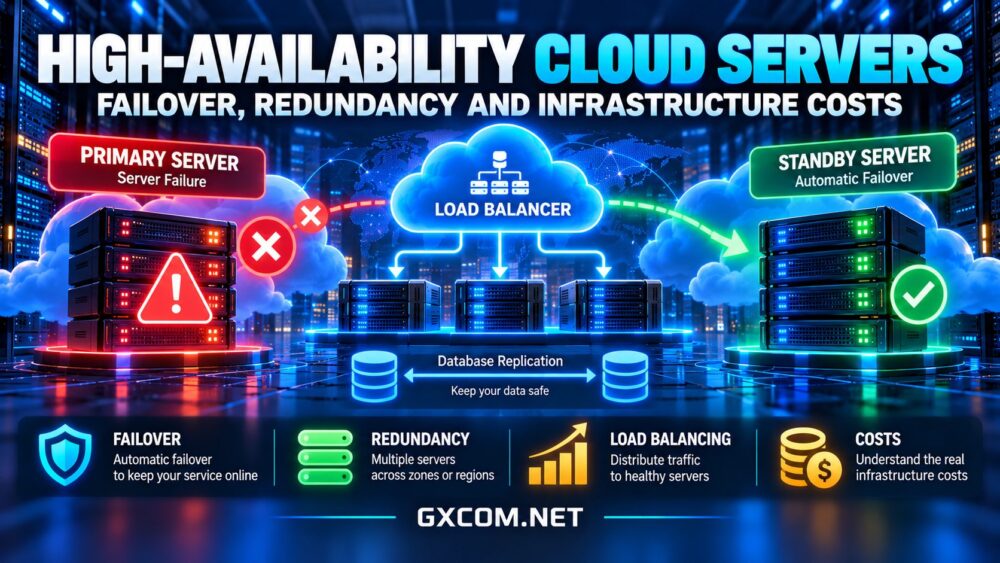
High Availability Requires More Than One Load Balancer
A load balancer does not automatically make an application highly available.
Backend servers, databases, storage, DNS, and network dependencies can still fail. Self-managed load balancing may also require redundant proxy nodes.
For example, two application servers behind one self-hosted proxy remain vulnerable if the proxy fails.
A stronger design may use redundant load balancers, multiple application instances, and a database recovery strategy.
Our High-Availability Cloud Servers Guide explores these architectural considerations.
Example: Calculate Monthly Load Balancing Costs
Consider a hypothetical application using two cloud servers and a managed load balancer:
| Cost Component | Monthly Estimate |
|---|---|
| Two backend servers | $80 |
| Managed load balancer | $20 |
| Traffic and processing | $15 |
| Monitoring and backups | $10 |
| Total | $125 |
The hypothetical annual cost is $1,500, excluding taxes and administrative labor.
These figures are illustrative, not current provider quotations. Real pricing may change with traffic volume, deployment region, capacity requirements, and network architecture.
Four Cloud Infrastructure Providers to Compare
1. Kamatera: Configurable Cloud Infrastructure
Kamatera is relevant for teams building multi-server applications with configurable compute resources.
Evaluate server locations, instance sizing, networking options, and available load-balancing capabilities for the selected deployment.
Compare managed functionality with the operational work required for a self-hosted proxy.
2. VPSServer: Cloud Server Resource Planning
VPSServer is worth considering when evaluating cloud server resources for distributed applications.
Review CPU, memory, storage, network allowances, and available deployment regions.
Confirm how public IP addresses, additional traffic, and multi-server connectivity are billed before designing the architecture.
3. RAKsmart: Multi-Server Infrastructure
RAKsmart can be evaluated for projects requiring multiple servers and network infrastructure.
Check the selected product’s bandwidth terms, server management responsibilities, and networking capabilities.
Do not assume that managed load balancing or automatic failover is included without verifying the actual service.
4. Cherry Servers: Dedicated Compute Alternatives
Cherry Servers offers infrastructure options relevant to applications considering dedicated compute resources.
For predictable workloads, compare dedicated server capacity against cloud instance costs, including network traffic and management.
Any load-balancing software, redundancy, and operational requirements should be included in the total budget.
Reduce Load Balancer Costs Without Sacrificing Reliability
Start by measuring real request volume, peak connections, response sizes, and backend utilization.

Keep related resources close together when practical, but account for the availability risks of concentrating everything in one location.
Optimize static content delivery through caching or a CDN when appropriate. Review unused routing rules, excessive logs, and unnecessary cross-region traffic.
Right-size backend instances before purchasing additional capacity.
Our Cloud Server Auto Scaling Guide explains how capacity can respond to changing workloads.
Load Balancer Buying Checklist
- Identify required Layer 4 or Layer 7 features.
- Confirm fixed charges and variable processing fees.
- Estimate public egress and cross-zone transfer costs.
- Verify health checking and monitoring charges.
- Include backend servers and redundant components.
- Review failover behavior and management responsibilities.
Frequently Asked Questions
Is a Cloud Load Balancer Free?
Not necessarily. Even free load-balancing software requires infrastructure resources and operational management.
Does a Load Balancer Reduce Server Costs?
It can improve resource utilization, but additional instances, traffic processing, and redundancy may increase total spending.
Are Health Checks Always Billable?
No. Basic checks are often included, although related monitoring or network activity may incur charges under certain pricing models.
Final Verdict
Cloud server load balancer costs should be evaluated as part of the complete application architecture, not as an isolated service fee.
Compare Kamatera, VPSServer, RAKsmart, and Cherry Servers according to networking capabilities, compute requirements, support responsibilities, and total deployment costs.
The best solution balances predictable expenses, operational simplicity, and the level of availability your business actually needs.