Black Friday Windows VPS deals can make remote desktop hosting more affordable, but the advertised discount rarely tells the whole story. A low introductory price may exclude Windows Server licensing, provide insufficient RAM, or increase substantially when the promotional term ends.
Whether you need a Windows VPS for remote administration, application testing, or business software, the best offer should balance usable resources, legitimate licensing, reliable RDP access, and predictable billing. This guide explains what to check before choosing a seasonal promotion.
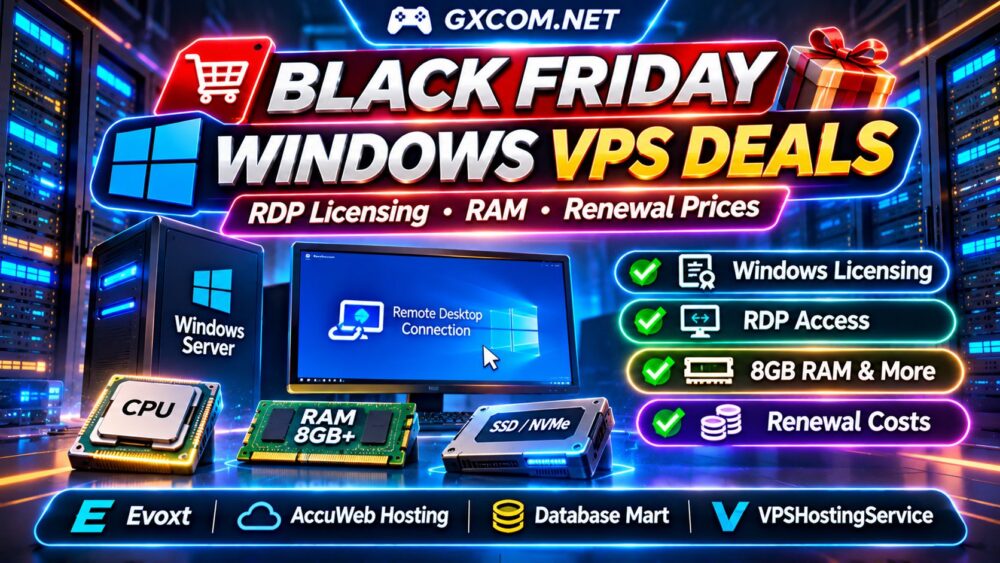
What Makes a Good Black Friday Windows VPS Deal?
A worthwhile offer delivers measurable savings without compromising the resources or software rights your workload requires. Compare the final checkout amount, included operating system, server location, renewal rate, and available support.
Some promotions discount only the first invoice, while others require annual or multi-year prepayment. A cheaper Linux VPS is not necessarily a cheaper Windows VPS once the operating system is added.
For broader seasonal comparisons, explore our Black Friday VPS Deals Guide. This article focuses specifically on Windows licensing and remote desktop requirements.
Windows Server Licensing: Included or Extra?
Windows licensing is one of the most important pricing differences between Windows and Linux VPS hosting. Depending on the provider and plan, a Windows Server license may be included, charged separately, or unavailable for certain configurations.
Before ordering, confirm the supported Windows Server edition, activation method, licensing arrangement, and whether the quoted price includes the operating system.
Ask whether license charges continue at renewal and whether reinstalling or upgrading the server affects the license. Do not assume that supplying your own Windows installation media automatically grants hosting rights.
Licensing terms can vary by deployment model and provider agreement. When the terms are unclear, obtain written confirmation before payment.
RDP Access and Remote Desktop Licensing
Windows Server commonly supports Remote Desktop Protocol for administration, but administrative remote access should not be confused with licensed multi-user Remote Desktop Services.
If you need multiple simultaneous users running applications through remote sessions, ask about Remote Desktop Services Client Access Licenses, session-host configuration, and applicable Microsoft licensing requirements.
A VPS advertised as supporting RDP does not automatically include unlimited user sessions or the licenses needed for a commercial remote desktop environment.
Also check whether the provider supplies administrator credentials, allows firewall configuration, and offers recovery-console access if an RDP setting prevents login.
How Much CPU, RAM and SSD Storage Do You Need?
Windows Server consumes resources before your applications start. Choosing the smallest discounted package may result in sluggish updates, slow remote sessions, or insufficient storage.

| Workload | Planning Baseline | Important Considerations |
|---|---|---|
| Basic administration | 2 vCPU, 4GB RAM | Light tools and limited concurrent tasks |
| Business applications | 3–4 vCPU, 8GB RAM | Application memory and database activity |
| Heavier workloads | 4+ vCPU, 16GB+ RAM | Concurrent users and sustained CPU demand |
These are illustrative planning ranges, not guaranteed requirements. Actual needs depend on Windows version, application specifications, and user activity.
For storage, evaluate usable SSD or NVMe capacity after operating system files, updates, applications, and backups. A 120GB–150GB disk can provide useful headroom for some business workloads, but capacity alone does not establish disk performance.
Our NVMe VPS vs SSD Performance Guide explains the differences between storage capacity, latency, and throughput.
Four Windows VPS Providers Worth Comparing
Evoxt
Evoxt is a candidate for buyers comparing budget VPS configurations. Check current Windows availability, operating system charges, location options, and upgrade pricing before considering a seasonal offer.
AccuWeb Hosting
AccuWeb Hosting is relevant to Windows VPS buyers comparing operating system options and management services. Review the selected plan’s licensing details, backup arrangements, support scope, and renewal conditions.
Database Mart
Database Mart is worth evaluating when Windows VPS storage capacity and billing commitments matter. Compare SSD allocation, Windows licensing, promotional eligibility, and whether the advertised rate requires extended prepayment.
VPSHostingService
VPSHostingService is another candidate for price-sensitive Windows VPS users. Verify current inventory, CPU and RAM allocation, RDP availability, billing duration, and the total payment required at checkout.
These providers are comparison candidates rather than confirmed active Black Friday offers. For additional infrastructure choices, consult our Cheap VPS Providers Comparison.
Black Friday Pricing vs Renewal Costs
The initial discount can be misleading when the renewal rate is much higher. Calculate total spending over twelve and twenty-four months, including Windows licensing and required add-ons.
Consider two hypothetical Windows VPS offers:
| Cost | Plan A | Plan B |
|---|---|---|
| First six months | $9/month | $15/month |
| Following six months | $20/month | $15/month |
| First-year total | $174 | $180 |
| Second-year total | $240 | $180 |
| Two-year total | $414 | $360 |
Plan A initially looks cheaper, but Plan B saves $54 over two years. These illustrative amounts assume identical specifications and that Windows licensing is included.
If either provider charges separately for the operating system, backups, or additional storage, add those costs before comparing.
Monthly Billing vs Long-Term Prepayment
Monthly billing provides flexibility when testing a new provider. Annual or multi-year plans may reduce the advertised monthly equivalent but require a larger upfront commitment.
Before accepting a longer term, verify refund restrictions, renewal billing, cancellation deadlines, and whether unused prepaid months are refundable.
Businesses should also consider migration effort. Moving Windows applications, licenses, and data can cost more than the discount saved on the hosting subscription.
Security, Backups and Server Location
RDP accessibility should never mean exposing an inadequately protected server. Use strong authentication, restrict access where practical, maintain Windows updates, and verify the provider’s network security options.

Confirm whether backups are included, how frequently they run, and whether restoration costs extra. Provider snapshots should not automatically be treated as independent disaster-recovery backups.
Choose a server location near your users when interactive responsiveness matters. For additional guidance, see our Unmanaged Server Security Checklist.
Black Friday Windows VPS Buying Checklist
- Confirm the promotion is active and applies to the chosen Windows VPS.
- Verify Windows Server licensing and any RDS licensing requirements.
- Compare vCPU, RAM, SSD capacity, and network location.
- Calculate the first-year and second-year total costs.
- Check backup availability, support, refunds, and renewal terms.
- Verify actual checkout pricing before completing payment.
Frequently Asked Questions
Does Every Windows VPS Include an RDP License?
No. Administrative RDP capability and licensed multi-user Remote Desktop Services are different. Confirm what the provider includes.
Is 8GB RAM Enough for a Windows VPS?
It can be suitable for many moderate workloads, but application requirements and concurrent activity determine actual memory needs.
Are Black Friday Windows VPS Discounts Permanent?
Not necessarily. Promotional prices may expire after the initial term. Always verify renewal charges.
Final Verdict
The best Black Friday Windows VPS deals combine suitable CPU, RAM, and storage with legitimate Windows licensing, dependable remote access, and transparent renewal pricing.
Compare Evoxt, AccuWeb Hosting, Database Mart, and VPSHostingService against the same workload and billing period. A sustainable Windows VPS purchase is determined by its total value, not the largest advertised discount.