ARK server hosting becomes more complicated when a community grows beyond one map. Administrators need dependable save files, mod compatibility, player transfer controls, and support that understands the difference between ARK: Survival Evolved and ARK: Survival Ascended.
This Survival Servers review examines its ARK hosting features, cluster management, control panel, backups, pricing considerations, and technical support. We also consider Host Havoc, Sparked Host, and Shockbyte as alternatives for buyers comparing managed game hosting.
GXCOM.NET evaluated publicly available product information and documentation. We have not independently benchmarked Survival Servers hardware or measured its support response times.
Survival Servers Review: Quick Verdict
Survival Servers is a compelling option for ARK administrators who want extensive configuration controls and multi-map hosting. Its established ARK management tools, cluster setup, FTP access, and game-specific documentation are particularly relevant to experienced community operators.
The main consideration is complexity. Running multiple maps means managing separate server instances, transfer permissions, backups, and recurring costs.
For a small private tribe, a single managed server may be sufficient. For established communities, the cluster features deserve closer examination.
| Feature | Survival Servers Assessment |
|---|---|
| ARK editions | Separate ASE and ASA hosting products |
| Cluster hosting | Supported with linked server instances |
| Control panel | Custom panel with ARK configuration tools |
| Mods | Steam Workshop for ASE; CurseForge for ASA |
| File management | FTP and configuration file access |
| Backups | Automated options; edition-specific policies |
| Support | Ticket-based assistance and documentation |
Explore Survival Servers ARK Hosting Plans
ARK: Survival Evolved vs Survival Ascended Hosting
Survival Servers offers hosting for both ARK: Survival Evolved (ASE) and ARK: Survival Ascended (ASA), but buyers should treat them as different products.
ASE uses the older game environment and Steam Workshop-based mod management on supported PC servers. ASA introduces a different technical platform and uses CurseForge mods, with crossplay considerations involving PC and consoles.
Do not assume existing ASE modifications, saved worlds, or server configurations can be moved directly into ASA.
Survival Servers advertises map selection, administrative settings, automated restarts, and configuration tools for its ARK products. ASA hosting also includes specialized tools such as a world map, tribe log, and dinosaur companion features.
Before ordering, confirm the game edition, platform compatibility, supported maps, and mod requirements.
For additional background, read our ARK Survival Ascended vs Evolved hosting comparison.
ARK Cluster Hosting: How Does It Work?
Cluster hosting is one of Survival Servers’ most important features for larger ARK communities.
A cluster connects multiple server instances, allowing players to travel between supported maps while transferring permitted survivors, creatures, and items.

Survival Servers documents a Cluster Code system for linking eligible ARK servers. Administrators configure matching cluster identifiers and control transfer permissions for each server.
Important settings include survivor uploads, creature downloads, item transfers, and restrictions on external transfers.
A cluster is not simply one large server running every map. Each map requires its own active server instance, configuration, and resources.
What Should Administrators Check?
- Whether every intended map supports the required cluster configuration.
- How additional server instances affect monthly billing.
- Whether character, creature, and item transfers are restricted appropriately.
- How individual map backups and cluster data are restored.
- Whether all servers use compatible game versions and mods.
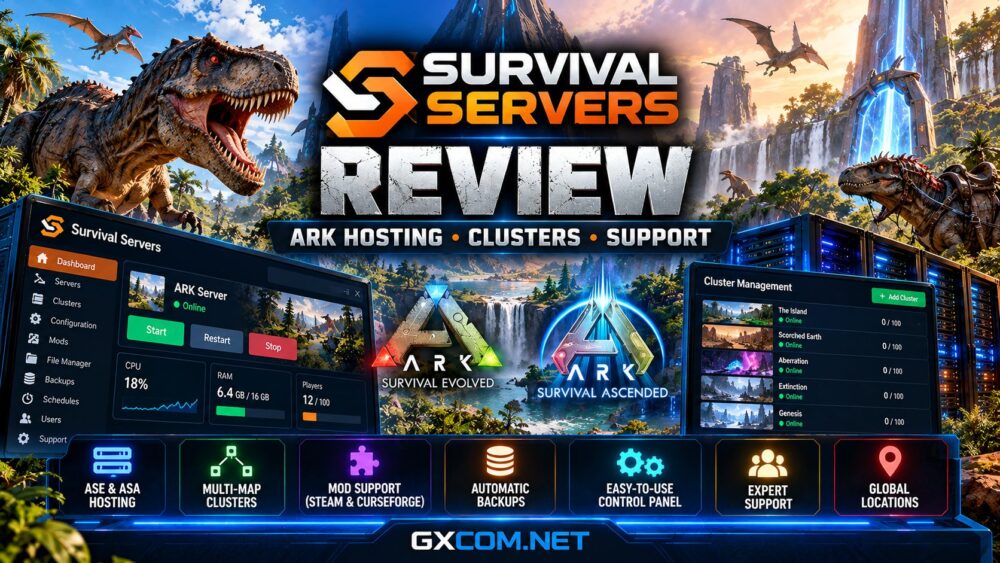
Survival Servers provides an Add Cluster option in its ARK control panel, but buyers should verify edition-specific cluster requirements before ordering additional maps.
Control Panel and Server Administration
Survival Servers introduced a redesigned control panel in August 2026. The interface includes server cards, live status information, resource charts, and simplified access to management tools.
For ARK, the panel includes configuration files, launch parameters, restart schedules, and cluster controls.
The launch parameter builder is particularly useful because it explains settings in more approachable language while showing the resulting server command.
Administrators can also work with configuration files such as Game.ini and GameUserSettings.ini when deeper customization is required.
These tools may reduce repetitive administration, although they do not eliminate the need to understand how ARK settings interact.
For first-time administrators, our ARK dedicated server setup guide provides useful planning context.
Mods, Custom Maps and Compatibility
Mod support is essential for many ARK communities, but ASE and ASA require different installation workflows.
Survival Servers supports Steam Workshop modifications for ASE, including mod IDs and supported custom maps.
For ASA, its documentation describes a CurseForge browser, mod ordering, and automated installation during server startup. The current panel documentation specifies a maximum of 40 mod IDs.
Console crossplay introduces additional restrictions. A mod intended for a mixed PC and console community must support the relevant platforms.
Before installing major modifications, back up configuration files and verify compatibility with the current game version.
Large mod collections can also increase memory demand and restart times. Avoid treating the advertised player-slot limit as a guarantee under heavily modified workloads.
Backups, Save Files and Data Recovery
ARK communities invest substantial time in characters, bases, tames, and progression. A reliable recovery process is therefore a purchasing priority.
Survival Servers advertises automatic backups for ASA, with its current product page specifying four backups daily and extended retention.
Its management documentation also describes restoring saved backup data and accessing server files.
However, administrators should confirm the retention policy for their exact product, particularly when operating ASE servers or multiple cluster instances.
Before modifying a cluster, preserve world saves, player data, tribe information, and relevant configuration files.
Regularly test the restoration procedure. A backup is most valuable when administrators know which data it contains and how to recover it.
Performance, Server Locations and Pricing
Survival Servers promotes high single-thread CPU performance, NVMe storage, and selectable server locations for ARK hosting.
These characteristics are relevant because ARK simulation workloads can become demanding as structures, creatures, and active players increase.
Nevertheless, advertised hardware descriptions do not establish a verified performance advantage over competing providers.
Compare the actual player capacity, available resources, geographic location, billing term, and upgrade options for your selected package.
Cluster buyers should calculate the total cost of every map instance, not just the price of the first server.
Check Survival Servers ARK Hosting Options
Technical Support: What Can You Expect?
Survival Servers provides support documentation and a ticket-based assistance process for server issues.
Its published ARK guides cover cluster configuration, panel operation, modifications, and common administrative tasks.
That documentation is useful when troubleshooting server settings without waiting for individual assistance.
However, GXCOM.NET has not independently tested ticket response times or resolution quality. Buyers managing critical public communities should verify current support channels and escalation options.

Survival Servers Alternatives
Survival Servers is not the only managed hosting option worth evaluating.
Host Havoc offers game-specific hosting and administration tools. Our Host Havoc review examines its management approach and purchasing considerations.
Sparked Host is another alternative for buyers comparing resource packages, control panels, and upgrade flexibility.
Shockbyte also serves the managed game hosting market. Check its current ARK product availability and supported features before comparing packages.
For a broader selection, consult our best ARK server hosting guide.
Frequently Asked Questions
Does Survival Servers support ARK clusters?
Yes. Its documentation describes linking eligible ARK servers using cluster identifiers and configurable transfer permissions.
Can I host ARK: Survival Ascended?
Yes. Survival Servers offers a dedicated ASA hosting product with configuration, mod management, and supported crossplay features.
Does Survival Servers support ARK mods?
Yes. ASE and ASA use different mod ecosystems, so verify compatibility before installation.
Do additional cluster maps cost extra?
Additional active maps require additional server instances. Confirm the complete cluster price during checkout.
Final Verdict: Is Survival Servers Worth Considering?
Survival Servers offers a strong collection of ARK-focused management features, particularly for administrators building multi-map communities.
Its cluster controls, configuration tools, mod workflows, and backup options make it worth comparing with Host Havoc, Sparked Host, and Shockbyte.
The final decision should depend on your ARK edition, number of maps, player demand, support expectations, and total recurring cost—not promotional claims alone.