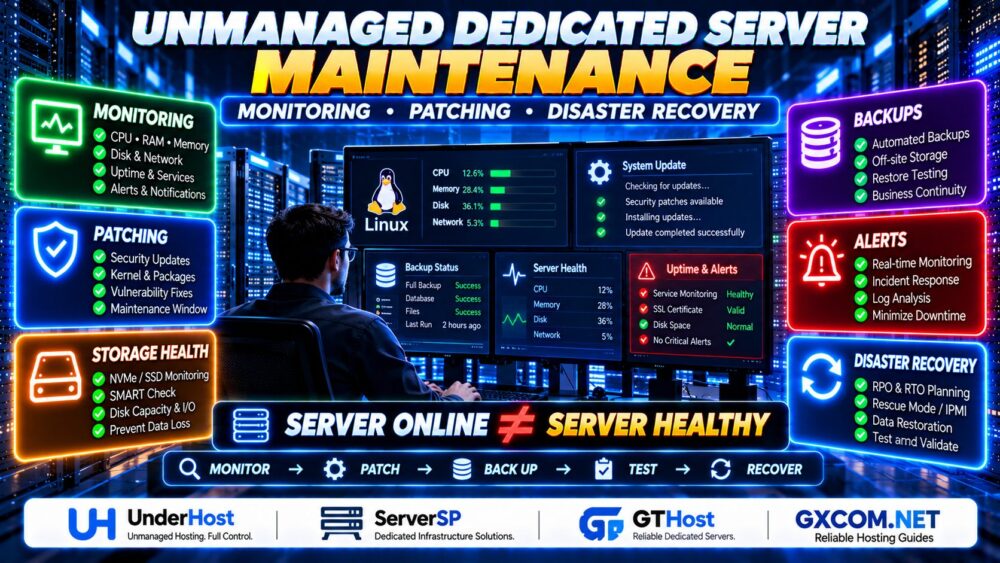
A reliable unmanaged dedicated server setup begins before you deploy your first website or application. Unlike managed hosting, an unmanaged dedicated server generally leaves operating system security, software updates, firewall rules, monitoring, and backup configuration to the customer.
That control is valuable for developers and businesses with technical expertise, but an incorrect SSH setting or missing backup can turn a routine incident into extended downtime.
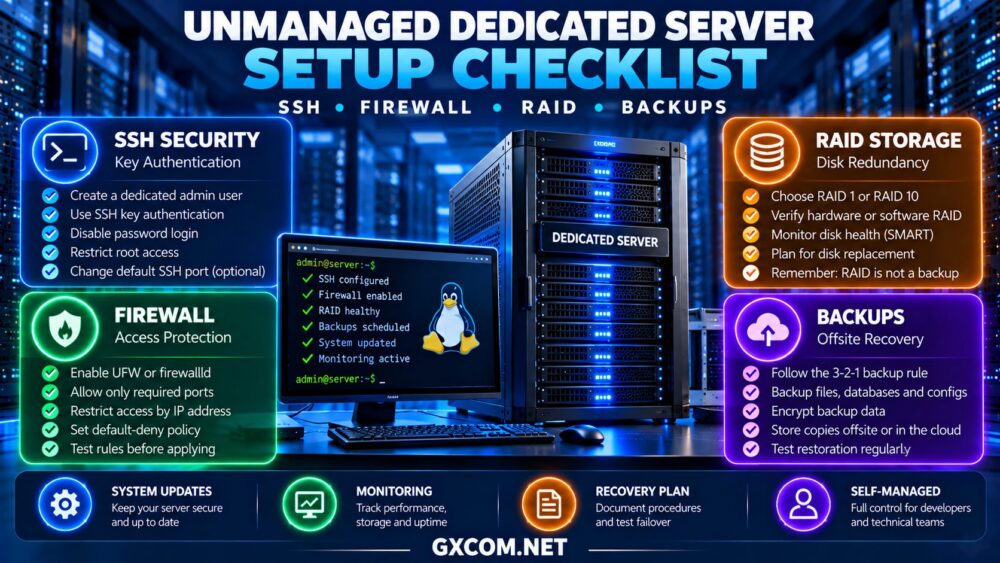
This checklist covers the essential steps for securing a Linux dedicated server, including SSH access, firewall configuration, RAID storage, backups, and recovery testing. It also explains how to evaluate self-managed infrastructure from Cherry Servers, Bacloud, AlphaVPS, and NovoServe.
1. Verify Server Access Before Changing Anything
After provisioning, confirm the operating system version, processor, memory, storage devices, network interfaces, and assigned IP addresses.
Check whether the hosting provider supplies an emergency console, rescue environment, or out-of-band management interface. These recovery tools are particularly important when firewall or SSH changes accidentally block remote access.
Record the server’s network configuration and ensure that administrative credentials are stored securely.
Before modifying remote access settings, open a second SSH session and keep it available until the new configuration has been tested.
2. Secure SSH Access
SSH is a common administration method for Linux dedicated servers. It should be protected before exposing production applications to the internet.
Create a Separate Administrative Account
Use a named administrative account with appropriately configured sudo privileges instead of relying on routine direct root login.
Generate a modern SSH key pair on a trusted workstation and install the public key for the administrative account. Protect private keys with suitable access controls and a passphrase.
Disable Password Authentication Carefully
After confirming that key-based access works, consider disabling SSH password authentication and restricting direct root login.
Test configuration changes using the SSH daemon’s validation tools before reloading the service. Keep the existing session open and verify that a new connection succeeds.
Changing the default SSH port may reduce unwanted automated login attempts, but it is not a substitute for strong authentication and access restrictions.
3. Configure a Default-Deny Firewall
A dedicated server should expose only the network services required for its workload.
On Ubuntu, administrators may use UFW; other Linux distributions commonly use firewalld or nftables. The appropriate tool depends on the operating system and existing network configuration.
Allow SSH from trusted administrative addresses where practical, then permit only necessary application ports such as HTTPS.
Before enabling a default-deny policy, confirm that the SSH rule is correct. Otherwise, you may immediately lose access to the machine.
For applications using containers or virtualization, review how Docker, Kubernetes, or hypervisor networking interacts with host firewall rules.
4. Plan RAID and Storage Redundancy
RAID can improve storage availability or performance, depending on the selected configuration. However, it does not replace independent backups.

RAID 1 mirrors data across two drives and can tolerate the failure of one drive in a conventional two-disk mirror.
RAID 10 combines mirroring and striping, potentially improving performance and providing redundancy with suitable drive arrangements.
RAID 0 provides no redundancy and is generally inappropriate for critical data unless the application has another reliable protection mechanism.
Verify whether the provider supplies hardware RAID, software RAID, or individual disks. Also review drive monitoring, replacement procedures, and rebuild risks.
Our dedicated server hardware guide explains how storage and processor choices affect production workloads.
5. Establish a Reliable Backup Strategy
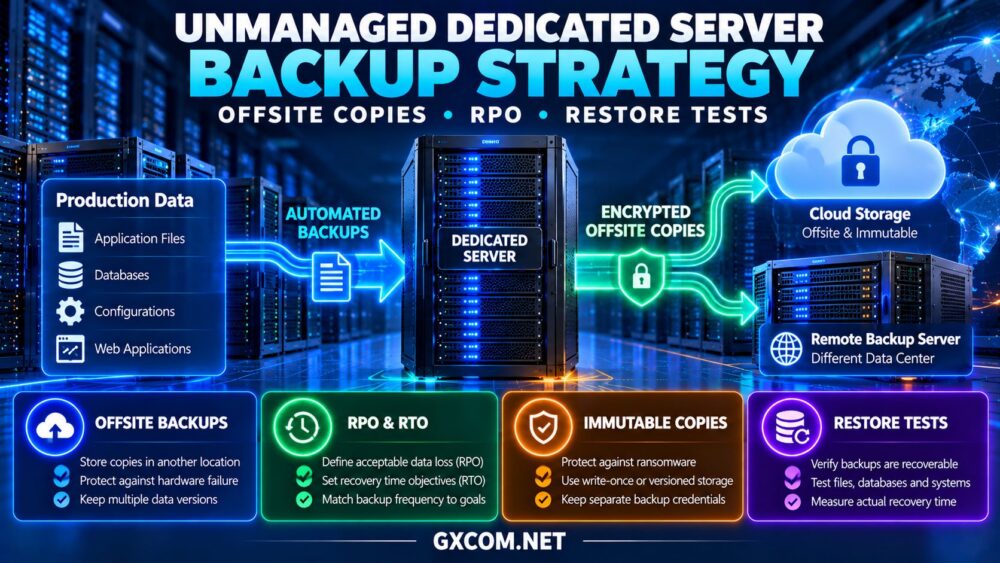
Backups should be configured before storing valuable production data. A practical approach is the 3-2-1 principle: maintain three copies of important data, use two different storage types or failure domains, and keep at least one copy offsite.
For Linux servers, suitable tools may include restic, BorgBackup, database-native backup utilities, and provider-supported backup services.
Encrypt sensitive backups, protect credentials, and define retention periods based on business requirements.
Back up application files, databases, configuration files, and essential deployment information. RAID mirrors and local snapshots cannot protect against every form of accidental deletion, compromise, or physical server loss.
Test Restoration
A completed backup job does not prove recoverability. Restore sample files and databases to an isolated environment, verify their integrity, and document the recovery procedure.
Measure how long recovery takes and how much recent data could be lost. These figures inform recovery time and recovery point objectives.
6. Install Updates and Basic Monitoring
Apply supported operating system security updates and remove unnecessary services. Configure a controlled patching process that includes maintenance windows and rollback planning where appropriate.
Monitor CPU load, memory consumption, disk capacity, storage health, network utilization, and service availability.
Tools such as Prometheus, Grafana, Netdata, or conventional monitoring agents can help, but alerts must reach someone responsible for responding.
Review authentication logs and consider intrusion prevention controls appropriate to the exposed services.
7. Compare Unmanaged Dedicated Hosting Providers
Before buying, compare hardware specifications alongside rescue access, operating system installation options, networking policies, and replacement procedures.
Cherry Servers: Bare Metal for Technical Teams
Cherry Servers is worth evaluating for administrators seeking dedicated hardware and flexible infrastructure deployment.
Confirm available operating systems, remote recovery options, storage configurations, and networking capabilities for the chosen server.
Best for: DevOps teams operating self-managed Linux environments.
Bacloud: Budget-Conscious Dedicated Infrastructure
Bacloud offers dedicated server options worth comparing for cost-sensitive deployments.
Check processor generation, disk condition, RAID possibilities, and access to recovery tools. Lower rental costs should be balanced against administrative requirements.
Best for: Experienced administrators seeking economical infrastructure.
AlphaVPS: Infrastructure Options for Self-Managed Workloads
AlphaVPS is another provider to investigate for technical workloads. Confirm that the specific product is a physical dedicated server rather than a virtual server.
Review available hardware, network allowances, installation access, and support responsibilities before selecting a configuration.
Best for: Buyers comparing self-managed infrastructure options and product types.
NovoServe: Dedicated Servers for Network-Sensitive Applications
NovoServe is relevant when server connectivity and traffic requirements influence the buying decision.
Evaluate port speed, transfer terms, data center location, remote access, and available recovery services.
Best for: Self-managed applications with sustained network demand.
Unmanaged Dedicated Hosting Comparison
| Provider | Buying Focus | Verify Before Ordering |
|---|---|---|
| Cherry Servers | Bare metal flexibility | Recovery access and installation options |
| Bacloud | Budget dedicated hosting | Hardware condition and storage |
| AlphaVPS | Self-managed infrastructure | Physical server product availability |
| NovoServe | Network-focused dedicated hosting | Traffic terms and rescue access |
These are purchasing considerations, not independently verified performance rankings.

For additional provider research, see our bare metal server providers comparison.
8. Understand the Real Cost of Self-Management
Unmanaged hosting may have a lower rental price than managed infrastructure, but businesses must account for administration, monitoring, backups, and incident response.
For example, a hypothetical server costing $90 monthly, with $20 for offsite backups and $80 allocated to administration, totals $190 monthly before additional software or recovery expenses.
Compare purchasing options in our affordable dedicated server deals guide.
Businesses uncertain about their administrative capabilities should review our managed vs unmanaged dedicated server comparison.
9. Complete a Pre-Launch Security Checklist
- Verify SSH key authentication and emergency access.
- Confirm firewall rules and required application ports.
- Review RAID status and disk health.
- Configure encrypted offsite backups and test restoration.
- Apply security updates and disable unused services.
- Enable monitoring, alerts, and log retention.
- Document recovery procedures and administrator responsibilities.
For a broader explanation of customer responsibilities, read our unmanaged dedicated server guide.
Final Verdict
A successful unmanaged dedicated server setup depends on secure administration, carefully tested firewall rules, appropriate storage redundancy, and recoverable backups.
Cherry Servers, Bacloud, AlphaVPS, and NovoServe offer different infrastructure options to investigate. Select the provider whose verified hardware, recovery access, network policies, and support boundaries match your technical capabilities.
Complete the checklist before deploying production applications, and revisit it whenever the server configuration changes.