Cloud infrastructure has become easier to deploy, but choosing the right virtual machine is still surprisingly complicated. Two instances with similar memory and CPU counts can behave differently under sustained workloads, while networking and storage charges can change the real monthly bill.
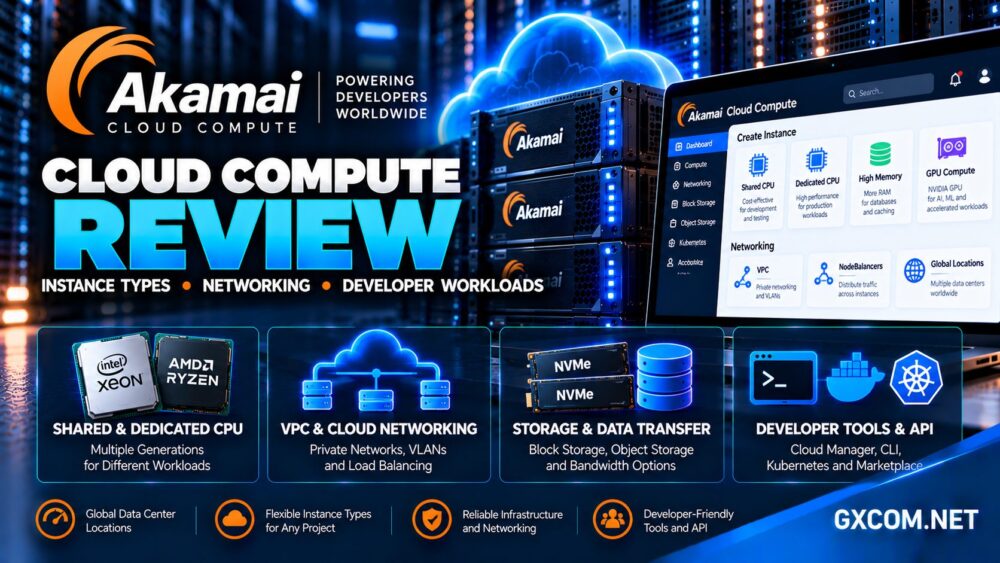
In this Akamai Cloud Compute review, we examine the platform formerly associated with Linode, including its instance families, CPU allocation, networking, storage, developer tools, and workload suitability.
We also explain where Akamai fits compared with alternative cloud providers and why selecting the cheapest instance is not always the most economical decision.
Akamai Cloud Compute Review: Quick Verdict
Akamai Cloud Compute is a strong option for developers and infrastructure teams seeking virtual machines, APIs, private networking, load balancing, Kubernetes, and supporting cloud services.
Its strengths include straightforward infrastructure deployment, multiple compute families, dedicated CPU options, and an established developer ecosystem inherited from Linode.
The main considerations are differences between instance generations, outbound transfer billing, regional product availability, and the operational responsibility associated with self-managed cloud servers.
Our verdict: Akamai Cloud Compute is worth evaluating for developer-controlled applications, but buyers should match the instance family and network billing model to their actual workload.
What Is Akamai Cloud Compute?
Akamai Cloud Compute provides virtual machines and supporting infrastructure services for hosting applications, websites, databases, development environments, and specialized workloads.
Many developers still recognize the underlying compute instances by their historical Linode name, which remains visible throughout Akamai’s technical documentation.
The platform supports Linux-based infrastructure, application deployment, automation, networking, and managed supporting services.
Unlike traditional shared web hosting, customers control their server environment and generally take responsibility for application configuration, operating system security, and maintenance.
Our cloud hosting vs VPS comparison explains how these infrastructure models relate.
Akamai Cloud Compute Instance Types Explained
Akamai offers several compute families designed around different CPU, memory, and acceleration requirements.
| Instance Family | Resource Model | Best-Fit Workloads |
|---|---|---|
| Shared CPU | Shared virtual CPU capacity | Development, staging, lightweight applications |
| Dedicated CPU | Reserved CPU resources | Production websites, CI/CD, sustained computing |
| High Memory | Higher memory-to-CPU ratio | Databases, caching, memory-intensive applications |
| GPU | NVIDIA GPU acceleration | AI inference, graphics, parallel processing |
| Accelerated | Specialized processing resources | Video transcoding and media processing |
Available sizes and hardware generations vary, so the right comparison is between specific instance configurations rather than family names alone.
Shared CPU vs Dedicated CPU: Which Should You Choose?
Shared CPU instances are designed for applications that do not require sustained processor availability.
They can be cost-effective for small websites, development servers, testing environments, and background services with intermittent demand.
However, virtual CPU resources are shared with other workloads on the underlying infrastructure, making them less suitable for consistently CPU-intensive applications.
Dedicated CPU for Production Workloads
Akamai’s Dedicated CPU instances reserve processing resources for the customer’s workload, reducing contention from neighboring virtual machines.
This can improve performance consistency for build servers, production applications, databases, and services that regularly use substantial CPU capacity.
Akamai also offers different Dedicated CPU generations, including newer AMD-based configurations. Processor architecture, memory ratios, and network billing can differ between generations.
Before upgrading, measure sustained CPU utilization, application latency, and peak processing demand rather than assuming additional vCPUs will automatically improve performance.
High Memory Instances for Databases and Caching
High Memory instances provide larger memory allocations relative to their CPU resources.

They are particularly relevant to in-memory databases, Redis-style caching, analytics workloads, and applications that maintain substantial datasets in RAM.
More memory can reduce disk access when applications are correctly configured, but it cannot compensate for inefficient queries or poorly designed data structures.
Evaluate memory utilization, cache hit rates, storage latency, and CPU requirements together.
For general hosting decisions, our best cloud hosting services guide provides a broader infrastructure comparison.
GPU and Accelerated Compute Workloads
Akamai also provides GPU instances for workloads requiring parallel processing and specialized acceleration.
Its current portfolio includes NVIDIA RTX-based configurations intended for AI inference, graphics processing, and other GPU-compatible applications.
Separate accelerated instances target video processing and transcoding workloads.
GPU instances are not automatically the best option for every machine learning project. Buyers should verify GPU memory, framework compatibility, regional availability, and expected utilization.
For occasional experiments, renting an expensive accelerator continuously may be less efficient than using it only during scheduled processing windows.
Networking: Public Transfer, VPC and VLAN
Networking is one of the most important areas to understand before deploying Akamai Cloud Compute.
The platform supports public internet connectivity alongside private networking technologies such as Virtual Private Cloud and VLANs.
VPCs can organize private application networks, while VLANs provide layer-two private connectivity between supported resources.
Private Networking Can Reduce Transfer Costs
Akamai states that qualifying private network communication within VPCs and VLANs does not count against monthly network transfer allowances.
This can benefit applications that exchange substantial data between web servers, databases, and internal services.
However, network architecture matters. Communication over public IPv4 addresses may be billed differently from traffic using approved private connectivity.
Outbound Transfer Is Not Always Included
Some Akamai compute plans include monthly outbound transfer allowances that contribute to an account-level pool.
Other products, including newer Dedicated CPU generations and selected GPU instances, use usage-based outbound transfer billing without an included allowance.
Regional transfer pools may also be tracked separately, and allowances can be prorated according to active usage.
Therefore, a cloud server with an attractive compute rate may become significantly more expensive when serving large downloads, media files, or substantial application traffic.
NodeBalancers and Application Availability
Akamai’s NodeBalancers distribute incoming requests across multiple backend instances.
They support health checks and different networking arrangements, including VPC-connected backends.
This can help businesses operate multi-server applications and remove unhealthy backends from traffic rotation.
However, adding a load balancer does not automatically create complete high availability.
Applications still need appropriate database redundancy, session management, deployment procedures, and recovery planning.
NodeBalancer charges and network transfer usage should also be included in infrastructure cost estimates.
Storage Options and Backup Planning
Akamai offers compute instance storage alongside services such as Block Storage and Object Storage.
Local instance storage can support operating systems and applications, while additional storage services provide different capacity and architectural options.
Object Storage is useful for media assets, backups, application files, and workloads requiring object-based access.
Block Storage can provide additional persistent volumes for supported compute configurations.
Before selecting storage, compare capacity, performance, attachment requirements, availability, and transfer charges.
Independent backups remain essential. Snapshots or provider backup services should not be treated as complete disaster recovery strategies without tested restoration procedures.
Developer Experience: APIs, CLI and Kubernetes
One of Akamai Cloud Compute’s main advantages is its developer-oriented management environment.
Cloud Manager provides a graphical interface for provisioning instances and managing infrastructure.
Developers can also automate operations using the Linode API, command-line tools, and infrastructure-as-code workflows.
The platform includes Linode Kubernetes Engine for teams deploying containerized applications.
These tools are useful for development teams that need repeatable deployments, automated configuration, and consistent infrastructure environments.
However, orchestration adds complexity. A small application may be easier to maintain on a conventional virtual machine than on a multi-service Kubernetes cluster.
Pricing: Calculate Compute and Network Costs Together
Akamai uses usage-based cloud billing, with compute pricing determined by instance type, size, generation, and deployment region.
For long-running services, buyers should compare the expected monthly compute cost rather than focusing only on the hourly rate.
More importantly, the full bill may include network egress, Block Storage, Object Storage, backups, load balancers, and other infrastructure services.
Build a Realistic Cost Estimate
- Compute instance hours and recurring workload requirements
- Outbound transfer allowances and usage-based charges
- Additional storage capacity and associated transfer
- NodeBalancers and supporting network services
- Backups, monitoring, and disaster recovery
- Administration, deployment, and maintenance time
Our cloud hosting offers guide helps compare infrastructure value beyond introductory promotions.
Akamai Cloud Compute vs Other Providers
Several cloud hosting providers offer different approaches to virtual infrastructure.
Vultr is a relevant alternative for developers comparing cloud compute, specialized CPU configurations, regional availability, and GPU services.
Kamatera focuses on configurable cloud servers and may appeal to teams seeking flexible resource combinations and deployment choices.
Cloudways offers managed cloud application hosting, making it relevant to businesses that prefer application-focused management instead of directly administering every server component.

ScalaHosting combines managed VPS infrastructure with SPanel, which may suit WordPress websites and business applications requiring hosting control panel functionality.
Akamai is especially relevant to teams that value direct infrastructure control, APIs, Kubernetes, and a broad selection of compute families.
Our managed cloud hosting comparison explains when a managed alternative may be more appropriate.
Who Should Choose Akamai Cloud Compute?
Akamai Cloud Compute can suit software developers, SaaS teams, API operators, containerized applications, and businesses requiring configurable Linux infrastructure.
Shared CPU instances may work well for lightweight services, while Dedicated CPU and High Memory configurations can support more demanding production environments.
GPU and accelerated products address specialized processing requirements.
Customers seeking fully managed WordPress hosting without server administration may find a managed hosting provider more convenient.
Frequently Asked Questions
Is Akamai Cloud Compute the same as Linode?
Akamai Cloud Compute incorporates the cloud infrastructure platform historically known as Linode. The Linode name remains in many technical tools and product references.
Does Akamai offer dedicated CPU instances?
Yes. Dedicated CPU plans provide reserved processing resources suitable for sustained production workloads.
Does every instance include free outbound transfer?
No. Transfer allowances and billing vary by instance family, generation, and region. Some newer products use usage-based outbound transfer charges.
Can developers use Kubernetes?
Yes. Akamai provides Linode Kubernetes Engine alongside APIs and infrastructure management tools.
Is Akamai suitable for WordPress?
Yes, provided the selected instance has sufficient resources and the customer can manage the application and server environment.
Final Verdict: Is Akamai Cloud Compute Worth It?
This Akamai Cloud Compute review finds a capable developer-oriented cloud platform with flexible instance families, private networking, automation tools, and specialized compute options.
Its main strengths are infrastructure control, Dedicated CPU choices, developer tooling, and support for a wide range of application architectures.
The most important purchasing considerations are workload matching, outbound network transfer billing, regional availability, and ongoing administration.
For teams seeking self-managed cloud infrastructure, Akamai deserves consideration alongside Vultr and Kamatera. Businesses prioritizing managed application hosting should also compare Cloudways and ScalaHosting before choosing.