Understanding Minecraft server RAM requirements helps you avoid two expensive mistakes: choosing too little memory and suffering crashes, or paying for excessive RAM that your server never uses.
This guide explains practical memory recommendations for Vanilla, Paper, Bedrock, and modded Minecraft servers, along with signs that it is time to upgrade your hosting plan.
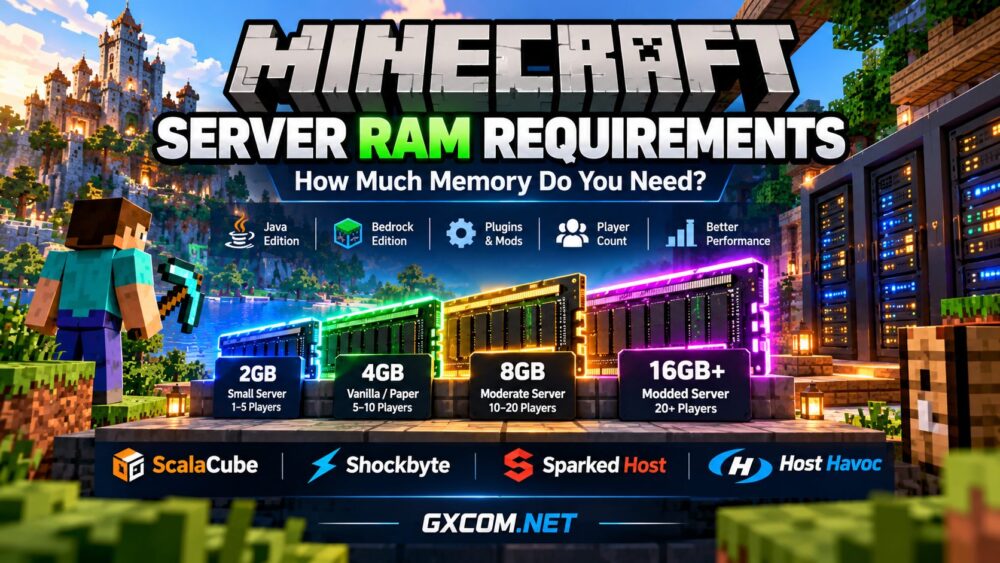
Minecraft Server RAM Requirements by Player Count
The following estimates provide a starting point for typical Minecraft servers. They are planning guidelines, not guaranteed requirements. Actual usage varies with game versions, view distance, plugins, world activity, and player behavior.
| Players | Suggested RAM | Typical Server Type |
|---|---|---|
| 1–5 | 2–4 GB | Small Vanilla Java or Bedrock |
| 5–10 | 4–6 GB | Vanilla or lightweight Paper |
| 10–20 | 6–8 GB | Paper with moderate plugins |
| 20–50 | 8–12 GB | Established community server |
| 50+ | 12–16 GB or more | Large or multi-instance community |
These ranges assume reasonably optimized configurations. A heavily modded five-player server can consume more memory than a lightweight twenty-player server.
For a broader comparison of available hosting options, explore our best Minecraft server hosting guide.
How Much RAM Does a Vanilla Minecraft Server Need?
A small Vanilla Java server can often start with approximately 2–4 GB of available RAM. This may be sufficient for a private world with a few friends, especially when players remain in familiar areas.
As players explore new terrain, generate chunks, build farms, and use redstone mechanisms, resource consumption can increase. Four to six gigabytes provides additional flexibility for small communities expecting growth.
Remember that allocating more RAM does not automatically increase tick performance. A slow CPU or excessive chunk generation can still cause lag even when memory is available.
Minecraft Java vs Bedrock RAM Requirements
Minecraft Java Edition runs on the Java Virtual Machine, which introduces heap management and garbage collection. Server administrators typically control the Java heap using startup parameters.
Bedrock Dedicated Server uses a different server architecture and memory management model. Small Bedrock servers can sometimes operate with relatively modest memory allocations, but demanding worlds still require adequate resources.
Do not compare Java heap allocations directly with Bedrock process memory. The two editions use different software environments, and their requirements cannot be reduced to a universal conversion formula.
How Much RAM Do Modded Minecraft Servers Need?
Modded Minecraft often requires considerably more memory than Vanilla gameplay. Mods can introduce new dimensions, entities, machines, world-generation systems, and persistent simulation tasks.
| Modded Server Type | Suggested RAM |
|---|---|
| Lightweight mod collection | 4–6 GB |
| Moderate Forge or Fabric modpack | 6–10 GB |
| Large modpack | 10–16 GB |
| Very demanding modpack | 16 GB or more |
Modpack documentation should take priority over generic estimates. Some packs specify minimum and recommended memory allocations, and their server requirements may differ from those of the Minecraft client.

Before upgrading, check whether performance problems are caused by memory pressure, CPU-intensive automation, or inefficient mods. Our game server requirements guide explains how CPU, RAM, storage, and bandwidth interact.
Paper, Purpur, Fabric and Forge: Does Server Software Matter?
Yes. Different Minecraft server implementations have different performance characteristics.
Paper provides performance-oriented configuration options and plugin compatibility. Purpur builds on Paper with additional customization. Fabric supports a lightweight modding ecosystem, while Forge supports many established modpacks.
However, no server implementation guarantees lower memory usage in every situation. Plugin behavior, mod selection, and configuration settings can outweigh the choice of server software.
Start with the software required by your community, then measure real memory consumption before selecting a larger plan.
Understanding Java Heap Memory: Xms and Xmx
Java Minecraft servers commonly use two memory parameters:
- -Xms: Initial Java heap size.
- -Xmx: Maximum Java heap size.
For example, a server might use -Xms2G -Xmx4G, allowing the Java heap to grow to four gigabytes.
Importantly, the Java process also uses memory outside the heap. The operating system, native libraries, thread stacks, and management software require additional capacity.
On a self-managed VPS or dedicated server, avoid allocating all physical RAM to the Java heap. Leave sufficient headroom for the operating system and supporting processes.
For a managed hosting plan, check how the provider defines its advertised RAM allocation and whether the control panel reserves any memory.
Five Signs Your Minecraft Server Needs More RAM
- Out-of-memory errors: The Java process repeatedly reaches its configured heap limit.
- Frequent garbage collection: Memory pressure contributes to noticeable pauses.
- Crashes during world loading: Large worlds or modpacks exceed available memory.
- Growing memory usage: Monitoring reveals consistently high consumption during normal activity.
- Limited upgrade headroom: New plugins or additional players leave insufficient capacity.
These symptoms require investigation rather than an automatic upgrade. High RAM utilization alone does not prove that the server lacks memory, and lag may originate elsewhere.
Why CPU Performance Matters as Much as RAM
Minecraft servers perform many simulation tasks that depend heavily on individual CPU threads. Entity processing, redstone, chunk generation, and plugin execution can create CPU bottlenecks.
If the server has spare RAM but consistently struggles to maintain its target tick rate, purchasing more memory may not solve the problem.
For larger communities, high-frequency Ryzen processors and dedicated hardware can offer additional resource isolation. Read our best dedicated game servers comparison to understand when dedicated infrastructure makes sense.
How to Reduce Minecraft Server RAM Usage
Before paying for an upgrade, try these practical optimizations:
- Reduce simulation distance where appropriate.
- Review unnecessary plugins and mods.
- Limit excessive entities and automated farms.
- Pre-generate world chunks when supported.
- Keep server software and compatible plugins updated.
- Monitor heap usage, garbage collection, and tick performance.
A well-optimized six-gigabyte server may provide a better experience than a poorly configured server with substantially more memory.
Choosing Minecraft Hosting Based on RAM
Once you know your approximate requirements, compare hosting providers based on more than advertised memory. CPU allocation, storage performance, backups, server location, and upgrade flexibility all matter.
ScalaCube — Minecraft Hosting for Different Server Sizes
ScalaCube is a Minecraft-focused hosting option worth comparing when selecting a plan for a private server or growing community. Check current RAM tiers, supported editions, and modpack compatibility before ordering.
Shockbyte — Managed Minecraft Server Hosting
Shockbyte provides managed Minecraft hosting options. Compare available memory, processor resources, server locations, and included management features rather than choosing a plan solely by its RAM figure.

Sparked Host and Host Havoc — Additional Options to Compare
Sparked Host and Host Havoc are additional Minecraft hosting providers to evaluate. Compare their current configurations, mod support, backup policies, and upgrade paths against your server's measured workload.
If you are new to multiplayer infrastructure, our game server hosting explained article covers the difference between managed hosting and self-managed infrastructure.
Frequently Asked Questions
Is 2 GB RAM enough for a Minecraft server?
It can be enough for a small, lightweight server with a few players, but newer versions, plugins, and world generation may require more memory.
Is 4 GB RAM enough for 10 players?
Possibly, especially with optimized software and limited plugins. Four to six gigabytes is a more flexible starting range, depending on player activity.
Does more RAM increase Minecraft server FPS?
Server RAM does not directly increase client FPS. It can help prevent memory-related server problems, while client FPS depends mainly on the player's device and settings.
How much RAM does a modded Minecraft server need?
Many modded servers benefit from 6–10 GB or more. Large modpacks may require 10–16 GB or higher, depending on the pack and player activity.
Final Verdict: How Much Minecraft Server RAM Should You Choose?
For a small Vanilla server, 2–4 GB is a reasonable starting point. Growing Paper communities may benefit from 4–8 GB, while demanding modpacks often need 8–16 GB or more.
The best decision comes from monitoring actual usage, understanding your software requirements, and leaving room for future growth. Choose a hosting provider that offers suitable CPU performance and a practical upgrade path rather than simply buying the largest RAM package.
GXCOM.NET recommendation: Start with realistic memory requirements, monitor performance under normal player activity, and upgrade only when measurements show a genuine resource bottleneck.