An online store can look fast on its homepage and still lose customers during checkout. Product searches may slow down under heavy traffic, payment callbacks can fail, and even a short outage during a major promotion can interrupt sales.
For growing online businesses, hosting decisions affect much more than page loading speed. Security, database performance, uptime, backups, and incident response all influence the customer experience.
Managed dedicated hosting for eCommerce can provide dedicated physical resources alongside selected server administration services. However, not every managed hosting plan includes the same security controls, application support, or recovery capabilities.
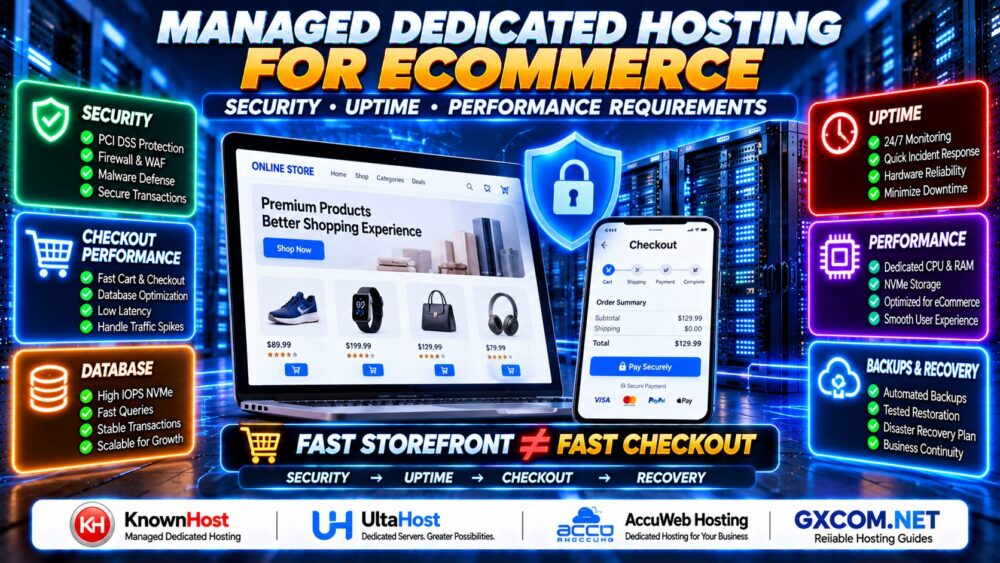
FAST STOREFRONT ≠ FAST CHECKOUT.
This guide explains when managed dedicated hosting makes sense for an online store, which security and performance requirements matter most, and how to compare providers before migrating a business-critical website.
What Is Managed Dedicated Hosting for eCommerce?
Managed dedicated hosting combines exclusive use of a physical server with an agreed level of technical management from the hosting provider.
Depending on the service agreement, management may cover operating system maintenance, monitoring, security updates, backup assistance, and troubleshooting.
For eCommerce businesses, the objective is to maintain a stable hosting environment for product catalogs, shopping carts, customer accounts, databases, and order processing.
However, the word managed does not automatically mean the provider manages WooCommerce plugins, Magento extensions, payment integrations, or every application issue.
When Does an Online Store Need a Managed Dedicated Server?
There is no universal number of products, visitors, or orders that makes dedicated hosting mandatory.
An online store may benefit from dedicated infrastructure when it experiences:
- Consistent CPU or memory pressure during busy periods
- Slow checkout or database response times
- Heavy personalized traffic that cannot be fully cached
- Large product catalogs with complex search queries
- Resource restrictions on shared or virtualized hosting
- Specific operating system or software requirements
- A need for predictable hardware allocation
- Limited internal resources for server administration
Dedicated hardware is not automatically superior to every cloud or managed VPS platform. The correct decision depends on measured workload requirements, operational expertise, availability architecture, and total cost.
1. eCommerce Security: Protect Customer Data and Transactions
Online stores process sensitive business and customer information, including account details, shipping addresses, order histories, and payment-related data.
A secure hosting environment requires multiple layers of protection.
Operating System and Application Security
Ask who is responsible for:
- Operating system security patches
- Firewall configuration
- SSH access and administrator permissions
- Web server and PHP updates
- Malware detection and incident response
- Application and plugin vulnerability management
- Security monitoring and log retention
Even with managed hosting, the store owner may remain responsible for application updates, user access, extensions, and payment integrations.
PCI DSS and Payment Security
PCI DSS requirements depend on how payment card data is processed, transmitted, or stored and on the merchant's specific payment architecture.
Using a third-party payment gateway or hosted checkout can reduce certain responsibilities, but it does not automatically eliminate all merchant security obligations.
Before choosing a provider, determine:
- Whether cardholder data reaches your server
- Which payment components are hosted externally
- What security controls the provider operates
- Which responsibilities remain with your business
- What documentation is available for compliance assessment
MANAGED HOSTING ≠ AUTOMATIC PCI DSS COMPLIANCE.
Do not assume a dedicated server is compliant simply because the provider advertises secure infrastructure.
Web Application Firewall and DDoS Protection
A web application firewall can help filter certain malicious HTTP requests, while network DDoS mitigation addresses different categories of traffic-based attacks.
Neither replaces secure application development, access controls, or patching.
Verify whether WAF and DDoS protection are included, optional, or delivered through external services.
2. Uptime Requirements: Why One Dedicated Server Is Not Enough
Uptime is especially important for online stores because outages can interrupt checkout, customer support, inventory synchronization, and marketing campaigns.
However, a single dedicated server remains a potential single point of failure.
Even excellent hardware cannot eliminate risks from power failures, network incidents, storage problems, software errors, or unsuccessful updates.
Understand Hosting SLAs
A service-level agreement may describe availability commitments, measurement rules, exclusions, and service credits.
It is not necessarily a guarantee that the website will never experience downtime.
For illustration, over a 30-day period:
| Availability Level | Approximate Downtime |
|---|---|
| 99.9% | 43 minutes 12 seconds |
| 99.95% | 21 minutes 36 seconds |
| 99.99% | 4 minutes 19 seconds |
These figures are mathematical examples, not promises from any hosting provider. Actual SLA calculations may exclude scheduled maintenance or other events.
Build an Availability Strategy
For business-critical stores, consider:
- External uptime monitoring
- Redundant network components
- Independent backups
- Documented disaster recovery
- Load balancing where appropriate
- Database replication or failover where justified
- Regular restoration testing
A high-availability architecture may require multiple servers and additional services. Managed dedicated hosting does not automatically include these capabilities.
3. CPU, RAM and NVMe Requirements for Online Stores
eCommerce performance depends on application behavior, database activity, caching efficiency, and concurrent transactions.

Hardware selection should reflect the actual workload rather than an advertised visitor capacity.
CPU: Optimize Dynamic Requests
Product filtering, checkout calculations, PHP execution, and background tasks all consume CPU resources.
Strong single-thread performance can improve latency-sensitive operations, while additional cores help process parallel workloads.
More CPU cores are useful only when the application can make effective use of them.
RAM: Support Application Workers and Database Buffers
RAM is used by the operating system, web server, PHP workers, database buffers, and caching services.
Insufficient memory can cause swapping, unstable response times, and failed processes during traffic spikes.
However, adding RAM without addressing inefficient queries or application behavior may provide little benefit.
NVMe: Reduce Storage Bottlenecks
NVMe SSDs can improve storage-intensive workloads, including many database operations, depending on the devices and configuration.
Evaluate random I/O performance, latency, endurance, redundancy, and available storage capacity rather than sequential speed alone.
For detailed hardware selection criteria, read our Dedicated Server Hardware Guide.
4. Checkout Performance Matters More Than Homepage Speed
Many online stores use aggressive caching to make their homepage and product pages load quickly.
But checkout, shopping carts, customer accounts, and personalized pricing often require dynamic processing.
That means a fast homepage does not prove that the store can handle peak transaction demand.
Measure Real Customer Journeys
Performance testing should include:
- Product search and filtering
- Adding products to the cart
- Updating cart quantities
- Customer login
- Checkout and order submission
- Payment gateway callbacks
- Inventory updates
- Order confirmation emails
Measure response-time percentiles, error rates, database latency, and resource saturation under representative traffic.
FAST HOMEPAGE ≠ FAST CHECKOUT.
5. Database Performance and eCommerce Scalability
Busy online stores frequently generate more database activity than ordinary content websites.
Product catalogs, inventory management, customer sessions, and order processing can create substantial read and write workloads.
Common bottlenecks include:
- Slow SQL queries
- Missing or ineffective indexes
- Database lock contention
- Excessive connections
- Large background processing queues
- Insufficient database memory
- Storage latency during writes
For WooCommerce, evaluate plugin behavior, order storage configuration, scheduled actions, and database query performance.
For Magento or Adobe Commerce, review the platform's current system requirements and recommended search, caching, and queue services.
A larger dedicated server may help, but database optimization and application architecture often provide better improvements than hardware upgrades alone.
6. Caching and CDN Configuration for eCommerce
Caching reduces unnecessary work and can help a dedicated server support more visitors.
Useful layers include:
- Browser caching for static assets
- CDN caching for eligible public content
- Full-page caching for suitable pages
- Object caching for repeated application data
- PHP OPcache for compiled PHP code
However, caching personalized or transactional content incorrectly can expose customer information or produce inaccurate shopping carts.
Configure appropriate exclusions for checkout, cart, account, and other session-dependent content.
Test the caching configuration after plugin updates, theme changes, and major application deployments.
7. Backup and Disaster Recovery Requirements
For an online store, data protection must account for orders, payments, customer records, inventory changes, and application files.
A daily backup may be insufficient for a store processing frequent transactions if the business cannot tolerate losing a full day of orders.
Define RPO and RTO
Recovery Point Objective (RPO) describes how much data loss the business can tolerate, measured in time.
Recovery Time Objective (RTO) describes the target time to restore service after a disruption.
These targets should guide backup frequency, retention, replication, and recovery procedures.
What Should Be Backed Up?
- Application files and uploaded media
- Transactional databases
- Application and server configuration
- Relevant encryption and recovery information
- Deployment and restoration instructions
Maintain independent copies and test restoration regularly.
BACKUP CREATED ≠ STORE RECOVERED.
RAID can help protect against selected disk failures but does not replace off-server backups.
8. Managed Support: What Should the Provider Handle?
The quality of a managed dedicated hosting plan depends heavily on its service scope.
Before signing a contract, request written answers to the following questions:
- Is support available around the clock?
- Are operating system security updates included?
- Does the provider manage the web server and database?
- Are backups configured, monitored, and tested?
- Who handles emergency recovery?
- Is WooCommerce or Magento troubleshooting included?
- Are migrations included or billed separately?
- What happens when a security incident occurs?
- Which activities are excluded from standard support?
A provider may manage the operating system while leaving application-level maintenance to the customer.
Make sure your team understands where those responsibilities begin and end.
9. Managed Dedicated Hosting Providers to Evaluate for eCommerce
When comparing providers, prioritize hardware suitability, documented management scope, support responsiveness, recovery options, and total operating cost.
KnownHost: Evaluate Managed Dedicated Services
KnownHost is worth evaluating for businesses seeking managed dedicated hosting and technical assistance with their server environment.
Confirm which operating systems, control panels, security tasks, backup services, and application-related issues are covered by the selected plan.
For a transactional store, ask how urgent incidents are escalated and whether the provider can assist with database or web server problems.
UltaHost: Compare Dedicated Hosting and Management Options
UltaHost can be considered when comparing dedicated hosting configurations and available management services.
Verify that the selected product provides the level of server management your business requires, rather than assuming every dedicated server includes the same support.
Review hardware resources, security options, backup policies, and any limitations affecting your eCommerce application.
AccuWeb Hosting: Review Configuration and Support Scope
AccuWeb Hosting is another provider to evaluate for dedicated server hosting requirements.
Compare operating system support, management options, server specifications, migration assistance, and recovery procedures.
Request confirmation of which services are included and which may involve additional charges.
None of these providers should be assumed to guarantee application-level PCI DSS compliance, zero downtime, or a specific checkout capacity without appropriate documentation and testing.
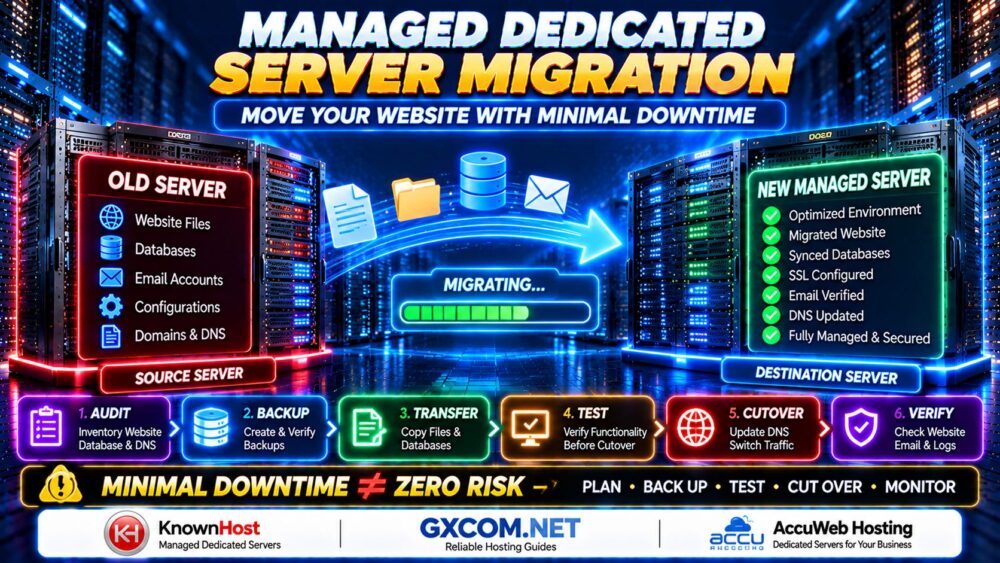
10. Migration Planning for a Busy Online Store
Moving an active store to a dedicated server requires special attention to transactional data.
A typical migration involves:
- Auditing the existing hosting environment.
- Preparing the destination server.
- Creating verified backups.
- Transferring application files and databases.
- Testing checkout and payment integrations.
- Synchronizing final data changes.
- Switching traffic through a controlled cutover.
- Monitoring orders, payment callbacks, and errors.
Do not assume that changing DNS immediately redirects every customer. Cached DNS records may continue sending traffic to the previous server.
More importantly, allowing both servers to accept independent orders can create inconsistent transactional data.
11. Managed Dedicated Hosting Costs for eCommerce
Monthly server rental is only one part of the hosting budget.
Other expenses may include:
- Operating system and control panel licenses
- Managed support
- Backup storage and restoration
- Security and monitoring services
- Additional IP addresses
- Bandwidth or data transfer overages
- Migration services
- High-availability infrastructure
Evaluate the total cost over a consistent planning period rather than comparing only the advertised starting price.
12. eCommerce Managed Dedicated Hosting Buying Checklist
| Requirement | What to Verify |
|---|---|
| Security | Patching, firewall, access control, and incident response |
| Payment Security | PCI DSS responsibilities and payment architecture |
| Uptime | SLA terms, monitoring, and failure recovery |
| CPU | Dynamic request and checkout performance |
| RAM | Application workers, database, and cache capacity |
| Storage | NVMe performance, redundancy, and endurance |
| Database | Query latency, locks, and connection management |
| Caching | Safe exclusions for cart, checkout, and accounts |
| Backups | RPO, RTO, retention, and tested restoration |
| Support | Written management scope and escalation procedures |
| Migration | Data synchronization and rollback plan |
| Total Cost | Licenses, backups, management, and bandwidth |
Managed Dedicated Hosting for eCommerce FAQ
Is managed dedicated hosting good for WooCommerce?
It can be a strong option for busy WooCommerce stores that need predictable hardware resources and technical server management. However, application optimization, caching, and database performance remain important.
Does an online store need a dedicated server?
Not always. Many stores perform well on managed cloud or VPS platforms. Dedicated hosting becomes more attractive when measured resource demands, control requirements, or operational needs justify it.
Is managed dedicated hosting PCI DSS compliant?
Not automatically. Compliance depends on the payment environment, applicable requirements, security controls, and the responsibilities of both the merchant and service providers.
Does managed dedicated hosting guarantee 100% uptime?
No. Availability depends on the entire architecture and operating environment. A single dedicated server can still fail, even when professionally managed.
How much RAM does a WooCommerce store need?
There is no universal requirement. The appropriate amount depends on concurrent activity, PHP worker memory, database size, caching efficiency, and background processing.
Is NVMe important for eCommerce hosting?
NVMe storage can benefit database-intensive workloads, but overall performance also depends on CPU, RAM, database queries, and application configuration.
Should checkout pages be cached?
Personalized cart and checkout content generally requires careful cache exclusions or session-aware handling. Incorrect caching can cause functional problems or expose customer-specific data.
Are backups included with managed dedicated hosting?
Some plans include selected backup services, while others charge separately. Confirm retention, monitoring, restoration assistance, and recovery testing.
Can a managed hosting provider migrate my store?
Some providers offer migration assistance, but supported applications, migration complexity, and pricing vary. Confirm the scope before ordering.
Final Verdict: Build for Secure, Reliable Checkout Performance
Managed dedicated hosting for eCommerce should be evaluated as a complete operating environment, not simply a physical server with technical support.
Security controls protect customer information. Reliable architecture and recovery planning reduce operational risk. Appropriate CPU, RAM, NVMe storage, and database optimization help maintain responsive checkout performance during busy periods.
When comparing KnownHost, UltaHost, AccuWeb Hosting, or another provider, ask for a clear description of management responsibilities, backup procedures, security services, and application support.
The right hosting choice is the one that meets your store's measured workload requirements and gives your team a realistic plan for growth and recovery.
SECURITY → UPTIME → CHECKOUT PERFORMANCE → RECOVERY → GROWTH.
FAST STOREFRONT ≠ FAST CHECKOUT.