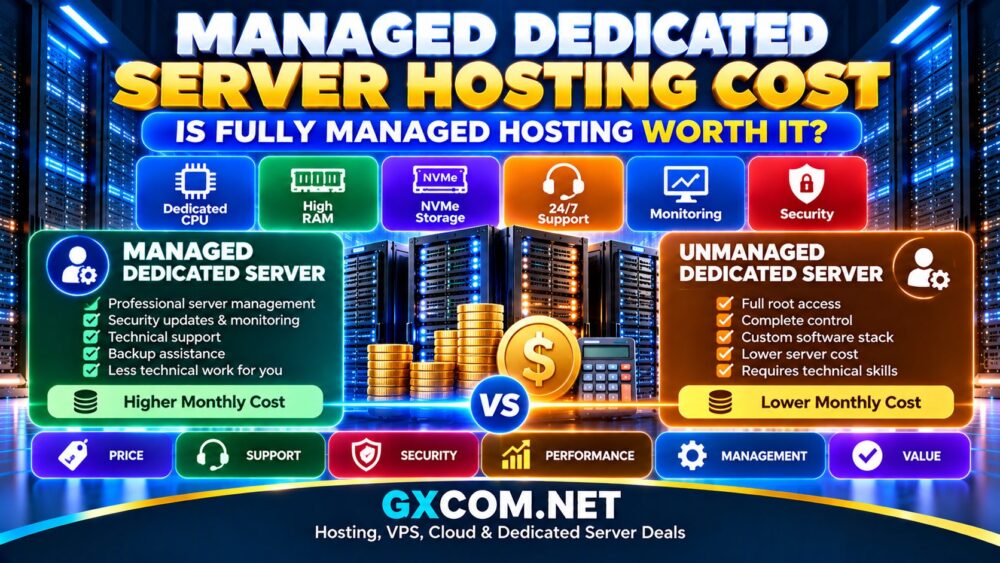
Managed dedicated hosting promises the performance of a physical server without requiring you to handle every technical task yourself. But what does “managed” actually include?
The answer varies significantly between hosting providers. One managed dedicated server plan may include operating system maintenance, firewall configuration, monitoring, and control panel support. Another may cover only selected server-level tasks, with backups, application troubleshooting, or proactive monitoring available as paid extras.
MANAGED HOSTING ≠ UNLIMITED TECHNICAL SUPPORT.
Before purchasing, you need to understand exactly what your provider manages, which responsibilities remain yours, and what happens when something goes wrong.
This guide explains managed dedicated hosting services, including technical support, security, backups, monitoring, service level agreements (SLAs), and potential additional costs.
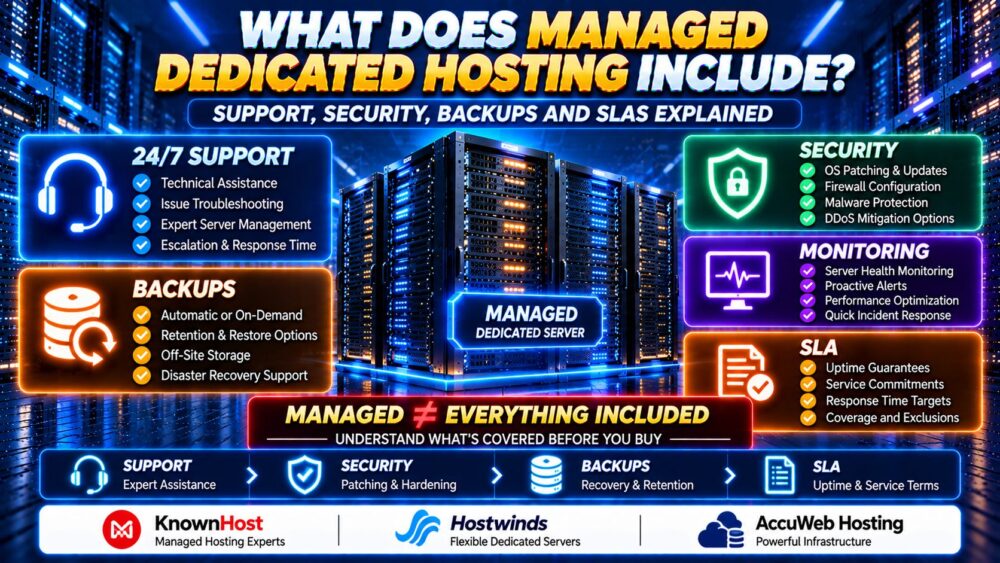
What Is Managed Dedicated Hosting?
Managed dedicated hosting combines a physical server allocated to one customer with an agreed level of technical administration from the hosting provider.
Unlike a basic unmanaged dedicated server, a managed plan may include assistance with operating system updates, server configuration, security maintenance, and troubleshooting.
However, the word “managed” does not have one universal definition. Providers determine their own service boundaries, supported software, and exclusions.
For a broader explanation of the two management models, read our Managed Dedicated vs Unmanaged Dedicated comparison.
What Does Managed Dedicated Hosting Typically Include?
| Service | Typical Coverage | What to Verify |
|---|---|---|
| Hardware Maintenance | Physical hardware diagnosis and replacement | Replacement targets and exclusions |
| Operating System | Installation, updates and troubleshooting | Supported OS versions and reboot policy |
| Security | Basic hardening and firewall assistance | Patch responsibility and incident response |
| Monitoring | Availability checks or server alerts | Proactive response versus alert-only service |
| Backups | Backup configuration or optional backup service | Frequency, retention and restore fees |
| Control Panel | Selected cPanel, Plesk or DirectAdmin tasks | License fees and supported configurations |
| Technical Support | Server-level troubleshooting | Response times, escalation and exclusions |
| Migration | Possible website or account migration assistance | Eligibility, scope and downtime planning |
| SLA | Defined infrastructure service commitments | Covered services, exclusions and remedies |
This table describes common service categories, not guaranteed inclusions. Always obtain the provider's current support coverage document before ordering.
1. Managed Dedicated Server Technical Support
Technical support is one of the main reasons businesses choose managed dedicated hosting.
A managed support team may assist with operating system failures, service configuration, network connectivity, web server errors, and control panel issues.
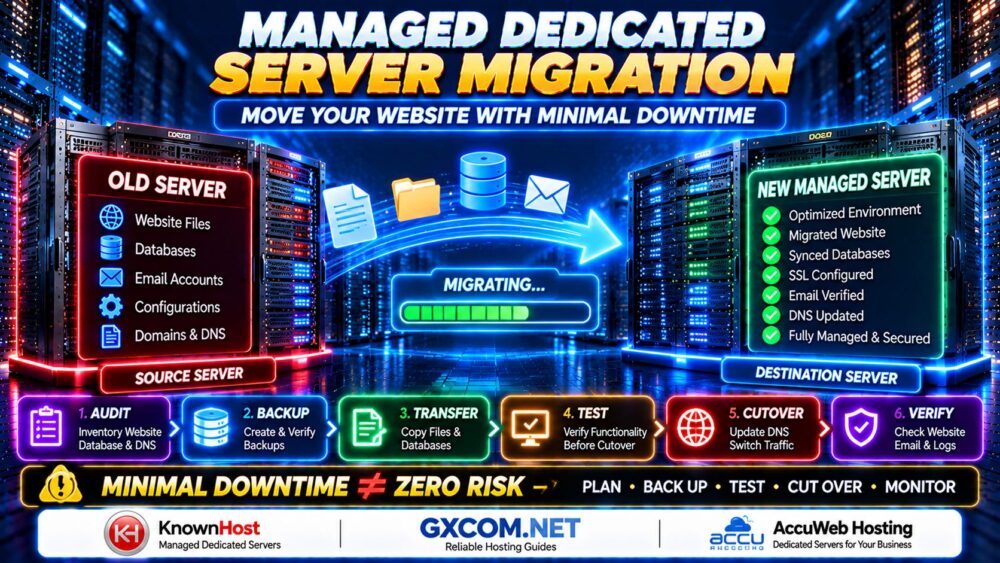
Planning to move an existing website to a dedicated server? Follow our Managed Dedicated Server Migration Guide for a practical checklist covering backups, database synchronization, DNS changes, testing, and minimal-downtime cutover.
24/7 Support vs 24/7 Resolution
A provider advertising 24/7 support usually means its support channels are available around the clock. It does not necessarily mean every problem will be resolved immediately.
Ask whether the provider offers:
- 24/7 technical ticket support
- Live chat or telephone escalation
- Priority handling for critical incidents
- Guaranteed initial response targets
- Defined escalation procedures
- Support for weekends and public holidays
24/7 SUPPORT ≠ GUARANTEED IMMEDIATE FIX.
Server-Level Support vs Application Support
Many managed hosting plans focus on the server environment rather than custom application development.
For example, support may help restore a failed web server service but may not debug a custom PHP application or repair an incompatible WordPress plugin.
Clarify these boundaries before purchasing, particularly if your business relies on customized software.
2. Operating System Management and Security Updates
Managed dedicated hosting commonly includes some level of operating system administration.
Depending on the plan, this may involve:
- Initial operating system installation
- Supported package updates
- Security patch installation
- Service configuration and troubleshooting
- System restart assistance
- Basic performance tuning
However, providers may support only selected Linux distributions, operating system versions, or control panel combinations.
Are Updates Automatic?
Some providers configure automatic updates. Others apply patches through scheduled maintenance or support requests.
Automatic updates can reduce exposure to known vulnerabilities, but certain changes require compatibility testing or server restarts.
Ask who approves updates, how maintenance windows are scheduled, and whether rollback procedures exist.
3. Managed Dedicated Hosting Security: What Is Covered?
Security management is a major selling point, but managed hosting does not eliminate the customer's security responsibilities.
Typical server-level security services may include:
- Operating system hardening
- Firewall installation or configuration
- SSH access security
- Selected malware scans
- Security patching
- Service configuration reviews
- Basic intrusion prevention tools
Does Managed Hosting Include DDoS Protection?
Some dedicated hosting providers include network-level DDoS mitigation. Others offer it as an additional service or limit coverage to specific attack types.

Network-level protection does not automatically include a web application firewall, bot mitigation, or protection against application vulnerabilities.
Who Is Responsible for WordPress Security?
Even with managed dedicated hosting, customers may remain responsible for WordPress plugins, themes, administrator accounts, application code, and business data.
Unless the contract explicitly includes application management, do not assume your hosting provider will update every plugin or investigate every website compromise.
MANAGED SERVER SECURITY ≠ COMPLETE APPLICATION SECURITY.
4. Backups: Included, Optional or Customer-Managed?
Backups are among the most important managed dedicated hosting features to verify.
Some plans include backup configuration or local backup storage. Others require customers to purchase a separate backup service.
A backup drive inside the same physical server is not equivalent to an independent off-site backup.
Questions to Ask About Backups
- Are backups included in the hosting plan?
- Are backups automatic or manually configured?
- How frequently are backups created?
- How long are backup copies retained?
- Are copies stored on separate infrastructure?
- Are databases backed up consistently?
- Can individual files or databases be restored?
- Are restoration requests included or billed separately?
- Does the provider test backup integrity?
RPO vs RTO
Recovery Point Objective (RPO) describes the maximum acceptable amount of data loss measured in time.
Recovery Time Objective (RTO) describes the target time for restoring service after an interruption.
For example, a business requiring an RPO of one hour needs a backup or replication strategy capable of meeting that objective. Daily backups alone may not be sufficient.
These are business recovery targets, not automatically guaranteed hosting service commitments.
Why RAID Is Not a Backup
RAID may protect against certain drive failures, but it does not protect against every form of data loss, including accidental deletion, ransomware, application corruption, or catastrophic server failure.
RAID ≠ BACKUP.
Maintain independent backup copies and test recovery procedures.
5. Server Monitoring and Proactive Management
Monitoring can mean different things depending on the hosting provider.
Basic monitoring may check whether a server responds to network requests.
More advanced monitoring can track CPU utilization, memory pressure, storage capacity, disk health, service availability, and application response times.
Reactive vs Proactive Monitoring
Reactive support begins when a customer reports an issue.
Proactive monitoring detects defined problems and may trigger provider investigation before a customer opens a ticket.
However, proactive monitoring may be a separate paid service even when the server itself is marketed as managed.
Ask whether the provider monitors individual services, whether alerts trigger automatic intervention, and what response commitments apply.
6. Control Panel Management: cPanel, Plesk and DirectAdmin
Managed dedicated servers often support popular control panels for websites, email, databases, and DNS.
Common options include cPanel/WHM, Plesk, and DirectAdmin.
Control panel management may cover:
- Initial installation
- Selected configuration tasks
- Supported software updates
- Mail and DNS troubleshooting
- PHP and database service configuration
- Account migration assistance
Control panel licenses may carry additional costs, and some providers offer broader management only when a supported panel is installed.
Before ordering, confirm both the license terms and the support scope.
7. What Does a Managed Dedicated Hosting SLA Guarantee?
A Service Level Agreement (SLA) defines contractual service commitments and potential remedies when covered targets are not met.
SLAs may address network availability, power availability, hardware replacement, or other specified services.
They do not necessarily guarantee application uptime, website performance, or immediate problem resolution.
Understanding Uptime Percentages
| Availability Target | Approximate Downtime per 30-Day Month |
|---|---|
| 99.9% | 43 minutes 12 seconds |
| 99.95% | 21 minutes 36 seconds |
| 99.99% | 4 minutes 19 seconds |
| 99.999% | 26 seconds |
These figures are mathematical illustrations based on a 30-day month, not claims about any particular hosting provider.
Read the SLA Exclusions
Check whether the agreement excludes:
- Scheduled maintenance
- Customer configuration errors
- Application-level failures
- Certain security incidents
- Third-party network problems
- Force majeure events
Also review the claim process, reporting requirements, and whether remedies are limited to service credits.
99.99% SLA ≠ GUARANTEED ZERO DOWNTIME.
8. What Is Usually Not Included in Managed Dedicated Hosting?
Even a comprehensive managed plan may exclude specialized work.
Common exclusions or separately billed services include:
- Custom application development
- Debugging proprietary software
- WordPress theme customization
- Advanced database architecture changes
- Complex security incident investigation
- Third-party software licensing
- Specialized compliance audits
- Application performance engineering
- Large-scale infrastructure migrations
- Additional backup storage
Never assume these tasks are included simply because a plan is described as fully managed.
9. Managed Dedicated Hosting Provider Examples
When comparing managed dedicated server providers, focus on documented service coverage rather than marketing labels.
KnownHost — Defined Managed Server Support
KnownHost offers managed dedicated server options with documented server-level support coverage.
Its published information describes assistance with operating systems, supported control panel components, initial security configuration, and eligible migrations. Backup arrangements and proactive monitoring should be reviewed separately for the selected plan.
Best fit: Businesses seeking a documented management scope for supported dedicated server environments.
Hostwinds — Managed Server Administration
Hostwinds documents managed services covering selected operating system tasks, firewall configuration, connectivity troubleshooting, and supported server software.
Additional assistance may depend on the installed control panel, while custom application development remains outside normal support coverage.
Best fit: Businesses that want server administration assistance while retaining responsibility for their own applications.
AccuWeb Hosting — Compare Management and Backup Options
AccuWeb Hosting is another provider to consider when comparing dedicated server configurations and management options.
Before selecting a plan, request written confirmation of operating system support, backup availability, monitoring, control panel licensing, and application-level exclusions.
Best fit: Buyers comparing dedicated hosting plans with different administration and support requirements.
For additional background on dedicated infrastructure, see our Dedicated Server Hosting Explained guide.
10. Is Managed Dedicated Hosting Worth the Extra Cost?
Managed dedicated hosting can provide value when internal technical resources are limited or infrastructure downtime carries significant business consequences.
However, the additional management fee should be evaluated against the actual services provided.
Consider the following costs:
- Dedicated server rental
- Management service charges
- Control panel licenses
- Backup storage and retention
- Monitoring services
- Additional technical support
- Migration assistance
- Security add-ons
A managed plan may reduce routine administration work, but it does not automatically eliminate the need for application developers or internal IT oversight.
To understand how hardware specifications influence your hosting requirements, read our Dedicated Server Hardware Guide.
11. Managed Dedicated Hosting Buying Checklist
- ✓ Confirm the exact management level
- ✓ Request the written support coverage policy
- ✓ Verify supported operating systems
- ✓ Check security patch responsibilities
- ✓ Confirm firewall and security hardening services
- ✓ Ask whether monitoring is proactive
- ✓ Verify backup frequency and retention
- ✓ Confirm off-site backup availability
- ✓ Review restoration procedures and fees
- ✓ Check control panel licensing
- ✓ Verify migration eligibility
- ✓ Review SLA exclusions and service credits
- ✓ Confirm response and escalation procedures
- ✓ Identify unsupported applications
- ✓ Calculate total monthly operating costs
Running a busy online store? Our Managed Dedicated Hosting for eCommerce Guide explains how security, uptime, checkout performance, backups and management responsibilities affect WooCommerce and other online stores.
Managed Dedicated Hosting FAQ
Does managed dedicated hosting include technical support?
Yes, managed plans generally include an agreed level of technical support. However, the scope varies by provider and may exclude custom application development or unsupported software.
Are backups included with managed dedicated servers?
Not always. Some providers include backup configuration or local storage, while remote backups and additional retention may require separate services.
Does managed hosting include security updates?
Many managed plans include selected operating system and server software updates. Verify supported systems, update schedules, and responsibilities for third-party applications.
Will the provider fix WordPress plugin problems?
Not necessarily. Server-level troubleshooting may be included, but plugin debugging and application development are often outside the management scope.
Does 24/7 support mean guaranteed immediate resolution?
No. Support availability, initial response targets, and resolution commitments are different service terms.
Does managed dedicated hosting guarantee 100% uptime?
No. SLAs usually cover specified infrastructure services and may include exclusions and service-credit remedies.
Is proactive monitoring included?
It depends on the provider and plan. Some services include availability monitoring but charge separately for proactive intervention.
Is managed dedicated hosting suitable for eCommerce?
It can be suitable for resource-intensive online stores, provided that server management, security responsibilities, backup recovery, and application support meet business requirements.
Final Verdict: Understand the Management Scope Before Buying
Managed dedicated hosting can simplify server administration, but the term “managed” should never replace a careful review of the service agreement.
Evaluate technical support, operating system maintenance, security responsibilities, monitoring, backup recovery, control panel support, and SLA terms before selecting a provider.
KnownHost, Hostwinds, and AccuWeb Hosting are relevant options to investigate, but their service inclusions should be verified against the specific product and current contract.
If you are still evaluating whether dedicated infrastructure is appropriate, read our Managed Hosting vs Unmanaged Hosting guide for a broader comparison of administration responsibilities.
MANAGED ≠ EVERYTHING INCLUDED.
24/7 SUPPORT ≠ INSTANT RESOLUTION.
RAID ≠ BACKUP.
SLA ≠ ZERO DOWNTIME.
The best managed dedicated hosting plan is the one with clearly documented responsibilities, dependable support, practical recovery options, and costs that match your business requirements.