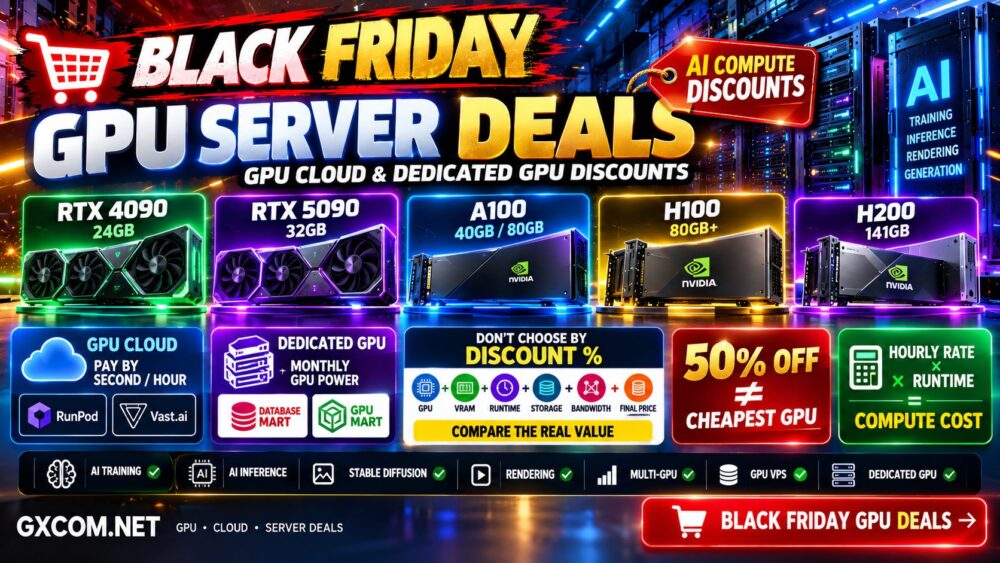
Black Friday can be one of the best times to compare GPU server pricing, but the largest advertised discount does not always deliver the lowest AI compute cost.
GPU hosting providers use very different pricing models. Some rent GPUs by the second or hour, while others offer monthly GPU VPS plans, dedicated GPU servers, reserved capacity, or promotional long-term pricing.
This guide tracks the best Black Friday GPU server deals across GPU cloud, GPU VPS, and dedicated GPU infrastructure, including popular NVIDIA GPUs such as the RTX 4090, RTX 5090, A100, H100, H200, and newer Blackwell-generation accelerators.
Our goal is not simply to find the largest “OFF” percentage. We compare GPU model, VRAM, hourly or monthly cost, server resources, storage, bandwidth, commitment, and workload suitability to identify where the real value is.
Black Friday Update: Black Friday 2026 falls on November 27. Some providers have not yet launched their Black Friday promotions. GXCOM.NET will update this page as new GPU cloud and dedicated GPU offers become available.
Best Black Friday GPU Server Deals: Quick Comparison
| Provider | GPU Type | Pricing Model | Best For | Black Friday Status |
|---|---|---|---|---|
| RunPod | RTX / A100 / H100 / H200 / Blackwell | Per-second / hourly / serverless | AI training and inference | Watch for current offers |
| Vast.ai | Large marketplace GPU selection | Marketplace pricing | Low-cost flexible GPU compute | Compare live marketplace rates |
| Database Mart | RTX / A100 / H100 | Monthly dedicated / GPU VPS | Long-running AI servers | Current GPU discounts available |
| GPU Mart | Consumer and data-center GPUs | GPU VPS / dedicated | AI, rendering and remote GPU | Watch for seasonal offers |
Because GPU inventory and pricing can change quickly, always verify the current configuration and final price before ordering.
Check the Latest GPU Server Deals
If you are ready to rent GPU infrastructure, start by deciding whether your workload needs temporary cloud compute or a server that will remain online continuously.
Short AI Job → GPU Cloud
Variable Inference → Serverless GPU
Continuous Workload → Compare Monthly GPU Server
Heavy Dedicated Workload → Dedicated GPU Server
Large Distributed Training → Multi-GPU / GPU Cluster
Do not choose a provider based only on the lowest advertised GPU price.
Compare:
GPU + VRAM + CPU + RAM + Storage + Bandwidth + Runtime + Commitment = Real GPU Cost
1. RunPod Black Friday GPU Deals
RunPod is one of the most flexible options for developers and AI teams that want access to a broad range of NVIDIA GPUs without purchasing physical hardware.
Its current GPU portfolio includes options such as:
- RTX 3090
- RTX 4090
- RTX 5090
- RTX A5000
- RTX A6000
- RTX 6000 Ada
- L4
- L40 and L40S
- A40
- A100
- H100
- H200
- B200
- B300
RunPod provides several deployment models, including Pods, Serverless, Clusters, and reserved infrastructure.
This makes it particularly useful when you want to pay for GPU compute according to actual usage rather than commit immediately to a monthly dedicated server.
Current RunPod GPU Pricing Before Black Friday
Current pricing provides a useful baseline for determining whether a future Black Friday offer actually saves money.
| GPU | VRAM | Current Secure Cloud Price* |
|---|---|---|
| RTX 4090 | 24 GB | From about $0.74/hr |
| RTX 5090 | 32 GB | From about $0.99/hr |
| A100 80GB | 80 GB | From about $1.59/hr |
| H100 PCIe | 80 GB | From about $2.89/hr |
| H100 SXM | 80 GB | From about $3.49/hr |
| H200 | 141 GB | From about $4.59/hr |
*Pricing is a current reference point and can change with GPU type, cloud tier, availability, and platform updates. Check the live provider price before deployment.
For budget-conscious AI development, an RTX 4090 or RTX 5090 can offer strong compute value when the workload fits within available VRAM.
A100, H100, and H200 become more relevant when VRAM, memory bandwidth, multi-GPU communication, or enterprise AI workloads matter more than the lowest hourly rate.
2. Database Mart Black Friday GPU Server Deals
Database Mart takes a different approach from hourly GPU clouds.
Its GPU portfolio includes GPU VPS and dedicated GPU servers designed for workloads that may remain online continuously.
Current GPU options include configurations based on GPUs such as:
- RTX-series GPUs
- RTX A6000
- RTX Pro 6000
- A40
- A100
- H100
- Multi-GPU configurations
This pricing model can become particularly interesting when your AI workload runs for hundreds of hours every month.
Current Database Mart GPU Discounts
Database Mart already has discounted GPU configurations before the main Black Friday period.
For example, current promotional configurations have included substantial discounts on selected A100 and multi-RTX GPU dedicated servers.
That makes the existing promotional price important as a baseline.
When Black Friday arrives, do not ask only:
How Much Is the Black Friday Discount?
Ask:
Is the Black Friday Price Actually Lower Than the Existing GPU Sale Price?
This distinction prevents a large headline percentage from creating the illusion of a better deal when a similar discount was already available.
3. GPU Mart Black Friday Deals
GPU Mart focuses specifically on GPU hosting and is relevant to users who want alternatives to hyperscale GPU cloud infrastructure.
Its product mix is useful for workloads such as:
- AI development
- Machine learning
- LLM inference
- Stable Diffusion
- Rendering
- Remote GPU workloads
- GPU-accelerated applications
GPU-focused hosting providers can sometimes offer attractive monthly economics for users who do not need hyperscale cloud services.
However, always compare the complete configuration.
A GPU server is not just the GPU.
GPU + CPU + RAM + NVMe + Network + Location + Support = Complete Server
4. Vast.ai Black Friday GPU Deals
Vast.ai uses a GPU marketplace model rather than a conventional fixed-price hosting catalog.
This makes direct Black Friday comparisons more complicated.
Marketplace pricing can change according to:
- GPU model
- Host
- Availability
- Location
- Reliability
- Storage
- Network resources
- Market supply and demand
For price-sensitive AI experimentation, this dynamic model can be attractive because users can search for lower-cost GPU capacity.
But the cheapest marketplace instance should not automatically be treated as equivalent to a managed or enterprise GPU cloud.
Check reliability and the complete host configuration before deploying important workloads.
GPU Cloud vs Dedicated GPU Server on Black Friday
This is one of the most important decisions before choosing a deal.
| Factor | GPU Cloud | Dedicated GPU Server |
|---|---|---|
| Billing | Hourly / per-second / usage based | Usually monthly |
| Commitment | Low | Higher |
| Short Jobs | Excellent | Can waste paid capacity |
| 24/7 Workload | Can become expensive | Monthly pricing may be attractive |
| Hardware Control | Platform dependent | Greater dedicated control |
| Scaling | Generally easier | Hardware capacity dependent |
| Multi-GPU | Available on selected platforms | Available on selected servers |
For a deeper comparison, read our
GPU Server vs GPU Cloud comparison.
Hourly GPU vs Monthly GPU Server: Which Black Friday Deal Is Cheaper?
A low hourly rate can look much cheaper than a monthly GPU server until you calculate continuous usage.
Use:
Hourly GPU Rate × Hours Used = Monthly Compute Cost
For a server running continuously:
Hourly Rate × Approximately 730 Hours = Approximate Monthly GPU Compute Cost
For example, an hourly GPU that costs $1 can approach $730 in compute charges if it runs continuously for an average month, before considering storage or other applicable charges.
However, if the GPU is needed for only 50 hours:
$1 × 50 = $50
In that case, buying an expensive monthly dedicated GPU server may make little sense.
Runtime Changes Everything.
Best Black Friday RTX 4090 GPU Deals
The RTX 4090 remains an important GPU for cost-sensitive AI workloads because it combines strong compute performance with 24 GB of VRAM.
It can be useful for:
- Stable Diffusion
- Image generation
- Smaller LLM inference
- Fine-tuning within VRAM limits
- AI development
- Rendering
Its main limitation for large AI models is VRAM.
A cheap RTX 4090 is not a substitute for an 80 GB A100 or H100 when your model cannot fit into 24 GB.
Cheap GPU + Insufficient VRAM = Wrong Deal.
Best Black Friday RTX 5090 GPU Deals
RTX 5090 cloud availability has expanded, giving AI developers another high-performance consumer GPU option.
Its 32 GB VRAM provides more memory headroom than the RTX 4090 while retaining a cost structure that can be considerably below high-end data-center GPUs on some platforms.
It can be particularly interesting for:
- AI inference
- Image generation
- Local-model experimentation
- Development
- Fine-tuning
- Rendering
Compare RTX 5090 pricing against both RTX 4090 and professional GPUs rather than assuming the newest GPU automatically provides the best value.
Best Black Friday A100 GPU Deals
NVIDIA A100 remains highly relevant for AI workloads because configurations with 80 GB of HBM memory can handle workloads that exceed consumer GPU VRAM.
A100 can make sense for:
- Large-model inference
- Machine learning
- AI training
- Multi-GPU workloads
- High-memory workloads
- Enterprise AI
Because A100 is an older generation than H100, aggressive A100 discounts can sometimes create excellent price-to-performance opportunities.
Do not dismiss an older data-center GPU simply because a newer architecture exists.
Newest GPU ≠ Best Value.
Best Black Friday H100 GPU Deals
H100 is aimed at substantially more demanding AI workloads and remains an important accelerator for large-model training and high-throughput inference.
It provides much greater memory capacity and memory bandwidth than consumer GPUs such as the RTX 4090.
H100 becomes more relevant when:
- Your model requires large VRAM
- Training time has significant business value
- You need high-throughput inference
- You use multi-GPU infrastructure
- You require data-center GPU features
But H100 can cost several times more per hour than consumer GPU options.
Therefore, the correct question is not:
Is H100 Faster?
It is:
Does H100 Reduce Total Job Cost Enough to Justify the Higher Hourly Price?
For a detailed comparison, read our
NVIDIA A100 vs H100 comparison.
Best Black Friday H200 GPU Deals
H200 increases memory capacity substantially compared with the standard H100 80GB configuration, making it attractive for very large models and memory-intensive inference workloads.
However, higher VRAM and newer hardware also mean higher rental costs.
Before choosing H200, determine whether the workload actually needs its memory capacity.
If your model already fits comfortably on an H100, A100, RTX 5090, or RTX 4090, paying for substantially more VRAM may not improve the economics.
See our
NVIDIA H100 vs H200 comparison
for more details.
How to Compare Black Friday GPU Discounts
GPU deals should be normalized before comparing them.
Do not compare:
$0.50/hour vs $500/month
without first calculating expected runtime.
Use the following checklist:
- GPU model
- GPU count
- VRAM per GPU
- GPU architecture
- CPU allocation
- System RAM
- NVMe storage
- Network bandwidth
- Data center location
- Hourly or monthly billing
- Minimum commitment
- Storage charges
- Traffic charges
- Setup fees
- Discount duration
Black Friday Discount Percentage Can Be Misleading
A provider advertising “60% OFF” is not automatically cheaper than a provider offering no Black Friday discount.
Consider:
Provider A: $3/hr → 50% OFF → $1.50/hr
Provider B: Regular Price → $1.20/hr
Provider B is still cheaper.
The same applies to dedicated GPU servers.
Discount Percentage ≠ Lowest Final Price.
Check VRAM Before Buying a GPU Deal
VRAM should be one of the first specifications you check.
| GPU | Typical VRAM | General Positioning |
|---|---|---|
| RTX 4090 | 24 GB | Cost-sensitive AI / image generation |
| RTX 5090 | 32 GB | Higher-end consumer AI |
| RTX A6000 | 48 GB | Professional GPU workloads |
| A100 | 40 GB / 80 GB | Training and large-model AI |
| H100 | 80 GB / variant dependent | High-performance AI |
| H200 | 141 GB | Memory-intensive AI |
A huge Black Friday discount is useless if the GPU cannot fit your model.
GPU Server Deals for AI Training
Training workloads should be evaluated differently from occasional inference.
Important factors include:
- VRAM
- Tensor performance
- Memory bandwidth
- Multi-GPU interconnect
- Storage throughput
- Dataset size
- Checkpoint storage
- Training duration
A faster GPU with a higher hourly price can sometimes cost less overall if it finishes the job substantially faster.
Hourly Price × Training Time = Compute Cost
GPU Server Deals for AI Inference
Inference economics depend heavily on utilization.
For low or unpredictable traffic, serverless GPU infrastructure can be attractive because compute can scale according to demand.
For steady high utilization, a continuously running GPU instance or dedicated server may provide better economics.
Measure:
- Tokens per second
- Requests per second
- Latency
- Concurrent users
- VRAM usage
- Cost per request
- Cost per million tokens
Do not optimize only for hourly GPU price.
GPU Server Deals for Stable Diffusion and Image Generation
Image-generation workloads can often use consumer or professional GPUs effectively without requiring H100-class infrastructure.
RTX 4090, RTX 5090, RTX A6000, L40S, and other GPUs may provide more economical choices depending on model and workflow.
The best GPU is the one that meets the required VRAM and throughput target at the lowest total generation cost.
Dedicated GPU Server vs GPU VPS Deals
A GPU VPS can reduce the entry cost for GPU computing, while a dedicated GPU server can provide greater hardware isolation and predictable access to the physical accelerator.
Before choosing, verify whether the GPU is:
- Dedicated
- Virtualized
- Partitioned
- Shared
Also check whether GPU memory and compute resources are fully assigned to your instance.
“GPU VPS” Does Not Always Mean an Entire Physical GPU.
Should You Wait Until Black Friday to Rent a GPU?
Not necessarily.
If you have a production workload or training job that needs to run now, delaying the project for a possible future discount may cost more than the savings.
Waiting can make sense when:
- The workload is not urgent
- You plan a long-term monthly GPU server
- You are preparing infrastructure for a future project
- You expect to prepay for a discounted term
Hourly GPU cloud users should also compare current rates carefully because dynamic or marketplace pricing can already be highly competitive.
Black Friday vs Cyber Monday GPU Deals
Do not assume every GPU promotion ends on Black Friday.
Some infrastructure providers extend promotions through the weekend or launch separate Cyber Monday offers.
However, GPU inventory can be limited.
A lower Cyber Monday price is not useful if the GPU configuration you need is sold out.
For high-demand GPUs, evaluate:
Price + Availability + Required Capacity
How GXCOM.NET Evaluates Black Friday GPU Deals
We do not rank a GPU deal simply by the advertised discount percentage.
Our comparison considers:
- Real final price
- GPU model
- VRAM
- CPU and system RAM
- Storage
- Network resources
- Billing flexibility
- Minimum commitment
- GPU availability
- Workload suitability
For long-term servers, we also compare the effective monthly cost.
For cloud GPUs, we compare the expected hourly compute cost against workload duration.
Black Friday GPU Server Deals FAQ
When is Black Friday?
Black Friday 2026 falls on November 27. Hosting and cloud providers may launch promotions before Black Friday itself and may continue them through Cyber Monday.
Are GPU servers cheaper on Black Friday?
Some providers offer seasonal discounts, credits, reduced monthly prices, or special GPU configurations. However, not every GPU provider runs a Black Friday sale, and an existing regular promotion can sometimes be cheaper than a seasonal offer.
What is the best GPU for AI on Black Friday?
There is no single best GPU. RTX 4090 and RTX 5090 can provide strong value for workloads that fit their VRAM, while A100, H100, and H200 are better suited to larger or more demanding AI workloads.
Is an H100 Black Friday deal better than an A100 deal?
Not automatically. H100 provides significantly newer AI capabilities, but A100 can still offer excellent value when its performance and VRAM meet the workload requirements. Compare total job cost rather than GPU generation alone.
Should I rent a GPU hourly or monthly?
Hourly billing is usually more attractive for temporary or intermittent workloads. Monthly dedicated pricing can become more competitive when the GPU runs continuously. Calculate expected monthly runtime before choosing.
Is GPU cloud better than a dedicated GPU server?
GPU cloud generally provides greater deployment and billing flexibility, while dedicated GPU servers can provide predictable hardware access for long-running workloads. The better option depends on utilization and infrastructure requirements.
Do Black Friday GPU deals require coupon codes?
Not always. Some providers automatically apply promotional pricing, while others may use credits, coupons, discounted configurations, or special landing pages.
Best Black Friday GPU Server Deals: Final Verdict
The best Black Friday GPU server deal is not necessarily the offer with the largest discount percentage or the newest NVIDIA GPU.
For temporary AI development and training, flexible GPU cloud platforms can reduce costs because you pay according to usage.
For continuous AI inference, rendering, or other always-on GPU workloads, a monthly GPU VPS or dedicated GPU server can become more economical.
RTX 4090 and RTX 5090 can deliver attractive value for workloads that fit within their VRAM limits. A100 remains relevant for high-memory AI workloads, while H100 and H200 target more demanding training and inference requirements.
Before buying any Black Friday GPU offer, use this process:
Workload → GPU → VRAM → Runtime → CPU/RAM → Storage → Network → Billing Model → Discount → Final Cost.
Most importantly, compare the Black Friday price against the provider's normal or existing promotional price.
A Big Black Friday Discount Is Only a Good Deal When the Final GPU Cost Is Actually Lower.