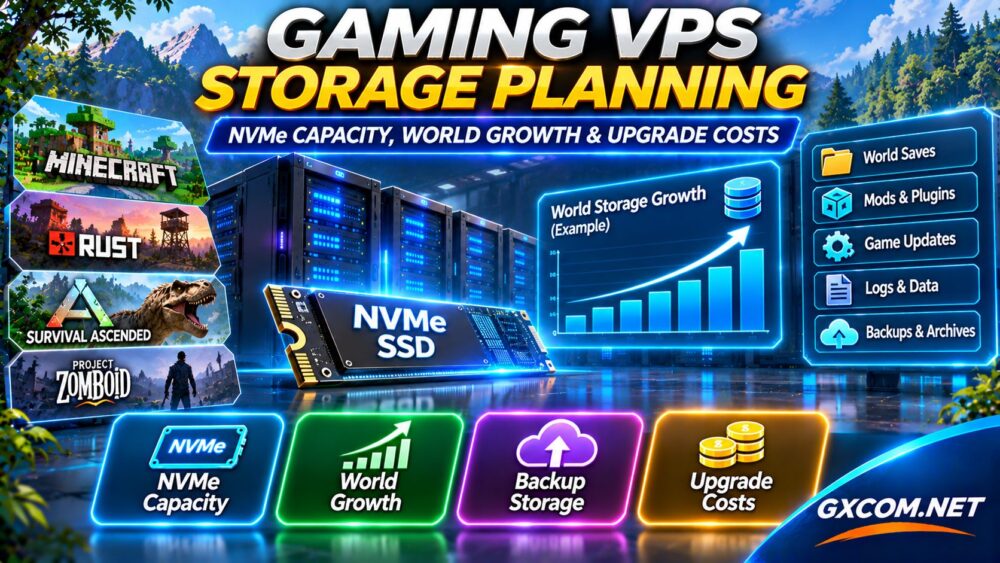
Gaming VPS storage planning becomes increasingly important as multiplayer communities expand their worlds, install modifications and accumulate historical backups. A server with sufficient disk capacity at launch may become difficult to maintain several months later. Choosing the right storage configuration requires a realistic estimate of world growth, software updates, recovery requirements and recurring hosting expenses.
Why Gaming VPS Storage Requirements Increase Over Time
Game server storage includes much more than the initial installation. Administrators must also accommodate persistent worlds, player information, configuration files, modifications, logs and temporary update files.
Unlike a temporary multiplayer session, a persistent community retains substantial data between restarts. Additional exploration, construction and gameplay can gradually increase storage consumption. However, the growth rate varies considerably between games and individual communities.
Before selecting a hosting package, review our gaming VPS requirements for Minecraft, Rust and ARK to understand how storage fits alongside processor and memory requirements.
Estimate Storage Growth for Popular Games
Minecraft World Storage
Minecraft generates additional world data as players explore new areas. Large world borders, multiple dimensions and extensive modpacks can increase the amount of persistent data.
Communities should monitor actual world directory growth rather than estimate capacity exclusively from player counts. Reserve additional space for plugin data, configuration files and planned world expansions. Seasonal worlds should also have clearly defined archival policies.
Rust Server Storage
Rust communities need capacity for server installations, persistent saves, player databases and modifications. Regular map resets may reduce active world accumulation, but retaining historical saves creates separate storage requirements.
Administrators should distinguish active server capacity from long-term archives. Keeping every historical world on the production VPS can make future upgrades unnecessarily expensive.
ARK Multi-Map Communities
ARK deployments require careful planning because additional maps and modifications can substantially increase storage consumption. Each active instance contributes its own persistent data, although some installations may share compatible application files.
ARK Survival Ascended and Survival Evolved should be planned separately. Their installation sizes, supported maps and modification ecosystems differ. Always account for temporary capacity requirements during substantial game updates.
Compare NVMe, SATA SSD and Archive Storage
NVMe SSD storage is an attractive option for active game installations and frequently accessed world data. Nevertheless, an NVMe label does not establish guaranteed virtual disk performance.

SATA SSD storage may provide sufficient responsiveness for smaller communities while offering competitive capacity. Large archival storage is another option for data that does not require frequent access.
| Storage type | Typical application | Buying priority |
|---|---|---|
| NVMe SSD | Active worlds and game installations | Capacity and consistent responsiveness |
| SATA SSD | General multiplayer hosting | Balanced capacity and price |
| Bulk storage | Historical saves and archives | Cost per unit of capacity |
| Additional volume | Expandable game data storage | Expansion terms and portability |
For communities considering physical hardware, our dedicated game server storage guide explains additional infrastructure considerations.
Build a Twelve Month Capacity Forecast
Divide storage requirements into operating system files, game installations, persistent worlds, modifications and maintenance capacity. Then estimate how much additional data the community may generate during the next twelve months.
Consider an illustrative VPS with 20 GB allocated to system files, 25 GB to game software and modifications, and 15 GB to current world data. Initial usage totals 60 GB.
If persistent data grows by 5 GB monthly, the estimated usage after twelve months becomes 120 GB. Adding a 30 GB maintenance allowance produces a total planning requirement of 150 GB.
In this example, a 100 GB VPS may accommodate the initial deployment but would not meet the annual capacity forecast. A 200 GB configuration provides more flexibility, subject to actual usable capacity and future growth.
These figures are hypothetical planning assumptions rather than official game requirements. Review actual usage regularly and adjust forecasts when community activity or game installations change.
Separate Production Storage From Backup Capacity
Independent backup storage prevents historical recovery copies from consuming the entire production allocation. It also provides additional recovery options when the original server becomes unavailable.
For example, retaining seven independent full backups of a 20 GB dataset requires 140 GB before compression. Four additional monthly archives of the same size increase the combined requirement to 220 GB.
Future backup sizes may increase alongside world growth. Compression and incremental backup methods can reduce consumption, but savings depend on the actual data and retention implementation.
Read our gaming VPS snapshots versus backups comparison before choosing provider recovery options.
Compare Gaming VPS Storage Providers
Kamatera: Flexible Capacity Expansion
Kamatera offers configurable cloud servers using NVMe SSD SAN storage. Its published pricing lists additional storage at $0.05 per GB per month. An additional 100 GB therefore costs $5 monthly, equivalent to $60 annually at the displayed rate.
This approach suits communities that expect gradual expansion and prefer configurable infrastructure. Confirm the complete server quotation, backup charges and storage modification conditions before ordering.
InterServer: Separate Archive Capacity
InterServer provides SSD based cloud VPS products and a separate storage optimized VPS range. Its published storage offering starts at $3 monthly for 1 TB of SATA capacity.
This distinction allows administrators to evaluate application hosting and historical archives separately. However, inexpensive archive capacity should not be treated as equivalent to production NVMe storage. Confirm transfer allowances, backup independence and administrative requirements.
HOSTKEY: NVMe Virtual Dedicated Servers
HOSTKEY offers Ryzen VDS infrastructure using NVMe storage. These products provide another option for communities evaluating virtual dedicated resources alongside storage capacity.
Review the available disk allocation, processor entitlement, expansion options and backup arrangements for the selected location. Request a complete quotation when comparing larger configurations.
Calculate Long Term Storage Upgrade Costs
A hypothetical gaming VPS costing $20 monthly requires an additional 100 GB of storage priced at $0.05 per GB monthly. Adding a separate $3 monthly archive service produces a combined infrastructure budget of $28 per month, or $336 annually.
The original VPS alone would cost $240 annually. Storage expansion and archive services therefore add $96 to the yearly operating budget.
Although the storage rates reflect published examples, the combined configuration is an illustrative budget rather than an actual provider package. Taxes, licenses, administration and additional transfer charges are excluded.
Choose Storage That Can Grow With Your Community
Small private servers may benefit from modest initial capacity with flexible expansion options. Established communities should prioritize predictable upgrade costs and independent recovery storage. Multiple game instances require a combined capacity forecast rather than separate estimates that overlook shared infrastructure expenses.
Our gaming VPS versus managed game hosting comparison provides additional guidance for evaluating overall operating costs.
Successful gaming VPS storage planning balances current requirements, future world growth and affordable recovery capacity. Select infrastructure that supports the next stage of community development without requiring unnecessary storage upgrades or compromising important game data.