Amazon Web Services is one of the biggest names in cloud computing, but is AWS actually a good choice for hosting websites and applications? In this AWS Hosting Review 2026, we examine its features, pricing, performance, scalability and ease of use to determine where the platform makes the most sense.
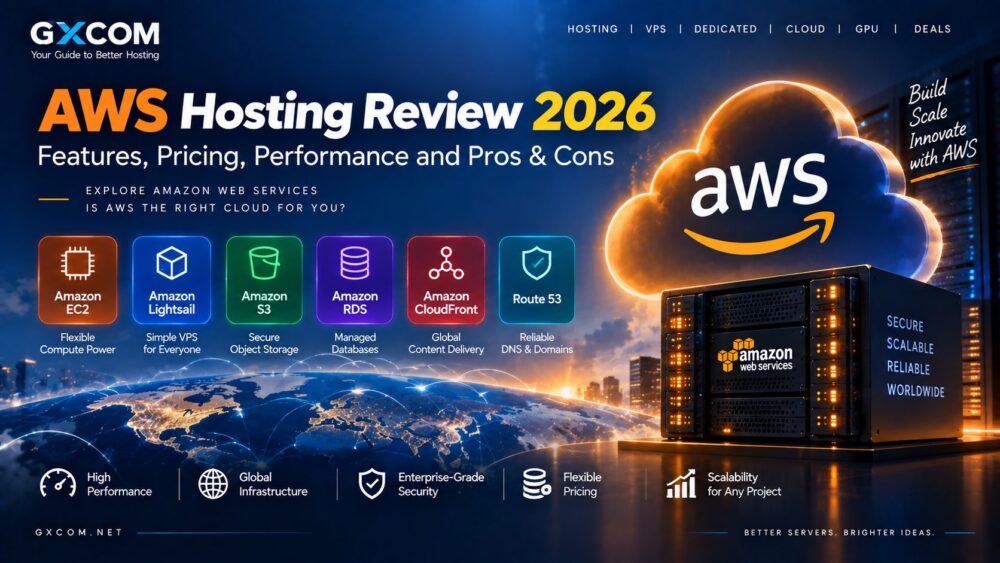
AWS is very different from a conventional web hosting company. Instead of buying a simple hosting plan with a fixed control panel and resource allowance, customers can build infrastructure using services such as Amazon EC2, Lightsail, S3, RDS, CloudFront and Route 53.
This flexibility makes AWS extremely powerful, but it also creates additional complexity. For developers, SaaS companies and enterprises, that flexibility can be a major advantage. Beginners looking for a simple WordPress hosting plan may find AWS more difficult than traditional hosting.
Last updated: September 2026. AWS prices and service availability can change by region and configuration, so always verify current pricing before deployment.
AWS Hosting Review 2026: Quick Overview
| Feature | AWS Hosting |
|---|---|
| Hosting Type | Cloud infrastructure |
| Main Compute Service | Amazon EC2 |
| Simplified VPS Option | Amazon Lightsail |
| Object Storage | Amazon S3 |
| CDN | Amazon CloudFront |
| Managed Database | Amazon RDS |
| Best For | Developers, SaaS, scalable applications and enterprises |
| Main Drawback | Complexity and potentially difficult cost management |
What Is AWS Hosting?
AWS is not a single hosting product. It is a large cloud ecosystem that allows customers to combine computing, storage, networking, databases, security and other services.
For website hosting, several AWS products are particularly relevant:
- Amazon EC2: scalable virtual servers with extensive configuration options.
- Amazon Lightsail: simplified virtual servers with bundled resources and more predictable pricing.
- Amazon S3: object storage commonly used for files, backups and static content.
- Amazon RDS: managed relational database services.
- Amazon CloudFront: content delivery network for distributing content closer to users.
- Route 53: AWS DNS and domain-related infrastructure.
This modular structure allows AWS customers to build infrastructure around the exact requirements of an application.
AWS Hosting Performance
AWS offers an enormous range of EC2 instance families, so performance depends heavily on the instance selected.
Customers can choose infrastructure optimized for different requirements, including:
- General-purpose computing
- Compute-intensive workloads
- Memory-intensive applications
- Storage-heavy workloads
- GPU and accelerated computing
This flexibility is one of AWS’s strongest advantages. Instead of forcing every customer into the same hosting configuration, AWS allows infrastructure to be matched to the workload.
Application architecture still matters. A poorly optimized website will not automatically become fast simply because it runs on AWS.
AWS Global Infrastructure and Reliability
AWS operates cloud Regions across multiple geographic markets, allowing businesses to deploy workloads closer to their users.
Within a Region, AWS uses independent Availability Zones. This enables customers to design applications across multiple zones rather than depending on a single location.

For businesses building highly available systems, this architecture is a major advantage over a basic single-server hosting setup.
AWS Hosting Pricing Explained
AWS pricing can be either an advantage or one of its biggest disadvantages.
Amazon EC2 On-Demand Instances allow customers to use compute resources without a long-term commitment. AWS also provides other purchasing approaches for workloads where customers can make commitments or tolerate interruptions.
However, the total bill may include more than the virtual server itself.
Depending on the architecture, costs can include:
- Compute instances
- Storage
- Data transfer
- IP resources
- Load balancing
- Databases
- Backups and snapshots
- Other managed services
This means users should compare total infrastructure cost rather than looking only at an EC2 instance price.
Amazon Lightsail Pricing
Lightsail is worth considering for users who want AWS infrastructure with simpler pricing.
As of September 2026, AWS documentation lists Linux/Unix Lightsail bundles with public IPv4 starting at $5 per month. That entry configuration includes 2 vCPUs, 0.5 GB RAM, 20 GB storage and 1 TB of included data transfer.
Higher tiers increase RAM, storage and transfer allowances. IPv6-only configurations can be cheaper.
Lightsail is therefore much closer to the familiar VPS pricing model than a complex EC2 deployment.
Amazon EC2 vs Lightsail
| Feature | Amazon EC2 | Amazon Lightsail |
|---|---|---|
| Configuration | Highly flexible | Simplified |
| Pricing | More granular | Bundled |
| Scaling | Extensive options | Simpler options |
| Learning Curve | Higher | Lower |
| Best For | Advanced cloud workloads | Websites and smaller projects |
Lightsail is generally easier to understand, while EC2 provides substantially greater infrastructure flexibility.
AWS Hosting for WordPress
WordPress can run on AWS through several architectures, including Lightsail or an EC2-based environment.
AWS can provide excellent scalability for WordPress, but users should consider whether they actually need that level of infrastructure control.
A small blog may be easier to operate with conventional WordPress hosting. AWS becomes more attractive when a website needs customized infrastructure, advanced scalability or integration with other AWS services.
AWS Hosting for Developers
Developers are one of the strongest audiences for AWS because the platform provides much more than website hosting.
Development teams can combine compute instances with databases, storage, serverless functions, APIs, containers and monitoring tools.
This makes AWS suitable for:
- SaaS platforms
- APIs
- Web applications
- Microservices
- Development environments
- Enterprise software
AWS Hosting for AI and GPU Workloads
AWS also provides accelerated computing options for machine learning, artificial intelligence and other GPU-intensive workloads.
For AI teams, the advantage is the ability to combine compute resources with storage, networking, databases and managed AI services inside the broader AWS ecosystem.
Users focused primarily on GPU price should also compare specialized AI servers and GPU hosting providers, as a general-purpose hyperscale cloud is not always the lowest-cost solution for every sustained workload.
AWS Hosting Scalability
Scalability is one of the strongest reasons to consider AWS.
Infrastructure can be designed to add computing capacity, distribute workloads and deploy applications across multiple Availability Zones.
This makes AWS particularly suitable for applications where traffic or resource demand can change substantially over time.
AWS Hosting Security
AWS provides extensive infrastructure security and identity-management capabilities, but customers still have responsibilities for the workloads they deploy.
Depending on the service, customers may need to manage:
- Operating system updates
- Application security
- Access permissions
- Firewall rules
- Encryption settings
- Backups
AWS can support sophisticated security architectures, but incorrect configuration can create risks. New users should not assume that moving an application to AWS automatically makes it secure.
Is AWS Easy to Use?
This is one area where AWS differs sharply from beginner-oriented hosting providers.
A traditional hosting company may provide a domain, hosting plan, email and website control panel in one simple package. AWS exposes many individual cloud services and configuration options.
Lightsail reduces this complexity, but the broader AWS platform still has a significant learning curve.
AWS Hosting Pros & Cons
| Pros | Cons |
|---|---|
| Large cloud service ecosystem | Steeper learning curve |
| Highly scalable infrastructure | Pricing can become complex |
| Global deployment options | Can be excessive for simple websites |
| Wide range of instance configurations | Requires cloud management knowledge |
| Strong developer and enterprise tooling | Multiple services can increase billing complexity |
Who Should Consider AWS Hosting?
AWS is particularly worth considering for:

- Developers building cloud applications
- SaaS companies
- Growing technology businesses
- Enterprises
- High-availability applications
- Projects requiring advanced cloud services
For a simple personal website or small WordPress site, a conventional hosting provider may be easier to operate and budget.
AWS vs Traditional Web Hosting
The key difference is flexibility.
Traditional web hosting packages resources and management into a simpler product. AWS provides infrastructure building blocks that customers can combine according to their technical requirements.
Users wanting simplicity may prefer traditional hosting. Users wanting infrastructure control and scalability may find AWS more suitable.
You can also explore our cloud hosting resources for alternatives and comparisons.
AWS Hosting Review 2026: Final Verdict
Our AWS Hosting Review 2026 shows why AWS is attractive to developers, businesses and enterprises that need flexible, scalable cloud infrastructure.
Its biggest strengths are infrastructure choice, geographic reach, scalability and integration across a broad cloud ecosystem. The trade-off is complexity: configuration and billing can require more technical knowledge than conventional hosting.
Lightsail provides a more approachable route for smaller workloads, while EC2 and the wider AWS ecosystem are better suited to users who need advanced cloud capabilities.
Before deploying, estimate the complete cost of compute, storage, networking and supporting services rather than choosing AWS based on a single instance price.