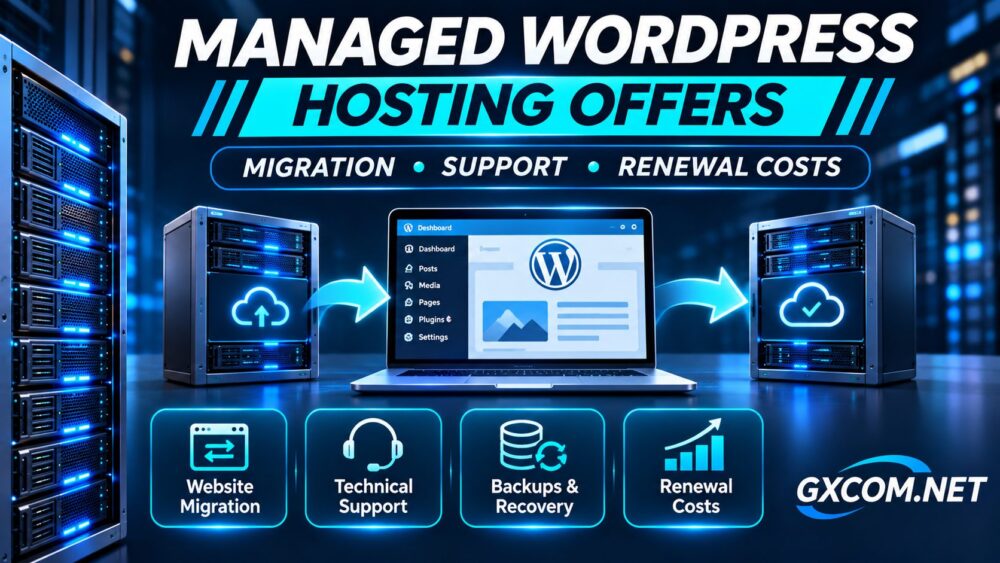
Finding worthwhile managed WordPress hosting offers involves more than comparing introductory prices. A discounted plan may include useful migration assistance, technical support, backups, and staging tools, but renewal charges and service exclusions can change its long-term value.
For business websites, WooCommerce stores, and growing WordPress projects, switching hosts introduces operational risks. Database synchronization, DNS changes, email configuration, and plugin compatibility deserve as much attention as promotional savings.
This guide explains how to evaluate current managed WordPress hosting options, compare four established providers, and calculate the actual cost of switching.
What Makes a Managed WordPress Hosting Offer Valuable?
A valuable offer should reduce either hosting expenses or the work required to operate a reliable website. Ideally, it accomplishes both without introducing unexpected renewal charges.
Managed WordPress hosting typically provides a WordPress-oriented environment with some combination of server maintenance, caching, security controls, backups, and technical assistance. However, the definition of managed hosting varies considerably.
Some providers handle infrastructure administration but leave plugin conflicts, custom themes, and application debugging to the customer. Others offer additional assistance through premium support services.
Before purchasing, identify which responsibilities the provider accepts and which remain with your team.
Compare Four Managed WordPress Hosting Providers
Cloudways, SiteGround, ScalaHosting, and HostArmada are established hosting providers worth comparing. Their products differ in infrastructure design, management responsibilities, migration procedures, and billing arrangements.
| Provider | Evaluation Priority | Important Purchase Check |
|---|---|---|
| Cloudways | Managed cloud hosting flexibility | Server billing and support options |
| SiteGround | WordPress-oriented hosting tools | Migration method and renewal rate |
| ScalaHosting | Managed VPS and hosting control | Plan type and management coverage |
| HostArmada | Managed WordPress hosting packages | Resources, backups and renewal |
Cloudways: Managed Cloud Infrastructure
Cloudways is particularly relevant for WordPress projects requiring cloud server flexibility. Its platform offers WordPress migration tools and access to managed application migration services.
According to Cloudways documentation, WordPress and WooCommerce users can request expert-assisted migrations or use its WordPress Migrator plugin. Eligibility and procedures should be checked against the selected platform and account.
Buyers should also evaluate server resource allocation, optional services, and the support level included in their subscription.
SiteGround: WordPress Hosting and Migration Tools
SiteGround is worth considering for businesses seeking WordPress-oriented hosting tools and a relatively straightforward management environment.
Its WordPress migration plugin supports self-service transfers, while professional migration assistance may involve separate charges depending on the service.

Confirm the introductory billing period, regular renewal price, storage allowance, and applicable WordPress management features before purchasing.
ScalaHosting: Managed Hosting With Greater Server Control
ScalaHosting deserves consideration when businesses require managed VPS infrastructure rather than a conventional shared WordPress hosting environment.
Its SPanel ecosystem provides an alternative hosting management interface, although availability depends on the chosen product.
Ask whether migration assistance, server administration, backups, and application troubleshooting are included in the exact plan. Comparing managed VPS hosting with shared WordPress packages requires accounting for their different resource models.
HostArmada: Managed WordPress Hosting Packages
HostArmada provides another option for evaluating WordPress-oriented hosting with managed infrastructure services.
Review the selected package’s storage, website allowance, backup policy, migration eligibility, and technical support scope.
Do not assume that promotional terms, migration assistance, or backup retention are identical across all plans. Confirm the applicable conditions before committing to a long subscription.
WordPress Migration: Free Tools vs Expert Assistance
Migration benefits can materially influence the value of a hosting offer, particularly for websites with large databases, complex plugins, or ecommerce transactions.
Self-service migration tools generally transfer website files and databases, but customers remain responsible for validating the result. Expert-assisted migration may reduce manual work without eliminating the need for independent testing.
Before transferring a production website, create a verified backup and document PHP versions, scheduled tasks, email routing, DNS records, and external integrations.
For WooCommerce, coordinate the final database synchronization carefully to avoid losing orders or customer updates created during migration.
Test the destination using a temporary address or local hosts-file override before changing public DNS records. Check redirects, forms, login sessions, media files, and payment workflows.
Keep the original hosting account available until the new environment has been validated and essential traffic has moved successfully.
Technical Support: What Is Actually Included?
Managed hosting support is not the same as comprehensive website maintenance. Providers may assist with server availability, PHP configuration, SSL certificates, and platform-related errors while excluding custom development.
Ask whether support covers plugin conflicts, database optimization, malware investigation, backup restoration, and emergency troubleshooting.
Also distinguish support availability from guaranteed resolution times. A provider advertising continuous support may still have escalation procedures or service exclusions.
Our fully managed vs semi-managed hosting comparison explains how these responsibilities affect operating costs.
Backups, Staging and Recovery Requirements
Automatic backups are useful only when recovery procedures meet business requirements. Verify backup frequency, retention, storage location, restoration permissions, and any additional charges.
Staging environments allow administrators to test WordPress updates before deploying changes to production. However, staging should not be confused with an independent backup strategy.
For ecommerce websites, pay particular attention to dynamic database information. Restoring an outdated database can overwrite recent orders, account changes, or inventory updates.
Maintain independent recoverable backups and test restoration periodically. Record acceptable data loss and recovery time before selecting a plan.
Renewal Costs: Calculate the Real Hosting Expense
Introductory offers may appear attractive because the advertised monthly equivalent applies only to the initial prepaid term.
Consider a hypothetical WordPress hosting subscription costing $6 per month during its first year and $18 per month afterward.
| Billing Period | Illustrative Cost |
|---|---|
| First 12 months | $72 |
| Second 12 months | $216 |
| Third 12 months | $216 |
| 36-month total | $504 |
| Effective monthly average | $14 |
These figures are hypothetical and do not represent any provider’s current offer.
Add paid migrations, backup upgrades, email hosting, security services, CDN usage, and administration labor where applicable.

Cloud hosting subscriptions may follow different billing structures from discounted annual shared hosting plans. Compare equivalent workloads and service coverage rather than headline monthly prices alone.
For a broader cost framework, read our managed hosting total cost guide.
How to Choose the Right Managed WordPress Hosting Offer
Begin with your website’s actual requirements: monthly traffic, storage consumption, PHP worker demand, database activity, and expected growth.
Next, shortlist providers whose infrastructure and support policies match those requirements. Request confirmation of migration assistance, backup retention, renewal pricing, and application-level support.
For agencies managing multiple sites, consider account separation, staging access, team permissions, and the cost of scaling beyond the initial package.
Our dedicated server guide for SaaS applications offers additional infrastructure considerations for more demanding application workloads.
Finally, compare written quotations and checkout terms. A slightly higher subscription may provide better value when it reduces migration risk and recurring administration work.
Final Verdict
The best managed WordPress hosting offers combine suitable resources, dependable migration options, clearly defined support, recoverable backups, and sustainable renewal pricing.
Cloudways, SiteGround, ScalaHosting, and HostArmada provide a useful shortlist, but their products should not be treated as interchangeable. Evaluate the exact package and billing conditions rather than relying on promotional labels.
Before buying: confirm migration eligibility, test your recovery plan, review support exclusions, and calculate the complete three-year cost. Choose the hosting arrangement that fits your website’s operational needs, not simply the largest advertised discount.