Choosing a dedicated server vs multiple VPS instances is an important infrastructure decision for businesses running websites, databases, SaaS platforms, and production applications. A dedicated server provides exclusive physical hardware, while multiple virtual private servers distribute workloads across separate operating environments.
Neither architecture automatically delivers better reliability or lower costs. The right choice depends on hardware utilization, failure domains, network requirements, management effort, and application design.
This comparison examines performance, availability, scalability, and 36-month total cost of ownership (TCO).
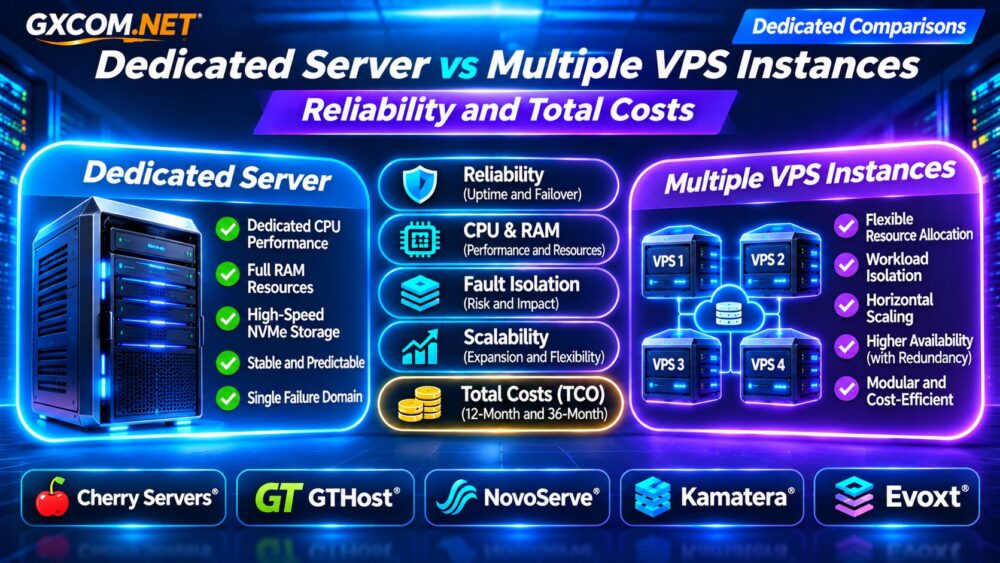
Dedicated Server vs Multiple VPS Instances: Quick Comparison
| Factor | Dedicated Server | Multiple VPS Instances |
|---|---|---|
| Physical resources | Exclusive server hardware | Virtualized allocations |
| CPU performance | Predictable physical capacity | Depends on allocation and contention |
| Workload isolation | Requires configuration | Separate virtual environments |
| Hardware failure | One physical failure domain | Depends on host placement |
| Scaling | Hardware upgrades or additional servers | Instance resizing or expansion |
| Administration | One primary operating environment | Multiple systems to maintain |
| Billing | Typically one server rental | Combined instance and network charges |
How Does a Dedicated Server Compare With Multiple VPS?
A dedicated server gives one customer access to a complete physical machine. Its processor, memory, and storage resources are not shared with unrelated virtual tenants, although network infrastructure remains shared.
Multiple VPS instances provide separate virtual machines that can run applications, databases, monitoring services, or development environments independently.
For example, an organization might use three VPS instances for a web application, database, and background processing. Alternatively, it could operate those services on one dedicated server using containers or virtual machines.
Our Dedicated Server Hosting Explained covers the underlying hardware model.
Reliability: One Server or Several Failure Domains?
A single dedicated server can become a single point of failure. If its motherboard, power supply, or storage subsystem fails, applications may remain unavailable until recovery or hardware replacement.
Multiple VPS instances offer potential fault isolation, but only when their placement and application architecture support it.
Three VPS instances hosted on the same physical machine may all fail simultaneously. Instances in different availability zones can reduce some shared risks, provided networking, storage, and application dependencies are also designed appropriately.
True high availability requires redundancy, health checks, failover procedures, and tested recovery—not simply more virtual machines.

Read our High-Availability Cloud Servers Guide for additional architecture considerations.
CPU, RAM, and Storage Performance
Dedicated hardware can be attractive for sustained CPU-intensive workloads, large in-memory databases, and applications requiring consistent storage throughput.
VPS performance depends on the virtualization platform, allocated resources, storage architecture, and whether CPU capacity is shared or dedicated.
Multiple smaller VPS instances may distribute independent workloads effectively, but they cannot automatically combine their memory into one large pool for a single database process.
Storage performance also matters. Compare NVMe latency, sustained IOPS, backup impact, and available redundancy rather than relying exclusively on advertised disk capacity.
For deeper storage analysis, see our NVMe VPS and SSD Performance Comparison.
Scaling and Workload Isolation
Multiple VPS instances can simplify horizontal scaling when an application supports load balancing and distributed processing. Additional web servers may be deployed without replacing the entire infrastructure.
However, databases, user sessions, file storage, and background jobs require careful coordination. Adding VPS instances without resolving these dependencies may increase complexity rather than capacity.
A dedicated server offers straightforward vertical capacity, but expanding beyond its hardware limits may require migration or additional machines.
Organizations should distinguish applications that benefit from horizontal scaling from those that require substantial resources within one operating environment.
Dedicated Server vs Multiple VPS: Monthly Cost Example
Consider a hypothetical business comparing one dedicated server with four VPS instances. These figures are illustrative and are not live supplier quotations.
| Monthly Expense | Dedicated | Four VPS |
|---|---|---|
| Infrastructure rental | $160 | $140 |
| Backups | $15 | $25 |
| Network and balancing | $0 | $20 |
| Administration allowance | $45 | $75 |
| Total monthly | $220 | $260 |
| Total over 12 months | $2,640 | $3,120 |
| Total over 36 months | $7,920 | $9,360 |
In this example, the dedicated server costs $1,440 less over three years. The difference comes partly from managing fewer operating environments.
These totals exclude migrations, software licenses, incident losses, and unexpected usage charges. The VPS arrangement also does not automatically provide high availability.
Five Approved Hosting Providers to Evaluate
Cherry Servers: Dedicated Bare Metal
Cherry Servers is worth evaluating for database-intensive applications and sustained computing workloads. Compare CPU generations, memory capacity, storage configurations, and network allowances against your requirements.
GTHost: Dedicated Server Rental
GTHost is a candidate for businesses seeking physical server resources without purchasing hardware. Review available locations, replacement procedures, bandwidth terms, and management responsibilities.
NovoServe: Network-Intensive Infrastructure
NovoServe deserves consideration when substantial data transfer and network connectivity influence the purchasing decision. Verify current server specifications, traffic policies, and geographic suitability.
Kamatera: Multiple Cloud Server Instances
Kamatera offers configurable cloud infrastructure for businesses evaluating multiple virtual machines. Compare instance sizing, regional deployment, networking charges, and available resilience features.
Evoxt: Budget-Conscious VPS Deployment
Evoxt is an option to investigate for smaller virtual server deployments. Assess resource allocations, available regions, bandwidth allowances, and the limitations of each selected plan.
These providers represent different purchasing approaches, not a verified performance ranking. Confirm availability and contract terms before ordering.
Security, Backups, and Management Complexity
A single dedicated server concentrates operational responsibility in one environment. Multiple VPS instances require consistent patching, access control, monitoring, and backup policies across several systems.
Segmentation can limit the impact of some compromises, but poor credentials or shared administrative access may expose the entire deployment.

Maintain off-server backups and test restoration regularly. Snapshots alone are not a complete disaster recovery strategy.
Our VPS Snapshot and Backup Recovery Guide explains important recovery differences.
When Should You Choose a Dedicated Server?
Choose dedicated hardware when workloads need sustained processing capacity, substantial RAM, predictable storage performance, or a consolidated operating environment.
It may also be economical when a single physical server can efficiently host several internal virtual machines.
When Are Multiple VPS Instances Better?
Multiple VPS instances are attractive when applications support distributed deployment, workloads need independent scaling, or teams require separate development and production environments.
For business-critical availability, verify placement across independent failure domains and budget for replication, monitoring, and failover.
Frequently Asked Questions
Are Multiple VPS Instances More Reliable?
Not necessarily. Reliability improves only when infrastructure placement and application redundancy reduce shared failure risks.
Is One Dedicated Server Cheaper Than Four VPS?
It can be, particularly for sustained workloads. Compare complete resource specifications and operational expenses rather than instance counts.
Can a Dedicated Server Run Multiple Virtual Machines?
Yes. Suitable virtualization software can divide physical resources into separate virtual environments, subject to hardware capacity and licensing.
Final Verdict
The dedicated server vs multiple VPS decision depends on workload characteristics, reliability requirements, and total operating costs. Dedicated hardware favors concentrated resource demand; multiple VPS instances offer flexible deployment and potential fault isolation.
Compare Cherry Servers, GTHost, and NovoServe for physical infrastructure, alongside Kamatera and Evoxt for virtual server alternatives. Evaluate real workload measurements and recovery requirements before purchasing.