Choosing a high-memory VPS vs dedicated server is a critical decision when databases begin consuming more RAM, queries slow down, or application traffic becomes unpredictable. A VPS with 64GB of memory may appear comparable to a dedicated machine with the same capacity, but CPU scheduling, storage latency, and hardware isolation can produce very different results.
This guide compares database performance, RAM requirements, infrastructure costs, and upgrade decisions. The goal is to identify when a high-RAM virtual server offers sufficient value and when dedicated hardware becomes the better investment.
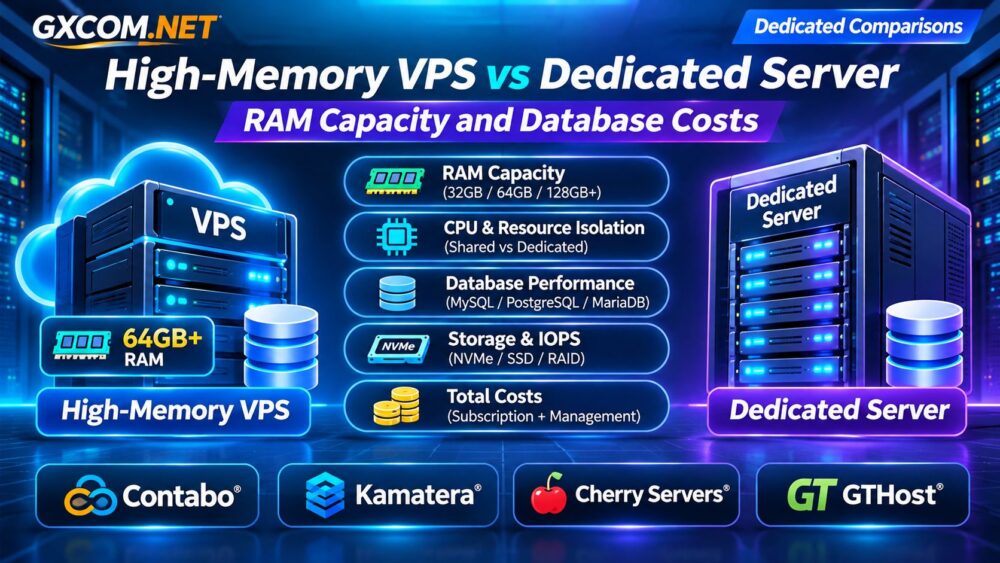
High-Memory VPS vs Dedicated Server: Quick Comparison
| Factor | High-Memory VPS | Dedicated Server |
|---|---|---|
| RAM allocation | Assigned virtual memory | Physical machine memory |
| CPU resources | Shared or dedicated vCPUs | Physical CPU resources |
| Storage performance | Depends on virtualization and storage design | Depends on installed drives and configuration |
| Scaling | Often easier to resize | Hardware upgrades may require intervention |
| Resource isolation | Varies by VPS architecture | Physical hardware assigned to one customer |
| Typical advantage | Flexible memory capacity | Predictable hardware control |
Neither architecture guarantees better database performance. The correct choice depends on workload characteristics, resource allocation, and measured performance.
How Much RAM Does a Database Server Need?
Database memory requirements depend on active data, concurrent queries, connection counts, and caching configuration. PostgreSQL, MySQL, and MariaDB use memory differently, so identical database sizes do not imply identical RAM requirements.
For MySQL or MariaDB, the InnoDB buffer pool can cache frequently accessed data and indexes. PostgreSQL uses shared buffers alongside operating system caching. Redis may require enough memory for its dataset, fragmentation, and persistence operations.
Consider these illustrative planning scenarios:
| Workload | RAM to Evaluate | Main Concern |
|---|---|---|
| Small business database | 8–16GB | Application and database overhead |
| Growing ecommerce database | 16–32GB | Concurrent queries and caching |
| Large transactional workload | 32–64GB+ | Active dataset and write activity |
| Memory-intensive analytics | 64GB+ | Working sets and query concurrency |
These ranges are planning examples, not universal minimums. Measure peak memory consumption, cache hit rates, swapping, and out-of-memory events before selecting capacity.
Why CPU Isolation Matters as Much as RAM
A high-memory VPS can provide substantial assigned RAM while sharing physical processors with other virtual machines. Heavy activity on the host may introduce CPU scheduling delays, affecting database response times.

Dedicated-CPU virtual servers reduce certain contention risks, although their exact resource guarantees depend on the provider. Dedicated physical servers give customers control over an assigned machine’s processors, memory, and local hardware.
Database workloads involving complex joins, large aggregations, or frequent writes may need predictable CPU capacity more than additional RAM.
Our Dedicated vs VPS Hosting Comparison explains the broader infrastructure differences.
NVMe Storage, IOPS, and Database Latency
More RAM can reduce repeated disk reads, but it cannot eliminate transaction logging, checkpoints, or write-heavy operations. Storage latency remains important for databases that frequently access persistent data.
Compare random-read and random-write performance, IOPS consistency, and latency under sustained load. A VPS advertising NVMe storage may still experience shared-storage contention. A dedicated server may offer direct access to local drives, but performance depends on the actual hardware and RAID configuration.
See our NVMe VPS vs SSD Performance Guide for additional storage considerations.
When Does a High-Memory VPS Make More Sense?
A high-RAM VPS is attractive when memory pressure is the primary bottleneck, CPU utilization remains moderate, and the application benefits from flexible resource upgrades.
- Growing MySQL or PostgreSQL deployments with manageable transaction rates.
- Redis caching and memory-heavy application services.
- Development environments requiring substantial RAM.
- Businesses testing database growth before committing to physical hardware.
Virtualization also simplifies some deployment and recovery workflows. However, customers should verify snapshot support, backup pricing, CPU allocation, and migration procedures.
For a provider-specific example, read our VPSDime High-Memory VPS Review.
When Is a Dedicated Database Server Better?
Dedicated infrastructure becomes more compelling when sustained CPU demand, storage throughput, hardware customization, or resource isolation determines application performance.
High-volume transactional databases, analytics platforms, and predictable enterprise workloads may benefit from dedicated hardware. Physical servers can also support customized storage layouts and memory configurations.
However, dedicated hardware does not automatically provide high availability. A single physical machine can still fail. Replication, tested backups, monitoring, and disaster recovery remain essential.
Four Hosting Providers Worth Comparing
Contabo: Budget-Oriented High-RAM VPS and VDS
Contabo is relevant for buyers evaluating VPS and VDS configurations with substantial memory allocations. Compare RAM, CPU resource policies, storage performance, and backup options. This recommendation concerns its virtual server products, not dedicated hosting.
Kamatera: Configurable Cloud Server Resources
Kamatera is useful when businesses need adjustable CPU, RAM, and storage configurations. Evaluate suitable instance sizes, management requirements, storage charges, and the cost of increasing resources as databases grow.
Cherry Servers: Dedicated Database Infrastructure
Cherry Servers is a candidate for database workloads requiring physical hardware control. Compare processor generations, memory capacity, drive configurations, network allowances, and server provisioning requirements.
GTHost: Dedicated Servers for Sustained Workloads
GTHost is worth evaluating for organizations considering dedicated infrastructure. Review available hardware, RAM expansion, storage configuration, network limits, and operational support before selecting a server.
These providers represent different infrastructure approaches. Product specifications, pricing, and availability should be verified directly before purchase.
Real Cost Comparison: VPS vs Dedicated Hardware
Compare total monthly ownership costs rather than advertised RAM alone. The following figures are hypothetical and do not represent current provider offers.
| Monthly Expense | High-RAM VPS | Dedicated Server |
|---|---|---|
| Base infrastructure | $85 | $145 |
| Backup services | $15 | $20 |
| Administration | $40 | $40 |
| Total | $140 | $205 |
In this illustration, dedicated hosting costs $65 more per month. That premium may be justified if improved workload consistency reduces delays or operational risks. Conversely, an underutilized dedicated server may waste money.

Include software licensing, traffic, storage expansion, migration, and downtime exposure. Our Bare Metal Server Pricing Guide covers additional ownership expenses.
Database Upgrade Checklist
Before migrating, collect representative performance data during peak periods:
- Available RAM, swap activity, and database cache efficiency.
- CPU utilization, scheduling delays, and query execution times.
- Disk latency, random IOPS, and transaction-log activity.
- Backup duration, restoration time, and recovery objectives.
- Expected growth, network traffic, and monthly operating costs.
Use our Server Performance Monitoring Guide to establish a reliable baseline.
Frequently Asked Questions
Is a 64GB VPS as Fast as a 64GB Dedicated Server?
Not necessarily. Equal RAM capacity does not guarantee equal CPU availability, storage latency, or database throughput.
Is Dedicated Hosting Necessary for PostgreSQL?
No. PostgreSQL can run effectively on a properly configured VPS. Dedicated hardware becomes relevant when measured workload demands justify it.
Can More RAM Fix Slow Database Queries?
Additional memory may improve caching, but inefficient queries, missing indexes, CPU limits, and slow storage require separate investigation.
Final Verdict
Choose a high-memory VPS when RAM capacity, flexibility, and budget matter most. Consider a dedicated server when sustained processing, storage control, and predictable resource access justify the additional expense.
Compare Contabo VPS/VDS and Kamatera for virtual infrastructure, then evaluate Cherry Servers and GTHost when dedicated hardware better matches your database workload. Benchmark first, calculate total costs, and upgrade based on evidence rather than advertised memory alone.