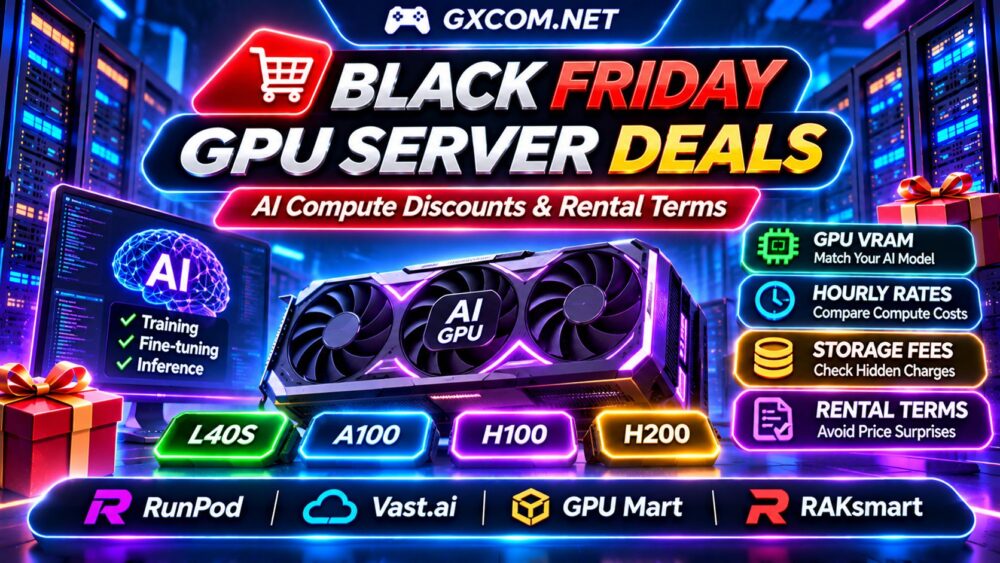
Black Friday GPU server deals can reduce AI infrastructure costs, but the largest advertised discount does not always deliver the best computing value. GPU memory, hourly billing, storage charges, instance availability, and rental commitments can dramatically change the final price.
Whether you are training machine learning models, deploying large language models, or running AI inference, the right promotion should match your workload rather than simply offer a lower headline rate. This guide explains how to compare seasonal GPU discounts and avoid expensive rental mistakes.
What Makes a Black Friday GPU Server Deal Worth Buying?
A worthwhile deal combines suitable GPU hardware, predictable billing, sufficient memory, and transparent rental conditions. Compare the complete configuration rather than focusing exclusively on the discount percentage.
Check whether the offer applies to hourly cloud instances, reserved capacity, monthly GPU servers, or dedicated hardware. These products have different billing structures and operational responsibilities.
For year-round alternatives, explore our Affordable GPU Servers Guide before committing to a seasonal promotion.
Choose GPU Hardware Based on Your AI Workload
AI training and inference require different combinations of GPU memory, processing throughput, and interconnect performance. A cheaper GPU with insufficient VRAM may force smaller models, aggressive quantization, or inefficient CPU offloading.
| Workload | Primary Requirement | Buying Consideration |
|---|---|---|
| Model experimentation | Flexible GPU access | Hourly rates and storage |
| LLM inference | VRAM and throughput | Tokens per second and concurrency |
| Fine-tuning | Memory and sustained compute | Training duration and checkpoints |
| Large-scale training | Multiple GPUs and networking | Interconnects and reserved capacity |
GPU names alone cannot determine value. Evaluate the specific accelerator, available VRAM, software compatibility, and measured performance for your model.
Our NVIDIA AI GPU Servers Guide provides additional hardware context.
Four GPU Hosting Providers to Compare
RunPod: Flexible AI Compute
RunPod is relevant to developers comparing cloud GPU deployments for model experimentation, training, and inference. Review available accelerator models, deployment options, persistent storage charges, and instance billing.
Before purchasing, confirm whether any seasonal promotion applies to your selected deployment type and whether additional infrastructure fees remain unchanged.
Vast.ai: GPU Marketplace Pricing
Vast.ai offers a marketplace approach to GPU compute. Buyers should compare individual instance specifications, host reliability, storage arrangements, network performance, and interruption conditions.

Marketplace prices and availability can vary. A low hourly rate should be evaluated alongside the reliability and performance needed to finish your workload.
GPU Mart: GPU VPS and Server Options
GPU Mart is a candidate for customers exploring GPU VPS and hosted GPU infrastructure. Compare available hardware, operating system options, resource allocation, support coverage, and billing commitments.
Verify whether the selected GPU configuration supports your framework and whether the quoted price includes all necessary services.
RAKsmart: Dedicated GPU Infrastructure
RAKsmart is relevant to organizations comparing dedicated GPU server configurations and longer-term infrastructure requirements. Review accelerator availability, server location, network capacity, deployment timelines, and contract conditions.
Dedicated resources may suit sustained workloads, but they are not automatically cheaper than elastic cloud instances.
Hourly GPU Discounts vs Monthly Server Rentals
Hourly billing works well for experiments and irregular workloads. Monthly rentals may become attractive when GPU utilization remains consistently high, provided the hardware is suitable.
Consider two hypothetical offers with comparable performance:
| Billing Item | Hourly GPU | Monthly GPU |
|---|---|---|
| Advertised rate | $0.70/hour | $390/month |
| 200 compute hours | $140 | $390 |
| 600 compute hours | $420 | $390 |
| Additional storage | Not included | Verify inclusion |
At 200 hours, hourly rental costs less. At 600 hours, the monthly option is cheaper before additional fees. These figures are illustrative and do not represent current supplier quotations.
Actual comparisons must account for hardware performance, billing granularity, availability, and storage.
Spot GPU Instances: Savings and Interruption Risks
Spot or interruptible GPU capacity can reduce computing costs when workloads tolerate interruptions. However, discounted capacity may disappear before a training job finishes.
Checkpoint frequently, store important outputs independently, and calculate the cost of restarting failed work. Spot instances are less suitable for applications requiring uninterrupted availability.
Compare spot pricing with stable on-demand capacity rather than assuming the lowest hourly price guarantees the lowest completed-job cost.
Hidden GPU Cloud Costs to Check
GPU rental invoices may include charges beyond accelerator usage. Persistent disks, retained volumes, public IP addresses, data transfers, and managed services can increase total spending.
Some services continue charging for storage after GPU compute stops. Deleting an instance may also have different consequences from stopping it, particularly when persistent data is involved.
Before renting, determine which resources remain billable while the GPU is idle and how to preserve checkpoints without paying for unnecessary compute.
Our GPU vs CPU Server Comparison also helps identify workloads that genuinely benefit from acceleration.
Black Friday Coupon and Rental Terms
Seasonal GPU promotions may apply only to eligible accounts, specific accelerator types, selected regions, or particular rental periods. Never assume a promotional rate covers every available GPU.
Check minimum deposits, credit expiration, refund eligibility, automatic renewals, and whether discounts can be combined with other offers.
For reserved or dedicated servers, investigate cancellation notice periods, setup charges, hardware replacement policies, and the price after the promotional term.
How to Calculate Your Real AI Compute Cost
Start with the expected GPU hours required to complete your task. Add persistent storage, networking, setup charges, and any recurring commitments.
For inference, compare cost per completed request or per million generated tokens. For training, compare the cost of reaching a target result rather than simply counting GPU hours.
A faster accelerator may justify a higher hourly rate if it completes the same workload substantially sooner. Benchmark representative tasks before making a long-term commitment.

Managed GPU Cloud vs Dedicated GPU Servers
Cloud GPU platforms offer flexible deployment and resource selection. Dedicated GPU servers can provide predictable hardware access for sustained production workloads.
The right choice depends on utilization, administrative expertise, availability requirements, and the cost of maintaining the environment.
Explore our NVIDIA GPU Server Providers Comparison when evaluating longer-term alternatives.
Black Friday GPU Server Buying Checklist
- Verify the promotion on the official checkout page.
- Confirm GPU model, VRAM, and framework compatibility.
- Compare hourly, monthly, and reserved rental costs.
- Check storage, network, and idle-resource charges.
- Review interruption policies and checkpoint options.
- Confirm coupon restrictions, refunds, and renewal terms.
Frequently Asked Questions
Are Black Friday GPU Discounts Permanent?
Not necessarily. Some offers apply only to introductory periods, eligible instances, or limited promotional credits.
Is Hourly GPU Rental Better Than Monthly Hosting?
Hourly rental generally suits irregular workloads, while monthly hosting may offer better value for sustained utilization.
Should I Choose the Cheapest GPU?
No. Memory capacity, performance, reliability, and total job completion costs are more important than hourly price alone.
Final Verdict
The best Black Friday GPU server deals combine appropriate accelerator hardware with transparent compute pricing, manageable storage costs, and reasonable rental conditions.
Compare RunPod, Vast.ai, GPU Mart, and RAKsmart using your actual workload, expected utilization, and total billing period. The strongest promotion is the one that reduces the cost of completed AI work—not merely the advertised hourly rate.