Running an ARK community across several maps creates challenges that ordinary single-server hosting cannot solve. Administrators must connect worlds, configure survivor transfers, protect dinosaur and item data, and budget for every active server.
This Survival Servers ARK cluster hosting review examines map management, Cluster Codes, transfer restrictions, backups, and operating costs. We also compare relevant features with Host Havoc, Sparked Host, and Shockbyte.
GXCOM.NET evaluated publicly available provider documentation. We have not independently benchmarked these servers or tested their customer support.
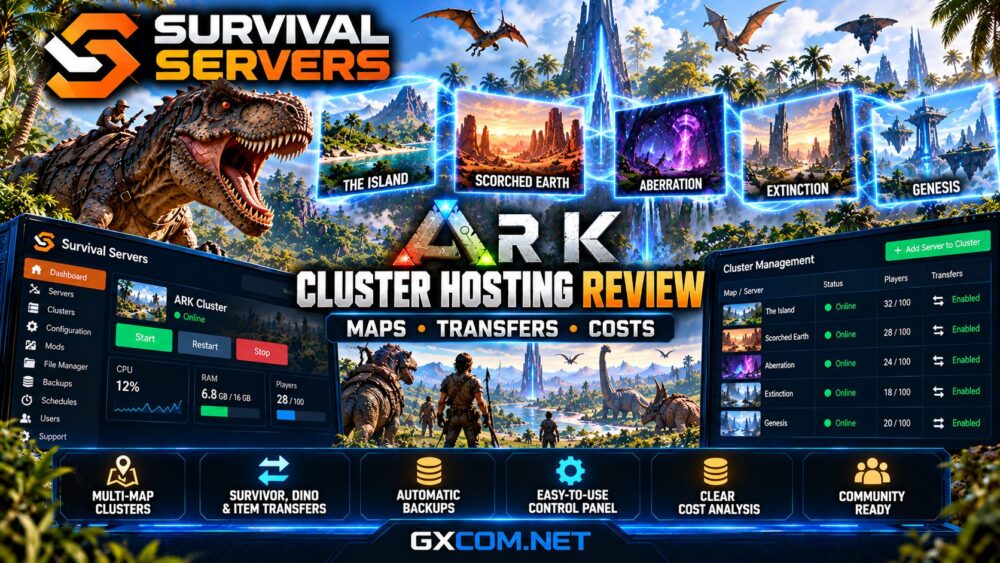
Survival Servers ARK Cluster Hosting: Quick Verdict
Survival Servers is worth considering for ARK communities that need multiple connected maps and configurable transfer permissions. Its control panel provides cluster management, map selection, and server configuration tools.
However, administrators must distinguish between changing a map on one server and running multiple maps simultaneously.
A true multi-map cluster requires additional active server instances, increasing recurring costs and management responsibilities.
| Feature | Survival Servers |
|---|---|
| Cluster configuration | Cluster Code and management tools |
| Multiple maps | Separate instances for simultaneous operation |
| Character transfers | Configurable upload and download permissions |
| Dinosaur transfers | Supported with configurable restrictions |
| Item transfers | Upload and download controls |
| ASA backups | Advertised automatic backups |
| Administration | Custom control panel and FTP access |
Explore Survival Servers ARK Cluster Hosting
How ARK Server Clusters Work
An ARK cluster connects multiple servers so players can travel between compatible worlds while retaining permitted characters, creatures, and items.
For example, a community might operate The Island, Scorched Earth, and Aberration simultaneously.
Each map runs as a separate server instance. Players access the transfer system through supported in-game terminals, including obelisks.
Survival Servers documents a shared Cluster Code for linking eligible servers. Administrators enter matching codes in the relevant server settings.
Each server maintains its own configuration and world data. Consequently, transfer permissions should be reviewed individually rather than assuming every map inherits identical restrictions.
ARK Maps: Switching vs Clustering
Survival Servers offers map-selection tools for its ARK hosting products, but map switching and clustering serve different purposes.
Map switching changes the active world on an existing server. Players cannot simultaneously visit the inactive maps through that single running instance.
Cluster hosting keeps multiple server instances online, allowing eligible players to move between connected maps.
Survival Servers advertises separate map saves for its ASA hosting product, making it possible to return to supported maps without automatically discarding previous progress.
However, administrators should verify save retention and restoration procedures before changing maps.

Not every ARK map is available across both game editions. Confirm current map support before purchasing additional servers.
Configuring Cluster Codes and Transfers
Survival Servers’ documentation describes a straightforward Cluster Code workflow for compatible ARK servers.
- Order the required server instances for your maps.
- Open the configuration page for each eligible server.
- Enter the same unique Cluster Code.
- Review survivor, creature, and item transfer permissions.
- Save settings and restart the affected servers.
- Test transfers using noncritical characters and items.
Cluster identifiers should be unique to the intended community. Using an inappropriate identifier or inconsistent settings can create transfer problems.
Some configuration details vary between ARK: Survival Evolved (ASE) and ARK: Survival Ascended (ASA), so follow the documentation for the purchased edition.
Survivor, Dinosaur and Item Transfer Restrictions
Transfer permissions are essential for maintaining fair gameplay and preventing unwanted imports.
Survival Servers documents separate controls for survivor uploads and downloads, creature transfers, and item transfers.
For example, administrators might permit character transfers while restricting imported dinosaurs from external communities.
Additional settings can limit transfers originating outside the intended cluster.
These restrictions matter particularly for PvP communities, where externally acquired equipment or unusually powerful creatures could disrupt balance.
Before opening transfers publicly, test permissions in both directions. A setting that permits uploads from one map does not necessarily guarantee downloads on another.
Mod compatibility also matters. Certain modified creatures or items may behave unexpectedly during transfers.
ARK Cluster Hosting Costs Explained
The largest budgeting mistake is assuming that one hosting subscription covers every simultaneously active map.
Survival Servers requires additional server capacity for connected worlds. Its current checkout pricing depends on the selected game edition, player slots, configuration, location, and billing term.
Consider a hypothetical three-map community:
| Instance | Illustrative Monthly Cost |
|---|---|
| The Island | $20 |
| Scorched Earth | $20 |
| Aberration | $20 |
| Combined estimate | $60 |
These figures are illustrative calculations, not verified Survival Servers prices.
Real costs may differ by map, server specifications, upgrades, and promotional terms.
Check the recurring renewal total and any applicable add-on charges before ordering multiple instances.
Check Survival Servers ARK Hosting Prices
Backups and Cluster Data Protection
ARK communities accumulate valuable character progression, structures, inventories, and tamed creatures.
Survival Servers advertises automatic ASA backups up to four times daily, with six-month retention on its published ASA product page.
These terms should not automatically be assumed for every ASE package or historical subscription.
Cluster administrators should verify whether individual map backups include all necessary transfer-related data.
Before changing Cluster Codes, removing maps, or updating major modifications, preserve world saves and important configuration files.
Test restoration procedures regularly. Restoring one map to an older state while other maps remain current can create inconsistent progression.
Performance and Multi-Map Resource Planning
Each active ARK map consumes processing, memory, and storage resources.
Large bases, extensive dinosaur populations, mods, and concurrent players can increase demand significantly.
Survival Servers advertises high-performance CPUs and SSD or NVMe-based hosting options, depending on the product.
However, hardware descriptions alone cannot establish real-world performance under equivalent workloads.
Choose server locations near your players, monitor resource usage, and allow sufficient capacity for peak activity.
A cluster with several lightly populated maps may have different requirements from one heavily modified public server.
Survival Servers vs Other ARK Hosting Providers
Survival Servers competes with several managed game hosting providers, although their cluster workflows and package structures differ.
Host Havoc
Host Havoc documents automatic clustering for eligible ASE servers under the same customer account, without manually assigning a Cluster ID.
Our Host Havoc ARK hosting review explains its TCAdmin management and backup procedures.
Sparked Host
Sparked Host is another approved hosting alternative. Buyers should confirm current ARK edition support, cluster availability, resource allocation, and pricing before ordering.

Shockbyte
Shockbyte also offers managed game hosting services. Verify the available ARK products and cluster features for your intended edition.
For a direct comparison, read our Survival Servers vs Host Havoc ARK comparison.
Who Should Choose Survival Servers?
Survival Servers is particularly relevant to administrators who want configurable cross-map transfers and centralized ARK management.
Its cluster tools may suit established communities with dedicated moderators and several active maps.
Smaller groups should first consider whether a single server with occasional map switching meets their needs.
For a broader assessment of the provider, see our Survival Servers review covering ARK hosting, administration, and support.
Frequently Asked Questions
Can Survival Servers host multiple ARK maps?
Yes. Multiple active maps require separate server instances connected through supported cluster settings.
Can players transfer dinosaurs between maps?
Yes, where compatible transfer settings permit it. Administrators can restrict creature uploads and downloads.
Does clustering require extra payment?
Additional server instances involve hosting costs. Verify current cluster add-on pricing and renewal terms at checkout.
Can ASA and ASE servers share one cluster?
Do not assume cross-edition compatibility. ASE and ASA are separate server ecosystems with different technical requirements.
Final Verdict: Is Survival Servers Good for ARK Clusters?
Survival Servers provides documented ARK cluster management, configurable transfers, map controls, and edition-specific administration features.
Its strongest appeal is flexibility for communities operating several connected worlds.
However, administrators should carefully evaluate additional server costs, transfer restrictions, backup coverage, and game-version compatibility.