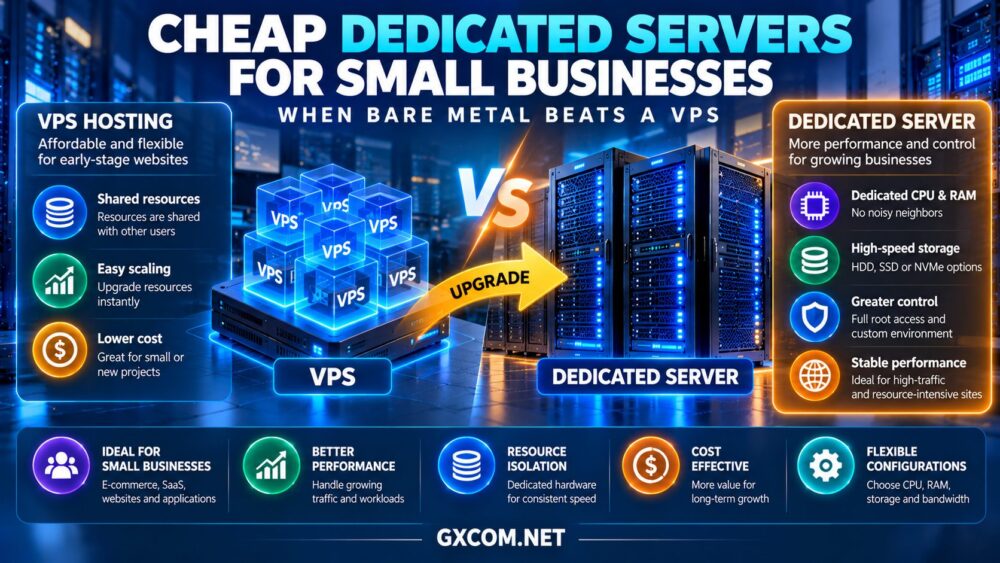
Finding cheap dedicated servers for small businesses is not simply about choosing the lowest monthly price. A growing online store, business application, or customer portal may eventually need more predictable performance than a shared virtual environment can provide. Yet upgrading too early can create unnecessary hardware and administration costs.
The real question is when dedicated hardware delivers enough value to justify replacing a VPS. This guide explains the performance differences, identifies workloads that benefit from physical resource isolation, and compares affordable infrastructure options from InterServer, Bacloud, NovoServe, and DediXLAB.
What Is a Cheap Dedicated Server?
A dedicated server is a physical machine allocated to one customer. Unlike a conventional VPS, its physical processor and memory resources are not divided among unrelated virtual server tenants.
Budget dedicated hosting typically emphasizes economical hardware configurations, limited management services, or competitive infrastructure pricing. Lower prices do not necessarily indicate poor quality, but buyers should examine processor age, storage health, network allowances, and support coverage.
Some inexpensive dedicated servers use older processors that may perform worse than newer VPS instances for lightly threaded applications. Hardware ownership at the hosting level does not automatically translate into faster websites.
For a broader technical comparison, read our dedicated server vs VPS guide.
When Does Bare Metal Beat a VPS?
Consistent CPU Performance
Dedicated hardware becomes attractive when applications sustain high CPU utilization for extended periods. Database processing, scheduled reporting, application builds, and background jobs can suffer when a shared virtual environment experiences resource contention.
A dedicated server provides exclusive physical compute capacity, although application performance still depends on processor architecture, memory speed, and software optimization.
Businesses should compare actual benchmarks rather than relying on advertised core counts alone.
Predictable Memory and Storage Resources
Memory-intensive applications may benefit from a dedicated machine with substantial RAM and locally attached storage. Database caching, search indexing, and multiple application services can consume resources quickly.
NVMe drives can improve storage responsiveness, but buyers should investigate drive redundancy, sustained I/O performance, and backup arrangements.
Our dedicated server hardware guide explains how to evaluate these specifications before purchasing.
Long-Running Workloads
For predictable applications operating continuously, dedicated hosting may offer attractive resource capacity relative to its recurring price. A VPS remains useful when demand fluctuates, rapid provisioning matters, or the business needs only modest resources.
Dedicated servers are therefore most compelling when utilization is consistently high and the organization can manage the additional operational responsibilities.
Best Affordable Dedicated Hosting Providers for Small Businesses
The following providers deserve consideration when evaluating economical dedicated infrastructure. Their suitability depends on current hardware availability, location, service terms, and the specific product selected.

1. InterServer: Conventional Dedicated Hosting
InterServer is worth evaluating for small businesses seeking dedicated hosting without immediately moving into complex enterprise infrastructure.
Compare its available processor configurations, memory capacity, storage options, and operating system support. Businesses migrating from VPS hosting should also clarify setup procedures, backup responsibilities, and administrative access.
Best for: Small business websites and applications requiring dedicated resources with straightforward infrastructure requirements.
2. Bacloud: Budget-Oriented Dedicated Infrastructure
Bacloud offers dedicated infrastructure options worth comparing when price and regional availability are important purchasing factors.
Check the exact processor model, storage configuration, bandwidth allocation, and support terms. An older dedicated machine may provide useful capacity, but its performance and power efficiency can differ significantly from modern cloud hardware.
Best for: Technically capable businesses seeking economical physical servers for predictable workloads.
3. NovoServe: Dedicated Servers with Network Considerations
NovoServe is relevant for organizations evaluating dedicated servers where network connectivity and traffic requirements influence the purchasing decision.
Small businesses running download services, customer portals, or media-heavy applications should compare port speeds, traffic policies, and available deployment locations.
Before ordering, confirm the chosen server’s hardware specifications and whether additional services are needed for backup, monitoring, or system management.
Best for: Businesses with steady infrastructure demand and meaningful network traffic requirements.
4. DediXLAB: Additional Budget Dedicated Server Options
DediXLAB can be included in a shortlist when comparing affordable dedicated server configurations.
Evaluate available hardware, provisioning conditions, operating system choices, and network limits against competing offers. Businesses should also verify support arrangements and any charges for optional services.
Best for: Budget-conscious buyers willing to compare specific server configurations and handle technical administration.
Cheap Dedicated Server Providers Compared
| Provider | Buying Focus | What to Check |
|---|---|---|
| InterServer | General small business hosting | Hardware, support and OS options |
| Bacloud | Economical physical infrastructure | CPU generation and storage |
| NovoServe | Network-sensitive workloads | Traffic policy and location |
| DediXLAB | Budget configuration comparison | Availability and service terms |
These descriptions identify purchasing considerations rather than measured performance rankings. Request current specifications before comparing offers.
Dedicated Server vs VPS: Total Cost Comparison
Monthly rental prices can be misleading because dedicated hosting may require additional administration, backup storage, software licenses, and monitoring.
Consider a hypothetical small business paying $45 monthly for a VPS. A dedicated server might cost $75 monthly, with another $15 for backups and $20 allocated to administration.
The VPS would total $540 annually before additional services. The dedicated environment would total approximately $1,320 annually under these assumptions.
The higher expense may be justified if dedicated resources improve transaction processing or eliminate recurring performance limitations. However, the upgrade is difficult to justify when a smaller VPS already meets service requirements.
These figures are illustrative, not current supplier quotations. Compare actual offers through our affordable dedicated server deals guide.
Which Small Business Workloads Benefit Most?
Growing e-commerce stores: Dedicated hosting can help when database activity, checkout processing, and background operations consistently consume substantial resources.
Business databases: Applications with sustained memory and storage requirements may benefit from dedicated hardware, provided redundancy and recovery are properly designed.
Small SaaS platforms: Predictable compute capacity can support steady application workloads, although a single physical server remains a potential point of failure.
Development infrastructure: Build servers, internal testing environments, and self-hosted tools may benefit from exclusive resources when utilization is consistently high.

For additional purchasing considerations, see our bare metal server providers comparison.
When Should a Small Business Stay on a VPS?
A VPS is often the better choice for new websites, low-traffic business applications, and workloads that need flexible resource adjustments.
Virtual servers can also reduce the operational burden associated with replacing physical hardware. Depending on the provider and product, cloud infrastructure may offer easier snapshots, rapid instance deployment, or managed recovery features.
Do not upgrade solely because a dedicated server advertises more CPU cores. Investigate slow database queries, inefficient plugins, insufficient caching, and storage bottlenecks first.
Five Checks Before Buying Budget Bare Metal
- Verify processor performance: Compare CPU generation and relevant workload benchmarks.
- Inspect storage arrangements: Confirm drive types, redundancy, and replacement policies.
- Understand network limits: Review port speed, transfer allowances, and additional charges.
- Clarify support responsibilities: Determine who handles operating system updates, security, and recovery.
- Plan migration and backups: Test restoration procedures before moving production applications.
Businesses still considering virtual infrastructure can compare alternatives in our cheap VPS providers guide.
Final Verdict
The best cheap dedicated servers for small businesses are not necessarily the lowest-priced machines. They are servers that deliver sufficient performance, manageable operating costs, and reliable infrastructure for specific business needs.
InterServer, Bacloud, NovoServe, and DediXLAB provide different options to investigate. Dedicated hardware makes sense when sustained workloads justify physical resource isolation. For smaller or unpredictable applications, a well-configured VPS may remain the smarter investment.