A Minecraft server can have plenty of RAM and still struggle with low TPS, delayed entity movement, or slow chunk loading. One common reason is that its world-distance settings create more work than the available CPU can handle.
Understanding Minecraft view distance vs simulation distance is an important step toward improving server performance without immediately purchasing more hardware. Although these settings are related, they control different aspects of the world around each player.
This guide explains how both settings work in Minecraft Java Edition, how they affect CPU, RAM, and network usage, and how to choose practical values for survival, multiplayer, and modded servers.
What Is View Distance in Minecraft?
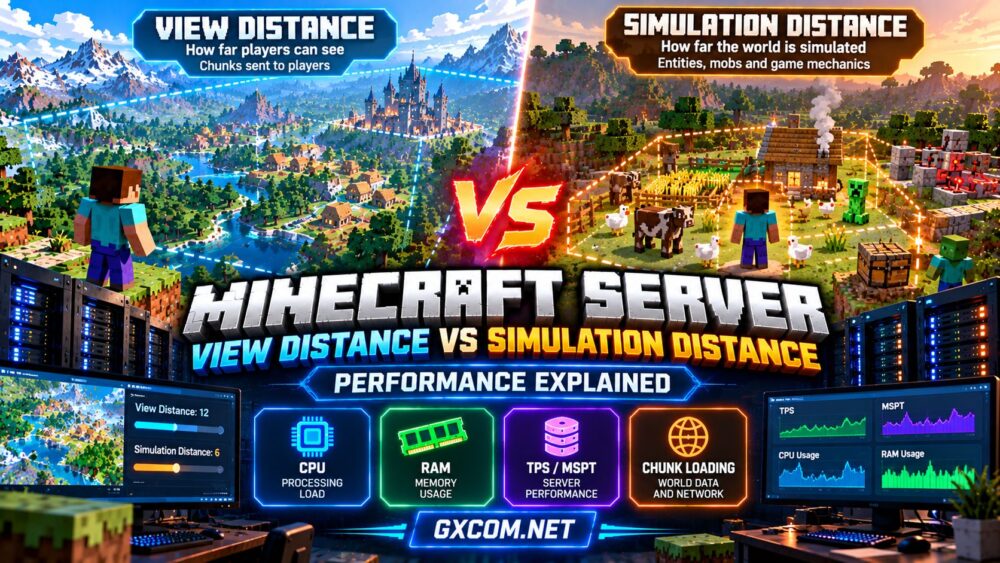
View distance determines how far the server sends world chunks to connected players. In a Java dedicated server, the relevant setting is view-distance in the server.properties file.
A higher value allows players to receive terrain information farther from their current position. This can improve the feeling of an expansive world, particularly when exploring mountains, oceans, or large builds.
However, sending more chunks increases the amount of world data the server must manage and transmit. The effect depends on how many players are online, where they travel, whether chunks are already generated, and the server software being used.
View distance should not be confused with a player’s client-side render distance. The client can request a longer visual range, but the server’s chunk-sending limit still matters.
What Is Simulation Distance in Minecraft?
Simulation distance controls the radius around players within which chunks participate in normal server-side simulation. Its Java server setting is simulation-distance.
Within the relevant simulation area, game systems such as entity updates, eligible mob behavior, and random-tick-based activities may operate according to Minecraft’s rules.
Reducing simulation distance can lower the amount of active world processing. This may help a server maintain stable tick performance when many players are spread across different locations.
However, simulation distance is not a universal on/off switch for every game mechanic. Entity activation, mob spawning, chunk tickets, and plugin behavior can have additional rules, especially on modified server software.
Minecraft View Distance vs Simulation Distance: Key Differences
| Feature | View Distance | Simulation Distance |
|---|---|---|
| Main purpose | Controls chunk data sent to players | Controls the normal simulation area |
| Player experience | How far server-provided terrain extends | How far relevant game activity continues |
| Typical resource impact | Chunk management, memory, network traffic | CPU time for active simulation |
| Relevant Java setting | view-distance |
simulation-distance |
| Common optimization goal | Reduce unnecessary chunk delivery | Reduce unnecessary simulation work |
The important distinction is that a chunk can be visible to a player without every normal game system inside it being actively simulated.
This separation allows administrators to preserve a useful viewing range while limiting simulation overhead.
How Chunk Distance Affects Server Workload
Minecraft distances are measured in chunks, with each chunk covering 16 by 16 blocks horizontally.
For a simplified square area, the number of chunk positions within radius d is approximately (2d + 1)². Actual loading and simulation behavior is more complicated, but this calculation illustrates why distance increases can become expensive.

| Distance Setting | Illustrative Square Area |
|---|---|
| 4 chunks | 81 chunk positions |
| 6 chunks | 169 chunk positions |
| 8 chunks | 289 chunk positions |
| 10 chunks | 441 chunk positions |
| 12 chunks | 625 chunk positions |
These figures are geometric illustrations, not measured counts of actively ticking chunks or actual server resource consumption.
Overlapping player areas can reduce duplication, while players exploring separate regions can expand the total workload significantly.
Which Setting Has the Greater Effect on TPS?
Simulation distance often deserves attention when a server is limited by active world processing. Lowering it can reduce the number of chunks eligible for normal simulation and associated work.
View distance may become more important when chunk delivery, generation, memory usage, or networking is the primary bottleneck.
Neither setting is guaranteed to fix lag. Poorly optimized plugins, large entity concentrations, expensive farms, and slow storage operations may cause problems independently.
Before changing hardware, read our Minecraft server performance optimization guide for a broader troubleshooting approach.
Recommended Starting Settings for Different Servers
There is no universal best configuration. The following values are conservative testing examples for modern Java servers, not official recommendations or guaranteed performance targets.
| Server Type | View Distance | Simulation Distance |
|---|---|---|
| Small private survival server | 8–10 | 6–8 |
| Busy multiplayer survival server | 6–8 | 4–6 |
| Resource-intensive modded server | 6–8 | 4–6 |
| Exploration-focused community | 8–12 | 6–8 |
Start with values appropriate for your server software and available hardware. Change one setting at a time and observe performance during realistic player activity.
Increasing either distance may improve the experience in some situations, but it can also increase resource consumption.
How to Change View Distance and Simulation Distance
On a typical Minecraft Java dedicated server, both settings are found in server.properties.
For example:
view-distance=8
simulation-distance=6
To update these values:
- Stop the server safely and ensure a current backup exists.
- Open the
server.propertiesfile. - Locate the two distance settings and enter the chosen values.
- Save the file and restart the server.
- Test exploration, farms, entity behavior, and performance.
Some managed hosting panels expose these settings directly. Paper-based servers and other modified implementations may provide additional world-management controls.
Always confirm that the values are supported by your installed version and hosting environment.
Measure TPS and MSPT Before Upgrading Hardware
TPS, or ticks per second, describes how frequently the server completes game ticks. A healthy Minecraft server generally aims to maintain its intended rate of 20 TPS.
MSPT, or milliseconds per tick, measures the processing time required for a tick. At 20 TPS, the server has an average budget of approximately 50 milliseconds per tick.
Monitoring MSPT alongside TPS helps administrators identify when the server is approaching its processing limits.
Use compatible profiling and diagnostic tools to investigate expensive operations. Depending on your server implementation, these may include built-in timing information or supported performance profilers.
Compare measurements before and after changing distance settings. Test during similar player counts and activities to avoid drawing conclusions from unrelated workload differences.
Why Adding RAM Does Not Always Fix Minecraft Lag
Additional memory helps when the server is genuinely constrained by RAM. Large modpacks, extensive worlds, and supporting applications may require larger allocations.
However, more RAM does not automatically increase the speed of the main game loop. If the bottleneck is CPU processing, increasing memory alone may have little effect.
For memory-specific planning, see our Minecraft server RAM requirements guide.
Administrators running extensive modpacks should also review our large Minecraft modpack hosting guide, since modded workloads can behave differently from vanilla servers.
Choosing Minecraft Hosting for Better Performance
Once software settings have been optimized, persistent performance problems may justify a hosting upgrade.
Sparked Host and Godlike.Host are two options to investigate when comparing managed Minecraft hosting. Check available processor information, memory allocations, server locations, and support for your preferred server software.
ScalaCube and Supercraft.host are additional candidates for evaluating Minecraft hosting plans. Compare modpack support, upgrade flexibility, backups, and control-panel access rather than relying on marketing labels alone.
Shockbyte is another option to include in your shortlist. Confirm the current plan’s resource policies and compatibility before purchasing.
These providers should be compared using current product specifications. No provider can guarantee that a particular view distance or simulation distance will deliver identical performance across every Minecraft world.

For a broader shortlist, visit our best Minecraft server hosting comparison.
Common Mistakes When Optimizing Distance Settings
- Increasing both settings immediately: This can expand workload without identifying the original bottleneck.
- Assuming more RAM fixes every problem: CPU-bound servers require a different approach.
- Testing with no players online: Idle measurements may hide real-world simulation costs.
- Ignoring farms and game mechanics: Lower simulation distance can change expected gameplay behavior.
- Changing too many settings together: This makes performance improvements difficult to attribute.
Frequently Asked Questions
Should view distance be higher than simulation distance?
It often makes sense to use a longer viewing range than simulation range, allowing players to see terrain beyond the area receiving normal simulation. The best relationship depends on gameplay needs and server performance.
Does lowering simulation distance improve TPS?
It can improve TPS when active world simulation is a significant bottleneck. Results depend on the workload, player distribution, and server implementation.
Does view distance affect RAM usage?
Yes. Managing and sending additional chunks can increase memory requirements, although the precise effect depends on the world and server configuration.
Can simulation distance affect farms?
Yes. Some farms and entity-based systems depend on relevant chunks being simulated. Test important community builds before adopting lower settings permanently.
Final Thoughts
The most useful lesson from Minecraft view distance vs simulation distance is that visibility and simulation are separate performance considerations.
Adjust simulation distance when active world processing is the bottleneck, and review view distance when chunk delivery and world-loading overhead are excessive. Measure TPS and MSPT, preserve important gameplay mechanics, and upgrade hosting only when evidence shows the existing resources are insufficient.
When comparing providers such as Sparked Host, Godlike.Host, ScalaCube, Supercraft.host, and Shockbyte, prioritize appropriate CPU performance, sufficient RAM, and practical server management tools over headline specifications alone.