Choosing the best VPS server locations for gaming can make a noticeable difference in multiplayer responsiveness. A powerful processor and generous RAM cannot compensate for poor network routing between your players and the game server.
However, the closest data center is not always the fastest. Internet routing, network congestion, jitter, and packet loss also affect the experience.
This guide explains how to choose a low-latency gaming VPS region, compare common hosting locations, and test network performance before purchasing.
Why VPS Server Location Matters for Gaming
When a player sends an action to a multiplayer server, that information travels across networks before the server processes it and returns a response.
The round-trip delay is commonly measured as ping, expressed in milliseconds.
Longer distances often increase latency because signals must travel through physical infrastructure. However, routing quality and congestion can produce different results between locations that appear equally close.
For administrators comparing infrastructure, AlphaVPS is one VPS-oriented option worth evaluating. Host Havoc is also relevant when comparing managed game hosting. Confirm each product’s available regions and access level before ordering.
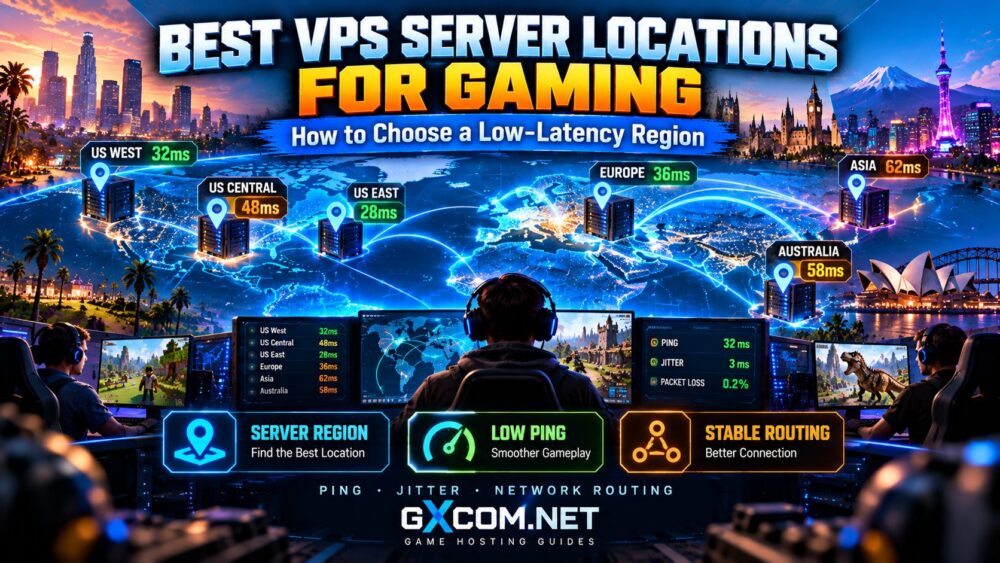
Best Gaming VPS Regions: Quick Comparison
| Region | Typical Audience | Selection Consideration |
|---|---|---|
| US East | Eastern North America | Useful for eastern US and Canadian communities |
| US Central | Distributed US communities | Potential compromise for coast-to-coast players |
| US West | Western North America | Relevant for Pacific Coast communities |
| Western Europe | European communities | Compare major network hubs and routing |
| Singapore | Southeast Asian communities | Check international and regional connectivity |
| Tokyo | Japan and nearby Asian markets | Evaluate routing from actual player networks |
| Sydney | Australia and nearby communities | May reduce latency for Australian players |
These are geographic starting points, not guaranteed performance rankings. Actual results depend on the players’ internet providers and the host’s network.
US East vs US West vs Central Gaming VPS
For a community concentrated on the US East Coast, an eastern data center is usually a sensible first candidate. The same principle applies to West Coast communities.
When players are distributed across the United States, a central location may provide a more balanced experience.
However, a centrally located server does not guarantee the lowest average ping. Network routes can differ substantially between providers.
Test representative players from each region instead of choosing a city based only on its position on a map.

Best European and Asian VPS Locations
European gaming communities commonly evaluate locations such as Frankfurt, Amsterdam, London, and Paris because these cities are important connectivity markets.
The best choice depends on where your players connect from and how their ISPs route traffic to each data center.
For Southeast Asian players, Singapore is a logical candidate. Japanese communities may benefit from Tokyo, while Australian audiences should evaluate domestic locations such as Sydney.
Cross-border routes can be unpredictable. A server that works well for one country may perform poorly for another despite similar geographic distances.
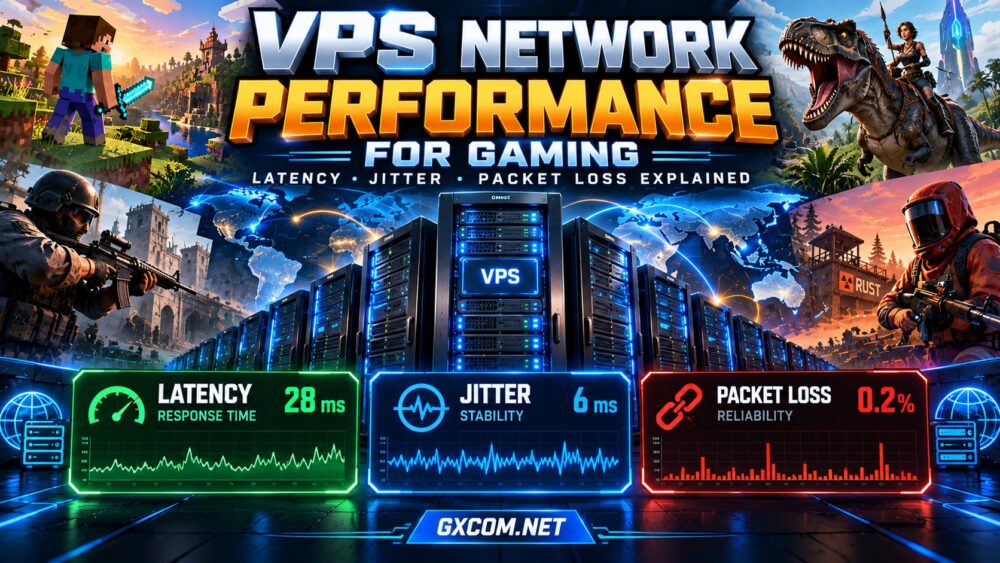
Ping, Jitter and Packet Loss Explained
Ping measures round-trip delay. Lower latency generally helps actions reach the server sooner.
Jitter describes variation in packet timing. High jitter can cause inconsistent responsiveness even when average ping looks acceptable.
Packet loss occurs when network packets fail to arrive. Depending on the game and transport protocol, this can produce movement problems, delayed actions, or disconnections.
These measurements should be evaluated together rather than using ping alone.
For additional background, see our game server lag reduction guide.
How to Test Gaming VPS Latency Before Buying
Whenever possible, request a provider’s test IP or network test endpoint for the exact data center you are considering.
- Identify your players. List the main countries, regions, and internet providers represented in your community.
- Test multiple locations. Compare at least two suitable data centers rather than assuming the nearest is best.
- Measure repeated latency. Run tests at different times, including peak evening hours.
- Check packet loss and jitter. Use appropriate network diagnostics where supported.
- Compare real gameplay. Validate performance with the intended game and representative players.
ICMP ping can be useful, but some networks deprioritize or block it. A poor ICMP response does not always mean the game traffic will behave identically.
Use game-specific tests when available, and do not confuse network latency with server-side tick delays.
Our game server tick rate guide explains that distinction.
Gaming VPS Providers and Server Location Options
Location availability changes as providers expand or modify their infrastructure. Confirm the exact location offered by the selected product rather than relying on a provider’s general global coverage.
AlphaVPS
AlphaVPS is worth evaluating for self-managed VPS infrastructure. Compare its currently available regions, network policies, CPU allocation, and test endpoints.
Host Havoc
Host Havoc is relevant to administrators comparing managed game server locations. Check whether the selected game and package are available in your preferred region.
Sparked Host
Sparked Host is another option for game-hosting comparisons. Review the actual product type, region availability, and whether the plan provides the server access you require.
Godlike.Host
Godlike.Host can also be evaluated for multiplayer hosting. Confirm supported games, deployment locations, and the network information available before purchasing.
Important: A managed game server is not necessarily a VPS. Root access, operating-system control, and region selection vary by product.
For broader comparisons, visit our best gaming VPS hosting guide.
How to Choose a Region for International Players
For geographically distributed communities, focus on the experience of your actual players rather than choosing the lowest ping for one administrator.
Consider the average latency, the worst-affected player groups, and whether a single location can provide acceptable performance.
If players are divided between distant continents, one server may not deliver low latency to everyone.
Depending on the game, separate regional servers or communities may offer a better experience than forcing all players onto one distant instance.
Gaming VPS Location Buying Checklist
- Primary player countries and regions
- Actual data center city and test endpoint
- Repeated latency, jitter, and packet loss measurements
- CPU and RAM capacity for the game
- Game-compatible DDoS protection
- Bandwidth policies and routing quality
- Region migration and upgrade options
- Renewal costs and cancellation terms
Hardware still matters. Read our gaming VPS requirements guide before finalizing the configuration.

Frequently Asked Questions
Which VPS Location Is Best for Gaming?
The best location is usually one that delivers consistently low latency and packet loss for the majority of your players, not necessarily the geographically closest city.
Is a US Central VPS Better for All American Players?
Not always. A central location can be a reasonable compromise, but real routing and player distribution determine the outcome.
Does a Faster CPU Reduce Ping?
No. CPU performance affects server processing, while ping primarily reflects network delay. Both influence perceived responsiveness.
Can I Change VPS Locations Later?
Some providers support migrations, but availability, downtime, IP changes, and possible fees vary. Confirm migration policies before purchasing.
Final Verdict: Test the Network, Not Just the Map
The best VPS server locations for gaming are those that consistently serve your players with acceptable latency, stable routing, and minimal packet loss.
Start with geographic proximity, then validate performance using real network measurements and game-specific testing.
For the final purchasing decision, compare location quality alongside CPU allocation, RAM, protection, and total hosting cost.
Our gaming VPS deals comparison explains how to evaluate those costs.