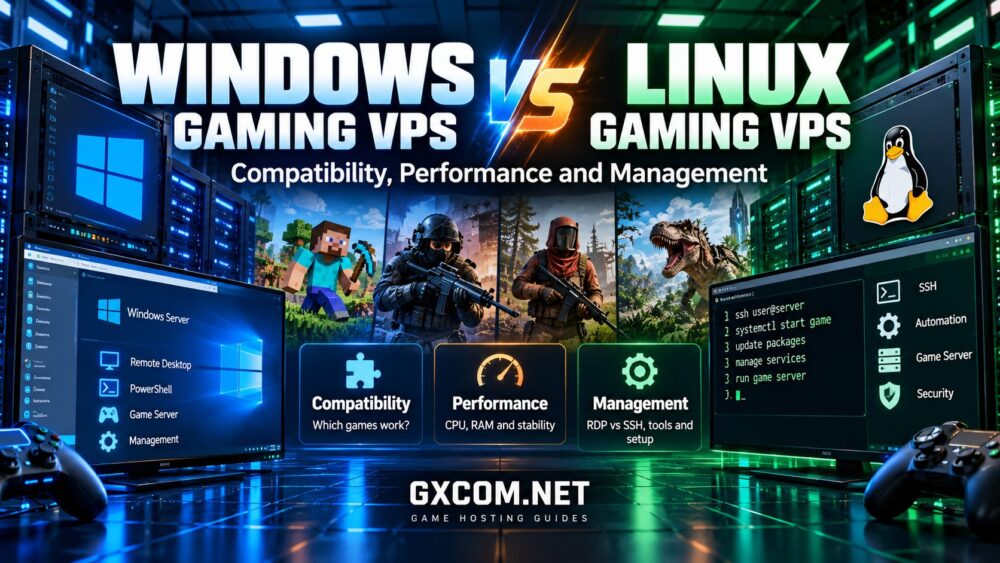
Windows vs Linux VPS for game servers is an important decision for anyone planning to host a multiplayer game on a virtual private server. The operating system affects game compatibility, resource usage, remote administration, security maintenance, and the amount of technical work required to keep a server running.
Linux is often preferred for its lightweight server environment, command-line automation, and flexible management tools. Windows, however, can be the more practical choice when a game requires Windows-specific server software or when administrators depend on Windows-based management applications.
Neither operating system guarantees better multiplayer performance. The right choice depends on the game, the available dedicated server software, your experience, and the hosting resources behind the VPS.
This guide compares Windows and Linux gaming VPS environments, explains their advantages and limitations, and helps you choose an operating system before purchasing or deploying a multiplayer server.
Windows vs Linux Gaming VPS: Quick Comparison
A gaming VPS is a virtual server that provides an operating system environment where administrators can install and manage compatible multiplayer game servers.
Unlike a typical managed game hosting plan, a self-managed VPS usually gives the administrator greater control over system packages, firewall rules, background services, and game server configuration.
That flexibility also creates additional responsibility for maintenance, security, and troubleshooting.
| Feature | Windows Gaming VPS | Linux Gaming VPS |
|---|---|---|
| Game compatibility | Useful for Windows-only dedicated server applications | Excellent when a supported native Linux server build exists |
| System resources | Graphical management can increase baseline resource use | Minimal installations can reduce background overhead |
| Remote management | Remote Desktop, PowerShell, and Windows administration tools | SSH, terminal tools, web panels, and automation scripts |
| Automation | PowerShell and Windows Task Scheduler | Shell scripts, systemd, and scheduled tasks |
| Licensing | Windows licensing may affect total hosting costs | Many common Linux distributions have no operating system license fee |
| Security maintenance | Windows updates, firewall policies, and remote access controls | Package updates, SSH security, firewall rules, and service permissions |
| Learning curve | Often familiar to Windows desktop users | Often preferred by administrators comfortable with Linux |
| Best fit | Windows-specific software and GUI-oriented workflows | Supported native Linux servers and automated hosting environments |
Quick recommendation: Choose Linux when your game has a well-supported native Linux dedicated server and you want a lean, automated hosting environment. Choose Windows when the server application or essential management tools require it.
Before committing to either option, verify the supported operating systems for the exact game version you intend to host.
Why the Operating System Matters for Game Server Hosting
A multiplayer game server performs several tasks simultaneously. It processes player actions, maintains game state, communicates over the network, manages world data, and may run plugins or administrative tools.
The operating system provides the environment in which those processes run. It also determines which server binaries, libraries, services, and management tools can be used.
For example, a game with a native Linux dedicated server may run efficiently on a minimal Linux installation. A game distributed only as a Windows server application may be simpler to deploy on Windows Server.
Compatibility should therefore be your first decision factor. CPU performance, memory allocation, and network quality become meaningful comparisons only after confirming that the game server can run correctly.
Start With the Game, Not the VPS Specification
Before comparing hosting plans, identify the game's official dedicated server requirements.
Check whether the developer provides a Windows server build, a Linux server build, or both. Also review the supported runtime, required dependencies, and any limitations affecting mods or community plugins.
For example, administrators considering AlphaVPS or another infrastructure-focused VPS provider should confirm the available operating system images and whether the intended game server can be installed without unsupported workarounds.
Similarly, managed game hosting providers such as Godlike.Host may offer a more convenient route for supported titles when administrators prefer game-specific control panels instead of maintaining an entire operating system.
For an overview of hardware and resource planning, read our gaming VPS requirements guide.
Game Compatibility: Which Games Work on Windows and Linux?
Compatibility is often the deciding factor in the Windows vs Linux VPS debate.
A game client running on Windows does not automatically mean its dedicated server requires Windows. Developers may publish separate server applications for multiple operating systems.
Likewise, a Linux-compatible game client does not guarantee that every dedicated server feature, plugin, or third-party tool is supported on Linux.
Minecraft Java Edition
Minecraft Java Edition is a strong example of a game server that can run on both Windows and Linux.
Its Java-based server software can operate on supported Java runtime environments, provided the operating system and installed Java version meet the requirements of the selected Minecraft release.
Linux is popular for self-hosted Minecraft Java servers because administrators can use lightweight distributions, terminal management, and automated services.
Windows remains practical for administrators who prefer graphical tools or already manage other Windows-based applications.
Plugin and mod compatibility should be checked separately, particularly when using Paper, Fabric, Forge, or specific modpacks.
Counter-Strike 2
Counter-Strike 2 has dedicated server deployment options for supported server environments, including Linux.
For competitive communities, the operating system is only one consideration. CPU consistency, network routing, geographic location, and game server configuration can have a greater influence on the actual experience.
Administrators should follow current Valve deployment documentation rather than assume that instructions from older Counter-Strike versions remain valid.
Rust
Rust dedicated servers are commonly managed through Windows-oriented server deployments, while Linux hosting approaches may involve additional compatibility tooling or provider-specific implementations.
Do not assume that a Windows server binary will run natively on Linux. Compatibility layers and community tools can introduce operational complexity and may not support every update or plugin.
Before choosing a Linux VPS for Rust, confirm the currently supported deployment method, required dependencies, and maintenance implications.
ARK: Survival Ascended and ARK: Survival Evolved
ARK server deployment requirements differ between Survival Ascended and Survival Evolved.
These titles should not be treated as interchangeable when selecting an operating system. A server installation method that works for one version may not be appropriate for the other.
Some hosting environments use compatibility tools to operate Windows-oriented dedicated server software on Linux infrastructure. Such arrangements should be evaluated carefully for support, stability, and update compatibility.
Always check the specific ARK release, server build, and hosting method before selecting a VPS image.
Other Multiplayer Games
Games such as Valheim, Terraria, and Project Zomboid have server ecosystems with their own operating system support and management requirements.
When researching a title, look for official dedicated server documentation rather than relying on the operating system requirements of the game client.
Windows vs Linux VPS Performance: Is Linux Faster?
Linux can offer a lower baseline resource footprint when installed without a graphical desktop and unnecessary background services.
That can be useful on smaller VPS plans where available memory and CPU time are limited.
However, lower operating system overhead does not automatically translate into higher game server performance.
The game engine, CPU architecture, virtualization platform, allocated resources, and active player workload usually matter more than the operating system name alone.
CPU Performance and Server Tick Stability
Many multiplayer games rely on timing-sensitive simulation tasks. A server may struggle if its most demanding processing thread cannot complete work within the intended simulation interval.
Windows and Linux both depend on the underlying CPU resources supplied by the VPS host.

A poorly allocated Linux VPS can perform worse than a properly provisioned Windows VPS, especially when the Linux instance experiences sustained CPU contention.
Conversely, a lightweight Linux environment may leave more resources available for the game when hardware and workloads are otherwise comparable.
For a deeper explanation, see our game server tick rate guide.
RAM Usage and Background Services
A minimal Linux installation generally requires fewer background resources than a full Windows desktop-oriented environment.
Windows Server installations can also be optimized, including through supported configurations without a full graphical desktop.
The important measurement is how much memory remains available after the operating system, game server, plugins, and monitoring tools are running.
Do not assume that switching operating systems will fix insufficient RAM for a large modded world.
Storage Performance
Both Windows and Linux can benefit from fast SSD or NVMe storage.
World saves, game updates, backups, and asset loading may generate disk activity. Actual performance depends on the storage hardware, virtualization layer, file system configuration, and workload.
NVMe is useful, but it does not compensate for inadequate CPU resources or poorly optimized game software.
Network Latency and Packet Loss
Choosing Linux instead of Windows does not inherently make a distant game server geographically closer to its players.
Network performance depends on data center location, routing, congestion, packet loss, and the provider's infrastructure.
Both operating systems support network configuration and diagnostic tools, although their management interfaces differ.
Choosing a Gaming VPS Provider: Windows and Linux Options
Once you understand the compatibility and performance differences, the next step is to choose an appropriate hosting model.
Not every game hosting provider offers a conventional VPS, and not every VPS provider offers managed game server installation. Distinguishing these product categories can prevent unnecessary setup work and unexpected limitations.
AlphaVPS — Infrastructure-Focused VPS Evaluation
AlphaVPS is a relevant provider to investigate when comparing self-managed virtual server infrastructure.
Administrators should review its currently available operating system templates, virtualization resources, data center regions, and product restrictions before selecting a plan.
For Linux-compatible games, a self-managed VPS can provide substantial control over installation, service configuration, and automation.
If Windows is required, verify that the specific product supports a licensed Windows environment rather than assuming Windows Server is included.
Godlike.Host — Managed Game Hosting and Infrastructure Options
Godlike.Host is worth considering for administrators who want to compare managed game hosting with more flexible infrastructure options.
For supported games, a managed hosting environment can reduce the need to install and maintain the operating system directly.
When evaluating its available products, confirm whether the selected service provides full VPS-level operating system access or a managed game control panel, as these are different hosting models.
Sparked Host — Game Hosting and Server Management
Sparked Host offers game hosting and infrastructure-related options that may suit different administrative preferences.
Its game-specific services can be useful for administrators who prefer a control panel, while any self-managed infrastructure option should be evaluated separately for operating system availability and administrative access.
Compare the current product specifications, supported games, server locations, and management responsibilities before purchasing.
Host Havoc — Managed Hosting Alternative
Host Havoc is another provider to consider when the main goal is reliable management of a supported multiplayer game rather than direct operating system administration.
Its managed game hosting approach may be relevant to administrators who want game-specific setup and management features.
It should not automatically be treated as equivalent to a general-purpose Windows or Linux VPS. Confirm the exact product type and available administrative controls.
Which Hosting Model Should You Choose?
| Your Priority | Hosting Model to Evaluate |
|---|---|
| Full control over Linux services and software | Self-managed Linux VPS |
| Windows-specific dedicated server application | Compatible Windows VPS or Windows-capable dedicated server |
| Minimal operating system maintenance | Managed game server hosting |
| Multiple custom services and advanced automation | Self-managed VPS or dedicated infrastructure |
| High sustained workloads and resource isolation | Dedicated server or appropriately provisioned infrastructure |
For a broader comparison of gaming VPS options, read our best gaming VPS hosting guide.
Important: The providers above are relevant options for evaluation, not the results of controlled Windows-versus-Linux performance benchmarks. Verify current operating system support, product type, game compatibility, and service terms before ordering.
Windows VPS Management: RDP, PowerShell and Updates
Windows VPS environments are often attractive to administrators familiar with the Windows desktop ecosystem.
Remote Desktop Protocol, commonly called RDP, provides graphical remote administration when supported and enabled.
PowerShell allows administrators to automate tasks such as starting services, managing files, and performing maintenance operations.
Advantages of Windows Administration
- Familiar graphical administration tools for Windows users.
- Support for Windows-specific server applications and utilities.
- PowerShell scripting for repeatable maintenance tasks.
- Windows Firewall and built-in security management features.
- Compatibility with many Windows-oriented monitoring and backup tools.
Windows Management Considerations
Administrators should plan for operating system updates, potential restart requirements, licensing, remote access security, and available system resources.
RDP should not be exposed carelessly to the public internet. Where practical, restrict administrative access through a VPN, trusted IP addresses, or other appropriately secured access methods.
Use strong authentication, least-privilege accounts, and a documented backup procedure.
Linux VPS Management: SSH, systemd and Automation
Linux is widely used for server workloads because it supports efficient remote management and extensive automation.
Administrators commonly connect through SSH and manage server processes using terminal tools.
On distributions using systemd, game servers can be configured as services that start automatically and restart according to defined policies.
Advantages of Linux Administration
- Minimal installations without a graphical desktop.
- Remote management through SSH.
- Shell scripting and scheduled automation.
- Package management through distribution repositories.
- Flexible service monitoring and logging tools.
- Broad support for server administration software.
Linux Management Considerations
Linux administration requires familiarity with file permissions, service management, software dependencies, and firewall configuration.
Some game server applications also require specific runtime libraries or compatibility layers.
Choose a distribution supported by your server software, and avoid installing unnecessary packages simply because they appear in a generic hosting tutorial.
SteamCMD on Windows vs Linux
SteamCMD is a command-line utility used to install and update many dedicated game server applications distributed through Steam.
It supports Windows and Linux environments, but the availability of SteamCMD does not mean every dedicated game server has native builds for both systems.
The application ID, required dependencies, installation instructions, and supported server binaries must be checked for each game.
Windows Deployment Considerations
Windows administrators may use SteamCMD through Command Prompt, PowerShell, or automation scripts.
They should verify the correct dedicated server application, install required components, configure firewall rules, and document the update process.
Linux Deployment Considerations
Linux administrators commonly run SteamCMD through a dedicated non-root account.
Additional libraries may be required depending on the distribution and server application.
Services should be configured to restart safely, maintain logs, and avoid exposing sensitive credentials.
For practical installation guidance, see our game server setup on VPS guide.
Can Wine or Proton Run Windows Game Servers on Linux?
Some administrators use compatibility tools such as Wine or Proton to run Windows applications in Linux environments.
However, these tools should not be treated as universal solutions for Windows-only dedicated game servers.
Compatibility depends on the application, required libraries, anti-cheat components, server update behavior, and the compatibility tool version.
A deployment that works today may require changes after a game update.
There are also important differences between tools designed primarily for desktop gaming and those suitable for unattended server processes.
Before relying on a compatibility layer, check whether the game developer or hosting platform documents and supports that method.
For business-critical or large community servers, an officially supported server environment is generally easier to maintain than an undocumented workaround.
Windows vs Linux VPS Security: Which Is Safer?
Neither operating system is automatically secure simply because of its name.
Both Windows and Linux require regular updates, restricted administrative access, firewall rules, monitoring, and reliable backups.
The most significant risks often come from weak passwords, exposed management ports, outdated software, unnecessary services, and poorly maintained plugins.
Windows VPS Security Checklist
- Keep Windows Server and game server software updated.
- Restrict RDP access and use strong authentication.
- Configure Windows Firewall to allow only required traffic.
- Use separate administrative accounts where appropriate.
- Monitor unusual login attempts and system activity.
- Maintain tested backups of game data and configuration files.
Linux VPS Security Checklist
- Install security updates for the distribution and server software.
- Use SSH keys where practical and restrict privileged access.
- Run game services under dedicated non-root accounts.
- Configure the firewall for required game and management ports.
- Remove unused packages and services.
- Monitor logs and verify backup restoration procedures.
For both platforms, consider network-level DDoS protection when operating a public multiplayer server.
Windows vs Linux Gaming VPS Costs
Operating system choice can influence the total cost of running a game server, but the monthly VPS price is only one component.
Windows Server licensing may be included in a provider's plan or charged separately, depending on the service and licensing arrangement.
Many Linux distributions do not require a separate operating system license fee, although paid support and commercial software can introduce additional expenses.
Resource allocation, backups, control panels, storage upgrades, bandwidth policies, and management services may also affect the total cost.
| Cost Factor | Windows VPS | Linux VPS |
|---|---|---|
| Operating system license | May be included or separately charged | Often no separate license fee for common distributions |
| Administrative time | Depends on Windows experience and tools | Depends on Linux experience and automation |
| Memory allocation | Allow for the chosen Windows configuration | Minimal installations may reduce baseline overhead |
| Control panels | Optional tools may add costs | Optional tools may add costs |
| Backups | Provider-dependent | Provider-dependent |
| Migration | Application and data compatibility must be checked | Application and data compatibility must be checked |
Instead of comparing only introductory prices, estimate the cost of operating the server for the period you actually expect to use it.
A cheaper plan can become more expensive if it requires substantial troubleshooting, unsupported compatibility workarounds, or repeated migrations.

How to Choose Between Windows and Linux for Your Game Server
The most reliable approach is to make the decision in a clear sequence.
- Identify the exact game and server version. Do not assume that different releases have identical operating system requirements.
- Confirm native server compatibility. Check whether official Windows or Linux dedicated server binaries are available.
- Review required plugins and tools. Verify that mods, management panels, and automation utilities work in the intended environment.
- Estimate resource requirements. Consider CPU performance, memory, storage, player counts, and background services.
- Evaluate administrative experience. Choose a platform your team can maintain securely and consistently.
- Compare provider infrastructure. Review operating system images, CPU allocation, data center regions, network policies, and backups.
- Calculate total operating costs. Include licensing, management time, optional services, and renewal terms.
- Test the intended workload. Validate performance with representative player activity before relying on the server for a large community.
This process helps prevent a common mistake: purchasing a VPS because its specifications look attractive, then discovering that the desired game server is difficult or unsupported on the selected operating system.
When Is a Dedicated Game Server Better Than a VPS?
A VPS can be suitable for smaller communities, compatible game servers, testing environments, and administrators who value flexible resource allocation.
However, larger multiplayer communities may require more predictable CPU access, greater memory capacity, or stronger isolation from other workloads.
A dedicated server can provide access to physical hardware resources, but its suitability still depends on processor performance, configuration, network quality, and management responsibilities.
Moving from a VPS to dedicated infrastructure is not automatically necessary simply because a game experiences occasional lag.
First determine whether the actual bottleneck involves CPU contention, memory pressure, storage activity, network conditions, or game server configuration.
Our gaming VPS vs dedicated server comparison explains the trade-offs in more detail.
Frequently Asked Questions
Is Linux Better Than Windows for Game Server Hosting?
Linux can be an excellent choice when a game has a supported native Linux dedicated server and administrators are comfortable with Linux management. Windows may be preferable when the game requires Windows-specific software or management tools. Neither operating system is universally better.
Does Linux Use Less RAM Than Windows Server?
A minimal Linux installation often has lower baseline memory usage than a graphical Windows environment. However, actual resource use depends on the operating system configuration, running services, and game server workload.
Can I Host Minecraft on a Linux VPS?
Yes. Minecraft Java Edition can run on a compatible Linux environment with the appropriate Java runtime and server software. Administrators should also confirm version-specific requirements for plugins and modpacks.
Can I Run Windows Game Servers on Linux?
Some Windows-oriented dedicated server applications may run through compatibility tools, but success is not guaranteed. Native support, dependencies, updates, and game-specific restrictions should be checked before deployment.
Is Windows VPS More Expensive Than Linux VPS?
Windows VPS plans may have additional licensing costs, but pricing depends on the provider and product. Compare the complete plan, including CPU allocation, memory, storage, management, backups, and renewal terms.
Does the VPS Operating System Affect Game Server Ping?
The operating system can influence networking configuration and processing behavior, but geographic distance, routing, congestion, and packet loss usually play a larger role in network latency. Switching operating systems does not automatically lower ping.
Should Beginners Choose Managed Game Hosting Instead of a VPS?
Managed game hosting can be easier for beginners because it may provide game-specific installation, updates, and management tools. A self-managed VPS offers greater operating system control but requires more technical responsibility.
Final Verdict: Windows or Linux VPS for Game Servers?
The best choice in the Windows vs Linux VPS for game servers comparison depends primarily on software compatibility, management requirements, and the resources needed by your multiplayer community.
Choose Linux VPS when your game supports a native Linux server, you want flexible automation, and you are comfortable managing services through SSH and command-line tools.
Choose Windows VPS when the game or essential management software requires Windows, or when your administrative workflow depends on Windows-specific tools.
Choose managed game hosting when you would rather focus on gameplay, community management, and server settings instead of operating system maintenance.
Before purchasing, verify the supported game version, operating system availability, CPU allocation, network location, security features, and total cost.
A well-configured, properly supported server is more valuable than choosing an operating system based on generalized performance claims alone.