Why CPU Performance Matters for Game Servers
A game server continuously processes player movement, world simulation, entity behavior, physics, and network events. These calculations must finish within the time available for each simulation update, often called a server tick.
If the processor cannot complete the necessary work quickly enough, players may experience delayed interactions, rubber-banding, slow entity updates, or reduced server tick rates. These problems can occur even when the server has plenty of unused memory and available network bandwidth.
CPU performance is therefore a critical part of the broader dedicated game server requirements that administrators should evaluate before selecting hosting infrastructure.
Clock Speed: Why Higher GHz Is Not Always Better
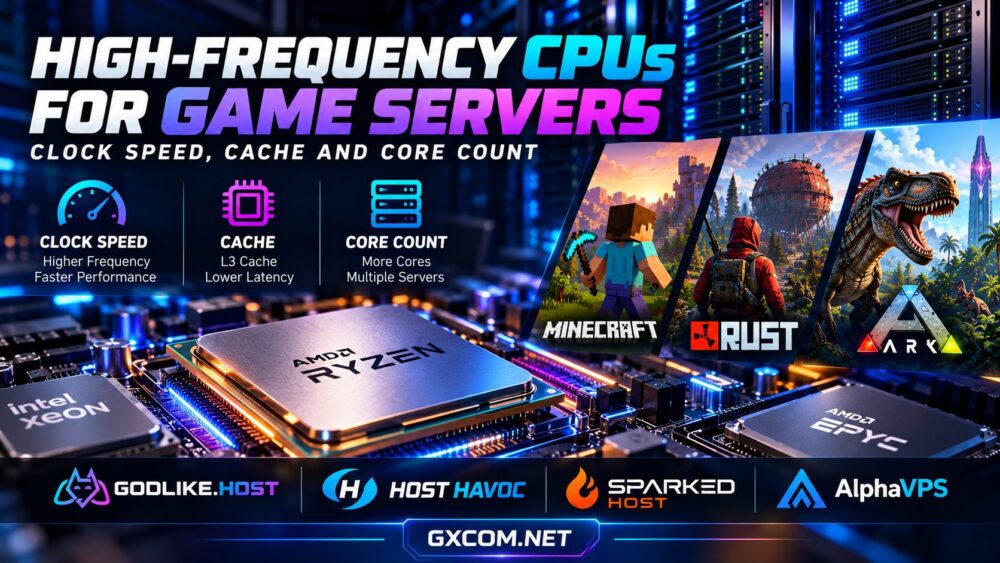
CPU clock speed, measured in gigahertz (GHz), indicates how many clock cycles a processor performs per second. For workloads that rely heavily on one primary processing thread, higher operating frequencies can help reduce the time required to complete calculations.
However, two processors running at the same frequency may deliver very different results. Their performance also depends on instructions per clock (IPC), processor architecture, cache efficiency, and memory latency.
For example, a newer CPU running at 4.5 GHz can outperform an older processor operating at 5.0 GHz if the newer architecture completes substantially more useful work during each cycle.
Another important distinction is boost clock versus sustained clock speed. An advertised maximum boost frequency may apply only under specific thermal and power conditions. A busy multiplayer server needs reliable performance over extended periods, not merely impressive short-duration benchmark results.
Single-Thread Performance and Game Server Tick Rates
Many game servers contain a performance-sensitive main simulation thread. Although background tasks may use additional cores, the main thread can become a bottleneck when the world contains many players, entities, or complex interactions.
Minecraft Java servers are a familiar example. World simulation and numerous gameplay operations depend heavily on main-thread execution, although modern server software can distribute certain supporting tasks across multiple threads.
Consequently, strong single-thread performance is often more valuable than simply adding processor cores to one small Minecraft instance.
Rust and ARK servers also benefit from fast CPU cores, but their threading behavior varies by game engine, server build, plugins, and workload. Administrators should avoid assuming that every game uses CPU resources in exactly the same way.
The practical objective is stable simulation performance during busy periods, rather than achieving the highest possible headline CPU frequency.
CPU Cache: The Often-Overlooked Performance Factor
CPU cache stores frequently accessed data close to the processor cores. Modern processors typically use several cache levels, including L1, L2, and L3.
When the CPU finds required information in cache, it can often retrieve that information more quickly than accessing system memory. This can be useful for game servers that repeatedly process world state, entity information, and other latency-sensitive data.
A larger L3 cache may improve performance when the workload benefits from keeping more data near the processor. However, cache capacity alone does not guarantee faster gameplay.

Cache architecture, memory access patterns, core-to-cache topology, and processor generation all influence the result. A processor with less cache can still outperform another model if its overall architecture is better suited to the application.
AMD Ryzen processors with 3D V-Cache are worth considering for certain latency-sensitive workloads, but game-server performance gains should be validated using relevant benchmarks rather than desktop gaming results alone.
Core Count: How Many CPU Cores Does a Game Server Need?
More CPU cores provide additional capacity for parallel tasks, background services, and multiple game instances. They are particularly useful when hosting several independent servers on one machine.
For a single game server with a heavily loaded main thread, however, additional cores may not solve the primary bottleneck.
| Hosting workload | CPU priority | Reason |
|---|---|---|
| Small Minecraft server | Strong single-thread performance | Main simulation work can limit tick stability |
| Modded Minecraft server | Fast cores, sufficient RAM, and cache | Mods can increase simulation and memory demands |
| Busy Rust server | Strong per-core performance and headroom | Population, entities, and plugins increase workload |
| ARK server or multi-map cluster | Fast cores plus adequate total CPU capacity | Multiple instances create additional processing demands |
| Multiple game servers on one host | Higher core count and predictable allocation | Independent instances can run concurrently |
These priorities are general guidelines, not fixed minimum specifications. Actual CPU requirements depend on player activity, server software, world complexity, mods, and configuration.
AMD Ryzen vs AMD EPYC vs Intel Xeon for Game Hosting
AMD Ryzen, AMD EPYC, and Intel Xeon processors can all be suitable for game hosting, but they serve different infrastructure needs.
AMD Ryzen: Strong Performance for Individual Game Servers
Modern Ryzen processors are attractive for many game-server workloads because selected models offer strong single-core performance and high boost frequencies. They can be particularly compelling for Minecraft, Rust, and other applications where a busy primary thread influences responsiveness.
Our AMD Ryzen dedicated game servers guide explores when this processor family makes sense for demanding multiplayer hosting.
AMD EPYC: Capacity for Larger Hosting Environments
EPYC processors often emphasize large core counts, memory capacity, and platform scalability. They can be effective when running many game instances, virtual machines, or supporting services.
However, the EPYC product family includes processors with substantially different frequency and cache characteristics. A high-core-count model is not automatically the best option for one latency-sensitive game instance.
Intel Xeon: Enterprise-Oriented Server Options
Intel Xeon platforms can provide robust memory capacity, virtualization capabilities, and server-oriented features. Their suitability depends on the specific processor generation and model.
Instead of comparing Ryzen, EPYC, and Xeon by brand alone, examine verified single-thread benchmarks, sustained performance, memory configuration, and the number of instances you intend to host.
Dedicated Servers vs Gaming VPS: Does CPU Allocation Matter?
Processor selection is only part of the equation. The hosting environment also determines how consistently CPU resources are available.
A dedicated physical server gives an administrator control over the machine's CPU resources, while a virtual private server runs within a shared physical infrastructure. Some VPS plans offer dedicated or reserved vCPU allocations, whereas others rely on shared CPU scheduling.
For smaller communities, a well-configured gaming VPS can be an economical starting point. Larger or more demanding environments may benefit from dedicated hardware, particularly when predictable CPU capacity is important.
Read our gaming VPS vs dedicated server comparison to understand the trade-offs between flexibility, isolation, and hardware control.
Game Hosting Providers Worth Evaluating
Choosing the right provider requires more than checking the CPU model advertised on a product page. Consider whether the plan provides dedicated CPU resources, sufficient memory, suitable server locations, DDoS protection, backups, and clear upgrade options.
- Godlike.Host: Offers game-specific hosting alongside Gaming VPS and dedicated server options. It is worth evaluating when comparing multiple hosting approaches within one provider's product range.
- Host Havoc: A relevant option for managed game-server hosting, particularly when administrators prefer game-focused tools rather than configuring an entire operating system themselves.
- Sparked Host: Offers game-hosting solutions worth comparing for communities that want accessible deployment and management options.
- AlphaVPS: A useful infrastructure-oriented alternative for administrators comfortable evaluating VPS or dedicated hosting configurations and managing their own game-server software.
These providers do not necessarily offer identical CPU allocation models or hardware choices. Always confirm current product specifications and resource policies before ordering.
How to Identify a CPU Bottleneck Before Upgrading
Before moving to a more expensive server, measure actual performance during peak player activity. A low overall CPU utilization percentage does not necessarily mean the processor has spare capacity: one overloaded thread can cause lag while other cores remain relatively idle.
- Measure server tick performance: Track TPS, MSPT, frame or simulation timing, or the equivalent metrics supported by your game.
- Inspect per-core CPU usage: Look for heavily loaded individual threads rather than relying only on total utilization.
- Review plugins and mods: Identify expensive scripts, entity processing, and unnecessary background tasks.
- Check memory and storage: Rule out swapping, garbage-collection pauses, and storage latency.
- Test under realistic load: Compare performance during peak activity before and after changes.
Our guide to reducing game server lag explains additional steps administrators can take before upgrading hardware.

Frequently Asked Questions
Is a 5 GHz CPU good for game server hosting?
A processor capable of operating near 5 GHz may be a strong option, but frequency alone is insufficient. Processor architecture, sustained clocks, cache, and actual game-server benchmarks matter more than the advertised GHz figure.
Do game servers benefit from more CPU cores?
Yes, especially when running multiple instances or parallel background tasks. However, a single game server with a main-thread bottleneck may benefit more from faster individual cores.
Does L3 cache improve Minecraft server performance?
It can help certain workloads by reducing memory access latency, but the improvement varies with the server software, world activity, processor architecture, and memory configuration.
Should I choose Ryzen or EPYC for a dedicated game server?
Ryzen can be attractive for individual latency-sensitive instances, while EPYC may be better suited to multi-instance environments requiring greater total capacity. Compare specific models rather than relying on processor family names.
Final Verdict: Balance Frequency, Cache, and Core Count
The best CPU for a game server is not necessarily the model with the highest clock speed, largest cache, or most cores. It is the processor that delivers sufficient performance for your game's actual workload, with enough headroom to maintain consistent simulation timing during peak activity.
For a single demanding instance, prioritize strong per-core performance and reliable sustained frequencies. For multi-server deployments, evaluate core count, cache architecture, memory capacity, and resource isolation together.
Before choosing a hosting plan, compare real hardware specifications, server locations, resource allocation policies, and upgrade flexibility. A balanced configuration will usually provide better long-term value than purchasing impressive specifications that your game cannot fully use.