Choosing dedicated server hardware is about more than buying the most CPU cores, the largest RAM allocation, or the fastest advertised network port. The right configuration depends on how your application actually uses computing resources.
A dedicated server gives you access to physical server resources without sharing the underlying machine with unrelated hosting customers. However, dedicated hardware does not automatically guarantee faster websites, lower latency, or better application performance.
A poorly configured dedicated server can perform worse than a well-optimized virtual server for certain workloads.
MORE CPU CORES ≠ FASTER APPLICATIONS.
MORE RAM ≠ BETTER PERFORMANCE WITHOUT MEMORY PRESSURE.
1 GBPS PORT ≠ 1 GBPS GUARANTEED THROUGHPUT.
This dedicated server hardware guide explains how to evaluate processors, memory, NVMe storage, RAID, networking, bandwidth, and upgrade options before selecting a server for websites, databases, virtualization, eCommerce, or business applications.
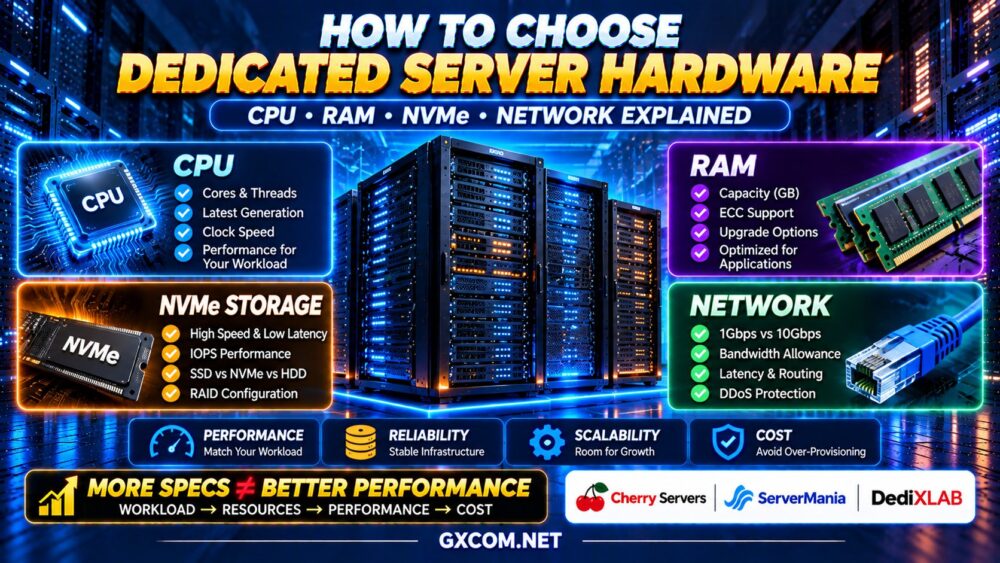
Dedicated Server Hardware: Quick Buying Guide
| Component | What to Evaluate | Why It Matters |
|---|---|---|
| CPU | Architecture, generation, clock speed, cores and threads | Determines compute capacity and processing performance |
| RAM | Capacity, ECC support and upgrade options | Supports applications, databases and caching |
| Storage | NVMe, SSD, capacity, IOPS and latency | Affects database operations and disk-intensive workloads |
| RAID | RAID 1, RAID 10 and controller configuration | Provides selected forms of disk redundancy |
| Network Port | 1Gbps, 10Gbps or higher connectivity | Defines an interface speed ceiling |
| Bandwidth | Traffic allowance, metering and overage terms | Influences transfer capacity and operating costs |
| Location | Data center region and network routes | Influences latency and connectivity |
| Management | IPMI, KVM, rescue access and support scope | Determines recovery and administration capabilities |
Quick recommendation: Start with the workload, identify its bottlenecks, and select hardware that provides sufficient capacity with a reasonable upgrade path. Avoid paying for resources your application cannot effectively use.
New to physical server hosting? Start with our
Dedicated Server Hosting Explained
guide to understand how dedicated infrastructure works before choosing hardware specifications.
1. Choosing the Right Dedicated Server CPU
The processor is one of the most important components in a dedicated server, but CPU selection should not be based on core count alone.
Different processors are designed for different workloads. Some prioritize strong single-threaded performance, while others emphasize high core counts, memory capacity, and platform expandability.
CPU Cores vs Clock Speed
A CPU core executes instructions. Additional cores can help when an application runs multiple tasks concurrently or supports parallel processing.
Clock speed describes the operating frequency of the processor, but frequency alone does not determine performance.
Processor architecture, cache, memory subsystem, power limits, and workload characteristics also matter.
For example, a modern processor with fewer cores may outperform an older high-core-count CPU in certain web application workloads.
16 CORES ≠ AUTOMATICALLY TWICE THE PERFORMANCE OF 8 CORES.
Single-Core Performance vs Multi-Core Performance
Single-threaded performance matters for workloads where individual requests or operations cannot be efficiently distributed across many cores.
Multi-core performance becomes important for applications handling numerous independent requests, virtual machines, background workers, or parallel computing tasks.
Typical considerations include:
- WordPress: Strong per-core performance and sufficient capacity for concurrent PHP processes.
- WooCommerce: Good per-core performance combined with adequate resources for dynamic requests and database activity.
- Virtualization: Multiple cores, sufficient RAM and appropriate platform features.
- Video processing: Multi-core capacity and potentially hardware acceleration.
- Databases: A balance of CPU performance, memory and storage latency.
AMD Ryzen vs AMD EPYC vs Intel Xeon
AMD Ryzen processors can be attractive for workloads benefiting from high clock speeds and strong per-core performance.
AMD EPYC processors are designed for server environments and may offer high core counts, substantial memory capacity and extensive I/O capabilities, depending on generation and model.
Intel Xeon processors cover a broad range of server workloads, with capabilities varying significantly between product families and generations.
Do not assume one processor family is universally superior. Compare exact CPU models, benchmark results relevant to your workload, memory capacity and total platform configuration.
Check CPU Generation Before Core Count
Processor generation can affect instruction performance, power efficiency, memory bandwidth and platform features.
When comparing two dedicated servers, request the exact CPU model rather than accepting descriptions such as “Intel Xeon 16 Core” or “AMD Dedicated CPU.”
Review independent benchmark data and, when possible, test the application under realistic conditions.
2. How Much RAM Does a Dedicated Server Need?
RAM stores actively used data and supports the operating system, applications, database buffers and caching services.
Insufficient RAM can cause memory pressure, swapping, slower response times and application instability.
However, buying significantly more memory than the workload requires may not improve performance.
Dedicated Server RAM by Workload
| Workload | Illustrative Starting Range | Key Considerations |
|---|---|---|
| Small Web Applications | 8–16GB | Application stack and concurrency |
| Growing WordPress Websites | 16–32GB | PHP workers, database and caching |
| Busy eCommerce Applications | 32–64GB | Dynamic sessions and database buffers |
| Database-Intensive Systems | 64GB or more | Working dataset and query behavior |
| Multiple Virtual Machines | 64–128GB or more | Guest allocations and hypervisor overhead |
These ranges are illustrative planning examples, not universal minimum requirements. Actual memory needs depend on application design, traffic, caching and the number of active processes.
What Is ECC RAM?
Error-correcting code (ECC) memory can detect and correct certain memory errors, depending on the implementation.
ECC support is valuable for many business-critical server environments, particularly where data integrity and long-running workloads are important.
Verify that the processor, motherboard and installed memory configuration support ECC operation.
Check Memory Upgrade Options
Before renting a dedicated server, confirm the maximum supported memory, available memory slots and upgrade procedures.
Some providers require a maintenance window or hardware replacement to increase RAM.
Choose enough memory for current workloads and a realistic growth margin, not an arbitrary maximum configuration.
3. NVMe vs SATA SSD vs HDD for Dedicated Servers
Storage performance affects database queries, application loading, file operations and backup processes.

Dedicated servers may offer HDDs, SATA SSDs, NVMe SSDs or combinations of different storage types.
HDD Storage
Hard disk drives can provide substantial capacity for workloads where cost per unit of storage matters more than low latency.
They may be appropriate for certain backup repositories, archives and sequential storage workloads.
SATA SSD Storage
SATA SSDs eliminate mechanical seek delays and can provide significantly better random-access performance than traditional hard drives.
However, the SATA interface imposes throughput limitations compared with modern NVMe interfaces.
NVMe SSD Storage
NVMe uses a storage protocol designed for high-performance solid-state storage, commonly operating over PCIe.
It can offer high throughput and low latency, making it useful for databases, virtualization and I/O-intensive applications.
However, actual NVMe performance varies by drive model, endurance rating, workload, thermal behavior and server configuration.
NVME ≠ GUARANTEED FAST APPLICATION PERFORMANCE.
Which Storage Type Should You Choose?
| Application | Storage Consideration |
|---|---|
| WordPress and Dynamic Websites | SSD or NVMe for application and database responsiveness |
| Busy Databases | Low-latency NVMe with suitable endurance |
| Virtual Machine Hosting | NVMe performance and capacity planning |
| Backup Archives | Capacity-focused storage with appropriate redundancy |
| Media Storage | Capacity, sequential throughput and workload requirements |
For many modern business applications, NVMe is worth considering, but it should be evaluated alongside CPU, RAM, database configuration and overall cost.
4. RAID Configuration: Performance, Redundancy and Recovery
RAID combines multiple physical drives to provide selected performance or redundancy characteristics.
However, RAID is not a replacement for independent backups.
RAID 1
RAID 1 mirrors data across drives. It can help maintain availability after certain single-drive failures, but usable capacity is reduced.
RAID 10
RAID 10 combines mirroring and striping. It can offer useful performance and redundancy characteristics for workloads requiring multiple drives.
Its fault tolerance depends on which drives fail.
RAID 0
RAID 0 distributes data across drives without redundancy. A failure of one participating drive can cause loss of the array's data.
It should not be treated as a fault-tolerant storage solution.
Hardware RAID vs Software RAID
Hardware and software RAID implementations have different management, compatibility and recovery considerations.
Modern software-defined storage can be appropriate for many workloads, but the correct design depends on operating system support, controller behavior and recovery requirements.
RAID ≠ BACKUP.
Maintain separate backups and test restoration procedures regularly.
5. Dedicated Server Network Speed: 1Gbps vs 10Gbps
Network specifications are often misunderstood when comparing dedicated server offers.
A server advertised with a 1Gbps or 10Gbps port does not necessarily receive that level of guaranteed internet throughput.
What Does a 1Gbps Port Mean?
A 1Gbps network port has a nominal link speed of one gigabit per second.
In ideal conditions, this corresponds to approximately 125 megabytes per second before protocol overhead and other limitations.
Real-world transfer speeds depend on congestion, routing, destination capacity, protocol efficiency and provider policies.
When Is a 10Gbps Port Useful?
Higher-speed ports may be useful for applications with substantial data transfer requirements, including:
- Large file distribution
- High-volume content delivery
- Data replication
- Backup transfers
- Large-scale application traffic
- High-throughput private networking
However, a 10Gbps interface may provide little benefit if the application rarely approaches the capacity of a 1Gbps connection.
Port Speed vs Bandwidth Allowance
Port speed describes a network interface's nominal transmission rate.
Bandwidth or traffic allowance describes how much data may be transferred under the provider's billing and acceptable-use policies.
A provider may advertise a high-speed port while applying monthly traffic limits, fair-use restrictions or different guaranteed bandwidth commitments.
10 GBPS PORT ≠ UNLIMITED 10 GBPS TRANSFER.
6. Bandwidth, Traffic Limits and Data Center Location
Dedicated server buyers should evaluate network quality as carefully as processor and storage specifications.
Monthly Traffic Allowance
Check whether the hosting plan includes a defined monthly data transfer allowance, metered billing, or an unmetered connection.
Unmetered does not necessarily mean unrestricted throughput.
Network Routing and Peering
Internet performance depends on the paths traffic takes between users and the server.
Provider peering arrangements, network congestion and upstream connectivity can influence latency and packet loss.
Data Center Location
Choose a location close to your primary users when latency is important.
For geographically distributed audiences, a CDN or multi-region architecture may be more effective than relying on one centrally located server.
DDoS Protection
Review whether network-level DDoS mitigation is included, what traffic types are covered, and whether additional protection requires a separate service.
Do not assume that all dedicated server plans include identical protection.
7. Dedicated Server Hardware for Different Workloads
Different applications place different demands on physical server resources.
WordPress and WooCommerce
For dynamic WordPress workloads, prioritize strong CPU performance, adequate RAM for PHP and database processes, and responsive storage.
WooCommerce websites may require additional resources for checkout sessions, inventory updates and background jobs.
Before increasing hardware capacity, optimize caching, database queries and application code.
Database Hosting
Database-intensive applications often benefit from sufficient memory for active datasets, low-latency storage and predictable CPU performance.
Monitor query latency, cache hit rates, disk I/O and transaction throughput before selecting a configuration.
Virtualization and Multiple VPS Instances
Virtualization hosts typically need substantial RAM, enough CPU capacity for guest workloads, and storage capable of handling concurrent I/O.
CPU virtualization features, memory expandability and storage redundancy should be evaluated before deployment.
Application Servers and APIs
For APIs and backend services, hardware selection depends on request concurrency, processing complexity, memory usage and database dependencies.
Horizontal scaling may eventually become more practical than continuously increasing the size of one server.
Storage and Backup Servers
Capacity, durability, recovery requirements and network throughput may matter more than maximum CPU performance.
Choose storage based on access patterns and ensure that backups are maintained separately from the primary system.
8. Dedicated Server vs Cloud Server Hardware
Dedicated servers provide access to physical machine resources, while cloud servers generally operate within virtualized infrastructure.
Dedicated hardware may be attractive for sustained workloads requiring predictable access to CPU, memory and storage resources.
Cloud servers can offer greater provisioning flexibility and may be easier to integrate with automated infrastructure services.
However, neither architecture is automatically faster or more cost-effective.
Compare workload behavior, hardware allocation, management responsibilities and scaling requirements.
For a deeper comparison, read our Dedicated Server vs Cloud Server guide.
9. Dedicated Server Providers: Hardware Selection Examples
When evaluating dedicated server providers, compare the exact hardware configurations rather than relying only on promotional descriptions.
Cherry Servers — Bare Metal and Dedicated Infrastructure
Cherry Servers is worth evaluating for buyers comparing dedicated hardware and bare metal infrastructure.
When reviewing its available configurations, focus on the exact CPU model, RAM allocation, storage options, network connectivity and deployment requirements.
Best fit: Businesses and developers evaluating configurable bare metal resources for demanding workloads.
ServerMania — Dedicated Servers for Resource-Intensive Applications
ServerMania offers dedicated server solutions relevant to businesses with substantial compute, memory or networking requirements.
Compare available processor generations, memory capacity, storage arrangements and data center locations before choosing a configuration.
Best fit: Organizations evaluating dedicated infrastructure for business applications and sustained resource demand.
DediXLAB — An Additional Dedicated Server Comparison Option
DediXLAB can be included when comparing dedicated server offers and infrastructure specifications across providers.
Review the exact hardware model, storage configuration, bandwidth terms, support scope and service conditions of any shortlisted plan.
Best fit: Buyers expanding their dedicated server shortlist and comparing hardware configurations.
For a broader view of hardware-oriented hosting options, see our Bare Metal Server Providers comparison.
10. Hidden Costs When Choosing Dedicated Server Hardware
Hardware specifications are only one part of the total cost of dedicated hosting.
Additional expenses may include:
- Operating system licenses
- Control panel licenses
- Additional IP addresses
- Backup storage
- Remote management services
- Extra bandwidth
- Hardware upgrades
- Managed support
- Migration assistance
For Windows deployments, operating system licensing deserves particular attention because the included license and available editions vary by provider.
Our Windows Dedicated Server Cost and Licensing Guide explains the key licensing and pricing considerations.
Compare the complete operating cost rather than focusing only on the advertised monthly server price.
11. Common Dedicated Server Hardware Buying Mistakes
Choosing CPU Cores Without Checking Generation
Older processors with more cores may not deliver better performance for your workload than newer processors with fewer cores.
Buying Too Much RAM
Unused memory does not automatically improve performance. Estimate memory requirements using real workload measurements.
Assuming All NVMe Drives Are Equal
NVMe drives differ in endurance, sustained throughput, latency and reliability characteristics.
Ignoring RAID and Backup Requirements
Storage redundancy can reduce some failure risks, but it does not protect against every form of data loss.
Confusing Network Port Speed With Guaranteed Bandwidth
A high-speed network interface does not guarantee equivalent internet transfer rates.
Ignoring Remote Management
Without appropriate recovery tools, operating system failures may require additional support intervention.
Overlooking Hardware Upgrade Procedures
Some hardware changes require downtime, migration or a new server deployment.
Choosing Hardware Before Understanding the Workload
Server selection should begin with application requirements, not the largest available specification.
12. Dedicated Server Hardware Buying Checklist
- ✓ Identify the primary application workload
- ✓ Check exact CPU model and generation
- ✓ Compare single-core and multi-core performance
- ✓ Estimate CPU utilization and concurrency
- ✓ Calculate realistic RAM requirements
- ✓ Confirm ECC memory support where required
- ✓ Compare NVMe, SATA SSD and HDD options
- ✓ Evaluate storage endurance and I/O performance
- ✓ Review RAID configuration
- ✓ Verify backup and restoration options
- ✓ Check network port speed
- ✓ Understand bandwidth allowances
- ✓ Evaluate data center location and routing
- ✓ Review DDoS protection
- ✓ Confirm IPMI, KVM or rescue access
- ✓ Check hardware upgrade procedures
- ✓ Understand management responsibilities
- ✓ Compare total operating costs
Dedicated Server Hardware FAQ
How many CPU cores do I need for a dedicated server?
The required number of cores depends on application concurrency, processing demands and software architecture. Evaluate actual CPU utilization and relevant benchmarks rather than choosing based on core count alone.
Is AMD EPYC better than Intel Xeon for dedicated servers?
Neither processor family is universally better. Compare exact models, generations, core performance, memory capacity, platform features and workload-specific benchmarks.
How much RAM is enough for dedicated hosting?
Memory requirements vary significantly. Smaller applications may need relatively little RAM, while databases, virtualization and high-concurrency workloads may require substantially more.
Is NVMe worth it for a dedicated server?
NVMe can be valuable for storage-intensive workloads, especially databases and virtualization. Its benefit depends on whether storage performance is an actual bottleneck.
Should I choose RAID 1 or RAID 10?
RAID 1 may be suitable for simpler mirrored storage requirements. RAID 10 can offer different performance and redundancy characteristics across multiple drives. Neither replaces independent backups.
Is a 10Gbps dedicated server faster than a 1Gbps server?
A 10Gbps port supports a higher nominal link rate, but application performance and actual transfer speed depend on many additional factors.
What is the difference between bandwidth and port speed?
Port speed describes the network interface rate. Bandwidth allowances and traffic policies determine how much data transfer is included or permitted under the hosting service.
Do dedicated servers need ECC RAM?
ECC memory is often desirable for business-critical systems because it helps address certain memory errors. Requirements depend on the workload and platform.
Can I upgrade dedicated server hardware later?
Many providers offer some hardware upgrade options, but availability depends on the server model, data center and service terms. Some changes may require downtime or migration.
What matters most when choosing dedicated server hardware?
The most important factor is matching CPU, RAM, storage and networking resources to the actual workload while considering reliability, management and total operating cost.
Final Verdict: Choose Dedicated Server Hardware Based on Workload
The best dedicated server is not necessarily the one with the highest core count, largest memory allocation or fastest advertised network port.
A balanced configuration should provide enough CPU performance, RAM, storage responsiveness and network capacity for the application's real requirements.
Cherry Servers, ServerMania and DediXLAB are relevant options to include when comparing dedicated server hardware configurations, but buyers should verify current specifications and service terms before purchasing.
To evaluate dedicated server purchasing options, explore our Affordable Dedicated Server Deals guide.
Use this framework before making a decision:
WORKLOAD → CPU → RAM → STORAGE → NETWORK → RELIABILITY → TOTAL COST
Remember:
MORE CORES ≠ FASTER APPLICATIONS.
NVME ≠ AUTOMATIC PERFORMANCE GAINS.
HIGH PORT SPEED ≠ GUARANTEED THROUGHPUT.
RAID ≠ BACKUP.
Choose hardware that solves real performance requirements and provides a practical foundation for future growth.