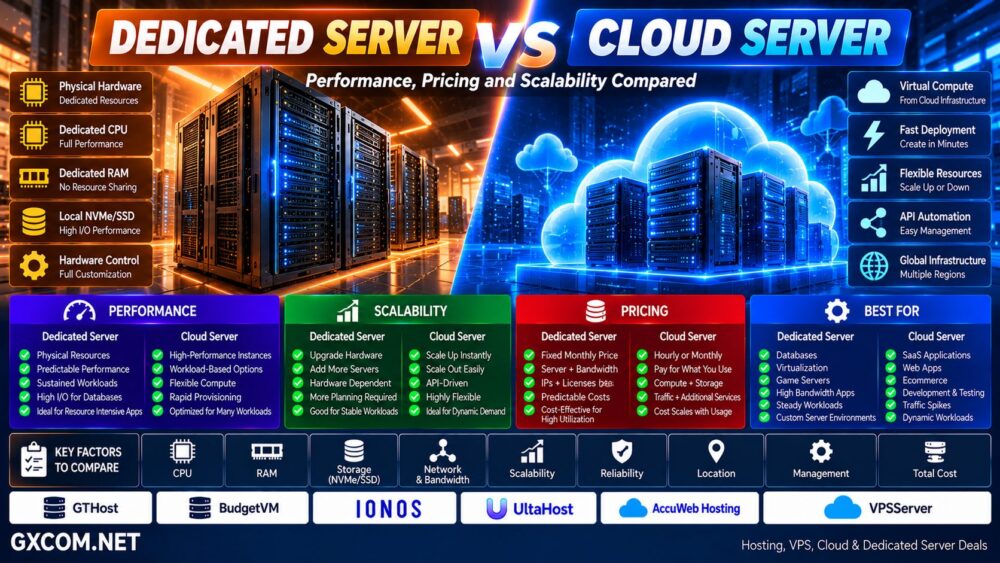
Dedicated servers and colocation can both provide enterprise-grade physical infrastructure, but they use fundamentally different ownership models.
With a dedicated server, you normally rent an entire physical server from a hosting provider. The provider owns the hardware and operates the data center while you use the server's CPU, RAM, storage, and network resources.
With colocation, you normally own the server hardware yourself and place it inside a third-party data center. The colocation provider supplies the facility, rack space, power, cooling, physical security, and connectivity.
That difference changes how organizations should evaluate hardware investment, monthly cost, control, maintenance, scalability, networking, and long-term infrastructure strategy.
In this Dedicated Server vs Colocation comparison, we examine cost, control, performance, hardware ownership, bandwidth, maintenance, scalability, and which infrastructure model makes sense for different workloads.
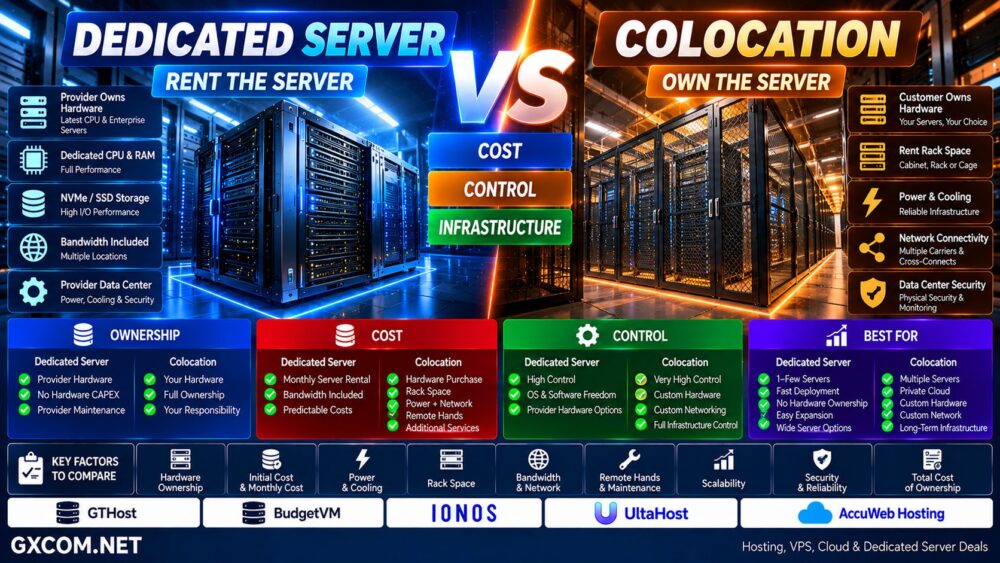
Dedicated Server vs Colocation: Quick Comparison
| Feature | Dedicated Server | Colocation |
|---|---|---|
| Server Ownership | Usually hosting provider | Usually customer |
| Data Center | Provider operated | Third-party colocation facility |
| Initial Hardware Cost | Low | Higher |
| Monthly Cost | Server rental | Space + power + network + services |
| Hardware Control | Provider-defined options | Very high |
| Hardware Maintenance | Usually provider responsibility | Usually customer responsibility |
| Deployment | Relatively simple | Requires hardware deployment |
| Scaling | Rent additional servers | Buy and install additional hardware |
| Customization | High | Very high |
| Best For | Organizations wanting physical servers without owning hardware | Organizations wanting ownership and data-center infrastructure |
What Is a Dedicated Server?
A dedicated server is a physical server allocated to one customer.
Unlike shared hosting or conventional VPS hosting, the underlying physical server is not shared with unrelated customers.
A typical dedicated server package may include:
- AMD EPYC, AMD Ryzen, or Intel Xeon CPU
- Dedicated physical RAM
- NVMe or SSD storage
- RAID options
- Network port
- Bandwidth allocation
- Public IP addresses
- Remote management
- Data-center power and cooling
The hosting company normally purchases, installs, and maintains the physical hardware.
The customer pays a recurring fee to use it.
Dedicated Server = Rent the Physical Server + Data Center Infrastructure.
For a complete introduction, see our
Dedicated Server Hosting Guide.
What Is Colocation?
Colocation — often shortened to “colo” — uses a different model.
Instead of renting the server itself, the organization owns its servers and places them inside a third-party data center.
The colocation provider commonly supplies:
- Rack or cabinet space
- Power
- Cooling
- Physical security
- Internet connectivity
- Carrier access
- Cross-connects
- Environmental monitoring
- Backup power infrastructure
Depending on the facility, customers may rent anything from a small amount of rack space to entire cabinets, cages, or larger private deployments.
Colocation = Own the Server + Rent the Data Center Environment.
The Biggest Difference: Who Owns the Hardware?
Hardware ownership is the easiest way to understand this comparison.
Dedicated Server:
Provider owns server → Customer rents server
Colocation:
Customer owns server → Customer rents space, power, cooling and connectivity
This distinction affects almost every other factor in the comparison.
When you rent a dedicated server, replacing failed physical components is generally part of the provider's infrastructure responsibility.
When you colocate your own server, you retain responsibility for the hardware unless you purchase additional managed or remote-hands services.
Dedicated Server vs Colocation Performance
Colocation is not automatically faster than dedicated hosting.
Performance depends primarily on the hardware and network configuration.
Important factors include:
- CPU generation
- CPU architecture
- Core count
- Clock frequency
- RAM
- NVMe performance
- RAID configuration
- Network port speed
- Transit quality
- Latency
The advantage of colocation is that you can select and own the exact hardware.
The advantage of dedicated hosting is that you can rent powerful hardware without purchasing it upfront.
Colocation ≠ Faster Server.
Dedicated Hosting ≠ Lower Performance.
Dedicated Server Providers to Compare
Before purchasing hardware for colocation, organizations should compare the economics against simply renting equivalent dedicated infrastructure.
Providers such as GTHost, BudgetVM, IONOS, UltaHost, and AccuWeb Hosting are relevant dedicated-server platforms to compare according to current hardware, location, bandwidth, and pricing.
| Provider | Infrastructure | What to Compare |
|---|---|---|
| GTHost | Dedicated Servers | CPU, locations, network and bandwidth |
| BudgetVM | Dedicated Infrastructure | Hardware-to-price ratio |
| IONOS | Dedicated / Cloud | Business infrastructure and pricing |
| UltaHost | Dedicated / VPS | Resources and management |
| AccuWeb Hosting | Dedicated / VPS | Hardware and management options |
This comparison is important because a competitively priced dedicated server can sometimes eliminate the need to purchase, ship, install, and maintain your own physical hardware.
Dedicated Server vs Colocation Cost
The cost structure is fundamentally different.
Dedicated Server:
Server Rental + Bandwidth + IPs + Licenses + Optional Management
Colocation:
Hardware Purchase + Rack Space + Power + Bandwidth + Cross-Connects + Remote Hands + Hardware Maintenance
Dedicated hosting generally has much lower initial capital requirements because the provider has already purchased the hardware.
Colocation requires the customer to acquire the servers and related equipment.
CAPEX vs OPEX
This can be viewed partly as a capital expenditure versus operating expenditure decision.
Colocation:
Higher hardware CAPEX + recurring data-center OPEX
Dedicated Hosting:
Lower hardware CAPEX + recurring server rental OPEX
However, the cheapest model depends on hardware utilization, expected service life, power consumption, bandwidth, maintenance, and provider pricing.
Example Cost Model
Consider a business requiring several high-performance servers for three years.
With dedicated hosting, the business might pay:
Monthly Server Rental × 36 Months
With colocation, the calculation becomes:
Server Purchase + Network Hardware + Shipping + Rack Space + Power + Bandwidth + Support + Replacement Parts
Colocation may become financially attractive when infrastructure is large, stable, heavily utilized, and kept for several years.
Dedicated hosting can remain attractive when the organization wants flexibility and does not want to tie capital to depreciating hardware.
Hardware Depreciation Matters
Server hardware loses economic value as newer processors, memory technologies, storage, and networking become available.
With dedicated hosting, much of that depreciation risk belongs to the hosting provider.
With colocation, the organization owns the equipment and therefore carries the hardware lifecycle risk.
That can include:
- Server depreciation
- Hardware failure
- Replacement parts
- Technology upgrades
- Disposal
- Migration to newer platforms
Dedicated Server vs Colocation Control
Both models provide substantial infrastructure control, but colocation generally provides greater physical hardware freedom.
With colocation, organizations can choose:
- Server chassis
- Motherboard
- CPU
- RAM configuration
- NVMe drives
- RAID controllers
- NICs
- GPUs
- Firewalls
- Switches
- Other appliances
Dedicated hosting usually limits the customer to hardware configurations offered or supported by the provider.
Dedicated Server → High Software Control
Colocation → High Software + Hardware Control
Dedicated Server vs Colocation Maintenance
Maintenance is one of the biggest operational differences.
If a drive fails in a rented dedicated server, the hosting provider normally owns the failed component and handles physical replacement according to its service terms.
If a drive fails in your colocated server, it is your hardware.
You may need to:
- Visit the facility
- Send an authorized technician
- Use remote-hands services
- Ship replacement hardware
- Maintain spare components on site
This operational cost should be included when comparing the two models.
What Are Remote Hands?
Remote hands allows data-center technicians to perform physical tasks on customer equipment.
Depending on the provider and service level, tasks may include:
- Power cycling equipment
- Checking cables
- Replacing components
- Installing equipment
- Connecting network cables
- Reading hardware indicators
Remote-hands availability is particularly important when the colocation facility is far from your own technical team.
Dedicated Server vs Colocation Bandwidth
Dedicated hosting commonly bundles bandwidth with the server.
For example, the package may include a network port and a defined monthly traffic allowance.
Colocation networking can be more complex.
Depending on the facility, customers may need to select:
- Internet transit
- Bandwidth commitment
- Carriers
- Cross-connects
- IP transit
- Private connectivity
- DDoS protection
This complexity can also be an advantage.
Carrier-neutral colocation facilities can provide access to multiple network providers, allowing organizations to build sophisticated network architectures.
Colocation and Interconnection
One of colocation's strongest advantages is not necessarily the rack itself.
It can be connectivity.
Large colocation facilities may provide direct access to:
- Internet exchanges
- Network carriers
- Cloud providers
- SaaS platforms
- Business partners
- Private network services
This can make colocation valuable for hybrid cloud, low-latency connectivity, financial infrastructure, content delivery, and enterprise networking.
Dedicated Server vs Colocation Scalability
Dedicated hosting is relatively straightforward to scale:
Server 1 → Add Server 2 → Add Server 3
The hosting provider purchases and maintains the hardware inventory.
With colocation, expansion may require:
Buy Server → Configure → Ship → Rack → Cable → Network → Deploy
At larger scale, organizations must also plan:
- Rack capacity
- Power density
- Cooling
- Network ports
- Cross-connects
- Physical space
Colocation can scale to very large deployments, but scaling requires infrastructure planning.
Dedicated Server vs Colocation for Virtualization
Both models can work extremely well for virtualization.
A dedicated server can be rented and configured as:
Physical Server → Hypervisor → Multiple VMs
Colocation allows an organization to build a customized virtualization cluster using its own hardware:
Server Cluster + Storage + Network → Private Virtualization Infrastructure
Colocation becomes particularly interesting when an organization needs multiple virtualization hosts and wants full control over the hardware platform.
Dedicated Server vs Colocation for Private Cloud
Colocation can provide a strong foundation for private cloud infrastructure.
An organization can deploy:
- Compute nodes
- Storage nodes
- Network switches
- Firewalls
- Load balancers
- GPU servers
and build a dedicated private infrastructure environment inside a commercial data center.
Dedicated servers can also be used to build private infrastructure, but customers have less control over the underlying physical platform and network design.
Dedicated Server vs Colocation for AI and GPU Infrastructure
AI infrastructure makes the ownership question increasingly important because modern GPU servers can represent substantial capital investments and consume significant amounts of power.
Dedicated GPU servers allow customers to rent expensive accelerator hardware without purchasing it.
Colocation allows organizations that already own GPU servers to place them in facilities designed to provide suitable power, cooling, networking, and physical security.
The economics depend heavily on GPU utilization.
Temporary GPU Demand → Renting Can Be Attractive
Long-Term High Utilization → Evaluate Hardware Ownership + Colocation
Power density and cooling capability should be verified before colocating high-end GPU systems.
Dedicated Server vs Colocation for Databases
Both models can provide excellent database infrastructure because both can use physical servers with dedicated resources.
The decision depends more on ownership and operations than database performance.
Organizations requiring custom storage arrays, specialized networking, very large memory configurations, or tightly controlled hardware may prefer colocation.
Organizations that simply need a powerful database server without owning hardware may prefer dedicated hosting.
Dedicated Server vs Colocation Security
Both models can provide strong physical isolation.
Colocation facilities commonly provide multiple layers of physical security around customer equipment.
However, the customer still remains responsible for important security areas such as:
- Server configuration
- Operating-system security
- Firmware
- Network security
- Identity and access
- Encryption
- Applications
Dedicated hosting shifts more physical infrastructure responsibility to the provider but does not eliminate the customer's software security responsibilities.
Physical Control ≠ Complete Security.
Dedicated Server vs Colocation Reliability
Reliability depends on both server architecture and data-center infrastructure.
Professional data centers can provide redundant systems for:
- Power
- UPS
- Generators
- Cooling
- Network connectivity
- Physical security
But redundant facilities do not make an individual server redundant.
High availability may still require:
- Multiple servers
- RAID
- Replication
- Load balancing
- Redundant networking
- Backups
- Disaster recovery
When Dedicated Server Rental Makes More Sense
Dedicated hosting is often the more practical option when:
- You need only a few servers
- You do not want to purchase hardware
- You want predictable monthly costs
- You want the provider to replace failed hardware
- You want rapid deployment
- Your hardware requirements change frequently
- You do not need custom network equipment
- You want easier geographic expansion
Before investing in your own hardware, compare current dedicated offerings from GTHost, BudgetVM, IONOS, UltaHost, and AccuWeb Hosting.
When Colocation Makes More Sense
Colocation becomes more attractive when:
- You already own valuable server hardware
- You operate many physical servers
- You need custom hardware configurations
- You require your own network equipment
- You want carrier choice
- You need extensive physical infrastructure control
- You operate a private cloud
- You have long-term predictable workloads
- You have the technical expertise to maintain hardware
Dedicated Server vs Colocation: Pros and Cons
| Dedicated Server | Colocation | |
|---|---|---|
| Hardware Ownership | Provider | Customer |
| Initial Investment | Lower | Higher |
| Hardware Control | High | Very High |
| Maintenance Burden | Lower | Higher |
| Deployment | Usually easier | More complex |
| Network Flexibility | Provider dependent | Potentially extensive |
| Hardware Customization | Provider options | Customer controlled |
| Scaling | Rent more servers | Purchase and deploy hardware |
| Best For | Infrastructure without hardware ownership | Owned enterprise infrastructure |
Questions to Ask Before Choosing
- Do you want to own the server hardware?
- How many servers will you operate?
- How long will you use the hardware?
- What is the expected server utilization?
- Do you need custom hardware?
- Do you need custom networking?
- How much power will the equipment consume?
- How much bandwidth do you need?
- Do you need multiple carriers?
- Who will replace failed hardware?
- Are remote-hands services available?
- How much do remote-hands services cost?
- How quickly can you deploy additional capacity?
- What is the three-to-five-year total cost?
Dedicated Server vs Colocation: Which Infrastructure Model Fits?
Dedicated server hosting is usually the simpler route to physical infrastructure.
You rent the server, the provider owns the hardware, and much of the physical data-center responsibility remains with the hosting company.
Colocation provides a different level of infrastructure ownership.
You own the server and gain extensive control over hardware and networking while the colocation provider supplies the professional data-center environment.
The decision should therefore not be reduced to performance alone.
Dedicated Server = Rent Hardware + Infrastructure.
Colocation = Own Hardware + Rent Infrastructure.
More Control = More Operational Responsibility.
For smaller deployments or organizations that want to avoid hardware ownership, dedicated server rental is often simpler.
For larger, long-term infrastructure where custom hardware, networking, private cloud, or hardware ownership is strategically important, colocation deserves serious evaluation.
Use this decision path:
Workload → Number of Servers → Hardware Ownership → Power → Network → Maintenance → Scalability → Total Cost → Right Infrastructure.
The better model is the one that provides the required control and performance without creating unnecessary capital investment or operational complexity.