Dedicated server hosting gives one customer access to an entire physical server rather than sharing the underlying machine with multiple hosting accounts. It offers powerful hardware, predictable resources, extensive administrative control, and greater flexibility for demanding websites and applications.
But a Dedicated Server is not automatically the right upgrade for every website. Dedicated hardware usually costs more than shared hosting or a VPS, and unmanaged servers require considerably more technical knowledge.
This dedicated server hosting guide explains how dedicated servers work, what they cost, the performance advantages they can provide, managed versus unmanaged hosting, and the signs that indicate when your website or application may actually need one.
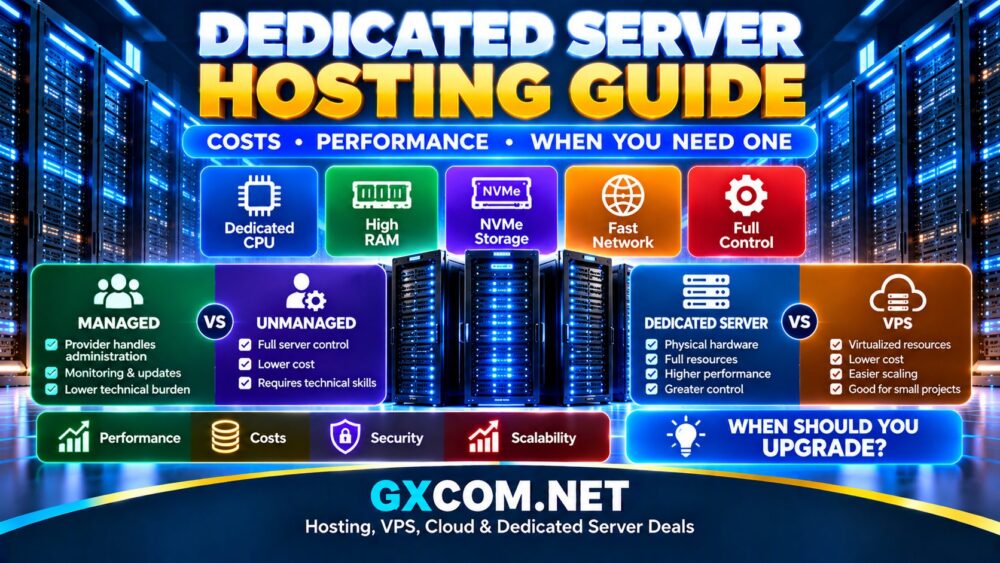
What Is Dedicated Server Hosting?
Dedicated server hosting is an infrastructure model where a physical server is allocated to a single customer. The CPU, memory, storage devices, and other hardware resources are not divided into separate hosting accounts in the same way as conventional shared hosting.
A typical dedicated server may include:
- Dedicated CPU resources
- Large RAM configurations
- SSD or NVMe storage
- Dedicated network connectivity
- Root or administrator access
- Custom operating system options
- Remote management tools
The hosting company operates the data center, network, power, cooling, and physical hardware. Responsibility for the operating system and software depends on whether you purchase a managed or unmanaged server.
How Does a Dedicated Server Work?
When you rent a dedicated server, the hosting provider assigns physical hardware to your account. You can then install an operating system and configure the machine for your workload.
The server could run:
- Websites
- Ecommerce stores
- Databases
- SaaS applications
- Virtual machines
- Containers
- Game servers
- Business applications
- Private hosting environments
Unlike a VPS, the underlying physical machine is not primarily being sold to you as one virtual allocation among multiple VPS customers.
If you are deciding between these two infrastructure models, read our
Dedicated Server vs VPS
comparison.
Dedicated Server vs Shared Hosting vs VPS
| Feature | Shared Hosting | VPS | Dedicated Server |
|---|---|---|---|
| Physical Resources | Shared | Virtualized | Dedicated machine |
| Administrative Control | Low | High on many plans | Very high |
| Performance Capacity | Low to moderate | Moderate to high | High |
| Customization | Limited | High | Very high |
| Technical Knowledge | Low | Moderate to high | High if unmanaged |
| Typical Cost | Lowest | Moderate | Higher |
Shared hosting is usually sufficient for small websites. VPS hosting provides greater resources and control without requiring an entire physical machine. Dedicated hosting becomes attractive when performance, isolation, hardware resources, or specialized configurations justify the additional expense.
Dedicated Server Performance Explained
One of the biggest reasons to move to dedicated hosting is performance. However, simply having a physical server does not guarantee that it will outperform every VPS or cloud server.
The actual performance depends on the hardware and workload.
CPU
The processor has a major influence on application performance. Check the exact CPU model instead of comparing only the number of cores.
Processor generation, clock speed, cache, architecture, and core count can all affect performance.
High-frequency CPUs may be useful for workloads that depend heavily on single-thread performance, while higher core counts can benefit virtualization, containers, rendering, and parallel workloads.
RAM
Dedicated servers can support substantial memory configurations, which makes them useful for databases, virtualization, high-traffic websites, and applications that keep large datasets in memory.
Buying excessive RAM provides little benefit if your application never uses it. Monitor real workloads and leave reasonable capacity for growth.
NVMe Storage
Storage performance can have a major impact on databases and dynamic websites.
NVMe drives generally offer substantially better I/O performance than traditional hard drives and older storage technologies. SSDs can still provide good performance for many hosting workloads, while HDDs remain useful when large storage capacity matters more than latency.
Network Performance
A powerful server needs a suitable network connection.
Check:
- Network port speed
- Included bandwidth
- Monthly traffic allowance
- Data center location
- Network routing and peering
- DDoS protection
For public websites and applications, geographic distance between the server and visitors can also influence latency.
How Much Does Dedicated Server Hosting Cost?
Dedicated server costs vary considerably because there is a huge difference between older entry-level hardware and modern enterprise infrastructure.
The main pricing factors include:
- CPU model and generation
- Number of processors and cores
- RAM capacity
- NVMe, SSD, or HDD storage
- RAID configuration
- Network port speed
- Bandwidth allowance
- Data center location
- Operating system licenses
- Control panel licenses
- Backup services
- Server management
Self-managed older hardware can sometimes be surprisingly affordable, while current-generation servers with large RAM allocations, multiple NVMe drives, premium networking, and full management can cost substantially more.
For price-focused options, see our
Cheap Dedicated Server Hosting
comparison.
Do Dedicated Servers Have Hidden Costs?
The advertised server price is not always the complete cost of ownership.
Potential additional expenses include:
- Setup fees
- Additional IPv4 addresses
- Windows Server licenses
- cPanel or other control panels
- Backup storage
- Extra bandwidth
- Management packages
- Additional drives
- Software licenses
Always configure the server you actually intend to use before comparing prices between providers.
Managed vs Unmanaged Dedicated Servers
Management level is one of the most important decisions when purchasing dedicated hosting.
Managed Dedicated Server
With managed dedicated hosting, the provider handles some or many server administration tasks. Depending on the plan, this may include monitoring, operating system updates, security assistance, control panel maintenance, backup assistance, and troubleshooting.
Managed hosting can be useful for businesses that need dedicated hardware but do not employ experienced system administrators.
Compare these services in our
Best Managed Dedicated Server Hosting
guide.
Unmanaged Dedicated Server
An unmanaged server places much more responsibility on the customer.
You may need to handle:
- Operating system configuration
- Security patches
- Firewall configuration
- Web server administration
- Database management
- Monitoring
- Backups
- Application troubleshooting
This approach provides extensive control and can reduce management costs, but it requires technical expertise.
What Are the Advantages of Dedicated Servers?
Dedicated Hardware Resources
The server's physical resources are assigned to your environment, making dedicated hosting attractive for applications that require predictable access to CPU, RAM, and storage.
Greater Control
Administrators can configure the operating system, web server, database, security tools, virtualization software, and application stack according to their requirements.
Large Resource Capacity
Dedicated servers can offer substantial CPU, RAM, storage, and network capacity for demanding workloads.
Workload Isolation
You are not purchasing one conventional hosting account alongside unrelated customers on the same shared hosting environment.
Custom Infrastructure
Dedicated hardware can be configured for specialized databases, virtualization, game hosting, storage, private applications, and other workloads that may not fit standardized web hosting plans.
What Are the Disadvantages?
Dedicated hosting also introduces tradeoffs.
Higher Cost
Renting an entire physical machine generally costs more than purchasing a small shared hosting or VPS plan.
More Administration
Unmanaged servers require considerable technical knowledge. Incorrect security or backup configurations can create serious operational risks.
Hardware Scaling Is Less Flexible
A VPS or cloud instance can often be resized through software-defined infrastructure. Upgrading a physical server may require hardware changes, migration, or replacement.
You Can Overbuy Resources
A dedicated server with powerful hardware provides little financial value if a small website uses only a fraction of its CPU and memory.
When Do You Need a Dedicated Server?
There is no specific traffic number that automatically means a website needs dedicated hosting. Application efficiency, caching, database activity, traffic patterns, and existing infrastructure all affect resource requirements.
However, several signs can indicate that dedicated hardware is worth considering.
1. Your VPS Is Consistently Resource-Limited
If CPU, RAM, storage I/O, or other resources regularly become a bottleneck even after optimization and reasonable VPS upgrades, dedicated hardware may provide the next level of capacity.
2. You Run Resource-Intensive Applications
Large databases, virtualization platforms, game servers, SaaS applications, and computational workloads can benefit from substantial dedicated resources.
3. You Need Specific Hardware
Some workloads require particular CPUs, large RAM configurations, multiple NVMe drives, hardware RAID, GPUs, or other specialized infrastructure.
4. You Need Greater Infrastructure Control
Dedicated servers can provide greater freedom to customize the operating system and software stack than conventional managed web hosting.
5. You Host Many Websites or Applications
Agencies, hosting businesses, and organizations operating multiple projects may consolidate workloads on appropriately sized dedicated infrastructure.
6. Your Workload Is Predictable and Consistently Heavy
Cloud infrastructure is valuable for flexible scaling, but a consistently demanding workload may also be a good candidate for dedicated hardware.
When You Do Not Need a Dedicated Server
Buying a dedicated server too early can waste money and create unnecessary administration.
You probably do not need one simply because:
- Your website is new
- Your shared hosting feels inexpensive
- You want a server with impressive specifications
- You have occasional short traffic spikes
- Your application has not been optimized
A well-configured VPS or cloud environment may be a more efficient solution for many small and medium workloads.
Dedicated Server vs Cloud Hosting
Dedicated hosting emphasizes physical hardware resources, while cloud hosting emphasizes flexible virtualized infrastructure.
| Area | Dedicated Server | Cloud Hosting |
|---|---|---|
| Infrastructure | Physical server | Virtualized cloud resources |
| Hardware Control | Greater | More abstracted |
| Scaling | Requires hardware planning | Generally more flexible |
| Billing | Often predictable server rental | Often usage or resource based |
| Best Fit | Consistent demanding workloads | Flexible or changing workloads |
Neither model is universally superior. The correct choice depends on workload architecture, scaling requirements, technical expertise, and budget.
How to Choose a Dedicated Server
Start by documenting what your application actually needs.
Evaluate:
- CPU performance
- RAM requirements
- Storage capacity
- Storage performance
- Bandwidth
- Server location
- Operating system
- Management requirements
- Backup requirements
- Security requirements
Then compare providers using the complete configuration rather than the advertised entry price.
Our
Best Dedicated Server Hosting Providers
comparison provides a useful starting point once you know the hardware and management requirements of your workload.
What CPU Should You Choose?
The correct processor depends on the workload.
Web applications and game servers may benefit from strong per-core performance, while virtualization and heavily parallel workloads may benefit from additional cores.
Do not assume that an older processor with more cores is automatically faster than a newer processor with fewer cores.
How Much RAM Do You Need?
There is no universal RAM requirement.
A web server, large database, virtualization host, and game server can have completely different memory requirements.
Monitor your current workload, estimate growth, and leave enough headroom for peak demand without purchasing large amounts of unused memory.
Should You Choose NVMe Storage?
NVMe is particularly useful for storage-intensive applications, databases, virtualization, ecommerce, and dynamic websites.
For backup or archival workloads where capacity matters more than latency, SSD or HDD configurations may still make financial sense.
Redundancy and backups remain important regardless of storage technology. RAID can improve availability in some configurations, but it should not be treated as a replacement for an independent backup strategy.
Dedicated Server Security
Physical resource isolation does not automatically make a server secure.
A secure deployment should consider:
- Regular operating system updates
- Firewall configuration
- SSH or RDP protection
- Strong authentication
- Minimal exposed services
- Malware monitoring where appropriate
- Off-server backups
- Application updates
- Access logging and monitoring
With unmanaged hosting, most of these responsibilities fall directly on the server administrator.
Is Dedicated Server Hosting Worth It?
Dedicated hosting is worth considering when your application can actually use the additional hardware, control, isolation, or configuration flexibility.
For a high-traffic ecommerce platform, large database, virtualization environment, game server, SaaS application, or hosting business, dedicated infrastructure can provide a strong foundation.
For a small website using modest resources, the additional cost and administrative complexity may provide little practical benefit.
Final Thoughts
Dedicated server hosting provides powerful physical resources, extensive control, and flexible configurations for demanding websites and applications. But dedicated hardware should be an infrastructure decision, not simply an upgrade purchased because a website is growing.
Before moving to a dedicated server, identify the actual bottleneck in your current environment. Compare CPU usage, memory consumption, storage I/O, bandwidth, application architecture, and administration requirements.
If your workload consistently needs substantial resources and you are prepared for the additional cost and management responsibilities, a dedicated server can provide an excellent long-term platform. If those requirements do not yet exist, a quality VPS or cloud server may remain the more efficient choice.