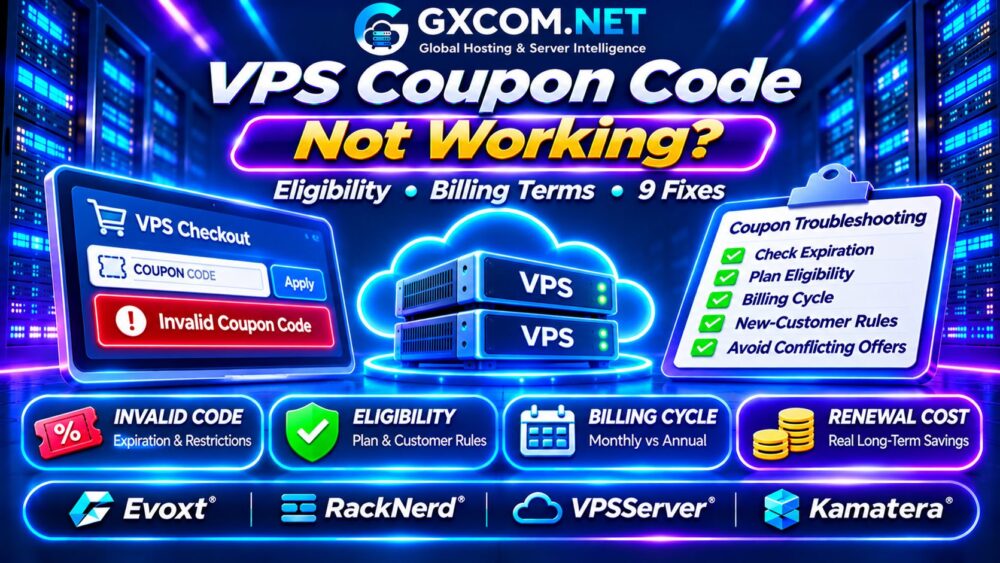
Your VPS coupon code not working at checkout? An invalid promo code does not always mean the discount has expired. The problem could involve an ineligible server configuration, an incorrect billing cycle, an existing customer account, or a promotion that cannot be combined with another offer.
Before abandoning your order or paying full price, work through these nine checks. They can help you identify the restriction, understand the actual savings, and decide whether another VPS plan offers better long-term value.
Why VPS Coupon Codes Fail at Checkout
Hosting promotions often apply to specific products, customers, regions, and payment terms. A code advertised for a Linux VPS may not qualify for Windows licensing, dedicated servers, or customized cloud configurations.
Providers may also distinguish introductory discounts from recurring promotions. Always inspect the offer conditions rather than assuming every advertised percentage applies indefinitely.
9 Fixes for a VPS Coupon Code That Is Not Working
1. Check the Coupon Expiration Date
Promotional codes can expire at a stated time, reach a redemption limit, or end when allocated inventory sells out. An older blog post or forum discussion may still display a code that no longer works.
Look for the original promotion date and any timezone or quantity restrictions. Avoid repeatedly submitting expired codes without checking their source.
2. Confirm the VPS Plan Is Eligible
A discount may apply only to selected VPS tiers, operating systems, data centers, or promotional product pages. Upgrading RAM, choosing a different location, or adding Windows licensing could change eligibility.
Compare the exact plan name and configuration against the offer conditions. If the promotion requires a special landing page, entering a regular product checkout may not activate it.
3. Select the Correct Billing Cycle
Some promotions require annual or longer prepayment, while others apply only to monthly subscriptions. A low advertised monthly equivalent does not necessarily mean the customer can pay that amount each month.
Check whether the offer requires one, three, twelve, or twenty-four months of advance payment.
Our Cheap VPS Providers Comparison helps evaluate alternatives when the required commitment is too expensive.
4. Verify New-Customer Restrictions
Many introductory promotions are limited to first-time customers or new services. Existing accounts, previously redeemed offers, or account-specific eligibility rules may prevent redemption.
Read the provider’s conditions before creating another account. Attempting to bypass account restrictions can violate promotional terms.
5. Remove Conflicting Discounts
Hosting checkout systems may reject coupon stacking. A plan already discounted through an affiliate landing page, seasonal sale, or automatic promotion might not accept an additional code.
Compare the final totals with and without the manually entered coupon. The automatically applied discount may already offer better value.

6. Check Spelling and Formatting
Copy the coupon exactly, without extra spaces or punctuation. Check confusing characters, capitalization requirements, and whether the code belongs in a coupon field rather than a referral field.
If a code was copied from a formatted webpage, paste it into a plain-text editor first to identify unwanted characters.
7. Review Regional and Currency Restrictions
Some offers are limited by customer location, billing country, currency, or selected data center. The server location and the customer’s billing jurisdiction are separate eligibility factors.
Use accurate account and payment details. If the restriction is unclear, ask support which countries and products qualify.
8. Check Payment Method Requirements
Promotions may exclude particular payment methods, require account verification, or apply only after completing an approved checkout process.
Review the provider’s accepted payment methods and discount conditions. Never submit repeated payments merely to test whether a coupon will eventually activate.
9. Contact Support Before Paying
If the offer appears valid, contact the provider with the code, plan name, billing cycle, and exact error message. Include the promotion’s published terms and a screenshot without sensitive payment details.
Request confirmation of the final price, renewal rate, and whether support can honor the offer. Do not assume a promised adjustment will occur unless the provider confirms it.
Common VPS Coupon Errors Explained
| Checkout Message | Possible Cause | Next Action |
|---|---|---|
| Invalid coupon | Wrong code or unsupported product | Verify the original offer |
| Coupon expired | Promotion ended | Check current eligible offers |
| Not applicable | Plan or billing mismatch | Review configuration |
| Already redeemed | Account usage restriction | Check eligibility |
| Cannot combine offers | Discount stacking prohibited | Compare final totals |
Four VPS Providers to Compare
Evoxt: Budget VPS Configurations
Evoxt is worth considering for budget VPS purchases. Compare available Linux and Windows configurations, billing periods, and any current promotion conditions.
Verify whether operating system licensing or optional resources affect the advertised total.
RackNerd: Promotional VPS Packages
RackNerd is relevant when comparing special VPS packages against standard configurations. Some offers may use dedicated promotional order links rather than manually entered codes.
Check the included resources, location, payment term, and renewal conditions before ordering.
VPSServer: Cloud VPS Options
VPSServer provides another comparison point for cloud VPS buyers. Evaluate the selected server configuration, applicable promotional eligibility, and actual billing commitments.
Confirm whether discounts apply to the initial invoice or subsequent billing periods.
Kamatera: Configurable Cloud Servers
Kamatera is relevant to buyers needing adjustable cloud resources. Its billing and promotional arrangements may differ from fixed-price VPS coupon offers.
Check trial eligibility, resource charges, and any additional services before comparing costs.
These providers are purchasing alternatives, not a list of verified active coupon codes.
First Invoice vs Renewal: Calculate Real Savings
A successful coupon is not necessarily a good long-term deal. Consider two hypothetical VPS offers with identical resource specifications.
| Cost | Offer A | Offer B |
|---|---|---|
| First 12 months | $60 | $96 |
| Next 12 months | $180 | $108 |
| 24-month total | $240 | $204 |
| Average monthly cost | $10.00 | $8.50 |
Offer A looks cheaper initially, but Offer B saves $36 over two years. These figures are illustrative and exclude taxes, licensing, and optional services.
For flexible billing alternatives, review our Best VPS Providers Guide.
When a VPS Coupon Is Not Worth Using
A discount may be poor value when it requires unnecessary resources, excessive prepayment, expensive renewals, or a location unsuitable for your users.

Windows VPS buyers should separately verify licensing charges. Developers should examine CPU performance, RAM, NVMe storage, bandwidth, and backup coverage.
Read our NVMe VPS Storage Performance Guide before choosing a plan based on disk capacity alone.
What to Do When No Coupon Works
Compare the provider’s standard monthly price with currently available promotional packages. Consider a smaller configuration, another approved provider, or a shorter commitment if your workload is uncertain.
Do not sacrifice reliability or essential backups to obtain a minor discount. Our Managed vs Unmanaged VPS Comparison explains how administration responsibilities influence total cost.
Frequently Asked Questions
Why Does My VPS Promo Code Say Invalid?
The code may be expired, mistyped, restricted to another plan, or incompatible with an existing promotion.
Can I Use Two VPS Coupons Together?
Usually only when the provider explicitly permits stacking. Check the final checkout total.
Do VPS Coupons Apply to Renewals?
Some do, but many introductory discounts apply only to the first billing term. Verify the renewal amount before paying.
Final Verdict
When a VPS coupon code is not working, check eligibility, billing terms, account restrictions, and conflicting promotions before abandoning the purchase.
Compare Evoxt, RackNerd, VPSServer, and Kamatera using the complete invoice rather than the advertised discount percentage. The best deal is the one that delivers suitable resources at a sustainable total cost.
For broader pricing research, see our VPS Provider Comparison before completing checkout.