A Minecraft hosting control panel can determine whether routine server administration takes minutes or becomes a frustrating technical task. Backups, modpack installation, file access, and user permissions matter just as much as an attractive monthly hosting price.
This Minecraft hosting control panels comparison explains which features deserve attention before purchasing managed game hosting. It also examines practical differences between provider-specific interfaces without claiming that one panel is universally superior.
GXCOM.NET evaluates publicly described capabilities and buying considerations. We have not independently tested every panel or purchased equivalent server configurations for benchmarking.
What Makes a Good Minecraft Hosting Control Panel?
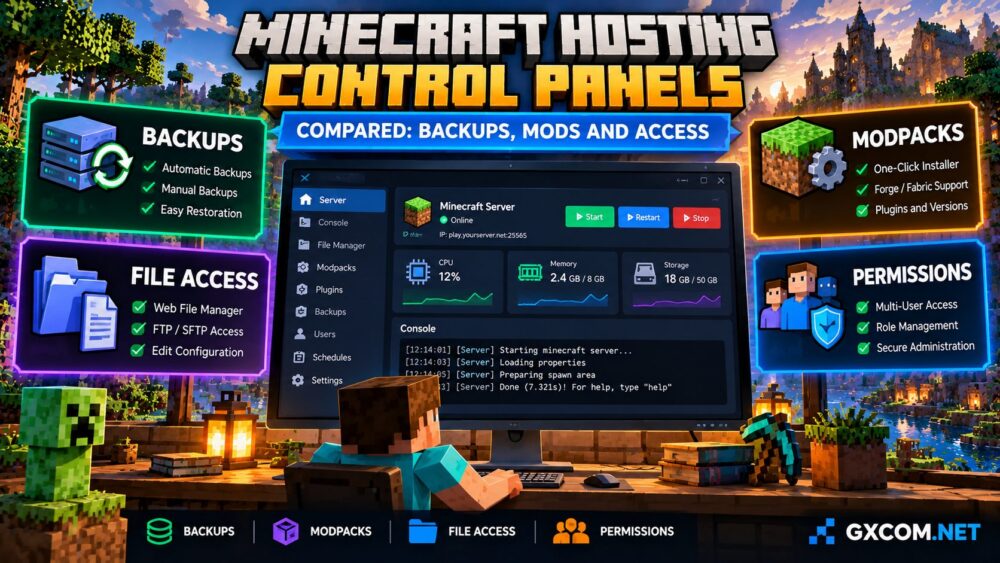
A useful management panel should provide reliable access to essential server operations without requiring advanced Linux administration.
For beginners, straightforward installation and console controls are important. Experienced administrators may prioritize file permissions, scheduled tasks, multiple instances, and restoration flexibility.
The best interface is not necessarily the one with the most buttons. It is the one that supports your actual workflow without unnecessary restrictions.
| Feature | Why It Matters | What to Verify |
|---|---|---|
| Backups | Protects world progress | Scheduling, retention, restoration |
| Modpack installer | Simplifies deployment | Supported packs and versions |
| File access | Enables customization | Browser manager, FTP or SFTP |
| Console | Supports troubleshooting | Logs and command access |
| User permissions | Enables team administration | Roles and account restrictions |
| Scheduling | Automates routine operations | Restart and task capabilities |
Backup Scheduling and World Restoration
Backups should be the first feature examined when comparing Minecraft server panels. A corrupted world, incompatible update, or accidental deletion can destroy valuable community progress.
Look for automatic scheduling, manual backup creation, clear retention limits, and a restoration process that administrators can understand.
Some hosting packages restrict the number of stored backups or charge for additional storage. Others may provide backup functionality without including off-site protection.
Ask whether restoring a backup replaces the entire server directory or allows individual files to be recovered.
Before major updates, download an independent copy of important world files. Test restoration procedures rather than assuming that a successful backup notification guarantees recoverability.
Modpack Installation and Plugin Management
One-click installation is a major selling point for managed Minecraft hosting. It can reduce the work required to deploy supported modpacks and server software.
However, installers differ in their supported catalogs, versions, and customization options. An advertised modpack installer does not guarantee that every CurseForge or Feed The Beast package is available.

Administrators should verify compatibility with Forge, Fabric, Paper, and their preferred Minecraft version where applicable.
Manual upload support is particularly valuable when a modpack is unavailable through the built-in installer or requires custom configuration files.
Remember that easy installation does not eliminate resource requirements. Large modpacks may demand additional RAM and processor capacity.
Our modded Minecraft server hosting guide explains the workload considerations behind these choices.
File Managers, FTP and SFTP Access
File access determines how easily administrators can edit configuration files, upload custom maps, install plugins, and retrieve server logs.
A browser-based file manager is convenient for small changes. FTP or SFTP access can be more practical when transferring large directories or maintaining multiple files.
SFTP provides encrypted file transfers, making it preferable when supported. Buyers should verify which protocols are actually available rather than assuming every hosting panel includes them.
Also examine file-size restrictions, upload permissions, and whether administrators can access the directories required by their chosen server software.
These details become especially important when migrating an existing Minecraft world from another provider.
Console Access, Monitoring and Scheduled Tasks
A live console helps administrators identify startup errors, plugin conflicts, crashes, and unexpected player activity.
Useful panels should make recent logs accessible and allow authorized users to issue supported server commands.
Resource monitoring is another advantage. Memory consumption, CPU usage, and storage information can help identify developing problems.
However, a panel’s resource graphs do not necessarily reveal underlying hardware contention or guarantee consistent tick performance.
Scheduled tasks can automate restarts and maintenance operations. Confirm which actions are supported and whether advanced scheduling requires a particular plan.
Multi-User Access and Server Permissions
Community servers often have multiple administrators, moderators, and technical contributors. Sharing a single master password creates unnecessary security and accountability risks.
Look for separate user accounts, configurable permissions, and clear restrictions on sensitive actions such as deleting files or restoring backups.
Ideally, moderators should receive only the access required for their responsibilities.
Also consider whether the panel supports multiple server instances. Some services advertise instance management, but available configurations and resource sharing may vary.
Comparing Four Managed Minecraft Hosting Options
Different providers emphasize different management experiences. The following approved hosting companies are relevant starting points for further investigation.
| Provider | Panel Research Focus | Buyer Priority |
|---|---|---|
| Sparked Host | Apollo Panel, server tools, backups | Integrated administration workflow |
| Shockbyte | Console, configuration, backup scheduling | Managed Minecraft administration |
| ScalaCube | Modpack installation and server setup | Modded Minecraft deployment |
| Godlike.Host | Panel features and package allowances | Comparing management and pricing |
These are feature research priorities, not verified performance rankings. Current panel capabilities, plan restrictions, and included services should be checked directly.
For more detail about Apollo Panel, read our Apollo Panel Minecraft hosting review.
Buyers can explore managed server plans with integrated administration tools or compare modpack-focused hosting packages.
How to Choose the Right Control Panel
Begin with the tasks you perform most frequently. A private vanilla server may need little more than console access, file management, and dependable backups.
A heavily modified community server benefits from manual uploads, software compatibility, monitoring, and flexible restoration options.
Multi-admin communities should prioritize permission controls, account separation, and clear operational procedures.
Before buying, request documentation or inspect available demonstrations. Confirm that the advertised tools are included with your selected package.

Also compare renewal pricing, server resources, support availability, and data-center locations. An excellent interface cannot compensate for inadequate hosting capacity.
For provider-specific research, consult our Minecraft hosting management review and modpack hosting features review.
Frequently Asked Questions
What is the easiest Minecraft server control panel?
Ease of use depends on your experience and preferred tasks. Look for clear navigation, installation tools, console access, and accessible documentation.
Do all Minecraft hosting panels support automatic backups?
No. Scheduling, storage allowances, and restoration options vary by provider and package. Verify these features before purchasing.
Can I upload my own Minecraft modpack?
Many managed services offer file access, but custom installation permissions and supported software differ. Confirm manual upload capabilities and compatibility.
Is SFTP better than FTP?
SFTP encrypts transfers and authentication. It is generally preferable when the hosting service supports it.
Can multiple administrators access one server?
Some panels support separate accounts and permission controls. Check whether your selected plan includes the roles your team requires.
Final Verdict: Prioritize Control and Recovery
The strongest Minecraft hosting control panel is the one that makes administration reliable, secure, and repeatable for your particular community.
Prioritize recoverable backups, compatible modpack installation, practical file access, useful console tools, and appropriate user permissions.
Compare these features alongside CPU resources, RAM, support, and recurring costs before selecting a hosting package.
For another managed option, review additional Minecraft server hosting packages.