A managed dedicated server SLA can look reassuring on a hosting provider’s website, but the details determine how much protection a business actually receives. Promises such as 24/7 support, rapid response, and high network uptime do not necessarily mean that an application outage will be resolved within minutes.
For SaaS companies, online stores, and business-critical websites, the distinction matters. Before purchasing managed dedicated hosting, buyers should understand response-time commitments, incident escalation procedures, hardware replacement responsibilities, and service exclusions.
This guide explains how to evaluate support agreements and compares purchasing considerations for Hostwinds, KnownHost, InterServer, and ServerMania.
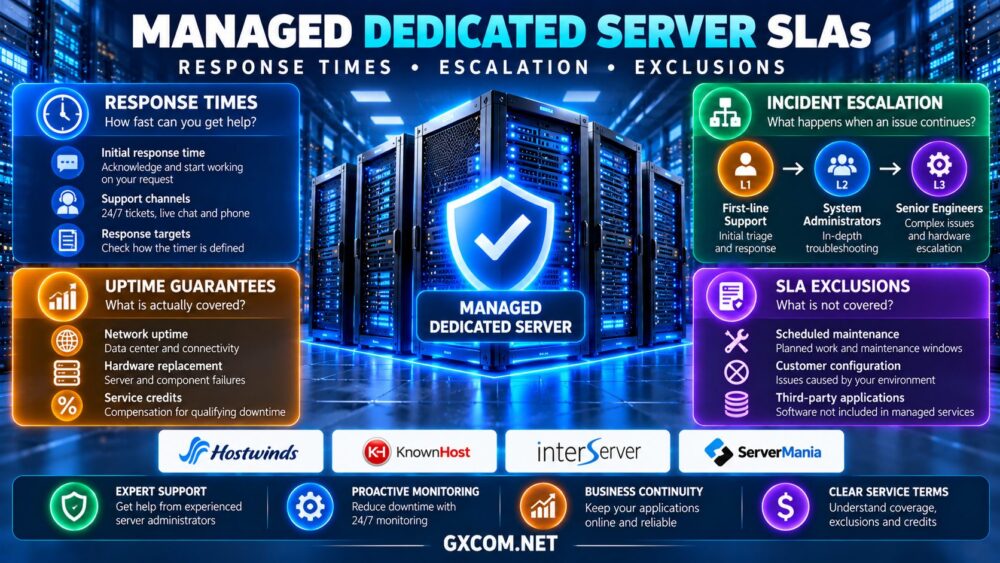
What Does a Managed Dedicated Server SLA Cover?
A service level agreement defines measurable service commitments and the conditions under which they apply. Depending on the provider and contract, an SLA may address network availability, infrastructure uptime, support response, or hardware replacement.
These commitments are not interchangeable. A network availability guarantee does not necessarily cover operating system failures, application errors, database corruption, or customer configuration mistakes.
Managed hosting may include monitoring, operating system maintenance, security updates, and technical assistance, but the actual scope varies between providers and service tiers.
For a broader comparison of management responsibilities, see our managed vs unmanaged dedicated server guide.
Response Time vs Resolution Time
Initial Support Response
Initial response time measures how quickly a provider acknowledges or begins handling a qualifying support request. A fast response can be valuable during an outage, but acknowledgment alone does not restore service.
Check whether the clock begins when a ticket is submitted, when an incident is classified, or after the provider verifies that the request qualifies for a particular priority level.
Also confirm whether response targets apply continuously or only during specified business hours.
Resolution and Restoration
Resolution time describes how long it takes to correct an issue, while restoration may involve recovering enough functionality to resume operations before the underlying problem is permanently fixed.
Some agreements provide response targets without guaranteeing resolution deadlines. Hardware replacement may also have separate conditions based on component availability and data center access.
Buyers should ask for written definitions instead of assuming that a short response target represents a guaranteed repair time.
Incident Priority and Escalation Procedures
Effective support agreements distinguish critical outages from routine requests. A production server that is completely unreachable should normally receive different handling from a request to install optional software.
Ask the provider how incidents are classified, who can change their priority, and whether severity definitions depend on the number of affected users or services.
An escalation policy should identify what happens when frontline support cannot resolve an incident. This may involve senior systems administrators, network engineers, hardware technicians, or management personnel.

Important questions include whether escalation is automatic, how frequently updates are provided, and whether customers can request urgent review.
Four Managed Dedicated Hosting Providers to Evaluate
The following providers offer dedicated infrastructure or related hosting services worth investigating. Their managed service coverage and SLA commitments must be verified for the exact product and contract being purchased.
1. Hostwinds: Dedicated Hosting and Management Options
Hostwinds is a candidate for businesses comparing dedicated server configurations alongside available support and management services.
Before ordering, confirm which operating system tasks are included, whether proactive monitoring is available, and how hardware incidents are escalated. Ask whether support response commitments differ by service tier.
Best for: Businesses seeking dedicated hosting with clearly documented operational assistance.
2. KnownHost: Support-Oriented Managed Hosting
KnownHost is worth considering for organizations that prioritize managed hosting support and prefer assistance with routine server administration.
Evaluate its current dedicated server availability and the exact responsibilities covered by the selected plan. Clarify application support boundaries, security maintenance, backup management, and incident response conditions.
Best for: Website operators and growing businesses that value defined management responsibilities.
3. InterServer: Dedicated Infrastructure with Service Choices
InterServer offers dedicated hosting options for customers who want control over physical server resources.
Buyers should establish which administrative tasks are included by default and which require additional services. Request written clarification about network incidents, operating system troubleshooting, hardware replacement, and backup responsibilities.
Best for: Businesses comparing dedicated server pricing with the cost of additional operational support.
4. ServerMania: Dedicated Infrastructure for Business Workloads
ServerMania is relevant for organizations evaluating dedicated hardware, infrastructure requirements, and support arrangements for production applications.
Ask how technical incidents are routed, which infrastructure components are covered by contractual commitments, and whether enhanced management services are available for the chosen configuration.
Best for: Businesses with defined infrastructure requirements and formal service procurement processes.
Managed Dedicated Server Support Comparison
| Provider | Evaluation Focus | Questions to Ask |
|---|---|---|
| Hostwinds | Management and support options | Which tasks and response targets are included? |
| KnownHost | Managed administration coverage | What applications and backups are supported? |
| InterServer | Infrastructure and optional assistance | Which services require additional fees? |
| ServerMania | Infrastructure support and escalation | What are the hardware and network commitments? |
This comparison identifies procurement questions rather than assigning unsupported SLA rankings. Contract terms, support packages, and service availability can change.
Common SLA Exclusions That Businesses Miss
Service exclusions often determine whether an outage qualifies for compensation or enhanced support.
Common categories to investigate include scheduled maintenance, customer configuration changes, unsupported third-party applications, security incidents, upstream connectivity problems, and circumstances outside the provider’s control.
Some agreements also exclude incidents caused by customer-managed software or services not explicitly covered by the hosting package.
Review how maintenance is announced, whether customers must report outages within a deadline, and what evidence is required to submit a service-credit claim.
For additional infrastructure planning, our dedicated server hardware guide explains why component selection and redundancy affect operational reliability.
Uptime Guarantees and Service Credits
A 99.9% monthly availability target corresponds to approximately 43.2 minutes of downtime in a hypothetical 30-day month. A 99.99% target corresponds to approximately 4.32 minutes.
However, these calculations do not establish what a particular provider guarantees. Contracts may define eligible downtime narrowly and exclude maintenance or certain failure categories.
Service credits are also different from reimbursement for lost revenue. They may be limited to a percentage of the affected service fee and require timely customer claims.
Organizations with demanding uptime requirements should design redundant infrastructure rather than relying solely on contractual remedies.
How Much Does Managed Support Really Cost?
Managed hosting can reduce internal administration work, but its value depends on the services included and the complexity of the application.

Consider a hypothetical unmanaged server costing $120 monthly, plus eight hours of administration valued at $35 per hour. The estimated monthly operating cost becomes $400 before backups and other services.
A managed configuration costing $220 monthly could be more economical if it genuinely replaces much of that work. However, application maintenance, incident investigation, and specialist engineering may still remain the customer’s responsibility.
Compare complete costs through our dedicated server deals comparison rather than evaluating rental prices alone.
Questions to Ask Before Signing an SLA
- What starts the response clock? Confirm ticket acceptance, severity classification, and support-hour rules.
- What is guaranteed? Separate acknowledgment, restoration, hardware replacement, and network availability.
- Who handles escalation? Identify specialist access and communication procedures.
- Which services are excluded? Review applications, backups, maintenance, and customer-managed components.
- How are credits claimed? Check eligibility, deadlines, evidence requirements, and compensation limits.
Our high-availability infrastructure guide explains complementary resilience principles, while the dedicated server hosting overview covers broader purchasing considerations.
Final Verdict
A strong managed dedicated server SLA is not simply the agreement with the shortest advertised response time. It clearly defines covered services, incident priorities, escalation procedures, exclusions, and remedies.
Hostwinds, KnownHost, InterServer, and ServerMania deserve consideration for different infrastructure and support requirements. Before choosing, request the applicable service terms and compare what each provider will actually manage.
For business-critical workloads, combine contractual support with monitoring, independent backups, tested recovery procedures, and a realistic operational budget.