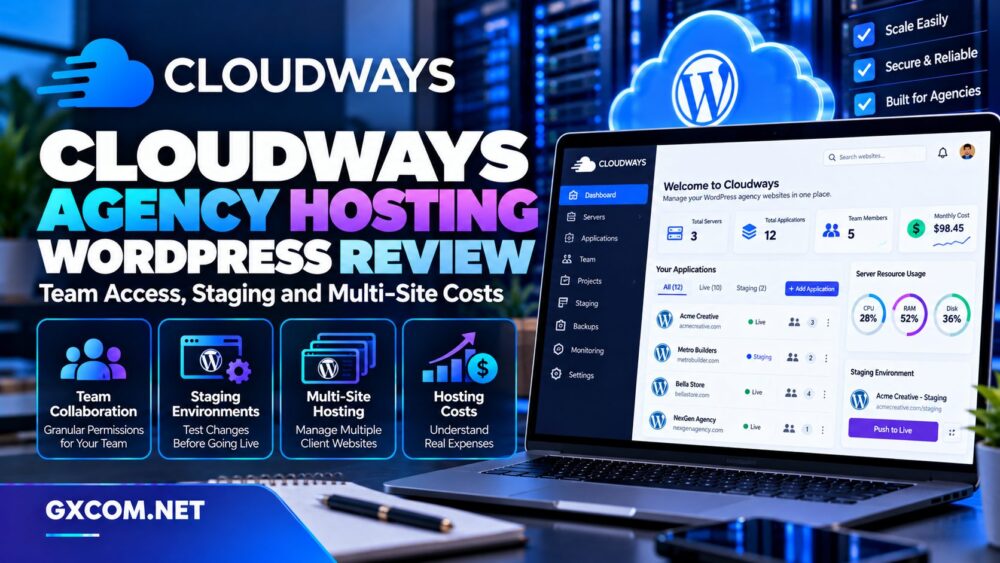
Managing one WordPress website is relatively simple. Managing twenty client websites, several developers, recurring updates, and unpredictable traffic is a different business. Agencies need hosting that supports collaboration, safe deployments, predictable billing, and clear separation between clients.
Cloudways approaches this problem through managed cloud infrastructure rather than conventional shared hosting. Its platform combines server management, application organization, staging environments, backups, and team permissions in one dashboard.
But convenience does not automatically mean lower costs. The number of servers, application workloads, storage requirements, and additional services can change an agency’s monthly expenses considerably.
In this Cloudways WordPress Agency Hosting review, we examine team access, staging, multi-site management, scaling, and long-term costs. We also compare SiteGround, Hostinger, ScalaHosting, and Kamatera for agencies with different operational requirements.
Editorial note: This analysis is based on published product documentation. GXCOM has not independently benchmarked Cloudways performance or tested support response times.
What Makes Cloudways Different for WordPress Agencies?
Cloudways offers two distinct hosting approaches: Flexible and Autonomous. Flexible allows customers to select managed cloud server resources and deploy multiple supported applications. Autonomous focuses on a more automated WordPress environment with its own plans and scaling model.
For agencies maintaining several independent client websites, Flexible is especially relevant because multiple WordPress applications can share a server when sufficient resources are available.
That model differs from hosting packages that price each website separately. However, placing more applications on one server increases the importance of resource planning and client isolation.
Our managed cloud hosting comparison explains how this model compares with other hosting services.
Team Access: Managing Developers Without Sharing Passwords
Agencies frequently work with designers, developers, SEO specialists, and external contractors. Sharing one administrator login creates unnecessary security and accountability problems.
Cloudways supports individual team-member accounts with configurable permissions, allowing account owners to delegate access without handing over primary credentials.
Role-Based Permissions
Administrators can assign permissions for specific servers, applications, projects, billing functions, and support activities. This allows agencies to limit what individual collaborators can access.
For example, a developer working on one client’s WordPress installation may not need billing permissions or access to unrelated production servers.
Agencies should apply the principle of least privilege and review permissions when contractors finish their assignments.
Application Credentials and Client Separation
Cloudways also supports application-level credentials for tasks such as SFTP or SSH access, subject to the assigned permissions.
This is useful when developers need file access without full control over the hosting account.
However, platform permissions should not be confused with complete security isolation. Agencies still need appropriate WordPress roles, database security, backups, and internal access policies.
Projects and Multiple Teams
The Projects feature helps organize applications into client or workstream groups. Team members can also collaborate across different Cloudways accounts through supported team workflows.
For agencies managing multiple customers, consistent project naming and permission reviews can reduce administrative mistakes.
Staging Environments: Testing Changes Before Deployment
Plugin updates, theme changes, and WooCommerce modifications can disrupt production websites. A staging environment provides a separate location for testing changes before they reach customers.
Cloudways supports staging and cloning workflows, including deployment records for push and pull operations.
How Staging Supports Agency Workflows
A typical workflow begins by creating a staging copy, applying updates, checking compatibility, and obtaining client approval. The agency can then deploy the appropriate changes to production.
This approach is particularly valuable for websites with custom themes, membership systems, or complex plugin dependencies.

Cloudways Flexible documentation indicates that staging on an existing server does not incur a separate server charge, although the environment consumes resources. Launching another server introduces normal server costs.
Staging Is Not a Substitute for Backups
A staging copy can help identify problems, but it does not replace a current recovery point.
Before deployment, verify that a suitable backup exists and that the team understands how to restore it.
For active WooCommerce stores, avoid blindly overwriting live databases because customer orders and account changes may have occurred after staging was created.
Multi-Site Hosting: How Many Client Websites Fit?
Cloudways Flexible allows customers to launch multiple applications on one server, subject to available resources. This can make it attractive for agencies hosting several modest WordPress websites.
However, unlimited application creation should never be interpreted as unlimited CPU, RAM, storage, or traffic capacity.
Independent WordPress Sites Versus Multisite
Hosting several independent WordPress installations is not the same as running WordPress Multisite.
Independent installations maintain separate application environments and databases, while WordPress Multisite uses a shared network architecture with different administrative implications.
Agencies should select the model according to client ownership, plugin requirements, maintenance responsibilities, and future migration needs.
The Shared-Server Risk
When several client applications share one cloud server, a resource-intensive site can affect the capacity available to others.
For example, a busy WooCommerce store may generate sustained database and PHP activity that a collection of brochure websites does not.
Monitor application behavior and consider dedicated servers for demanding clients rather than concentrating every account on one machine.
Client Portability
Some agencies eventually transfer hosting ownership to their customers. Cloudways supports server-transfer workflows, but the practical handover should be planned carefully.
Document domain ownership, billing responsibility, backup access, email services, and application credentials before transferring control.
Performance and Scaling for Growing Agencies
Cloudways provides server management features, caching technologies, monitoring, and vertical scaling options. These can simplify infrastructure administration compared with maintaining an unmanaged VPS.
Nevertheless, application speed depends on more than the hosting control panel.
Caching and WordPress Performance
Cloudways promotes technologies such as Varnish, Redis, and WordPress optimization tools across relevant products.
These can reduce repeated server work, but agencies must configure caching appropriately for dynamic pages, logged-in users, and eCommerce sessions.
Slow plugins, expensive database queries, and oversized media libraries may still require application-level optimization.
Vertical Scaling
Cloudways Flexible allows agencies to increase server resources when workloads grow. The available scaling operations depend on the underlying infrastructure.
Some changes may involve a restart, so production upgrades should be scheduled carefully.
Before increasing resources, identify whether the bottleneck is CPU, memory, database execution, storage, or network activity.
Our cloud hosting versus VPS guide provides additional infrastructure context.
Flexible Versus Autonomous Scaling
Cloudways Autonomous is positioned toward WordPress applications needing automated scaling, particularly when traffic varies significantly.
It uses a different billing and application-capacity model from Flexible. Agencies should not assume that unlimited applications, pricing, or scaling behavior carry over between the two products.
Backups, Security, and Operational Responsibility
Cloudways offers automated and on-demand backup capabilities, SSL integration, firewall features, and other security tools, depending on the product.
These services reduce routine administration but do not eliminate the agency’s responsibility for WordPress updates, account security, and disaster recovery.
Backup retention, restoration scope, and additional storage charges should be checked before placing critical client websites on the platform.
Agencies should also test recovery procedures and maintain a clear incident-response process.
Cloudways Agency Hosting Costs Explained
Cloudways Flexible primarily charges for managed cloud server resources rather than applying a simple fixed fee to every WordPress application.
This can benefit agencies with several lightweight sites, but costs increase when applications require more capacity or separate infrastructure.
Shared Infrastructure Versus Dedicated Client Servers
Suppose an agency manages twelve relatively small websites. Hosting several of them together may reduce infrastructure duplication, provided the server has adequate resources.
However, a high-traffic store or business-critical application may justify its own server for better resource separation.
Agencies should compare the operational and financial effects of consolidation against dedicated client environments.
Additional Services and Hidden Expenses
Include off-site backup requirements, transactional email, premium CDN features, additional storage, and optional support services when calculating total costs.
Agency labor is another important factor. Deployment management, updates, monitoring, and customer support all contribute to the actual cost of providing hosting.
A useful pricing model calculates infrastructure expenses per client, then adds maintenance time and an allowance for unexpected support work.
Evaluate Costs as the Portfolio Grows
Recalculate hosting economics when moving from a handful of websites to dozens of clients.
The lowest-cost server configuration is not necessarily the best value if it increases downtime risk or requires constant troubleshooting.
Our reseller hosting for agencies guide explores another approach to managing customer websites.
Cloudways Alternatives for WordPress Agencies
SiteGround: Managed WordPress Tools
SiteGround deserves consideration for agencies prioritizing WordPress-oriented management, staging features, and an integrated hosting experience.

Compare website allowances, resource restrictions, collaboration features, and renewal pricing against Cloudways.
Hostinger: Budget-Conscious Client Portfolios
Hostinger may suit agencies maintaining smaller WordPress websites with predictable workloads.
Review its current agency-related tools, plan limits, backups, and renewal costs before selecting a package.
ScalaHosting: Managed VPS and Control
ScalaHosting is relevant for agencies seeking managed VPS resources and an alternative hosting administration environment.
Evaluate management scope, account separation, scaling flexibility, and migration support.
Kamatera: Custom Cloud Infrastructure
Kamatera is an option for technically experienced agencies wanting configurable cloud servers.
Its infrastructure model can provide flexibility, but agencies must evaluate whether they have the expertise to manage the necessary software and security responsibilities.
For a broader provider shortlist, see our best web hosting services comparison.
Final Verdict: Is Cloudways Worth It for Agencies?
Cloudways is a strong candidate for WordPress agencies that need centralized application management, individual team permissions, staging workflows, and flexible cloud resources.
Its Flexible platform is particularly relevant to agencies managing multiple independent websites, while Autonomous targets a different scaling and billing model.
The principal limitation is that managing more websites does not create unlimited infrastructure capacity. Agencies must monitor resource usage, isolate demanding clients, and account for backups and operational labor.
Choose Cloudways when collaboration and managed cloud flexibility justify the cost. Compare SiteGround and Hostinger for alternative WordPress packages, ScalaHosting for managed VPS hosting, and Kamatera for more customizable infrastructure.
Frequently Asked Questions
Can Cloudways host multiple client WordPress sites?
Cloudways Flexible supports multiple applications on a server, provided available resources can accommodate their workloads.
Does Cloudways support team permissions?
Yes. Account owners can invite collaborators and assign access to selected platform functions, servers, applications, and projects.
Is staging free on Cloudways?
On Flexible, staging on an existing server does not require a separate server charge, but it consumes resources. Separate servers and Autonomous usage follow their respective billing rules.
Does Cloudways charge per website?
Flexible primarily uses server-based billing, while Autonomous has a different plan and usage structure. Confirm the selected product’s current terms.