More RAM can transform a virtual private server, especially when databases, caches, and application workers compete for memory. But a high-memory VPS is not automatically a high-performance VPS. CPU allocation, virtualization technology, storage capacity, and network policies determine whether those extra gigabytes deliver meaningful value.
VPSDime specializes in affordable virtual servers with generous memory allocations. Its Linux VPS lineup offers configurations ranging from small development instances to servers with hundreds of gigabytes of RAM, making it an interesting option for memory-intensive workloads.
In this VPSDime High-Memory VPS Review, we examine RAM allocation, shared CPU limitations, LXC virtualization, SSD storage, scalability, and workload suitability. We also compare VPSDime with AlphaVPS, Bacloud, and RackNerd to help buyers choose the right infrastructure.
GXCOM Editorial Note: This evaluation uses published specifications and technical documentation. We have not independently benchmarked VPSDime’s servers. Performance and availability should be tested against your own workload before production deployment.
VPSDime High-Memory VPS at a Glance
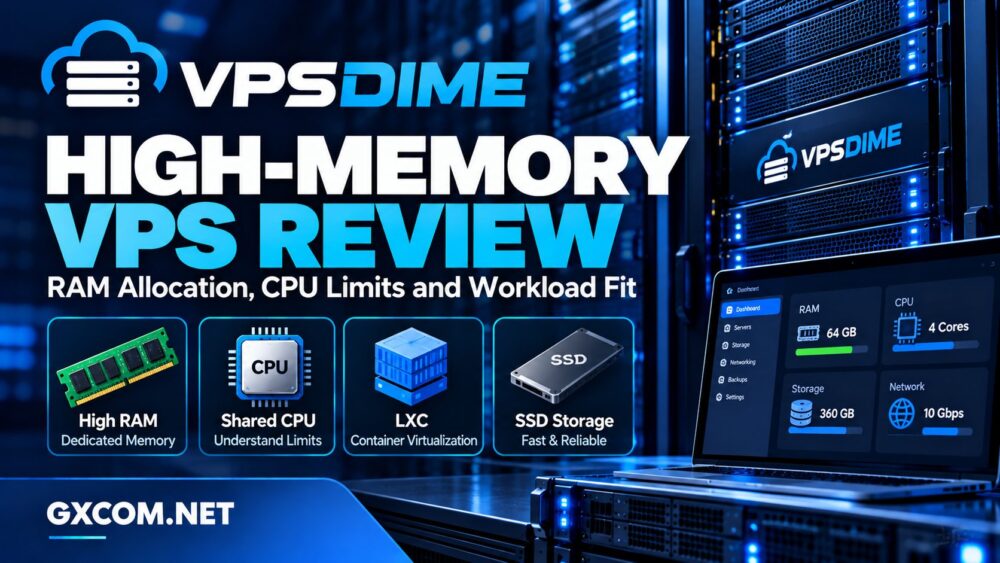
VPSDime offers several product families, including Linux VPS, Premium VPS, Windows VPS, and Storage VPS. Its standard Linux VPS plans are particularly relevant to customers who prioritize memory capacity over dedicated processing power.
- Virtualization: LXC for standard Linux VPS.
- CPU: Shared Intel Xeon resources.
- Memory: Dedicated RAM allocations.
- Storage: Enterprise SSD/NVMe-based infrastructure.
- Management: Root access and a custom control panel.
- Locations: Multiple US and European data centers.
- Primary limitation: Shared CPU and container-level kernel restrictions.
These characteristics make VPSDime attractive for selected databases, caches, and application environments. However, workloads requiring dedicated CPU resources or custom kernels may be better served by its Premium VPS product.
RAM Allocation: What Do You Actually Get?
VPSDime states that RAM and disk allocations on its Linux VPS plans are dedicated to individual customers, while CPU and network capacity are shared across the host node.
This distinction matters because memory allocation and processor scheduling solve different problems. Dedicated RAM helps reduce competition for an assigned memory quota, but it does not eliminate CPU contention.
How Much RAM Is Enough?
Consider the application’s real memory footprint rather than choosing the largest available plan. A small Redis instance may need only a few gigabytes, while a database retaining large working datasets in memory can require substantially more.
Plan for operating system processes, database buffers, application workers, background tasks, and temporary usage spikes. Leave headroom rather than allocating every available gigabyte to one service.
Monitoring tools such as free, vmstat, and application-specific metrics can reveal memory pressure before it causes outages.
Swap and Out-of-Memory Risks
Swap can provide limited protection against sudden memory pressure, but it is not a replacement for physical RAM. Heavy swapping increases storage activity and can make applications dramatically slower.
When memory is exhausted, Linux may terminate processes through its out-of-memory handling mechanisms. In an LXC environment, customers must also consider container memory limits and restrictions imposed by the host.
For production systems, measure peak resident memory, cache utilization, and allocation failures rather than relying solely on average RAM usage.
VPSDime Linux VPS Plans and Resource Ratios
VPSDime’s published Linux VPS lineup includes configurations with progressively larger RAM and storage allowances. Many higher-memory plans retain four advertised CPU cores, creating an important difference between memory capacity and computing power.
| RAM | Advertised CPU | Storage | Potential Use |
|---|---|---|---|
| 4 GB | 2 cores | 20 GB | Development and small services |
| 12 GB | 4 cores | 60 GB | Redis and moderate applications |
| 24 GB | 4 cores | 120 GB | Larger caches and databases |
| 36 GB | 4 cores | 180 GB | Memory-heavy application stacks |
| 72 GB | 4 cores | 360 GB | Large in-memory datasets |
These are selected published configurations, not measured performance results. Plan availability and specifications may change.

The practical lesson is straightforward: moving from 12 GB to 72 GB provides substantially more memory without a proportional increase in CPU allocation.
That can be excellent value for workloads constrained primarily by RAM. It is less compelling for applications that need more sustained processing capacity.
For broader purchasing context, consult GXCOM’s best VPS providers comparison.
Shared CPU Limits: The Hidden Trade-Off
VPSDime’s standard Linux VPS plans share host CPU resources with neighboring containers. Although the provider advertises resource monitoring and efforts to prevent overloaded nodes, shared processing remains a fundamental characteristic of this product.
A memory-intensive application may perform well when CPU demand is modest. However, sustained database calculations, compression, compilation, or high-volume request processing can create bottlenecks.
Why More RAM Does Not Fix CPU Contention
Imagine a database that keeps most frequently accessed records in memory. Additional RAM can reduce disk reads, but complex queries still require CPU time.
Similarly, a large Redis cache may hold millions of objects while latency-sensitive operations depend on available processor capacity.
Before purchasing, evaluate CPU usage, load patterns, and the application’s sensitivity to scheduling delays. Avoid assuming that four shared cores behave like four dedicated physical cores.
When Premium VPS Makes More Sense
VPSDime’s Premium VPS uses KVM virtualization and advertises dedicated CPU, memory, and storage resources. It also provides greater kernel-level flexibility and includes nightly server backups.
Premium VPS is worth considering for sustained processing, custom kernel requirements, or container orchestration environments that need full virtualization.
However, Premium VPS generally offers a different RAM-to-cost balance. Buyers should compare both product families using actual workload requirements rather than choosing by memory capacity alone.
LXC Virtualization: Benefits and Restrictions
Standard VPSDime Linux VPS hosting uses LXC containers rather than KVM virtual machines. LXC isolates Linux userspace environments while sharing the host’s kernel.
This design can reduce virtualization overhead and simplify resource changes. VPSDime advertises live scaling for its Linux VPS product line, allowing customers to adjust resources without a conventional virtual machine reboot.
However, sharing the host kernel limits certain administrative capabilities. Custom kernels, specialized kernel modules, and some containerized infrastructure requirements may not be available.
Developers planning Docker, Kubernetes, or advanced networking should verify compatibility before purchasing. Root access inside an LXC container does not provide the same kernel control as root access on a KVM virtual machine.
Storage, Network, and Data Center Locations
VPSDime advertises enterprise SSD infrastructure, including NVMe technology for its Linux VPS product line. Fast storage can improve database access and application responsiveness, but real performance depends on host activity and workload characteristics.
Its Linux VPS plans also list high-speed network uplinks. A 10Gbps advertised connection should not be interpreted as guaranteed dedicated throughput for each customer.
Available locations include Dallas, Seattle, Los Angeles, New Jersey, Amsterdam, and London. Location selection matters for application latency, compliance requirements, and user experience.
For database-heavy applications, test random I/O latency and network response times from the intended audience before moving production data.
For a closer look at storage technologies, read our NVMe VPS versus SSD performance guide.
Backups, Scaling, and Operating Costs
VPSDime provides a custom control panel with resource graphs, console access, operating system reinstall tools, and upgrade options.
Its standard Linux VPS backup service is an optional paid feature, while Premium VPS includes nightly backups under its published product terms.
Regardless of the plan, maintain independent off-site backups. Provider snapshots should not be the only protection against accidental deletion, application corruption, or account compromise.
For budgeting, compare the full cost of RAM, CPU, storage, backups, additional services, and administration. A low-cost high-memory server can become poor value if persistent CPU constraints require a second migration.
Our cheap VPS providers guide explains how to evaluate budget hosting beyond introductory pricing.
Best Workloads for VPSDime High-Memory VPS
Redis and In-Memory Caching
Redis and similar caching services can benefit directly from larger memory allocations. VPSDime may be suitable when the dataset fits comfortably within RAM and CPU requirements remain moderate.
Monitor eviction rates, memory fragmentation, persistence overhead, and peak operations before selecting a plan.
MariaDB and PostgreSQL
Database workloads can benefit from additional memory for buffer pools and filesystem caching. However, write-heavy transactions and complex queries still depend on CPU and storage performance.
Use representative database benchmarks and consider a dedicated-CPU VPS for consistently demanding workloads.
Multiple Applications and Containers
Running several lightweight services can create substantial aggregate memory demand. LXC hosting may work for compatible applications, but nested container requirements and kernel capabilities must be confirmed first.
For greater infrastructure flexibility, GXCOM’s managed versus unmanaged hosting comparison helps explain the administration responsibilities involved.
VPSDime Alternatives: AlphaVPS, Bacloud, and RackNerd
VPSDime is particularly interesting for high RAM allocations, but three other providers deserve consideration when virtualization flexibility, geographic coverage, or different resource combinations matter.
AlphaVPS: KVM Hosting and CPU Options
AlphaVPS is worth comparing for KVM-based Linux VPS products and processor-focused configurations. It may be a better fit when full virtualization or stronger CPU options matter more than maximizing RAM per dollar.

Bacloud: KVM VPS and European Infrastructure
Bacloud offers KVM VPS hosting and European infrastructure options. Buyers should compare memory allocations, storage technology, network routing, and backup arrangements with VPSDime’s Linux VPS plans.
RackNerd: Budget VPS Resource Packages
RackNerd provides budget-oriented VPS configurations, including KVM-based offerings. Its promotional plans may appeal to customers seeking a particular combination of memory, disk space, and transfer allowance.
Compare equivalent configurations and renewal terms rather than assuming the lowest advertised price represents the best long-term value.
Final Verdict: Is VPSDime High-Memory VPS Worth It?
VPSDime is worth shortlisting when memory capacity is the primary constraint and shared CPU resources are acceptable. Its dedicated RAM allocations, broad Linux plan range, SSD infrastructure, and flexible scaling make it relevant for caches, databases, and application environments.
Its biggest limitation is the distinction between high RAM and dedicated computing power. Standard Linux VPS plans use LXC and shared CPU resources, while Premium VPS provides KVM virtualization and dedicated processing.
Choose VPSDime for compatible memory-intensive workloads with manageable CPU demand. Compare AlphaVPS, Bacloud, and RackNerd when KVM virtualization, different processor options, or alternative resource packages are more important.
Before purchasing, measure peak memory usage, verify application compatibility, test storage and CPU behavior, and calculate backup and administration costs. The right VPS is the one whose resource balance matches the application—not simply the server advertising the most RAM.
Frequently Asked Questions
Does VPSDime offer dedicated RAM?
VPSDime states that memory and disk allocations on its standard Linux VPS plans are dedicated, while CPU and network resources are shared.
Does VPSDime use KVM virtualization?
Its standard Linux VPS uses LXC. Premium VPS uses KVM and provides dedicated CPU resources.
Is VPSDime suitable for Redis?
It can be suitable for Redis and other memory-intensive services when CPU requirements, persistence settings, and memory headroom fit the selected plan.
Can I run Docker on VPSDime Linux VPS?
Compatibility depends on the LXC environment and required kernel capabilities. VPSDime’s KVM-based Premium VPS offers greater flexibility for Docker and container orchestration.
Are backups included with VPSDime?
Nightly backups are an optional service for standard Linux VPS, while Premium VPS includes nightly backups. Independent backups remain advisable.