Black Friday Windows VPS Deals can be an attractive opportunity to reduce the cost of a Windows-based virtual private server. However, a heavily discounted VPS is not necessarily a good deal if Windows Server licensing costs extra, the advertised price requires a long contract, or renewal fees rise significantly after the promotional period.
Unlike many Linux VPS plans, Windows VPS hosting introduces additional purchasing considerations. Buyers need to verify whether a genuine Windows Server license is included, whether Remote Desktop Protocol (RDP) access is available, how CPU resources are allocated, and whether the provider supports the applications they intend to run.
This guide explains how to compare Black Friday Windows VPS offers, evaluate hosting providers, calculate real ownership costs, and identify the right server configuration for remote desktop access, business applications, development environments, and Windows-based workloads.
Black Friday 2026 update: Black Friday falls on November 27, 2026. As of October 11, 2026, this article is a buying guide and promotion-tracking resource, not a verified list of active Black Friday discounts. Provider-specific promotions, coupon codes, inventory, and expiration dates should be added only after confirmation from official sources.
Best Black Friday Windows VPS Deals: What to Look For
The best Black Friday Windows VPS deals combine a competitive effective price with legitimate software licensing, reliable infrastructure, and predictable renewal terms.
Before comparing providers, check these essential factors:
- Windows Server license: Is the operating system license included in the advertised price?
- CPU allocation: Are virtual CPU cores shared, dedicated, or subject to usage restrictions?
- Memory: Is the available RAM sufficient for Windows Server and the intended applications?
- Storage: Does the plan provide enough usable SSD or NVMe capacity?
- Network: Are bandwidth, traffic allowances, and server location suitable?
- RDP access: Is administrative Remote Desktop access supported?
- Renewal pricing: What happens after the promotional billing period?
- Backup policy: Are snapshots or backups included, optional, or unavailable?
- Management: Who handles Windows updates, security, and troubleshooting?
A low headline price should never replace a full comparison of these requirements.
Windows VPS vs Linux VPS: Why Black Friday Pricing Differs
Windows VPS and Linux VPS products can use similar underlying virtualization technologies, but their operating system licensing and administration requirements differ.
Linux distributions commonly used for VPS hosting can be deployed without a separate commercial operating system license fee. Windows Server generally requires appropriate licensing under Microsoft's applicable terms.
That licensing cost may be incorporated into the monthly VPS price or displayed as a separate charge.
Windows Server Licensing
Before purchasing a discounted Windows VPS, verify:
- The Windows Server edition and version supplied.
- Whether the provider includes the required operating system license.
- Whether licensing is charged separately.
- Whether the deployment method is supported under the applicable licensing terms.
- Whether any additional software or access licenses are required for the intended use.
Windows activation alone does not establish that every licensing requirement for a particular deployment has been satisfied.
For a broader explanation of licensing economics, read our Windows Server licensing and hosting cost guide.
Windows Administration Overhead
Windows Server typically needs sufficient memory and storage for the operating system, updates, security services, and background processes.
For remote desktop workloads, an extremely small VPS may feel slow even when the advertised CPU specification appears adequate.
Linux VPS plans can be appropriate for many websites and applications, but they are not direct replacements for software that requires Windows.
Recommended Windows VPS Specifications for Different Workloads
The appropriate VPS configuration depends on the applications, concurrent users, and expected resource consumption.
| Use Case | Starting Configuration to Evaluate | Important Considerations |
|---|---|---|
| Basic administration and testing | 2 vCPU, 4GB RAM, 60GB SSD | Light workloads and limited background services |
| Regular RDP desktop use | 4 vCPU, 8GB RAM, 100–150GB SSD/NVMe | Interactive responsiveness and storage capacity |
| Business applications | 4–6 vCPU, 8–16GB RAM, 120GB+ storage | Application-specific CPU and memory requirements |
| Development and testing | 4–8 vCPU, 8–16GB RAM, NVMe storage | Build tools, databases, and test environments |
| Heavier multi-service workloads | 8+ vCPU, 16GB+ RAM, workload-sized storage | CPU allocation, I/O performance, and scaling |
These are illustrative starting points, not minimum requirements guaranteed to support every application. Verify the requirements of the selected Windows Server version and installed software.
Is 4 vCPU and 8GB RAM Enough for Windows VPS?
A 4 vCPU and 8GB RAM configuration can be a reasonable starting point for many individual remote desktop and moderate Windows application workloads.
However, four shared virtual CPU cores do not necessarily deliver the same performance across hosting providers.
CPU generation, virtualization overhead, resource contention, storage latency, and network conditions can all affect responsiveness.
How Much Storage Should You Choose?
For a Windows VPS used regularly through RDP, a plan with approximately 100–150GB of storage may provide more flexibility than a minimal system disk.
Additional space can accommodate applications, Windows updates, temporary files, logs, and user data.
Storage capacity alone is not enough. Check whether the provider uses SSD or NVMe storage and whether there are relevant performance limits.
Black Friday Windows VPS Deals: Hosting Providers to Compare
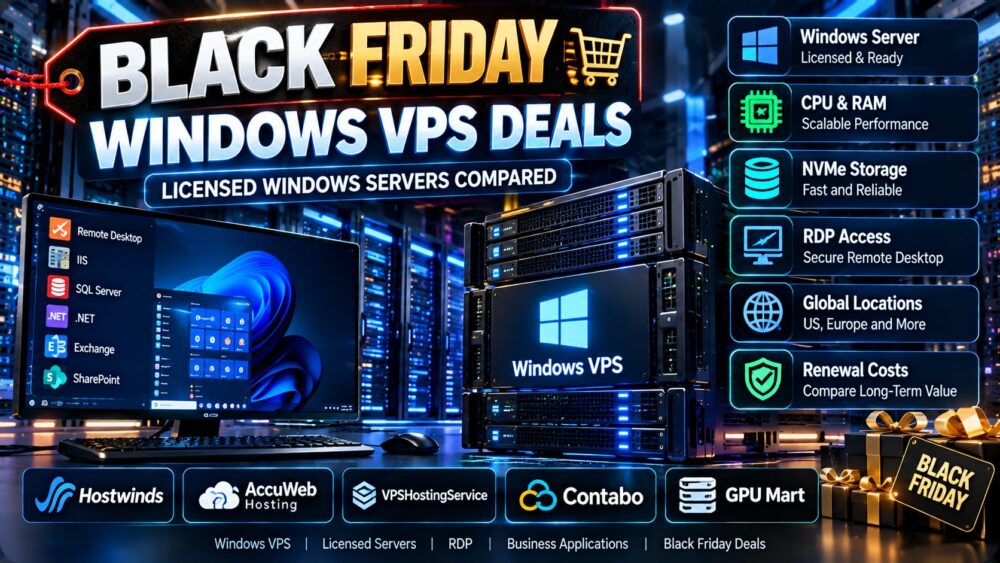
The following providers are worth investigating when shopping for Windows VPS hosting and related server infrastructure. Their inclusion does not confirm an active Black Friday promotion or the availability of a particular Windows VPS plan.
1. Hostwinds: Windows VPS and Support Considerations
Hostwinds is a relevant provider to investigate for Windows VPS hosting, especially when support arrangements and server administration responsibilities matter.
Before purchasing, confirm the current Windows VPS product, supported operating system, included licensing, available locations, backup options, and whether the advertised promotion applies to Windows configurations.
Best fit to evaluate: Buyers who prioritize Windows VPS availability, support options, and predictable operating requirements.

2. AccuWeb Hosting: Windows VPS Configuration Options
AccuWeb Hosting is another provider to compare for Windows-oriented hosting requirements.
Check the available virtual CPU, RAM, storage, Windows Server edition, RDP access, and licensing terms.
Do not assume that a promotional price for Linux VPS hosting also applies to Windows VPS plans.
Best fit to evaluate: Buyers who want to compare Windows-specific hosting configurations and resource allocations.
3. VPSHostingService: Budget Windows VPS Evaluation
VPSHostingService may be worth investigating for buyers focused on budget Windows VPS configurations.
When comparing offers, confirm the current Windows operating system options, license inclusion, CPU allocation, usable storage, backup availability, and renewal terms.
A budget plan is only good value if the server remains responsive under the intended workload.
Best fit to evaluate: Cost-sensitive users seeking a practical balance of RAM, storage, and Windows compatibility.
4. Contabo: Resource Allocation and Total Cost
Contabo is relevant to VPS shoppers comparing resource allocations and longer-term infrastructure costs.
Before considering any configuration for Windows workloads, verify whether the selected product supports a properly licensed Windows Server installation and whether the required deployment method is available.
Also review setup charges, contract terms, storage performance, and renewal costs.
Best fit to evaluate: Buyers who prioritize resource capacity and are prepared to verify Windows-specific product eligibility.
5. GPU Mart: Windows Server and Specialized Workload Requirements
GPU Mart can be considered when evaluating Windows-based server configurations, especially where application requirements differ from ordinary web hosting.
Confirm whether a suitable Windows VPS or server product is currently offered, the applicable license terms, and whether the plan supports the intended applications.
GPU capability should not be assumed from a generic Windows VPS listing.
Best fit to evaluate: Buyers with specialized Windows software or hardware requirements who need to confirm compatibility before purchasing.
Important: Provider names above are evaluation candidates, not a verified ranking of current Black Friday discounts. Check official product pages before displaying any price, coupon, stock status, or promotion expiration date.
How to Compare Black Friday Windows VPS Prices
The biggest mistake in comparing Black Friday Windows VPS deals is treating the introductory monthly equivalent as the complete cost.
Some promotions require advance payment for several months or years. Others apply only to the first billing term.
Calculate the Effective Monthly Cost
Use this formula:
Effective monthly cost = (initial subscription + required license fees + setup fees) / number of prepaid months
Optional services such as backups should also be included if they are necessary for the intended workload.
Hypothetical Windows VPS Pricing Example
Consider two fictional Windows VPS offers:
| Cost Factor | Plan A | Plan B |
|---|---|---|
| Advertised base price | $9/month | $13/month |
| Windows license | $6/month extra | Included |
| Required billing term | 24 months | 12 months |
| Setup fee | $0 | $0 |
| Effective monthly cost | $15 | $13 |
| Initial payment | $360 | $156 |
All prices are hypothetical illustrations. They do not represent actual Black Friday promotions or quotations from the providers mentioned in this guide.
Plan A appears cheaper before licensing, but Plan B has a lower effective monthly cost and requires less upfront spending in this example.
Check Renewal Costs
Black Friday discounts can expire after the initial term.
For each plan, record the regular renewal price, license charges, and cancellation or migration requirements.
A lower first-year price may not produce lower total spending over two or three years.
Compare Equivalent Hardware
Do not compare a 2 vCPU, 4GB RAM VPS directly with a 4 vCPU, 8GB RAM configuration without accounting for the differences.
Similarly, NVMe capacity, CPU sharing, traffic limits, and server location can change the value of a plan.
Black Friday Windows VPS Deals vs Regular VPS Promotions
Black Friday can be a useful time to shop, but the seasonal label does not guarantee that a promotion is better than a provider's regular offer.
Compare the same configuration against normal pricing and any available year-round discounts.
For broader seasonal offers, visit our Best Black Friday VPS Deals guide.
For nonseasonal alternatives, explore our affordable cloud VPS deals comparison.
Watch for Long-Term Contract Requirements
A promotional price that requires two or three years of advance payment creates a different financial commitment from a monthly plan.
Before committing, consider whether the provider, operating system, or resource requirements may change during the prepaid period.
Look Beyond the Discount Percentage
A 60% discount on an inflated reference price may be less attractive than a smaller reduction from a competitive regular price.
Compare the final payable amount and the total cost over the expected service period.
Best Windows VPS Locations for RDP and Business Applications
Server location can affect remote desktop responsiveness, data transfer latency, and access to regional services.
United States Windows VPS
US-based Windows VPS hosting may be suitable for workloads serving American customers or users who need infrastructure in the United States.
However, latency depends on the actual data center location and network route, not merely the country.
European Windows VPS
European locations may be appropriate for users and applications operating primarily in Europe.
Compare network routing, regional availability, data protection requirements, and any location-specific licensing or product restrictions.
Test Network Performance Before Long Contracts
When possible, use a short billing period to test RDP responsiveness, packet loss, storage performance, and application stability before committing to a long promotional term.
Windows VPS vs Windows Dedicated Server: Which Is Better?
A Windows VPS is often appropriate when a buyer needs an isolated virtual server with moderate resource requirements and a lower infrastructure commitment.
Dedicated servers may be worth considering for workloads requiring greater hardware control, sustained resource usage, or specialized configurations.
| Factor | Windows VPS | Windows Dedicated Server |
|---|---|---|
| Hardware allocation | Virtualized resources | Physical server resources |
| Initial commitment | Often more flexible | Depends on provider and contract |
| Resource isolation | Depends on virtualization and allocation | Dedicated physical hardware |
| Operating system license | Must verify plan terms | Must verify licensing arrangement |
| Typical use case | RDP, development, moderate applications | Heavier or specialized workloads |
For an additional purchasing perspective, see our affordable Windows dedicated servers guide.
Windows VPS Security and RDP Best Practices
Remote Desktop access is convenient, but a Windows VPS exposed to the internet requires careful security configuration.
Basic precautions include:
- Keep Windows Server and installed applications updated.
- Use strong, unique administrator credentials.
- Enable multifactor authentication where supported by the access solution.
- Restrict RDP exposure through a VPN, gateway, or trusted network controls.
- Apply appropriate firewall rules.
- Use least-privilege user accounts.
- Maintain tested backups.
- Monitor suspicious authentication attempts and system activity.
Do not assume that an unmanaged Windows VPS includes operating system security administration.
How to Verify a Black Friday Windows VPS Promotion
Before displaying or purchasing a Black Friday Windows VPS offer, verify the promotion through the provider's official website or an authorized campaign announcement.
Record the following information:
| Verification Field | What to Confirm |
|---|---|
| Provider | Official company and product name |
| Promotion status | Upcoming, active, expired, or unverified |
| Discount | Actual reduction and applicable conditions |
| Coupon code | Whether a code is required and valid |
| Windows license | Included, additional charge, or unsupported |
| Billing term | Monthly, annual, or multi-year requirement |
| Renewal | Price after the promotional period |
| Expiration | Confirmed end date and time zone |
| Last checked | Date the offer was verified |
If the promotion has not been officially announced, label it as unconfirmed rather than publishing a speculative discount.
Black Friday Windows VPS Buying Checklist
- Confirm Windows licensing: Verify the exact edition and whether the license is included.
- Match the workload: Choose CPU, RAM, and storage based on application needs.
- Review CPU sharing: Understand performance and fair-use limitations.
- Check RDP support: Confirm permitted access and administration options.
- Evaluate server location: Test latency to the intended users.
- Inspect backups: Understand what is included and what costs extra.
- Check the billing period: Avoid unexpected long-term commitments.
- Calculate effective cost: Include license and setup fees.
- Review renewal pricing: Compare costs after the promotion ends.
- Verify the actual offer: Use official terms and confirmed availability.
- Test performance: Validate RDP responsiveness and application behavior.
- Plan security: Secure remote access and maintain updates.
Frequently Asked Questions
When is Black Friday 2026?
Black Friday 2026 is Friday, November 27. Some hosting providers may announce promotions before that date or continue them through Cyber Monday, but individual schedules must be verified.

Are Black Friday Windows VPS deals cheaper than regular plans?
They can be, but not always. Compare the effective monthly cost, Windows licensing, contract duration, renewal price, and included resources against regular offers.
Do Windows VPS plans include a Windows Server license?
Some plans include licensing, while others charge separately or have different operating system eligibility rules. Confirm the exact product terms before purchasing.
How much RAM is recommended for Windows VPS?
Requirements depend on the operating system and workload. Four gigabytes may be workable for limited use, while 8GB or more can provide greater flexibility for regular remote desktop and application workloads.
Is 4 vCPU and 8GB RAM a good Windows VPS configuration?
It can be a practical starting point for many moderate workloads, but CPU generation, resource sharing, storage performance, and application requirements affect real performance.
Can I use RDP with a Windows VPS?
Many Windows VPS products support administrative Remote Desktop access. Verify the provider's policy, operating system configuration, and any licensing requirements for the intended access model.
Can I install Windows Server on a Linux VPS plan?
Not necessarily. Installation depends on the provider's virtualization platform, custom ISO support, product terms, and Windows licensing arrangements.
Are Windows VPS Black Friday discounts valid for renewals?
Some promotions apply only to new purchases or the first billing term. Always check the official renewal terms.
Should I buy a two-year Windows VPS plan on Black Friday?
A longer contract may reduce the effective monthly cost, but it increases upfront commitment. Consider provider reliability, future resource needs, cancellation terms, and total savings before paying in advance.
What is the most important factor when choosing a Windows VPS deal?
The most important factor is whether the complete server configuration meets the workload at an acceptable total cost, including Windows licensing, storage, network performance, and renewal charges.
Final Verdict: Black Friday Windows VPS Deals
The best Black Friday Windows VPS Deals are those that provide properly licensed Windows hosting, sufficient resources, reliable remote access, and transparent long-term pricing.
Hostwinds, AccuWeb Hosting, VPSHostingService, Contabo, and GPU Mart are different providers to investigate based on the intended workload and current product availability.
However, no provider should be considered a confirmed Black Friday winner until its official promotion, Windows eligibility, licensing costs, and renewal terms have been checked.
For many regular Windows desktop and business application workloads, a balanced VPS with approximately 4 vCPU, 8GB RAM, and sufficient SSD or NVMe storage can be a useful starting point, subject to actual application requirements.
Prioritize effective monthly cost, software licensing, real-world performance, and long-term reliability over headline discount percentages.
WINDOWS LICENSE → CPU & RAM → SSD/NVMe → RDP PERFORMANCE → PROMOTION TERMS → RENEWAL COST → REAL VALUE