An unmanaged dedicated server gives you direct control over the operating system, software stack, security configuration, and application environment. But that freedom comes with an important responsibility: keeping the server reliable after the initial setup is complete.
A server can appear online while its storage is approaching failure, its backups have stopped running, or its security updates are months behind. By the time a website becomes unavailable, the underlying problem may have existed for days or weeks.
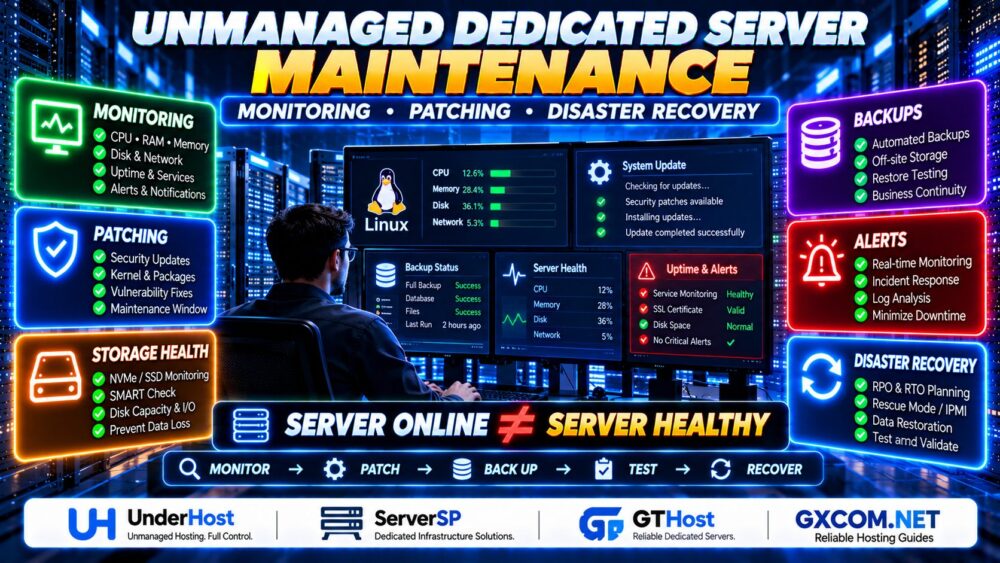
Effective unmanaged dedicated server maintenance requires continuous monitoring, structured patch management, verified backups, and a documented disaster recovery plan.
SERVER ONLINE ≠ SERVER HEALTHY.
This guide explains how to maintain an unmanaged Linux dedicated server, which metrics to monitor, how to reduce patching risks, and what to prepare before a serious outage occurs.
What Is Unmanaged Dedicated Server Maintenance?
Unmanaged dedicated server maintenance is the ongoing process of monitoring, securing, updating, optimizing, and protecting a physical server administered primarily by its customer.
Unlike a managed hosting arrangement, an unmanaged service generally leaves operating system and application administration to the customer. The hosting provider remains responsible for the physical infrastructure according to its service agreement.
Typical maintenance responsibilities include:
- Operating system and package updates
- CPU, memory, disk, and network monitoring
- Security hardening and access management
- Web server and database maintenance
- Backup scheduling and restoration testing
- Log review and incident investigation
- Capacity planning
- Disaster recovery documentation
If you are deploying a new server, begin with our Unmanaged Dedicated Server Setup Checklist before establishing the ongoing maintenance routine described below.
1. Monitor Server Health Before Users Report Problems
Monitoring is one of the most important parts of dedicated server maintenance. It helps identify abnormal behavior before it becomes a customer-facing outage.
A useful monitoring system should collect metrics, detect trends, and notify the responsible administrator when action is required.
CPU and System Load
Monitor CPU utilization, load average, process activity, and CPU pressure.
High CPU utilization is not automatically a problem. A server may legitimately use substantial CPU resources while processing scheduled tasks or expected workloads.
The concern is sustained saturation combined with slow application responses, growing queues, or increasing errors.
Useful Linux commands include:
uptime
top
ps aux --sort=-%cpu | head
These commands provide an initial view of system load and CPU-intensive processes.
Memory and Swap Usage
Track available memory, swap activity, and memory pressure rather than looking only at the amount of RAM reported as used.
Linux intentionally uses otherwise available memory for caching. High memory usage alone does not necessarily indicate a shortage.
free -h
vmstat 1 5
Investigate sustained swapping, out-of-memory events, or memory pressure that affects application performance.
Storage Capacity and I/O
Monitor filesystem usage, inode availability, storage latency, and disk health.
df -h
df -i
lsblk -f
For supported physical drives, SMART information can help identify potential storage problems. Tools such as smartctl may require installation and appropriate hardware access.
Remember that SMART monitoring cannot predict every disk failure, and some RAID controllers or virtualized storage layers expose limited information.
Network and Service Availability
Monitor network throughput, packet loss, interface errors, and service response times.
External HTTP or HTTPS checks are valuable because a server can respond to ICMP ping while its website or database-backed application remains unavailable.
PING SUCCESS ≠ WEBSITE HEALTHY.
2. Set Up Alerts That Lead to Action
Collecting metrics is not enough. Administrators need alerts that identify actionable problems without generating unnecessary noise.
Useful alert categories include:
- Website or API unavailable
- Unexpected server reboot
- Filesystem capacity approaching a defined limit
- Sustained CPU or memory pressure
- High disk latency or storage errors
- Failed backup jobs
- Expiring TLS certificates
- Repeated authentication failures
- Database connection or replication problems
Thresholds should reflect the application's normal behavior. A fixed CPU threshold may be suitable for one workload but produce constant false alarms for another.
Monitoring Tools to Consider
Depending on operational requirements, administrators may use:
- Prometheus: Metric collection and alerting integrations
- Grafana: Dashboards and observability interfaces
- Zabbix: Infrastructure monitoring and alerts
- Netdata: Detailed real-time system metrics
- Uptime Kuma: Availability and endpoint monitoring
These tools differ in complexity, deployment requirements, and monitoring scope.
For important websites, use monitoring that operates outside the dedicated server itself. A monitoring service running only on the failed machine may be unable to report its own outage.
3. Build a Safe Linux Patch Management Process
Security patches address vulnerabilities, while routine updates may also improve stability and compatibility.
However, applying updates without preparation can introduce application conflicts, unexpected configuration changes, or downtime.
Patch management should balance security urgency with operational risk.
Check Available Updates
On Ubuntu or Debian systems:
sudo apt update
apt list --upgradable
On supported RHEL-compatible distributions using DNF:
sudo dnf check-update
Review proposed changes before installing them, especially on servers running business-critical applications.
Prioritize Security Updates
Give appropriate priority to vulnerabilities affecting:
- The Linux kernel
- OpenSSH and remote access services
- Web servers and reverse proxies
- PHP and application runtimes
- Database servers
- Control panels and administrative interfaces
- Internet-facing application components
Patch urgency should consider exploitability, exposure, vendor guidance, and the potential impact on the hosted workload.
Use a Maintenance Window
Before applying potentially disruptive updates:
- Review vendor release notes and known issues.
- Verify recent backups and recovery access.
- Check available disk space and system health.
- Test significant changes in a representative environment where possible.
- Schedule an appropriate maintenance window.
- Apply updates and reboot if required.
- Verify applications, logs, and service availability.
Kernel updates and certain security fixes may require a reboot unless an appropriate live-patching mechanism is in place.
PATCH INSTALLED ≠ PATCH VERIFIED.

4. Automate Updates Carefully
Automated security updates can reduce the time systems remain exposed to known vulnerabilities, but automation should be configured according to the importance of the workload.
On Debian-based systems, administrators may use unattended-upgrades where supported. Other distributions provide their own update automation mechanisms.
Before enabling unattended updates, determine:
- Which packages are eligible
- Whether automatic reboots are allowed
- How update failures are reported
- Whether application compatibility has been tested
- Who responds when an update causes an incident
For high-availability or revenue-generating workloads, a staged deployment process may be more appropriate than unrestricted automatic updates.
5. Maintain SSH, Firewall and Administrator Access
Security maintenance also includes reviewing access controls and removing permissions that are no longer required.
At regular intervals:
- Review authorized SSH keys.
- Remove unused administrator accounts.
- Verify sudo permissions.
- Inspect firewall rules.
- Review authentication logs.
- Check for unexpected listening services.
- Rotate exposed credentials and secrets.
- Confirm recovery console access.
Useful commands include:
ss -tulpn
sudo systemctl --failed
sudo journalctl -p err -b
Review output in the context of the installed operating system and running services.
Before making restrictive firewall or SSH changes, confirm that a working recovery method is available.
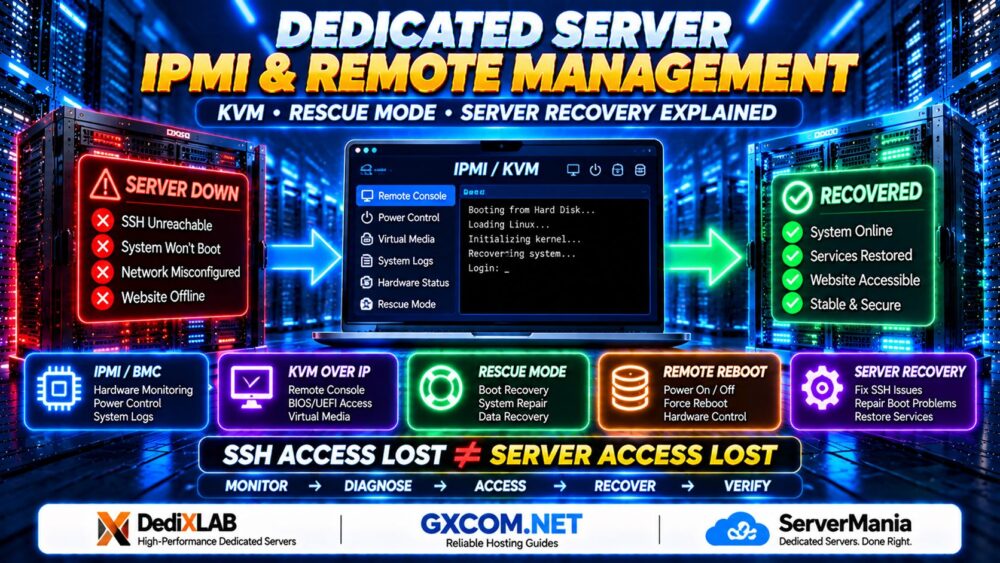
If normal network access fails, our Dedicated Server IPMI and Remote Management Guide</a explains how KVM over IP, rescue mode, and hardware management interfaces can assist with recovery.
6. Database and Application Maintenance
A healthy operating system does not guarantee a healthy application.
For WordPress, WooCommerce, and other database-driven websites, maintenance should also include application-level checks.
Database Monitoring
Review slow queries, connection usage, replication health where applicable, storage growth, and database error logs.
Investigate inefficient queries before increasing hardware resources.
Application Updates
Maintain supported versions of the application, plugins, themes, and runtime dependencies.
For production websites, verify compatibility and test important user journeys after significant updates.
Background Jobs
Check cron jobs, queue workers, scheduled tasks, and automated maintenance scripts.
Silent failures in background processing can disrupt email delivery, order fulfillment, synchronization, and reporting even while the public website remains accessible.
7. Backups: The Foundation of Disaster Recovery
Backups are essential, but their value depends on whether the data can be restored when needed.
A backup system should protect against accidental deletion, software corruption, ransomware, hardware failure, and other incidents within the scope of the recovery strategy.
Follow the 3-2-1 Backup Principle
A commonly used starting principle is to maintain:
- Three copies of important data, including the production copy
- Two different storage media or storage systems
- One copy stored off-site
For stronger protection, consider immutable or offline copies and independent access credentials.
Backup design should reflect the sensitivity and recovery requirements of the workload.
What Should Be Backed Up?
- Website and application files
- Databases and transactional records
- Important configuration files
- Infrastructure and deployment documentation
- Recovery keys and secrets stored securely
- Relevant application data outside standard web directories
Database backups should use an application-consistent method appropriate to the database engine and workload. A simple copy of active database files may not produce a usable backup.
Test Restores, Not Just Backup Jobs
Periodically restore data to a separate test environment and confirm that the recovered application works correctly.
Validate database integrity, file permissions, application configuration, and critical user workflows.
BACKUP SUCCESS ≠ RESTORE SUCCESS.
8. Define RPO and RTO Before a Disaster
Two important recovery planning concepts are Recovery Point Objective and Recovery Time Objective.
Recovery Point Objective (RPO) defines the maximum acceptable amount of data loss measured in time.
Recovery Time Objective (RTO) defines the target duration for restoring service after a disruption.
For example, a business that can tolerate losing no more than one hour of recent data may require a backup or replication strategy capable of meeting that objective.
A recovery target is not a guarantee. It must be supported by appropriate technology, procedures, and testing.
Illustrative Recovery Planning
| Workload | Possible Planning Priority | Recovery Consideration |
|---|---|---|
| Personal blog | Lower operational urgency | Scheduled backups and documented restore |
| Business website | Moderate urgency | Off-site backups and defined recovery ownership |
| Busy eCommerce store | High transactional sensitivity | Frequent data protection and tested recovery |
| Mission-critical application | Strict availability requirements | Redundancy, failover, and rehearsed recovery |
These are general planning examples. Each organization must establish recovery objectives based on its own business impact and technical requirements.
9. Create a Dedicated Server Disaster Recovery Plan
A disaster recovery plan explains what administrators should do when normal service cannot be restored through routine troubleshooting.
It should address common failure scenarios such as:
- Physical storage failure
- Operating system corruption
- Failed security updates
- Network or firewall misconfiguration
- Security compromise
- Accidental data deletion
- Major data center disruption
Step 1: Identify the Failure
Use monitoring alerts, system logs, hardware status, and provider notifications to determine the scope of the incident.
Step 2: Protect Evidence and Data
For suspected security incidents, avoid unnecessary changes that could destroy evidence. Follow the organization's incident response process before rebuilding or restoring affected systems.
Step 3: Choose the Recovery Method
Depending on the incident, recovery may involve remote console access, rescue mode, hardware replacement, application repair, or restoration onto another server.
Step 4: Restore from Verified Sources
Use known-good backups and trusted installation media. Confirm that recovery credentials, encryption keys, and required dependencies are available.
Step 5: Validate the Recovered Service
Check application functionality, database integrity, access permissions, TLS certificates, scheduled jobs, and external connectivity.
Step 6: Document the Incident
Record the cause, timeline, recovery actions, data impact, and preventive improvements.
RECOVERY COMPLETE ≠ ROOT CAUSE RESOLVED.
10. Maintain Hardware and Coordinate with the Provider
Unmanaged hosting does not usually mean that the customer must physically replace failed server components.
The provider typically maintains the physical infrastructure according to its contract, while the customer manages the installed operating system and applications.
Before purchasing or renewing a dedicated server, confirm:
- How hardware faults are reported
- Whether replacement parts are available
- What response commitments apply
- Whether remote reboot or rescue tools are provided
- How disk replacements are coordinated
- Whether data migration assistance is included
- What happens during major infrastructure incidents
For example, when evaluating unmanaged infrastructure from UnderHost, ask which responsibilities belong to the customer and which hardware-level issues are handled by the provider.
The exact answer depends on the selected product and service agreement.
11. Dedicated Server Providers: What Maintenance Features Matter?
When comparing unmanaged dedicated hosting providers, evaluate more than processor specifications and monthly rental costs.
Remote recovery access, hardware support, network reliability, and management transparency can affect the operational risk of a server.
UnderHost: Clarify Customer Administration Responsibilities
UnderHost is one provider to evaluate when comparing infrastructure options for administrators who want direct server control.
Confirm the selected server's management interface, backup arrangements, hardware support procedures, and customer responsibilities before ordering.
ServerSP: Evaluate Monitoring and Recovery Options
ServerSP can be considered when comparing dedicated infrastructure and associated operational requirements.
Ask whether the chosen product supports remote console access, rescue environments, hardware monitoring information, and documented recovery assistance.
Do not assume that capabilities available on one product are included across every service category.
GTHost: Review Hardware Support and Network Terms
GTHost is another infrastructure provider to include when comparing dedicated server arrangements.
Review hardware replacement policies, network terms, data center options, remote access tools, and any additional services required for your maintenance strategy.
Request written confirmation of important operational features rather than relying on general marketing descriptions.
12. A Practical Dedicated Server Maintenance Schedule
A recurring maintenance schedule makes operational responsibilities easier to track.
| Frequency | Recommended Tasks |
|---|---|
| Continuous | Monitor uptime, resource health, critical services, and backup failures |
| Daily | Review important alerts, backup results, and security incidents |
| Weekly | Review updates, disk growth, logs, and service performance |
| Monthly | Perform planned patching, review access rights, and test selected recovery procedures |
| Quarterly | Conduct broader restoration testing, capacity reviews, and disaster recovery exercises |
| After Major Changes | Validate services, monitoring, backups, and rollback procedures |
This is an illustrative schedule. Internet-facing critical vulnerabilities may require immediate action rather than waiting for the next planned maintenance window.
13. When Should You Switch to Managed Dedicated Hosting?
Unmanaged dedicated hosting can be appropriate when your organization has the expertise and time to maintain its own infrastructure.
Managed hosting may become more attractive when:
- Your team cannot provide reliable incident coverage
- Security patching is frequently delayed
- Backup testing is neglected
- Server problems distract from core business operations
- Recovery responsibilities are unclear
- Application availability requirements exceed internal operational capacity
However, managed hosting services vary significantly. A managed plan may cover operating system maintenance without taking responsibility for application code, third-party plugins, or business continuity architecture.
14. The Real Cost of Neglecting Server Maintenance
Unmanaged hosting can appear economical when comparing rental prices, but operational expenses extend beyond hardware.
Consider the cost of administrator time, monitoring systems, security maintenance, backup storage, incident response, and potential downtime.
For business-critical applications, poor maintenance can create expenses that exceed the apparent savings from a lower-cost hosting plan.
Unmanaged Dedicated Server Maintenance FAQ
How often should an unmanaged dedicated server be maintained?
Critical monitoring should operate continuously. Alerts and backup results should be reviewed regularly, while patching, access reviews, capacity planning, and recovery tests should follow a documented schedule based on risk.
Who is responsible for updates on an unmanaged dedicated server?
The customer is generally responsible for operating system and application updates, while the provider maintains physical infrastructure according to the service agreement.
What should I monitor on a Linux dedicated server?
Monitor CPU, memory pressure, disk capacity, storage health, network activity, service availability, application response times, security events, and backup results.
Should Linux security updates be automated?
Automation can be useful, but it should include appropriate package selection, monitoring, compatibility testing, and reboot policies.
Is RAID enough to protect dedicated server data?
No. RAID can provide protection against selected drive failures, but it does not replace independent backups or protect against every form of data loss.
What is the difference between RPO and RTO?
RPO describes the acceptable amount of data loss measured in time. RTO describes the target duration for restoring service after an interruption.
How can I recover a dedicated server that will not boot?
Depending on the provider and hardware, you may use KVM over IP, a rescue environment, remote power controls, or technical support to diagnose the failure and restore service.
Can monitoring prevent every outage?
No. Monitoring improves visibility and response time but cannot eliminate hardware failures, software defects, security incidents, or external infrastructure problems.
Is unmanaged dedicated hosting suitable for small businesses?
It can be suitable when the business has qualified administrators or reliable external technical support. Organizations without sufficient operational resources may benefit from managed hosting.
Final Verdict: Maintenance Is an Ongoing Responsibility
Unmanaged dedicated server maintenance is not a one-time configuration task. It is a continuous operational process involving monitoring, patch management, security reviews, verified backups, and disaster recovery preparation.
The most reliable approach is to detect problems early, apply changes carefully, maintain independent recovery options, and test restoration before an emergency.
When evaluating UnderHost, ServerSP, GTHost, or another dedicated server provider, confirm the hardware support and recovery capabilities that complement your internal maintenance procedures.
MONITOR → PATCH → BACK UP → TEST → RECOVER.
SERVER ONLINE ≠ SERVER HEALTHY.
A server is not truly well maintained simply because it is running today. It is well maintained when your team can detect failures, respond safely, and restore critical services when something goes wrong.