

Microsoft Azure gives businesses access to virtual machines, storage, databases, networking, artificial intelligence, and managed application services without purchasing physical infrastructure. The flexibility is powerful, but Azure Pricing can appear complicated because there is no single monthly price for the entire platform.
Your Azure cloud hosting cost depends on the services you deploy, the amount of CPU and memory required, storage capacity, operating system, region, network traffic, database configuration, and how long resources remain active.
This Azure pricing guide explains the major costs behind Azure Virtual Machines, storage, databases, bandwidth, App Service, and other cloud resources. It also covers practical ways businesses can estimate and reduce their Azure spending.
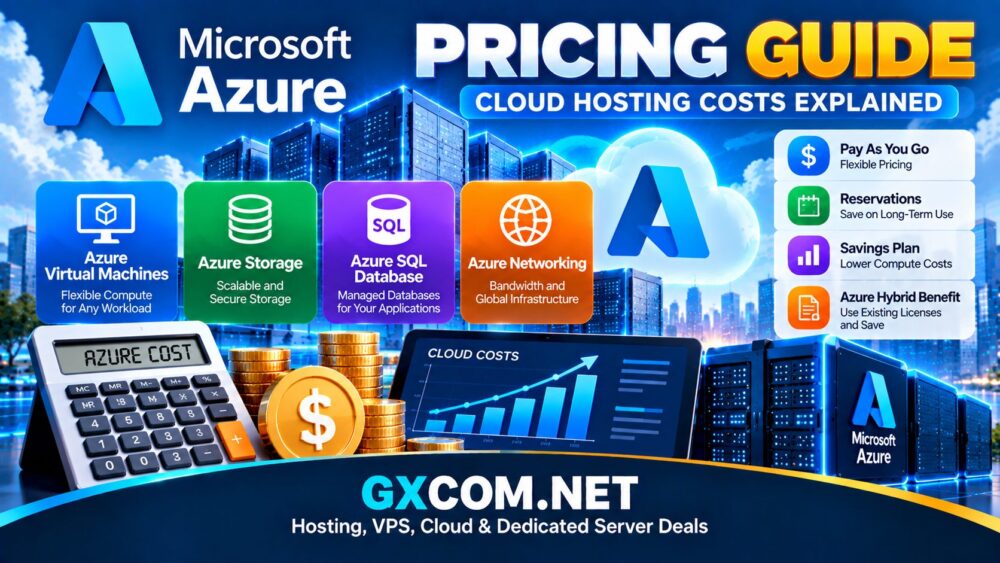
How Does Azure Pricing Work?
Azure primarily uses consumption-based cloud pricing. Instead of buying one traditional hosting package, businesses can combine individual Azure services and pay according to the resources they use.
Common factors that affect an Azure bill include:
- Virtual machine size
- CPU and memory allocation
- Windows or Linux operating system
- Storage type and capacity
- Managed databases
- Outbound network traffic
- Selected Azure region
- Backup and disaster recovery
- Load balancing and networking
- Additional managed services
This provides considerable flexibility, but it also means that businesses should calculate the complete infrastructure cost instead of looking only at the advertised price of one virtual machine.
Azure Virtual Machine Pricing
Azure Virtual Machines are one of the main infrastructure services used to run Windows and Linux servers in Microsoft's cloud.
VM pricing depends on several factors, including machine family, processor resources, memory, operating system, region, and purchasing model.
Azure offers VM families designed for workloads such as:
- General-purpose computing
- Compute-intensive applications
- Memory-intensive workloads
- Storage-focused applications
- GPU and accelerated computing
- High-performance computing
A small development server and a production database server can therefore have dramatically different monthly costs.
Before selecting a VM, businesses should estimate actual CPU and memory requirements rather than automatically choosing a larger configuration.
Windows vs Linux Azure VM Costs
Operating system choice can affect the final cost of an Azure virtual machine.
Linux workloads typically do not include the same Microsoft operating system licensing considerations as Windows Server workloads. Windows environments may involve additional licensing costs depending on configuration and eligibility.
Organizations with qualifying existing Microsoft licenses may be able to use Azure Hybrid Benefit to reduce eligible Windows Server or SQL Server costs.
For businesses already operating Microsoft infrastructure, licensing should therefore be included in the total cloud cost comparison rather than treating compute resources as the only expense.
Azure Storage Pricing
Cloud hosting usually requires storage in addition to compute resources. Azure provides multiple storage technologies designed for different workloads.
Common examples include:
- Managed disks for virtual machines
- Azure Blob Storage for object data
- File storage
- Backup storage
- Archive storage
Storage costs can depend on capacity, redundancy, performance tier, operations, and data access patterns.
Frequently accessed application data may require a different storage configuration from backups or long-term archives. Selecting the appropriate tier can help prevent businesses from paying premium storage rates for data that is rarely accessed.
Azure Database Pricing
Applications often need databases in addition to virtual servers. Azure provides managed database technologies including Azure SQL Database and other relational and non-relational services.
Database costs may be affected by:
- Compute resources
- Storage capacity
- Service tier
- High availability
- Backup retention
- Database transactions and usage
- Region
Managed databases can reduce some administrative work, but they should be included separately when calculating the complete application hosting budget.
Azure App Service Pricing
Azure App Service provides a managed environment for hosting websites, web applications, and APIs without requiring developers to administer every part of the underlying server infrastructure.
Pricing varies according to the selected service plan, computing resources, scaling requirements, and additional capabilities.
App Service can be attractive to development teams that value managed infrastructure, but businesses should compare the total cost against virtual machines and other deployment models based on their application architecture.
Azure Bandwidth and Data Transfer Costs
Network traffic is one of the cloud expenses that can be overlooked during initial planning.
The amount you pay can depend on where traffic originates, its destination, the Azure services involved, and the amount of outbound data transferred.
Websites serving large downloads, video, software packages, or other bandwidth-heavy content should pay particular attention to network costs.
Businesses comparing different infrastructure models can also review our
Best Cloud Hosting Solutions
guide before selecting a platform.
Azure Pricing for Websites
There is no universal cost for hosting a website on Azure because websites can be deployed using very different architectures.
A basic website might use:
- One virtual machine or App Service plan
- Basic storage
- Website traffic
- Backups
A larger business website might additionally require:
- Managed databases
- Load balancing
- Redundant infrastructure
- Content delivery
- Monitoring
- Advanced security services
The cost difference between these architectures can be substantial, which is why estimating Azure pricing from a VM price alone can be misleading.
Azure Pricing for Business Applications
Modern applications frequently use multiple Azure services simultaneously.
A production application could combine:
- Azure Virtual Machines or App Service
- Azure SQL Database
- Blob Storage
- Load balancing
- Azure Functions
- Monitoring and logging
- Backup services
Each component contributes to the final bill. Businesses should therefore model the application as a complete system when estimating monthly cloud costs.
For a broader assessment of the platform itself, read our
Azure Hosting Review.
Pay-As-You-Go Azure Pricing
Pay-as-you-go pricing provides flexibility for workloads where resource requirements are uncertain or frequently changing.
Businesses can deploy resources without making the same long-term commitment required by some discounted purchasing options.
This model can work well for testing, development, temporary infrastructure, and workloads with unpredictable demand. However, continuously running resources may justify evaluating longer-term pricing options.
Azure Reservations
Organizations with predictable workloads can evaluate Azure reservations for eligible resources.
Committing to longer-term resource requirements can provide different economics from continuously purchasing the same capacity at flexible usage rates.
The tradeoff is reduced flexibility. Businesses should understand expected long-term demand before making substantial commitments.
Azure Savings Plan for Compute
Azure also provides a savings plan model for eligible compute usage. It is designed for organizations with predictable compute spending that want a different balance between discounts and infrastructure flexibility.
Before committing, compare expected utilization, workload growth, and the possibility that infrastructure requirements may change.
What Is Azure Hybrid Benefit?
Azure Hybrid Benefit is particularly relevant to organizations that already have qualifying Microsoft licenses.
Eligible customers may be able to apply existing Windows Server or SQL Server licensing benefits to certain Azure workloads, potentially reducing the licensing component of cloud infrastructure costs.
Eligibility depends on the relevant Microsoft licensing terms, so businesses should verify their licenses before including expected savings in a cloud budget.
Azure vs AWS Pricing
Azure and AWS both use consumption-based pricing and provide multiple ways to purchase or commit to cloud resources.
| Pricing Area | Azure | AWS |
|---|---|---|
| Flexible Usage Pricing | Pay-as-you-go | Pay-as-you-go |
| Long-Term Options | Reservations and savings plans | Reservations and Savings Plans depending on service |
| Discounted Spare Capacity | Spot Virtual Machines | Spot Instances |
| Microsoft License Benefits | Azure Hybrid Benefit for eligible licenses | Different licensing programs and options may apply |
| Total Cost | Depends on architecture and usage | Depends on architecture and usage |
Price alone does not determine which platform is more economical. The answer depends on the exact workload, licenses, region, storage, network traffic, and services required.
See our complete
Azure vs AWS Comparison
for the broader differences between these platforms.
How to Estimate Azure Hosting Costs
A realistic Azure cost estimate should include every major infrastructure component.
Before deploying, calculate expected costs for:
- Compute
- Operating system licenses
- Managed disks
- Object storage
- Databases
- Outbound bandwidth
- Backups
- Load balancing
- Monitoring
- Other required Azure services
It is useful to model several scenarios. A low-traffic estimate shows the minimum expected infrastructure cost, while normal and high-traffic scenarios demonstrate how spending could change as the business grows.
How to Reduce Azure Costs
Right-Size Virtual Machines
Oversized virtual machines can waste money. Monitor actual CPU and memory utilization and select resources that reflect real workload requirements.
Remove Unused Resources
Unused development servers, disks, snapshots, public IP resources, and other abandoned infrastructure can contribute to cloud spending over time.
Use Appropriate Storage Tiers
Do not keep infrequently accessed data in unnecessarily expensive storage configurations when a lower-cost tier meets the workload requirements.
Evaluate Commitment Discounts
Stable workloads may benefit from eligible reservations or savings plans, while unpredictable workloads may need the flexibility of usage-based pricing.
Review Licensing
Businesses with qualifying Microsoft licenses should investigate whether Azure Hybrid Benefit applies to their workloads.
Monitor Bandwidth
Applications generating large amounts of outbound traffic should monitor network usage closely because data transfer can become a meaningful part of the total cloud bill.
Is Azure Expensive?
Azure is not inherently cheap or expensive. The answer depends on the infrastructure being compared and how efficiently resources are configured.
A properly sized environment with predictable workloads and appropriate pricing options can have very different economics from an environment filled with oversized or unused resources.
For smaller projects where low cost is the primary requirement, compare additional options in our
Cheap Cloud Hosting Providers
guide.
Is Azure Worth the Cost?
Azure can be attractive for businesses that need scalable infrastructure, Microsoft ecosystem integration, Windows workloads, managed databases, enterprise services, or hybrid cloud capabilities.
For a simple website, however, the flexibility of Azure may also introduce infrastructure and billing complexity that is unnecessary. Traditional VPS or managed cloud hosting can sometimes provide a simpler operating model.
The right choice depends on whether the platform's technical capabilities justify its management requirements and total cost for your particular application.
Final Thoughts
Azure cloud hosting costs extend far beyond the price of a virtual machine. Compute, operating system licensing, storage, databases, bandwidth, backups, and managed services can all contribute to the final bill.
Businesses should estimate the complete architecture before deployment, monitor actual usage after launch, and regularly remove or resize unnecessary resources.
Azure's flexible pricing models can support everything from temporary development environments to large enterprise systems. Understanding how each resource contributes to the total cost is the key to building an Azure environment that remains scalable without allowing cloud spending to grow unnecessarily.

