Launching a SaaS application on a cloud VPS is relatively straightforward. Keeping that application responsive, recoverable, and affordable as customers arrive is considerably harder. Infrastructure that works for an early prototype may become expensive or operationally fragile once databases grow and background jobs compete for resources.
VPSServer offers configurable cloud virtual machines with NVMe storage, administrative access, monitoring tools, and flexible billing. These features make it a candidate for developers who want more infrastructure control than conventional web hosting provides.
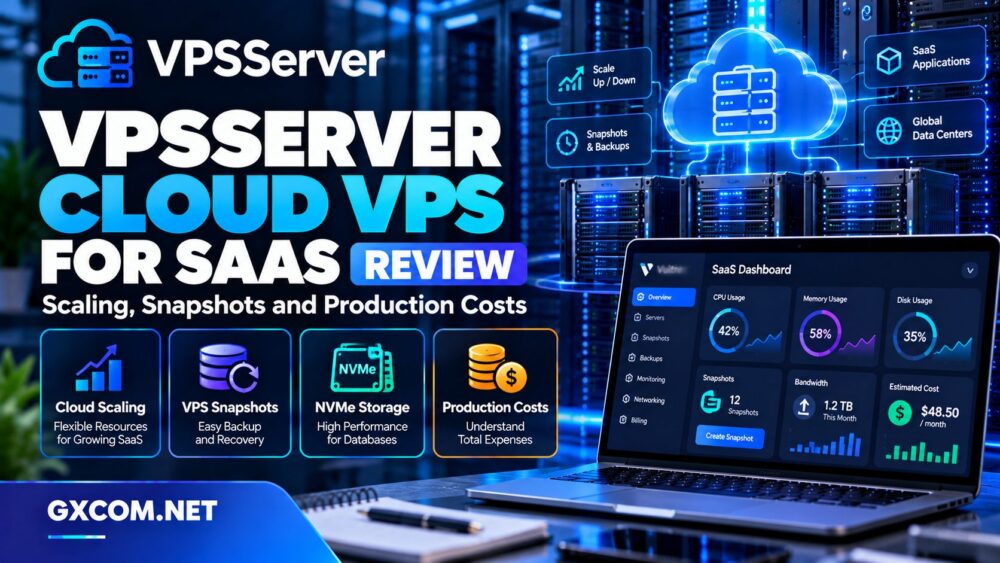
In this VPSServer Cloud VPS review, we examine scaling, snapshots, production architecture, and long-term costs for SaaS businesses. We also compare Vultr, Kamatera, Hostwinds, and Cherry Servers to identify situations where alternative infrastructure may be appropriate.
Editorial note: This review evaluates publicly documented features. GXCOM has not independently benchmarked VPSServer hardware, tested recovery times, or verified production uptime.
What Does VPSServer Offer SaaS Developers?
VPSServer provides virtual machines that customers can configure with selected CPU, memory, storage, and operating-system resources. Its platform supports Linux and Windows environments, making it relevant to different application stacks.
For a SaaS team, root access means the ability to install application runtimes, configure web servers, deploy containers, and manage database software. This flexibility is useful when a project requires custom dependencies or deployment processes.
However, cloud VPS hosting is not the same as a fully managed application platform. Teams remain responsible for application security, deployment configuration, database maintenance, and many operational tasks.
Our cloud hosting versus VPS comparison explains these infrastructure differences in greater detail.
Scaling a SaaS Application on VPSServer
Scaling should begin with measurements rather than assumptions. An application might need more memory because of caching, additional CPU for background processing, or faster database queries before either resource requires upgrading.
Vertical Scaling: Adding CPU and RAM
VPSServer advertises the ability to adjust virtual machine resources as requirements change. This can help businesses move from a small development configuration to a more capable production environment.
Vertical scaling is often the simplest first step because it preserves a familiar single-server architecture. Nevertheless, resizing may require a restart, maintenance window, or other operational changes depending on the configuration.
Before upgrading, verify whether the selected resource change affects disk partitions, billing, or service availability. Always maintain a tested recovery point before making infrastructure changes.
Horizontal Scaling: Multiple Application Instances
Growing SaaS products may eventually benefit from multiple application servers behind a load balancer. This approach can distribute incoming requests and reduce dependence on one application instance.
However, horizontal scaling requires more than duplicating virtual machines. Applications should handle sessions consistently, store uploaded files appropriately, and avoid relying on local server state.
Confirm which networking and load-balancing components are available for the chosen VPSServer product before designing a multi-node deployment.
Database Scaling Is a Separate Problem
A larger application server will not necessarily resolve database contention. Slow queries, missing indexes, connection exhaustion, and inefficient transactions can continue limiting performance.
Measure database latency and connection usage separately from web-server metrics. Consider dedicated database infrastructure when application and database workloads interfere with each other.
Snapshots, Backups, and Disaster Recovery
VPSServer describes snapshot management and automated backup capabilities within its cloud environment. These tools can support recovery planning, but their exact availability, retention, and billing should be confirmed for the selected service.

What Is a VPS Snapshot?
A snapshot captures a recoverable state of a virtual machine or associated storage at a particular point in time. It can be useful before operating-system upgrades, application deployments, or configuration changes.
However, a snapshot is not automatically an application-consistent database backup. Active transactions and in-memory data may require additional coordination to create a reliable recovery point.
Why SaaS Businesses Need Independent Backups
A production SaaS database may change continuously as customers register, submit transactions, or modify account information. Restoring an old snapshot could discard important activity.
For critical applications, combine infrastructure recovery points with scheduled database backups, suitable off-server storage, and documented restoration procedures.
Define a recovery point objective, or RPO, describing acceptable data loss. Then establish a recovery time objective, or RTO, for restoring service after failure.
Test Restoration Before an Incident
Backups have limited value until restoration has been tested. Periodically recover a copy into an isolated environment and verify application startup, database integrity, and access permissions.
Also confirm whether deleting the original server affects snapshot availability or separately stored backups.
NVMe Storage and SaaS Database Performance
VPSServer advertises NVMe SSD storage across its cloud VPS offerings. NVMe can provide advantages for latency-sensitive disk operations, but storage technology alone does not determine application performance.
Database efficiency also depends on memory allocation, query design, indexing, transaction behavior, and available I/O capacity.
A small database with effective caching may perform well on modest infrastructure, while an inefficient application can overload considerably larger servers.
Our NVMe VPS versus SSD performance guide explains when storage specifications materially affect workloads.
Production Reliability and Security
VPSServer advertises infrastructure monitoring, DDoS protection, and support services. These features can strengthen an application environment, but they do not replace security controls implemented by the SaaS operator.
Secure Administrative Access
Use SSH keys where appropriate, restrict administrative access, and disable unnecessary services. Maintain current operating-system packages and review firewall rules whenever application ports change.
Secrets such as database passwords and API credentials should be stored securely rather than embedded directly in application repositories.
Monitoring Beyond CPU Usage
Production monitoring should include memory pressure, disk capacity, database latency, error rates, queue depth, and external dependency failures.
CPU utilization alone cannot reveal whether customers are experiencing failed logins, delayed jobs, or unavailable API endpoints.
Set alerts around symptoms that affect customers, then use infrastructure metrics to identify the underlying cause.
Availability Requires Application Architecture
A provider’s infrastructure availability commitment does not guarantee that an individual SaaS application will remain continuously accessible.
Single-server deployments remain exposed to application crashes, maintenance interruptions, configuration mistakes, and database failures. Higher availability generally requires redundancy and tested failover procedures.
VPSServer Pricing: Calculate the Full Production Cost
VPSServer publishes monthly and hourly billing options. Its product materials also indicate that traffic allowances, licenses, managed services, and additional features can affect the final bill.
For SaaS teams, comparing the advertised price of one virtual machine is insufficient. A production environment often includes resources beyond the main application server.
Compute and Storage Expenses
Begin with the cost of continuously running application servers. Add separate database instances, development environments, storage requirements, and any standby capacity.
Do not assume stopping an operating system eliminates all charges. Review the provider’s rules for allocated resources and server termination.
Bandwidth and Additional Services
Network traffic can become meaningful when an application delivers large files, serves international customers, or exchanges substantial data with external systems.
Check the selected plan’s included transfer allowance and applicable excess-usage charges. Include backup storage, operating-system licenses, and optional management services where relevant.
Engineering and Maintenance Costs
Infrastructure spending also includes developer time. Security updates, deployment automation, database maintenance, and incident response create operational costs even when the virtual machine itself is inexpensive.
For a small team, a more expensive managed service may occasionally be economical if it removes substantial maintenance work.
Compare alternatives using our managed cloud hosting comparison.
VPSServer Alternatives for SaaS Hosting
Vultr: Flexible Cloud Compute
Vultr is worth comparing for developers evaluating cloud instances, regional deployment choices, and related infrastructure services.
Review compute specifications, networking options, backup arrangements, and the cost of additional resources rather than comparing entry-level prices alone.
Kamatera: Configurable Cloud Servers
Kamatera appeals to teams seeking customizable cloud server configurations. It may be suitable when application requirements do not fit standard instance sizes.
Compare CPU, memory, storage, support, and management responsibilities against the selected VPSServer configuration.
Hostwinds: VPS Hosting and Support Options
Hostwinds offers VPS hosting alternatives worth evaluating for teams that place importance on operating-system flexibility and support arrangements.
Determine whether a managed or unmanaged service better matches the technical resources available within the business.

Cherry Servers: Dedicated Infrastructure for Growth
Cherry Servers is a relevant alternative when SaaS workloads require dedicated physical hardware or more specialized infrastructure.
Bare metal may offer greater hardware isolation, but it can also introduce different deployment, scaling, and maintenance considerations.
See our bare metal server providers comparison for additional context.
Who Should Choose VPSServer?
VPSServer deserves consideration for developers launching SaaS applications that require root access, configurable resources, NVMe storage, and flexible billing.
It is particularly relevant when a team can manage its own application stack and wants the ability to adjust infrastructure as demand changes.
Businesses requiring managed databases, automatic multi-region failover, or comprehensive platform operations should evaluate those requirements separately rather than assuming they are included in a standard VPS plan.
Final Verdict: Is VPSServer Suitable for Production SaaS?
VPSServer provides a practical cloud VPS foundation for SaaS development and smaller production deployments. Its configurable virtual machines, monitoring capabilities, and recovery-related tools are relevant to teams seeking infrastructure control.
The main purchasing consideration is operational responsibility. Scaling a virtual machine is easier than designing a resilient application, and snapshots cannot replace a complete backup strategy.
Choose VPSServer when its current resources, billing terms, and management model fit your workload. Compare Vultr and Kamatera for cloud compute flexibility, Hostwinds for alternative VPS service arrangements, and Cherry Servers when dedicated infrastructure becomes appropriate.
Frequently Asked Questions
Can VPSServer scale with a SaaS application?
VPSServer advertises adjustable virtual machine resources. Verify resizing procedures and any downtime requirements before upgrading a production instance.
Are snapshots enough for SaaS backups?
No. Snapshots can support recovery, but important applications also need independent database backups and tested restoration procedures.
Does VPSServer offer hourly billing?
Yes. Published cloud server materials describe hourly and monthly billing options. Check the current billing rules before deployment.
Is VPSServer a fully managed SaaS platform?
No. Cloud VPS hosting provides infrastructure control, while application operations, security, and database management remain important customer responsibilities unless separately contracted.