Should you use an XML sitemap or robots.txt to control how Google discovers and accesses your website? Both are essential technical SEO tools, but they perform very different functions.
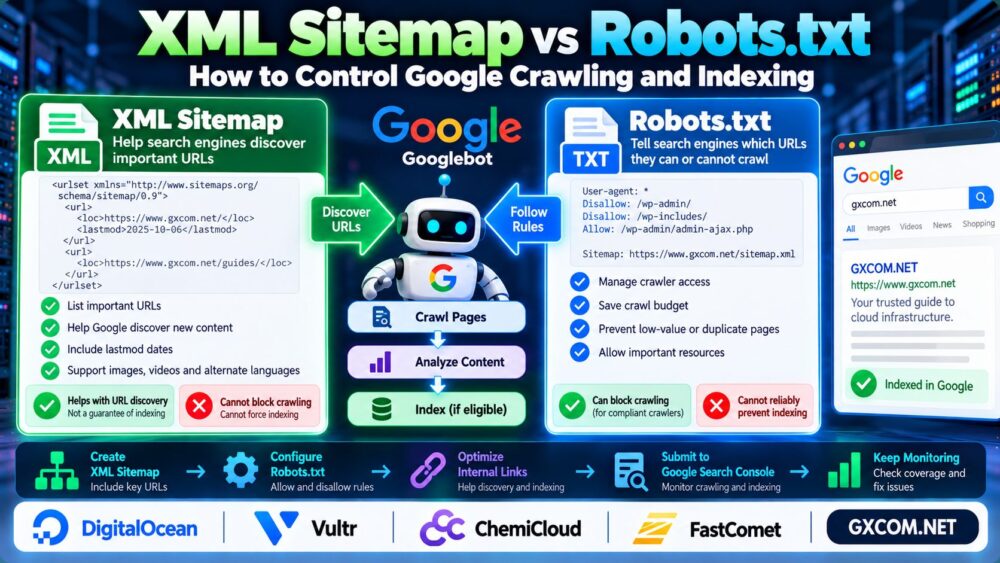
一个 XML 网站地图 helps search engines discover important URLs. A robots.txt file tells compliant crawlers which areas they may or may not request.
Neither tool guarantees Google indexing. This guide explains XML Sitemap vs Robots.txt, how crawling differs from indexing, and how to configure both correctly for WordPress and other websites.
XML Sitemap vs Robots.txt: Key Differences
| 功能 | XML 网站地图 | Robots.txt |
|---|---|---|
| 主要目的 | Help discover important URLs | Manage crawler access |
| Typical location | /sitemap_index.xml | /robots.txt |
| Can block crawling? | 不 | Yes, for compliant crawlers |
| Can prevent indexing? | 不 | Not reliably |
| Can guarantee indexing? | 不 | 不 |
| Useful for | URL discovery | Crawl access management |
简答: Use XML sitemaps for URL discovery, robots.txt for crawler access rules, and noindex directives when you need eligible pages excluded from search results.
1. What Is an XML Sitemap?
An XML sitemap is a structured file listing URLs that you want search engines to discover.
A basic example looks like this:
<?xml version="1.0" encoding="UTF-8"?>
<urlset xmlns="http://www.sitemaps.org/schemas/sitemap/0.9">
  <url>
    <loc>https://example.com/guide/</loc>
  </url>
</urlset>
Sitemaps are especially useful for large websites, newly published content, and pages that may be difficult to discover through internal links.
However, submitting a sitemap does not guarantee that Google will crawl or index every listed URL.
2. What Is Robots.txt?
The robots.txt file contains rules for crawlers accessing your website.
A simple example:
User-agent: *
Disallow: /private-area/
Allow: /

Sitemap: https://example.com/sitemap_index.xml
This example asks compliant crawlers not to access the specified directory while allowing other paths.
The sitemap directive helps crawlers locate your XML sitemap.
Robots.txt is publicly accessible and is not a security mechanism. Never rely on it to protect confidential information.
3. Crawling vs Indexing: Why the Difference Matters
Crawling means a search engine requests and processes web resources. 索引 means a search engine may store information about a page for potential appearance in search results.

A page can be crawled without being indexed.
Importantly, a URL blocked by robots.txt can sometimes still appear in Google results if discovered through external links or other signals.
If you want Google to recognize a noindex directive, it generally needs permission to crawl the page and see that directive.
Blocking a URL in robots.txt while adding noindex to the same page can prevent Google from discovering the noindex instruction.
4. How to Control Google Indexing Correctly
Different SEO goals require different controls:
| 你的目标 | Recommended Approach |
|---|---|
| Help Google discover important pages | XML sitemap and internal links |
| Restrict crawler access | Robots.txt |
| Exclude a crawlable HTML page from indexing | Meta robots noindex |
| Exclude a supported non-HTML resource | X-Robots-Tag noindex |
| Consolidate duplicate URL signals | Canonical tags or appropriate redirects |
| Protect confidential content | Authentication or access controls |
Canonical tags are signals rather than absolute commands. They are not substitutes for access control.
For better page discovery and topic organization, see our Internal Linking for SEO Guide.
5. How to Configure XML Sitemaps in WordPress
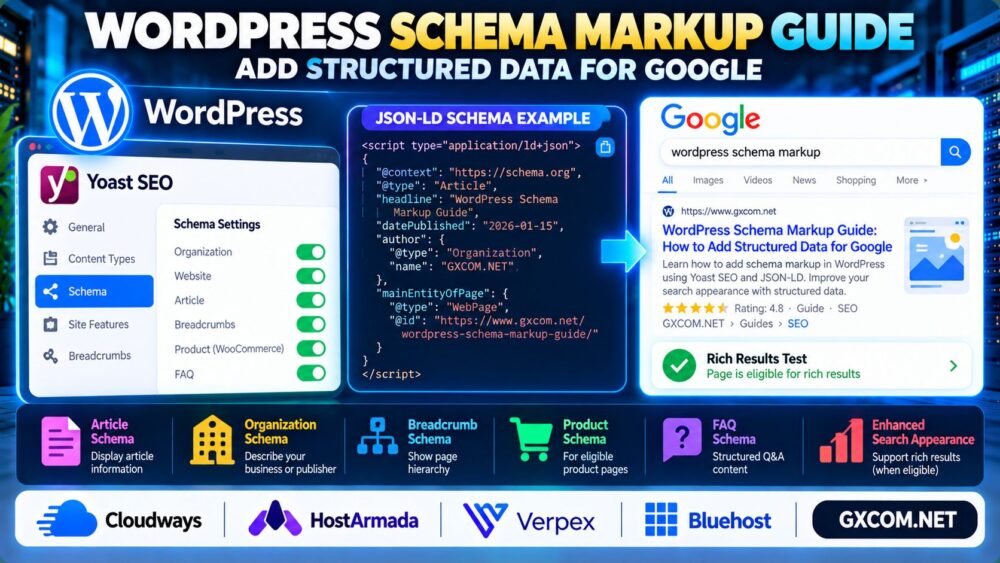
WordPress includes native XML sitemap functionality, while SEO plugins such as Yoast SEO provide additional sitemap management.
For websites using Yoast SEO, verify that XML sitemaps are enabled and open the sitemap index generated by the plugin.
Check that your sitemap contains intended, indexable canonical URLs rather than redirecting, duplicate, or intentionally excluded pages.
Submit the sitemap URL through Google Search Console → Sitemaps.
Then monitor sitemap processing and page indexing reports rather than assuming submission guarantees inclusion.
6. How to Configure Robots.txt for WordPress
For a typical WordPress installation, a minimal robots.txt configuration might be:
User-agent: *
Disallow: /wp-admin/
Allow: /wp-admin/admin-ajax.php

Sitemap: https://example.com/sitemap_index.xml
Replace the example sitemap URL with your actual sitemap address.
Avoid blocking /wp-content/ or other directories containing CSS, JavaScript, and images that Google needs to render important pages.
Do not copy broad robots.txt blocking rules from unrelated websites without checking their impact.
After changing robots.txt, verify the response and inspect affected URLs in Google Search Console.
7. Common Sitemap and Robots.txt SEO Mistakes
- Blocking pages you want indexed: Google may be unable to inspect their content or noindex directives.
- Listing noncanonical URLs: Sitemaps should normally contain preferred canonical URLs.
- Including redirecting pages: Update sitemap entries to their final destinations.
- Using robots.txt for privacy: Public crawler rules cannot secure sensitive files.
- Blocking essential resources: Restricted CSS or JavaScript may interfere with rendering.
- Ignoring internal links: Sitemaps do not replace a navigable website structure.
During HTTPS migrations, update sitemap URLs and canonical signals consistently. Our HTTP to HTTPS Redirect Guide explains the process.
8. How Server Performance Affects Google Crawling
Reliable hosting helps search engines access your website consistently. Repeated server errors, timeouts, and poor response performance can interfere with crawling.
For infrastructure flexibility, DigitalOcean 以及 Vultr are relevant cloud hosting providers to evaluate.
ChemiCloud 以及 FastComet are additional options when comparing managed website hosting environments.
Compare server reliability, technical support, resource limits, and operational requirements before choosing a provider.
For diagnosing infrastructure bottlenecks, see our Server Performance Monitoring Guide.

9. How to Audit Crawling and Indexing
Use Google Search Console to inspect important URLs, review indexing reports, and check sitemap processing.
Investigate pages excluded because of noindex, robots.txt restrictions, redirects, duplicate signals, or server problems.
For WordPress availability errors, our WordPress 503 错误指南 covers related troubleshooting.
Review crawl and indexing trends after major site migrations, URL changes, or robots.txt updates.
常见问题解答
Does robots.txt prevent Google indexing?
Not reliably. A blocked URL may still appear in search results if Google discovers it elsewhere.
Does an XML sitemap improve Google rankings?
A sitemap helps discovery but does not directly guarantee higher rankings.
Should noindex pages appear in an XML sitemap?
Generally, no. Sitemaps should focus on URLs you want indexed.
Can I use robots.txt and an XML sitemap together?
Yes. They serve complementary purposes and can be configured on the same website.
Where is the WordPress XML sitemap?
WordPress commonly exposes a native sitemap at /wp-sitemap.xml. Yoast SEO commonly uses /sitemap_index.xml.
Should I block duplicate pages with robots.txt?
Not automatically. Canonicalization, redirects, and noindex may be more appropriate depending on the duplication problem.
最终裁决
……之间的区别 XML Sitemap vs Robots.txt is straightforward: sitemaps support URL discovery, while robots.txt manages crawler access.
For effective Google crawling and indexing, combine clean sitemaps, appropriate robots directives, indexability controls, strong internal links, and reliable server performance.
Discover → Crawl → Evaluate → Index.