Switching from HTTP to HTTPS is essential for protecting website connections, but an incorrect redirect can cause ERR_TOO_MANY_REDIRECTS, broken pages, or mixed content warnings.
这个 HTTP to HTTPS redirect guide explains how to configure permanent redirects in Apache and Nginx, troubleshoot WordPress redirect loops, and fix insecure resources after enabling SSL.
What Is an HTTP to HTTPS Redirect?
An HTTP to HTTPS redirect sends visitors from an unencrypted URL to its secure HTTPS equivalent.
例如:
http://example.com/page/
→ https://example.com/page/
A permanent 301 redirect is commonly appropriate after completing an HTTPS migration. It tells browsers and search engines that the resource has moved permanently.
简答: Install a valid TLS certificate, configure one consistent redirect rule, update internal URLs, and verify that pages load without insecure resources or redirect loops.

1. Check Your SSL Certificate First
Before configuring redirects, confirm that HTTPS works directly:
https://example.comCheck that the certificate is valid, matches the hostname, and includes any required www or non-www variant.
If HTTPS fails before redirection, fix the certificate or server configuration first.
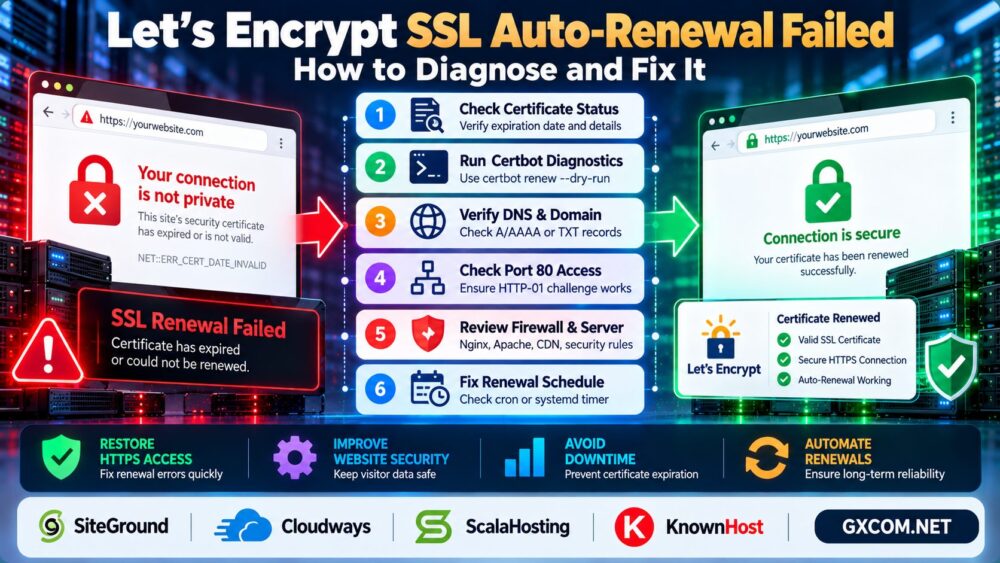
For certificate renewal problems, see our Let's Encrypt SSL Auto-Renewal Troubleshooting Guide.
2. Configure HTTP to HTTPS Redirects in Apache
For Apache servers using .htaccess with mod_rewrite enabled, a common rule is:
RewriteEngine On
RewriteCond %{HTTPS} !=on
RewriteRule ^ https://%{HTTP_HOST}%{REQUEST_URI} [R=301,L]
This redirects HTTP requests to the corresponding HTTPS URL.
However, behind a reverse proxy or CDN, Apache may receive HTTP traffic even when the visitor connects using HTTPS. In that situation, a basic HTTPS condition can create a loop.
Use the proxy-aware configuration recommended by your hosting platform instead of adding conflicting rules.
3. Configure HTTP to HTTPS Redirects in Nginx
On Nginx, HTTP redirection is usually configured in the port 80 server block:
server {
    listen 80;
    server_name example.com www.example.com;
    return 301 https://$host$request_uri;
}
Your HTTPS server block must separately handle TLS connections with the appropriate certificate.
After editing the configuration, validate it:
sudo nginx -tIf validation succeeds, reload Nginx:
sudo systemctl reload nginxAvoid adding the same redirect independently at the CDN, load balancer, web server, and application layers without understanding how they interact.

4. Fix ERR_TOO_MANY_REDIRECTS
A redirect loop occurs when two or more rules repeatedly send the browser between URLs.
常见原因包括:
- Conflicting HTTP and HTTPS rules.
- Incorrect WordPress site URLs.
- CDN SSL modes that connect to the origin using HTTP.
- Duplicate redirects in plugins and server configuration.
- Conflicting www and non-www canonicalization.
Use this command to inspect the redirect response:
curl -I http://example.comFor the redirect chain:
curl -IL --max-redirs 10 http://example.comLook for repeated 位置 headers or alternating HTTP and HTTPS URLs.
If using a CDN, verify that its origin connection mode and your web server's HTTPS rules are compatible.
5. Fix WordPress HTTPS Redirect Problems
In WordPress, check “设置” → “通用” and confirm that the WordPress Address and Site Address use the intended HTTPS URL.
If the dashboard is inaccessible, administrators can temporarily define the URLs in wp-config.php:
define('WP_HOME', 'https://example.com');
define('WP_SITEURL', 'https://example.com');
These settings override the corresponding database options while defined. They do not repair incorrect reverse-proxy HTTPS detection.
Review SSL plugins, caching rules, and CDN configuration before introducing additional redirects.
When changing hosts, follow our WordPress Migration Without Downtime Guide to reduce configuration mistakes.
6. How to Fix Mixed Content Warnings
混合内容 occurs when an HTTPS page requests resources through insecure HTTP URLs.
Examples include images, scripts, stylesheets, fonts, and embedded content.
Open your browser's developer tools and inspect the Console for mixed content messages.
Then update insecure resource references to HTTPS, provided the destination supports HTTPS.
For WordPress, check theme settings, plugin configurations, hardcoded URLs, and stored content.
When replacing URLs in the WordPress database, use a serialization-aware tool such as WP-CLI rather than a raw SQL text replacement.
示例:
wp search-replace 'http://example.com' 'https://example.com' --all-tables-with-prefix --dry-runReview the dry-run results and back up the database before performing the actual replacement.
Do not assume that every third-party HTTP resource supports HTTPS. Replace or remove incompatible resources when necessary.
7. Verify Redirects, Canonicals, and Internal Links
After fixing the configuration, confirm that:
- HTTP pages redirect to their intended HTTPS equivalents.
- Redirect chains are short and contain no loops.
- Canonical URLs use HTTPS.
- XML sitemaps list the preferred HTTPS URLs.
- Internal links and assets avoid unnecessary HTTP redirects.
- Important pages load without mixed content errors.
For content architecture, read our Internal Linking for SEO Guide.
8. When Does Managed Hosting Make HTTPS Easier?
For administrators managing many websites, SSL installation, redirects, CDN settings, and certificate renewals can create ongoing maintenance work.
SiteGround 以及 GreenGeeks are relevant options when evaluating WordPress hosting environments with SSL management features.
Hostwinds 以及 UltaHost are also worth comparing when choosing hosting or VPS environments with different administration and support requirements.
Verify current SSL features, control-panel options, support coverage, and renewal terms before selecting a provider.
For broader hosting decisions, see our 托管型与非托管型主机对比.
HTTP to HTTPS Migration Checklist
- Verify the certificate and HTTPS hostname coverage.
- Choose one preferred hostname.
- Configure permanent HTTP to HTTPS redirects.
- Check CDN and reverse-proxy settings.
- Update WordPress URLs and mixed content resources.
- Test redirect chains, canonical tags, and sitemaps.
If users still experience availability problems, our WordPress 503 错误指南 covers related server-side troubleshooting.

常见问题解答
Should HTTP redirect to HTTPS with 301 or 302?
Use a 301 redirect for a permanent HTTPS migration. A 302 is appropriate when the change is genuinely temporary.
Why does HTTPS cause too many redirects?
Conflicting server, CDN, plugin, or application rules can repeatedly redirect requests between URLs.
Can Cloudflare cause an HTTPS redirect loop?
Yes. Certain origin connection settings combined with origin-side HTTPS redirects can produce loops.
Does mixed content affect website security?
Yes. Insecure resources can weaken connection security, and browsers may block certain mixed content requests.
Will an SSL certificate automatically redirect HTTP to HTTPS?
No. A certificate enables TLS connections, but redirects generally require separate server, CDN, or application configuration.
Should I enable HSTS immediately?
Enable HTTP Strict Transport Security only after confirming that HTTPS works reliably across the required hostnames. Incorrect HSTS configuration can make recovery difficult.
最终裁决
一个可靠的 HTTP to HTTPS redirect requires more than installing an SSL certificate.
Configure redirects consistently, fix proxy and WordPress settings, remove mixed content, and verify canonical URLs.
Valid Certificate → Correct Redirect → No Loops → No Mixed Content → Secure Website.