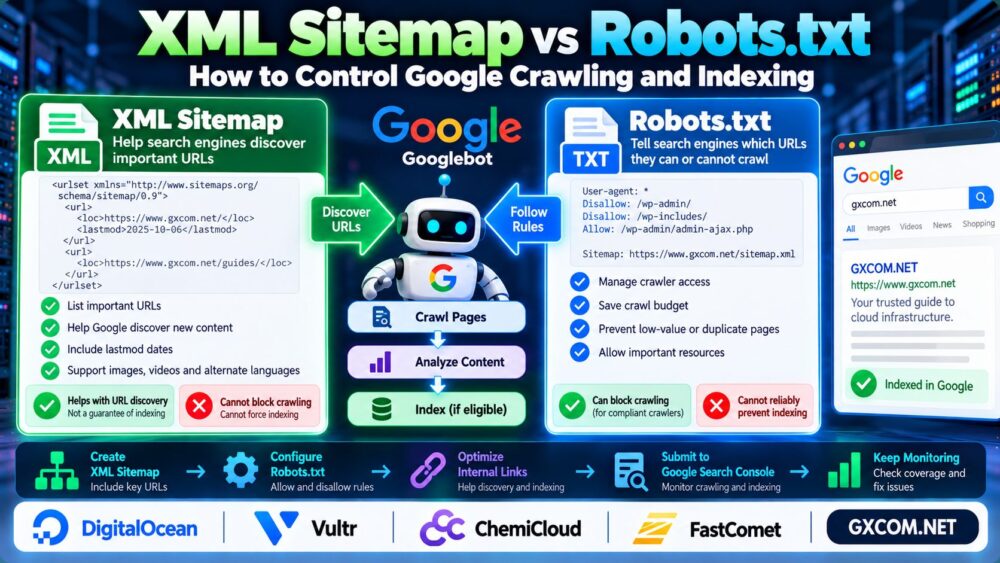
Want to help Google better understand your WordPress content? WordPress schema markup adds structured information about articles, organizations, breadcrumbs, products, and other page elements.
Schema markup can make eligible pages easier for search engines to interpret and may support enhanced search appearances, but it does not guarantee rich results or higher rankings.
This guide explains how to add structured data in WordPress using Yoast SEO, JSON-LD, and manual methods, then test your implementation with Google's tools.
What Is Schema Markup in WordPress?
Schema markup is structured data based on the vocabulary maintained by Schema.org. It describes the entities and relationships represented on a webpage.
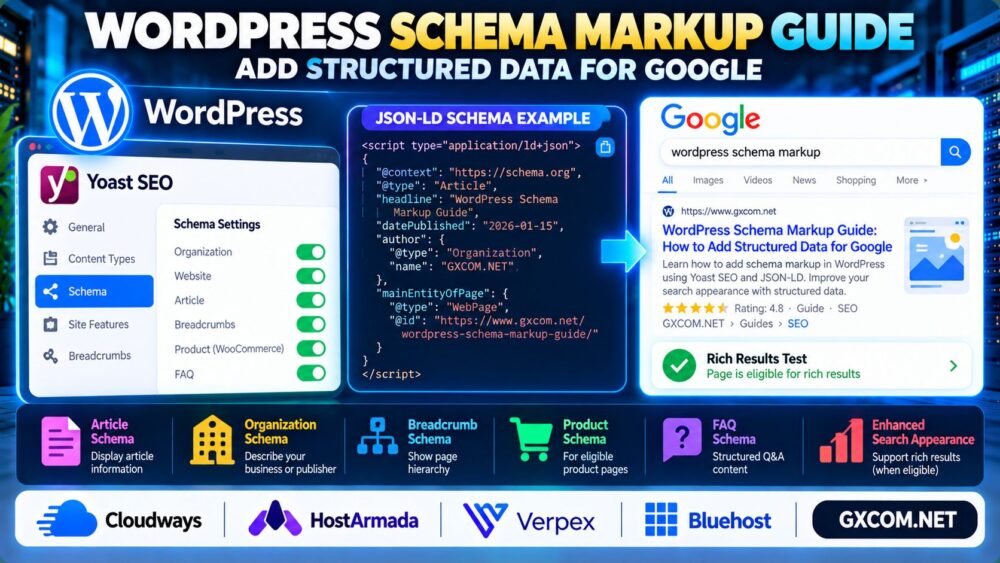
Common WordPress schema types include:
- Article: Editorial articles and blog posts.
- Organization: Information about a business or publisher.
- BreadcrumbList: A page's position in a navigation hierarchy.
- Product: Eligible product information on relevant pages.
- FAQPage: Question-and-answer content, subject to Google's restrictive rich-result eligibility.
简答: Most WordPress websites should begin with accurate Article, Organization, and Breadcrumb schema where appropriate, then add specialized types only when the page genuinely supports them.
1. How to Add Schema Markup with Yoast SEO
Yoast SEO can automatically generate structured data for WordPress websites, including connected schema entities represented in JSON-LD.
Start with these steps:
- Install and activate Yoast SEO.
- Configure your website's organization or person information.
- Review the schema settings for individual posts and pages.
- Use the appropriate page and article types.
- Inspect the generated structured data before adding custom markup.
Menu labels can differ between Yoast versions, so use the available settings in your installed release.
重要提示: If Yoast already outputs Article or Organization schema, avoid inserting a separate conflicting version through another plugin or custom code.
2. How to Add JSON-LD Schema Manually
Google supports JSON-LD for many structured data features, making it a practical format for custom implementations.
Here is a simplified Article schema example:
<script type="application/ld+json">
{
  "@context": "https://schema.org",
  "@type": "Article",
  "headline": "Example WordPress Guide",
  "datePublished": "2026-01-15",
  "author": {
    "@type": "Organization",
    "name": "Example Publisher"
  },
  "mainEntityOfPage": {
    "@type": "WebPage",
    "@id": "https://example.com/guide/"
  }
}
</script>
Replace the sample headline, date, publisher, and URL with accurate information from the actual page.
For dynamic websites, generate schema from WordPress content fields rather than maintaining hardcoded dates and titles.
Custom JSON-LD can be inserted through a suitable plugin or theme integration, but avoid duplicating schema already produced by Yoast SEO.

3. Which Schema Types Should WordPress Websites Use?
| Page Type | Relevant Schema | 重要注意事项 |
|---|---|---|
| Blog article | Article or BlogPosting | Use accurate article metadata |
| Business homepage | 组织 | Represent the actual organization |
| Navigation hierarchy | BreadcrumbList | Match the page structure |
| Product detail page | 产品 | Follow Google's product requirements |
| FAQ content | FAQPage | Rich-result visibility is highly restricted |
Choose schema types based on visible content and the actual purpose of each page, not merely on which rich result looks attractive.
4. How to Test WordPress Structured Data
After implementing schema, validate it using two complementary tools.
Google Rich Results Test checks eligibility and issues for supported Google rich-result features.
Schema Markup Validator helps inspect general Schema.org structured data syntax and vocabulary.
A technically valid schema implementation does not guarantee that Google will display a rich result.
After publishing, monitor relevant enhancement and indexing information in Google Search Console.
For crawl discovery and indexing fundamentals, read our XML Sitemap vs Robots.txt Guide.
5. Common WordPress Schema Markup Mistakes
Structured data errors often result from plugins generating overlapping or inaccurate markup.
常见问题包括:
- Duplicating Article or Organization schema across plugins.
- Using schema types unrelated to the page's actual content.
- Adding inaccurate publication dates or publisher information.
- Marking up invisible or misleading content.
- Assuming valid schema guarantees rich results.
- Failing to update schema after changing page URLs.
When restructuring articles, maintain clear page relationships and internal links. See our Internal Linking for SEO Guide.
6. Does Schema Markup Improve Google Rankings?
Schema markup helps search engines understand page information and can enable supported search enhancements.
However, structured data alone is not a guaranteed ranking improvement.
Content quality, search intent, accessibility, internal linking, and technical reliability remain important.
For HTTPS configuration, our HTTP to HTTPS Redirect Guide explains how to resolve redirect and mixed content problems.
7. Schema Markup for Affiliate and Review Websites
Affiliate websites should be especially careful when adding Product, Review, or AggregateRating markup.
Use only schema that accurately describes the page and satisfies Google's applicable structured data policies.
Do not invent ratings, prices, review counts, or product availability to create rich-result eligibility.
For editorial hosting comparisons, accurate article metadata and clear content structure are more useful than unsupported product claims.
8. Choosing WordPress Hosting for Technical SEO
Schema markup is not dependent on a particular hosting brand, but reliable hosting helps search engines access and render your website consistently.
Cloudways is relevant when evaluating managed cloud hosting for WordPress applications.
HostArmada 以及 Verpex are additional providers to compare for WordPress hosting and website administration needs.
Bluehost is another option for website owners evaluating WordPress hosting environments.
Compare uptime performance, support scope, backups, resource limits, and renewal terms rather than assuming any provider automatically improves SEO rankings.
For resource troubleshooting, read our Server Performance Monitoring Guide.
WordPress Schema Markup Checklist
- Configure accurate site identity in your SEO plugin.
- Use appropriate Article and WebPage schema types.
- Check BreadcrumbList markup where applicable.
- Avoid duplicate or contradictory structured data.
- Validate markup and review Google eligibility requirements.
- Monitor Search Console after major content changes.
When migrating WordPress, verify that schema URLs and canonical references remain accurate. Our WordPress Migration Guide covers related migration planning.

常见问题解答
Does WordPress automatically add schema markup?
WordPress itself does not provide every schema type needed for Google search features. SEO plugins can generate structured data automatically.
Does Yoast SEO add Article schema?
Yes. Yoast SEO can generate Article-related structured data according to its configuration and page context.
Is JSON-LD better than Microdata?
Google generally recommends JSON-LD for supported structured data features because it is easier to maintain separately from visible HTML.
Will schema markup guarantee Google rich results?
No. Eligibility depends on Google's requirements, page quality, and search presentation decisions.
Should every blog post use FAQ schema?
No. FAQ rich results are restricted and adding FAQPage markup to ordinary articles does not guarantee enhanced search appearance.
Can multiple schema plugins cause problems?
Yes. Overlapping plugins may produce duplicate, inconsistent, or conflicting structured data.
最终裁决
Effective WordPress schema markup starts with accurate content descriptions, consistent JSON-LD, and careful validation.
Use Yoast SEO where appropriate, add custom schema only when necessary, and focus on genuine Google eligibility rather than unsupported ranking promises.
Accurate Content → Relevant Schema → Validation → Search Monitoring.