Renting an NVIDIA GeForce RTX 5090 can give AI developers access to powerful Blackwell computing without purchasing an expensive workstation. With 32GB of GDDR7 memory, the card is attractive for local-style AI inference, image generation, rendering, and selected fine-tuning workloads.
However, the best RTX 5090 GPU server rental is not necessarily the cheapest hourly instance. Monthly utilization, GPU availability, software compatibility, storage, and reliability all influence the real value.
This guide compares RTX 5090 hosting options from RunPod 以及 AlphaVPS, examines dedicated infrastructure alternatives, and explains when hourly or monthly rental makes financial sense.
Why Rent an RTX 5090 GPU Server?
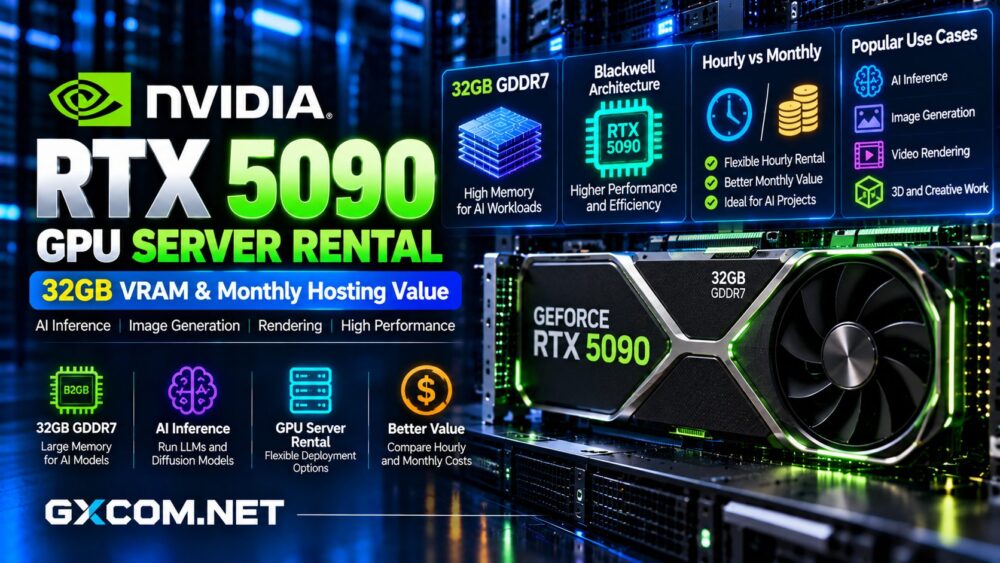
The RTX 5090 uses NVIDIA Blackwell architecture with 21,760 CUDA cores, fifth-generation Tensor Cores, and 32GB GDDR7 memory. NVIDIA specifies memory bandwidth of 1,792GB/s and total graphics power of 575W.
These capabilities make it relevant for CUDA-based applications, diffusion models, smaller language models, video processing, and GPU-accelerated creative workflows.
Nevertheless, the RTX 5090 remains a consumer GeForce product. It should not automatically be treated as equivalent to an enterprise accelerator with specialized reliability, memory, or multi-GPU features.
Best RTX 5090 GPU Rental Providers
RunPod: Flexible RTX 5090 Cloud Rental
RunPod explicitly offers RTX 5090 cloud GPU instances with 32GB VRAM. Its Pods allow developers to configure containers, storage, and GPU environments for testing or sustained workloads.
RunPod also lists RTX 5090 support for Serverless inference, making it worth evaluating when application traffic fluctuates.
Pods generally suit direct environment control, while Serverless can help avoid continuously running idle inference workers. Billing behavior, startup latency, and available GPU capacity differ between deployment models.
请查看我们的 RunPod GPU 云服务评测 for additional platform considerations.
AlphaVPS: Dedicated RTX 5090 Monthly Hosting
AlphaVPS lists RTX 5090 32GB configurations within its dedicated GPU server lineup. Its offering emphasizes custom hardware, root access, and flat monthly pricing rather than metered GPU hours.
This model deserves attention from teams running continuous inference services, rendering queues, or development environments requiring predictable access.
Ask for a complete quotation covering the RTX 5090 configuration, CPU, RAM, NVMe storage, networking, provisioning time, and support terms.

A monthly server can be attractive at high utilization, but buyers should compare total contract cost against flexible cloud instances before committing.
Cherry Servers: Alternative Dedicated GPU Infrastructure
Cherry 服务器 provides GPU-enabled bare-metal infrastructure and configurable dedicated servers.
Its value lies in comparing dedicated hosting economics and hardware control. However, an RTX 5090 configuration should not be assumed available without written confirmation.
Consider this alternative when a professional GPU model, different memory capacity, or custom server configuration could better serve a long-running workload.
RTX 5090 Hourly vs Monthly Rental Costs
Hourly GPU rental is useful for experiments, irregular batch processing, and projects with uncertain demand. Monthly hosting becomes more compelling when the GPU remains active for much of the billing period.
Calculate the approximate monthly compute expense using:
Monthly GPU Cost = Hourly Rate × Billable Hours
For example, at a hypothetical $1.20 per hour, 200 billable hours would cost $240, while 720 hours would cost $864.
These figures are illustrations, not current provider quotations. Storage, reserved capacity, networking, and other services may increase the final bill.
Compare alternatives in our affordable GPU server guide.
When Does Monthly RTX 5090 Hosting Pay Off?
The break-even point depends on the dedicated server’s monthly price and the cloud instance’s effective hourly rate.
Break-Even Hours = Monthly Server Price ÷ Effective Hourly Cloud Rate
Suppose a dedicated server costs $600 monthly and an equivalent cloud configuration costs $1.20 per hour. The break-even point is 500 billable hours.
Above that threshold, dedicated hosting may offer lower compute costs, assuming comparable performance and no significant additional charges.
However, fixed monthly contracts continue charging during idle periods. Flexible cloud rental may remain preferable for unpredictable workloads.
Is 32GB VRAM Enough for AI Inference?
Thirty-two gigabytes provides useful capacity for many quantized language models, image generation pipelines, and specialized inference applications.
However, model weights are only one part of GPU memory consumption. KV cache, context length, concurrent requests, framework overhead, and temporary buffers also require VRAM.
A model that fits during testing may fail under production concurrency.
Benchmark your intended model, precision, batch size, and context length before choosing a rental plan.
RTX 5090 vs L40S and H100
The RTX 5090 offers 32GB GDDR7, compared with 48GB GDDR6 ECC on the NVIDIA L40S and 80GB HBM3 on the H100 SXM.
The RTX 5090 can be attractive for workloads that fit within 32GB and benefit from its newer architecture. The L40S provides additional memory capacity and enterprise-oriented positioning.
H100-class infrastructure is better suited to workloads requiring substantially greater memory bandwidth, larger accelerator memory, or specialized multi-GPU capabilities.
探索我们的 L40S GPU rental deals 以及 H100 GPU rental comparison before selecting a GPU family.
Consumer GPU Limitations for Production Hosting
GeForce hardware is not a direct substitute for every data-center GPU. Buyers should consider memory reliability, virtualization support, cooling, sustained power requirements, and software licensing.
The RTX 5090 also lacks NVLink, so multiple cards do not provide the same tightly coupled GPU memory architecture as specialized accelerator platforms.

For production deployment, confirm the provider’s permitted workloads, driver support, hardware isolation, replacement procedures, and service commitments.
Measure Cost per Useful Result
A cheaper GPU hour does not guarantee cheaper inference.
Measure completed requests, output tokens, generated images, or rendered frames under realistic conditions. Then divide total infrastructure spending by successful output.
Record latency, throughput, GPU utilization, memory usage, and failures alongside the cost calculation.
These measurements reveal whether a faster instance actually saves money or simply increases unused capacity.
RTX 5090 Rental Buying Checklist
- Confirm the exact RTX 5090 model and dedicated GPU allocation.
- Check CUDA, driver, container, and framework compatibility.
- Verify RAM, CPU, NVMe storage, and bandwidth allowances.
- Compare hourly billing with full monthly commitment costs.
- Review backup, support, hardware replacement, and cancellation terms.
Final Verdict: Which RTX 5090 Rental Is Best?
RunPod is a practical starting point for flexible RTX 5090 cloud instances and inference deployment. AlphaVPS deserves consideration for dedicated monthly GPU servers with predictable hardware access.
Cherry Servers offers an additional route for comparing custom bare-metal GPU infrastructure, subject to confirmation of the required accelerator.
最好的 RTX 5090 GPU server rental balances usable performance, 32GB memory constraints, reliability, and total monthly spending. Test your actual workload before choosing the lowest advertised price.